

 nuxt-community
Lighthouse performance on create-nuxt-app w/ vuetify
Module version v1.11.2
Describe the bug Less than ideal score on lighthouse (mobile performance).
To Reproduce https://github.com/andrewspy/nuxt-app
Steps to reproduce the behavior:
-
yarn global add create-nuxt-app -
create-nuxt-app nuxt-app -
yarn build -
yarn start
Expected behavior Expect a better "green" score on lighthouse (mobile performance). First paint of 4.3s for an SSR seems slow.
Screenshots

Additional context It's not a bug per se, but out of the box performance should be better, am I missing something?

Lighthouse by default applies 4x throttling to simulate a 3G/ low quality 4G connection. So I think unless you really optimize your site you'll see bad scores there.
A better test is PageSpeed Insights. It should be noted that when I did npx create-nuxt-app and went straight to PageSpeed I got 79 on mobile and 96 on desktop.
Adding extractCSS: true to build{} as well as using the latest version of vuetify got me up to 90 on mobile and 98 on desktop


@simeon9696 Thanks for sharing your result. I am aware that lighthouse apply throttling to simulate mobile scenario, and I am testing create-nuxt-app out of the box on local machines as a standard baseline to minimize other factors that may affect the audit (such as hosting/network etc).
I have also added extractCSS: true and update vuetify to the latest version, but the result seems to be no different. I'm surprised to see that your result performs so much better on netlify w/ PageSpeed Insight, would it be possible to share your lighthouse mobile performance result on local machine as well?
My point is if the baseline create-nuxt-app (with vuetify) can't achieve a "green" score on local machine, there is no way for an app to perform better when building on top of it.
Heard Vue3 does improve SSR performance, will have to see how it performs when (nuxt+vuetify) is ready for Vue3.
@simeon9696 Just for a quick update, I have removed @nuxtjs/vuetify for testing purpose, and manage to score a 98-100 on lighthouse.
  buildModules: [
    // Doc: https://github.com/nuxt-community/eslint-module
    '@nuxtjs/eslint-module'
    // '@nuxtjs/vuetify'
  ],

Obviously, this is only meant for testing purposes, but it seems there is room for improvement in vuetify.
Lighthouse mobile score as requested w/ simulated throttling

And applied throttling:
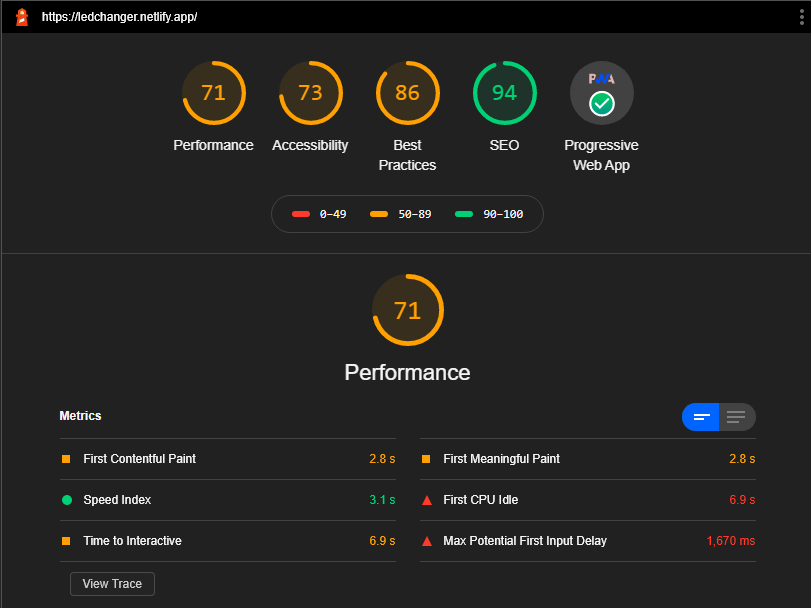
I think it's okay, and you're right if you start building your app on this baseline then it can only go down. I'm not sure how you would even begin to fix this. If the project you're looking to build is small and doesn't require a whole lot of elements I'd suggest Vuesax
@simeon9696 Thanks, I'll have a look at Vuesax. Shall keep this open and do a lighthouse test when vuetify-module support vue3.
Hi,
i have the same issue. I wont to work with nuxt and vuetify. But the performance is not as good as i expected. I hosted a new project on my server. I configured the IIS as reverse proxy to localhost:3040. If I am hosting nuxt without vuetify i got results Mobile 98 and Desktop 100. With vuetify i implemented the following steps:
My installation Config was:

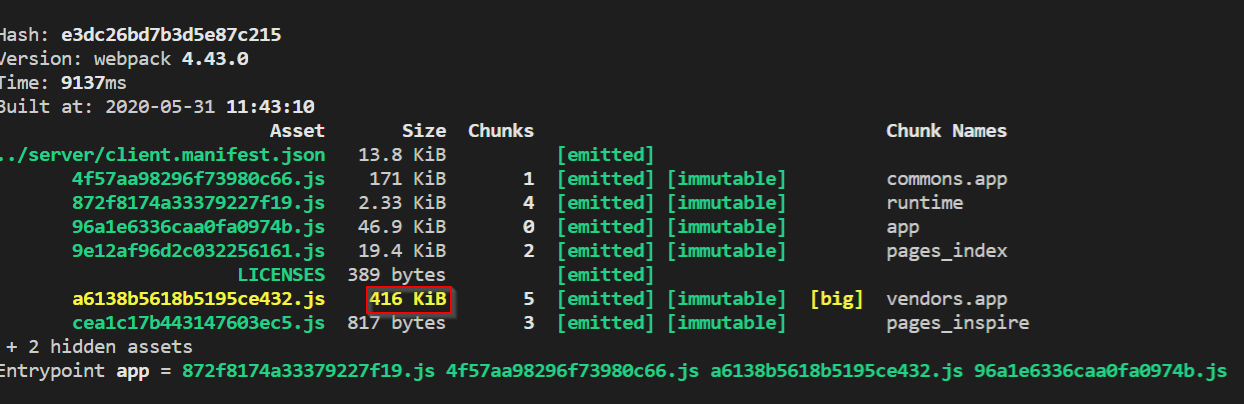
If I Build the project without any config i got one big vendor:
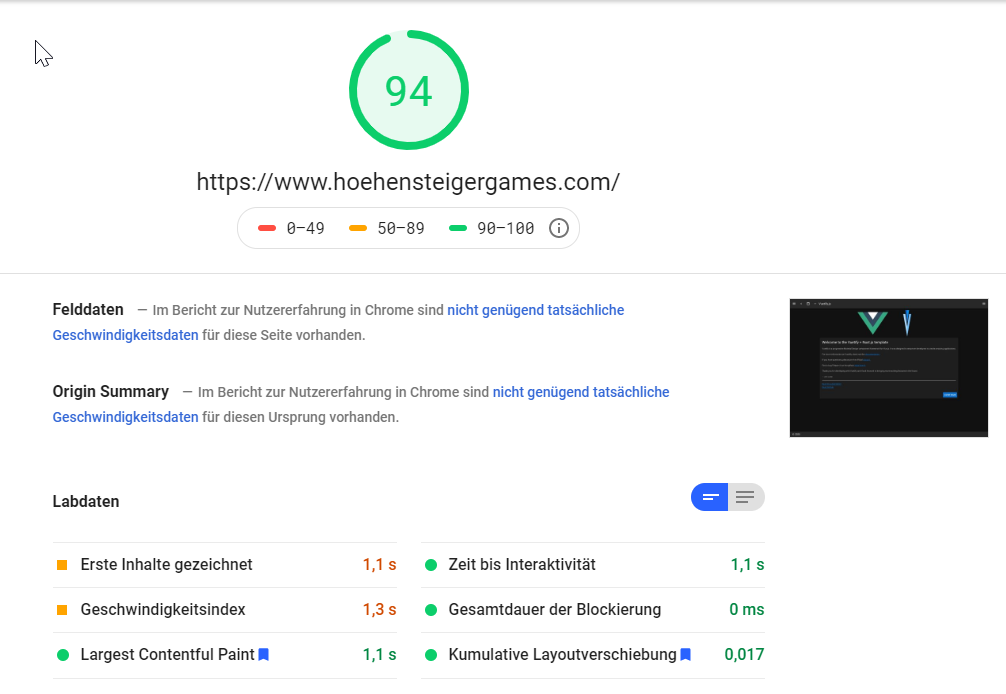
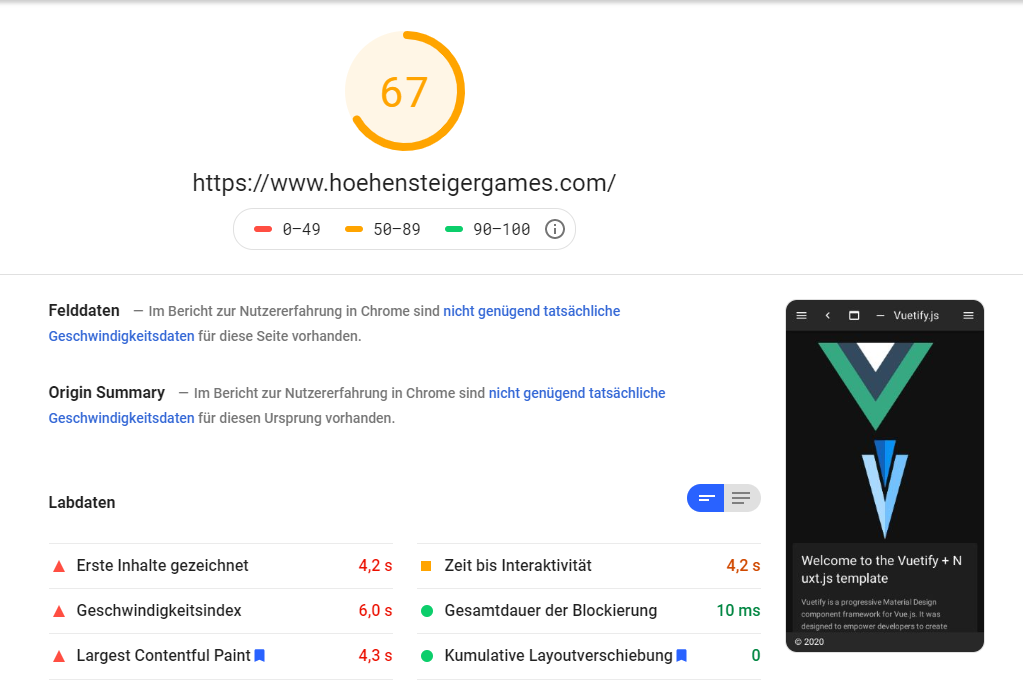
Hosted on my server - here are the results:
Desktop
 Mobile
I also tried to implement the extractCSS:

Now if i am building the project the vendor is 50% smaler:
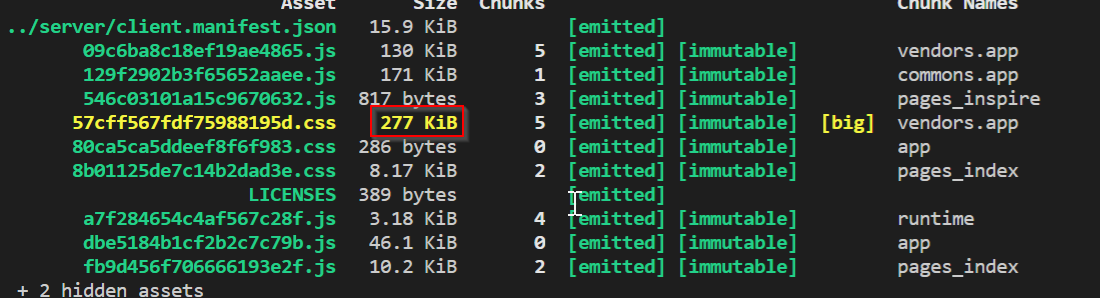
If I do that - the sults are much worse than before:
Desktop:
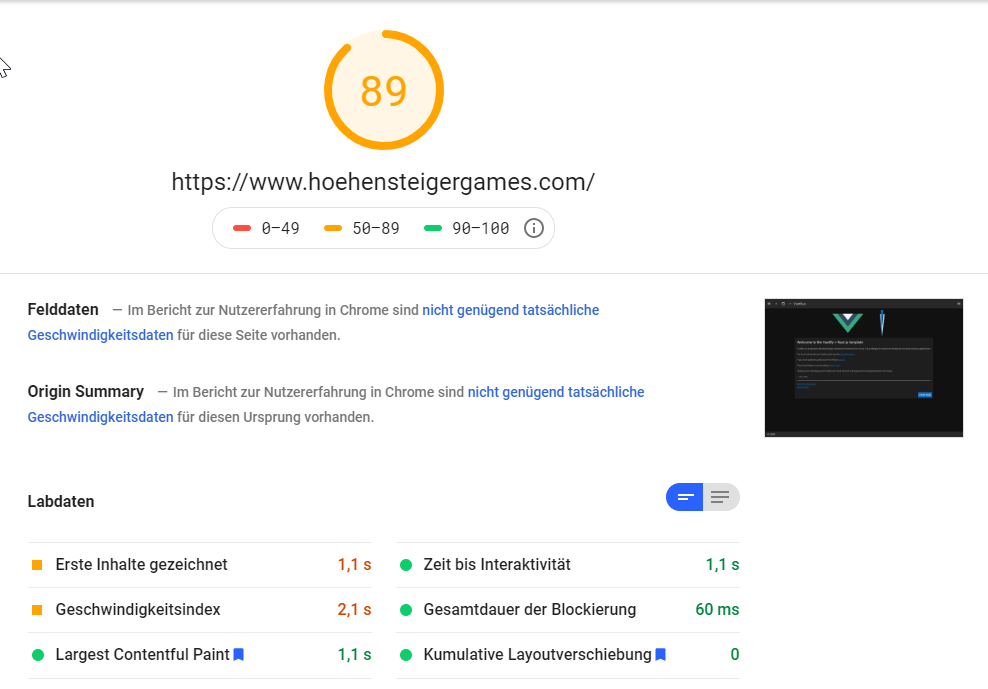 Mobile:

After a long reseach session i found the following article: https://www.davidroyer.me/blog/nuxtify-project/
There someone reachted my goal to improve the score to nearly 100 I downloaded his solution. But he implemented the vuetify project with the vuetify-loader and not as processed in the documentation.
Or is the solution of the nuxtify-project the correct one? I also tried to implement the https://purgecss.com/. But if i do that the whole layout is broken. This feature dont know which vuetify css is used.
So my question: If I got it right, will you work on a solution to increase the performance a bit? Or do I have to look for a better solution myself? I want to use vuetify because I'm starting a very large project and the performance has to be right from the start.
Another prolmen is the TTFB:

I know that the ssr function can downgrade the response that it will take a little longer but I only have this response time since I started the nuxt.js project with vuetify. Do you have any ideo or does i have to open another issue?
Many thanks for the help
lg chriss

@HoehensteigerGames I have been through the same process as you did, and it seems the bottleneck is in vuetify v2. Also, you can't use https://www.davidroyer.me/blog/nuxtify-project/ as a reference as it uses vuetify v1.5 which is outdated and very different from v2.
Personally, I am investigating on https://quasar.dev/ for the SSR performance as it is important for my use case, but I missed the whole nuxt/vuetify ecosystem. Hopefully, vuetify team can look into this and address it in upcoming releases.
Also, the issue is also mentioned in vuetifyjs/vuetify#7265.
Thanks for the suggestion. yesterday i spent the whole day figuring out what the problem is. in short I have switched off the defaultAssets to remove the mdi fonts (material-design-icons). Then I implemented the roboto font type with webfontloader and now I have my desired result.
That is the Config:


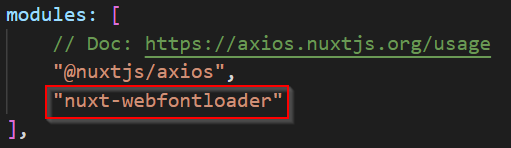
these are my results:
Desktop: (98 - 100)
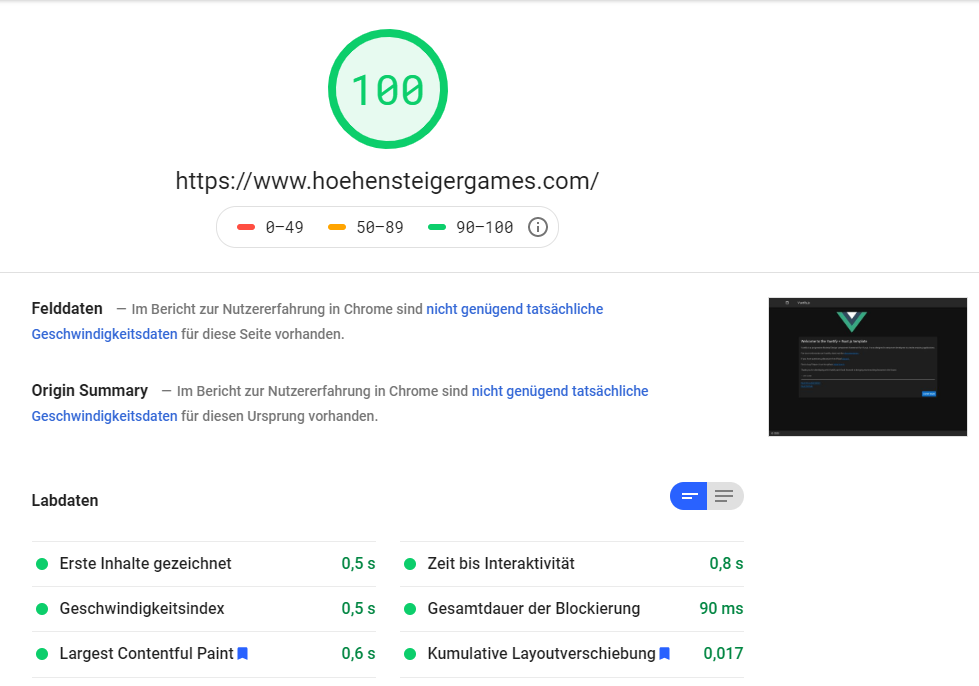
Mobile: (90 - 95)
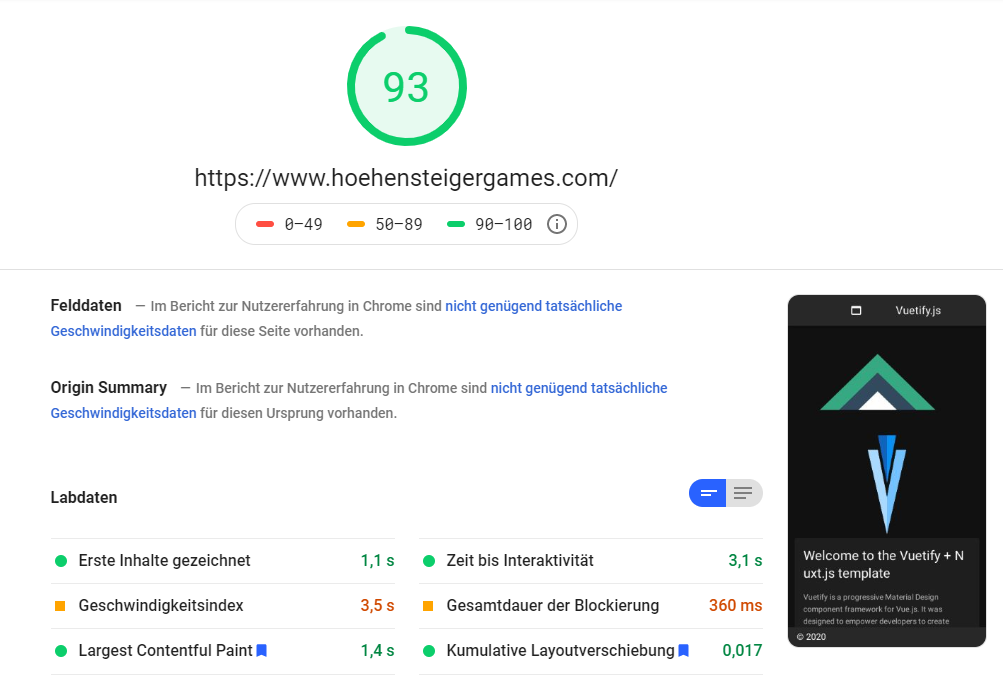
Now the only differnece is that i import my Icons manually with @mdi/js.
@HoehensteigerGames
I wrote a vue-template-compiler module so it can inject the svg path directly in the compiled template, so in 95% of use cases no need to import it directly. (As long as the 'mdi-*****' string is in the template it works.)
Might worth a try:
https://github.com/mathe42/vuetify-icon-injector
Install:
yarn add https://github.com/mathe42/vuetify-icon-injector
nuxt.config.js:
const vueLoaderOptions = {
  compilerOptions: {
    modules: [
      require('vuetify-icon-injector').getIconInjector()
    ]
  }
}

module.exports = {
  build: {
    loaders: {
      vue: vueLoaderOptions
    }
  }
}
⚠️ Note: This changes the output of the vue-template-compiler. So it can break your project!

@HoehensteigerGames
I wrote a vue-template-compiler module so it can inject the svg path directly in the compiled template, so in 95% of use cases no need to import it directly. (As long as the 'mdi-*****' string is in the template it works.)
Might worth a try:
https://github.com/mathe42/vuetify-icon-injector
Install:
yarn add https://github.com/mathe42/vuetify-icon-injectornuxt.config.js:
const vueLoaderOptions = {
  compilerOptions: {
    modules: [
      require('vuetify-icon-injector').getIconInjector()
    ]
  }
}

module.exports = {
  build: {
    loaders: {
      vue: vueLoaderOptions
    }
  }
}
⚠️ Note: This changes the output of the vue-template-compiler. So it can break your project!
Can we use npm install?
Thanks for the suggestion. yesterday i spent the whole day figuring out what the problem is. in short I have switched off the defaultAssets to remove the mdi fonts (material-design-icons). Then I implemented the roboto font type with webfontloader and now I have my desired result.
That is the Config:
these are my results: Desktop: (98 - 100)
Mobile: (90 - 95)
Now the only differnece is that i import my Icons manually with @mdi/js.
Can you show your configuration for mdi/js import please ? I'm trying to import them because my production app version got a really bad score with lighthouse.
I also tried your configuration just above, but i got warnings about css file too big (i set extractCSS to true), did you used any purgeCSS options ?
I tried a test project, with that purgeCSS config to avoid warning about vendor too big :
buildModules: [ '@nuxtjs/vuetify', [ 'nuxt-purgecss', { paths: ['/node_modules/vuetify/src/**/*.ts'] } ] ], purgeCSS: { whitelist: ['v-application', 'v-application--wrap', 'v-btn'], whitelistPatterns: [ /^v-((?!application).)*$/, /^theme--*/, /.*-transition/, /.*-btn/ ], whitelistPatternsChildren: [/^v-((?!application).)*$/, /^theme--*/] },
I'm not sure that a good configuration, but it works to reduce vendor css file.

@syskin For @mdi/js you need to manually import the icons you needed, and define it in vuetify.options.js
import { mdiMenu } from '@mdi/js'; // mdi-menu

export default function() {
  return {
    icons: {
      iconfont: 'mdiSvg',
      values: {
        mdiMenu,
      },
    },
  };
}
then use it in the template as follow:
<v-icon>$vuetify.icons.mdiMenu</v-icon>
As for purgeCSS, I didn't use it as it's a bit hacky in my opinion.
@andrewspy Thank's for your answer. The part of your code is from a plugin ? This is a part of the nuxt/vuetify module configuration, how did you implement that in your nuxt.config.json ?
@syskin In nuxt.config.js you specify this in vuetify section, i.e.
  vuetify: {
    defaultAssets: false, // for production
    optionsPath: 'vuetify.options.js',
  },
@syskin For
@mdi/jsyou need to manually import the icons you needed, and define it invuetify.options.jsimport { mdiMenu } from '@mdi/js'; // mdi-menu export default function() { return { icons: { iconfont: 'mdiSvg', values: { mdiMenu, }, }, }; }then use it in the template as follow:
<v-icon>$vuetify.icons.mdiMenu</v-icon>As for purgeCSS, I didn't use it as it's a bit hacky in my opinion.
No you don't have to specify them in the nuxt.config.js or vuetify.options.js you can import them in yor component s. https://vuetifyjs.com/en/customization/icons/#install-material-design-icons-js-svg.
Or you use my vue-template-compiler wich does this automaticly https://github.com/mathe42/vuetify-icon-injector .
Thank you for your answers, that's exactly what I was looking for. I prefer the @andrewspy approach, that is more modulable and with less project dependencies, that is important to maintain my project.
hello, if some one got green score, can he share with us empty template project please with the good configuration i ll tried all your solutoin but not work, always i had bad score each time i use vuetify
thanx

@erradil I have green scores over 90 by using local fonts and local mdi icons instead of loading them from google.
Fonts
Use this tool to download the desired font and also to create a css file for them:
https://google-webfonts-helper.herokuapp.com/fonts/noto-sans?subsets=latin
Then download the fonts and place them in assets/fonts/

Create css file for the fonts (assets/fonts.css) and paste markup from that tool in there.
- Remember to adjust the
Customize folder prefixto~assets/fonts/in the css tool. - I used the "Best Support" option
- I removed the SVG format as it corrupted some letters in Safari
-
Important: for each
@font-facedeclaration add the line:font-display: swap;
The file should look something like this then:
/* noto-sans-regular - latin */
@font-face {
  font-family: 'Noto Sans';
  font-style: normal;
	font-weight: 400;
	font-display: swap;
  src: url('~assets/fonts/noto-sans-v11-latin-regular.eot'); /* IE9 Compat Modes */
  src: local(''),
       url('~assets/fonts/noto-sans-v11-latin-regular.eot?#iefix') format('embedded-opentype'), /* IE6-IE8 */
       url('~assets/fonts/noto-sans-v11-latin-regular.woff2') format('woff2'), /* Super Modern Browsers */
       url('~assets/fonts/noto-sans-v11-latin-regular.woff') format('woff'), /* Modern Browsers */
       url('~assets/fonts/noto-sans-v11-latin-regular.ttf') format('truetype'), /* Safari, Android, iOS */
}
/* noto-sans-700 - latin */
@font-face {
  font-family: 'Noto Sans';
  font-style: normal;
	font-weight: 700;
	font-display: swap;
  src: url('~assets/fonts/noto-sans-v11-latin-700.eot'); /* IE9 Compat Modes */
  src: local(''),
       url('~assets/fonts/noto-sans-v11-latin-700.eot?#iefix') format('embedded-opentype'), /* IE6-IE8 */
       url('~assets/fonts/noto-sans-v11-latin-700.woff2') format('woff2'), /* Super Modern Browsers */
       url('~assets/fonts/noto-sans-v11-latin-700.woff') format('woff'), /* Modern Browsers */
       url('~assets/fonts/noto-sans-v11-latin-700.ttf') format('truetype'), /* Safari, Android, iOS */
}
Configs and variables
// nuxt.config.js
export default {
  css: ['@/assets/fonts.css'], // use local fonts

  vuetify: {
    customVariables: ['~/assets/variables.scss'],
    optionsPath: './config/vuetify.options.js',
    treeShake: true,
    defaultAssets: false
  }
}
// assets/variables.scss
$color-pack: false;
$body-font-family: 'Noto Sans', sans-serif;
// ./config/vuetify.options.js
// nothing special here
// but variations: false will save you a few bits as less css color declarations are created
export default {
  theme: {
    options: {
      customProperties: true,
      variations: false
    },
    dark: true,
    themes: {
      dark: {
        anchor: '#e05e5e',
        primary: '#e05e5e'
      }
    }
  }
}
Icons
Installation
Install mdi icons as a dev Dependency:
npm install -D @mdi/js
Usage
In a component/page:
<template>
  <div>
    <v-icon>{{ mdiClose }}</v-icon>
  </div>
</template>

<script>
import { mdiClose } from '@mdi/js'

export default {
  data() {
    return {
      mdiClose
    }
  }
}
</script>

I was able to improve the Lighthouse score for Mobile to 87 and for Desktop to 94. 😃


Detailed strategy here:
https://github.com/vuetifyjs/vuetify/issues/7265#issuecomment-860389201

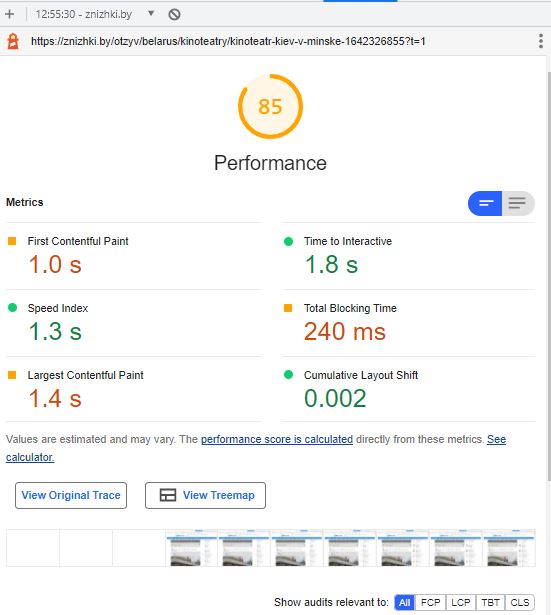
Recently completed a site on Vuetify. A lot of time has been spent on improving the performance.
Now everything is OK.
Desktop
 Mobile
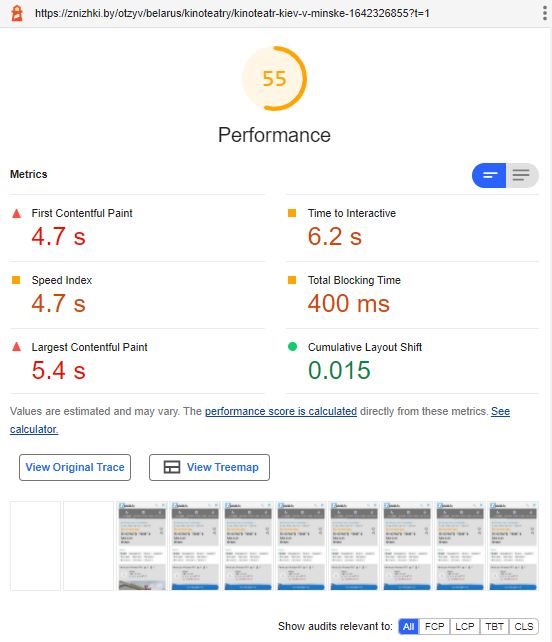
- all of the above recommendations
- in production, a really fast server
- you can’t make a large Vue component, or a large number of Vue components on the page, they all need to be loaded lazy and the fewer of them there are at initial load, the better, because js is single-threaded
- mobile lightscore perfomance is senitive to image optimisation and needs .webp
