

 nushell
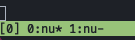
Not showing the actual command running inside a tmux session
Describe the Bug
In fish/zsh when you run a command inside a tmux session you see the command name in the tmux tab, but nushell always shows nu
To Reproduce
Run a tmux session and open some tabs
Expected behavior
Show the name of the corresponding command being running
Screenshots
zsh

nushell
Configuration
───┬────────────────────┬───
│ Column0 │ Column1
───┼────────────────────┼─── 0 │ version │ 0.34.0 1 │ build_os │ macos-aarch64 2 │ rust_version │ rustc 1.53.0 (53cb7b09b 2021-06-17) 3 │ rust_channel │ stable-aarch64-apple-darwin (default) 4 │ cargo_version │ cargo 1.53.0 (4369396ce 2021-04-27) 5 │ pkg_version │ 0.34.0 6 │ build_time │ 2021-07-22 16:58:11 7 │ build_rust_channel │ release 8 │ features │ ctrlc, dataframe, default, rustyline, term, which, zip 9 │ installed_plugins │ fetch, match, post, ps, sys ───┴────────────────────┴───
Additional Context
No response


I didn't, I switched back to zsh, there are other blockers for my every day use.
That's unfortunate. I'm currently evaluating Nu, coming mostly from Fish. It's definitely different! Refreshing actually, but yeah, there are a couple of things (amongst others, this issue) that get in the way.
For the maintainers: This is my configuration:
───┬────────────────────┬────────────────────────────────────────────────────────────────────────────────────
 # │      Column0       │                                      Column1
───┼────────────────────┼────────────────────────────────────────────────────────────────────────────────────
 0 │ version            │ 0.36.0
 1 │ build_os           │ linux-x86_64
 2 │ rust_version       │ rustc 1.53.0
 3 │ cargo_version      │ cargo 1.53.0
 4 │ pkg_version        │ 0.36.0
 5 │ build_time         │ 1980-01-01 00:00:00 +00:00
 6 │ build_rust_channel │ release
 7 │ features           │ clipboard-cli, ctrlc, dataframe, default, rustyline, term, trash, uuid, which, zip
 8 │ installed_plugins  │
───┴────────────────────┴────────────────────────────────────────────────────────────────────────────────────
Tmux is the culprit. It's catching the escape sequence and not passing it through, see this comment.
This'll work to change the terminal emulator's title while in tmux:
printf '\033Ptmux;\033%s\033\\' (echo [(ansi -o '0') 'some title' (char bel)] | str collect)
And this'll rename the tmux window:
printf '\033k%s\033\\' 'it changed, woa!'
I'm currently just setting the pane title to the last segment of the current path (more or less to test with, and I use starship.rs.):
prompt = "printf '\\033k%s\\033\\\\' (pwd | path split | last);starship_prompt"
To be fair, I don't know if this is the right way, but I've spent way too much time on this issue already. So if it works... ;)
I'm not convinced that tmux is the culprit. I encounter this in tmux but I also encounter it without.
I gave some more details here but essentially if I have my terminal tell me the currently running process, it always says nu even if you run a process. Whereas in bash and zsh and presumably others if you launch, say, vim, the running process / title will be vim.

Should be closed by #6206, reopen if you encounter issues on your system
