

 nextcloud
Color managed photos are not displayed properly
Color profiles are being ignored when displaying photos. From my understanding almost all browser support color management with photos so I would not think it would be much work to fix. I will attach a photo that can be used for testing that has a wide color space. At least in my browser it looks fine here but not in the Nextcloud viewer.
In this case it is actually a somewhat important issues as iPhone's nowadays shoot in the p3 color space. I checked with the photos auto-uploded from my phone and they are also being displayed incorrectly. In the case with the iPhone the effect is small, I only could tell when comparing them next to each other.
 This photo has a very large color space
To Reproduce
Steps to reproduce the behavior:
This photo has a very large color space
To Reproduce
Steps to reproduce the behavior:
- Upload this photo or another one with a large color space
- See how photo is displayed
Expected behavior Photo is displayed properly
Screenshots
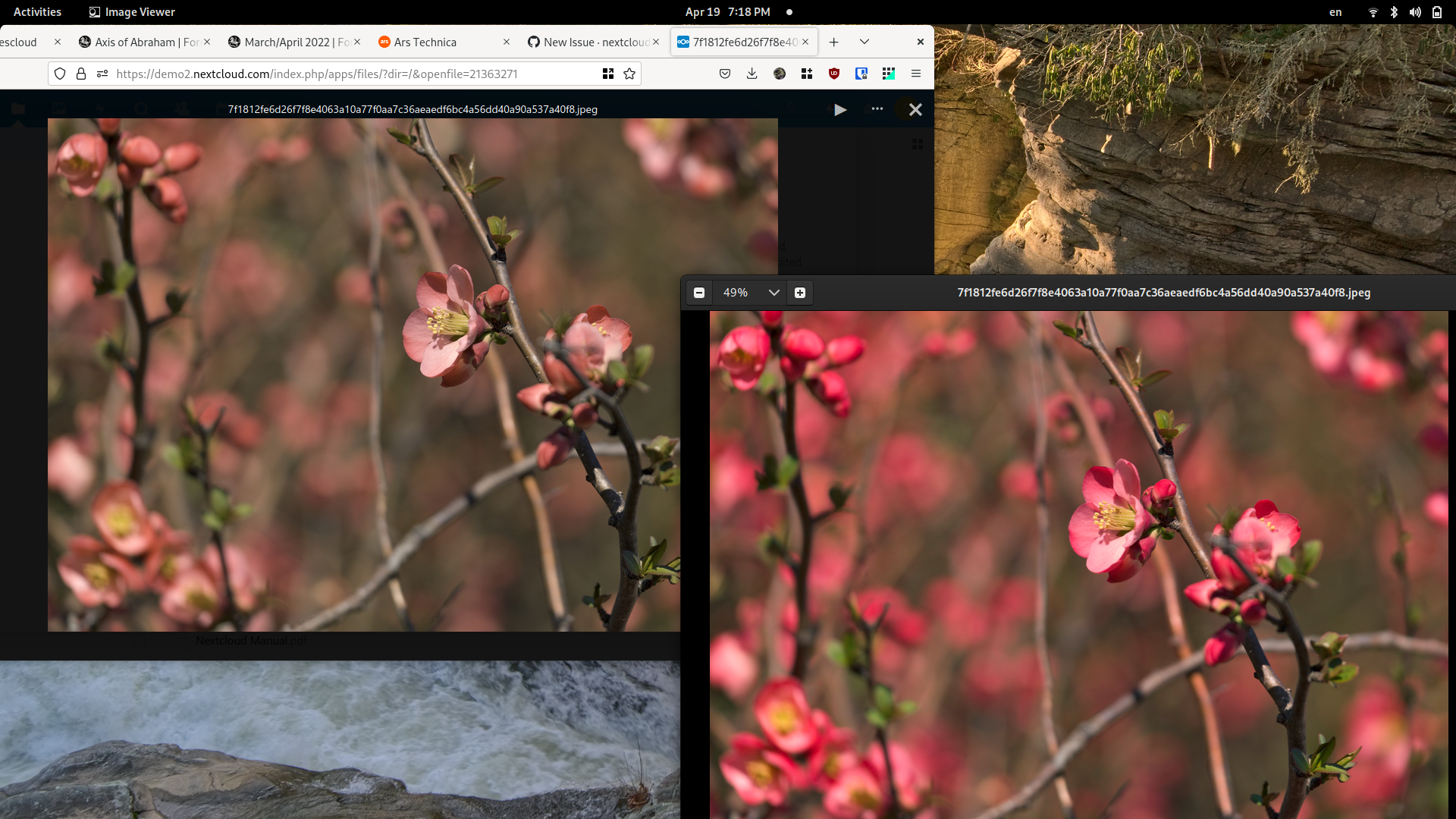
Desktop (please complete the following information):
- OS: Linux
- Browser Firefox, Chrome
- Version Latest
Browser log
Don't think this issues in the log is at all related but here they are
Opening viewer for file /7f1812fe6d26f7f8e4063a10a77f0aa7c36aeaedf6bc4a56dd40a90a537a40f8.jpeg Viewer.vue:273
Uncaught TypeError: document.getElementById(...) is null
I files.js:20
EventListener.handleEvent* files.js:24
NextJS 2
files.js:20:10
I files.js:20
(Async: EventListener.handleEvent)

I think it is because of this problem: https://github.com/nextcloud/server/issues/22951
