

 nextcloud
Android Talk does not establish a Phonecall connection like a browser (ends in error)
Hi Devs,
I just want to bring it up here cause I am frustrated I could not get behind it.
Steps to reproduce
- A starts a call in Talk from PC
- B tries to enter call in Nextcloud Android App
- No connection established (just spinning wheel) (On same Android with Browser connection will be established)
Expected behaviour
Connection is established within seconds
Actual behaviour
No connection established (just spinning wheel)
Device information
Device: Motorola One Android version: 10
Talk version: 11.1.0
Server information
Nextcloud version: 21.0.2
Talk version: 11.2.2
Custom Signaling server configured: yes/no and version (see talk admin settings: /index.php/index.php/settings/admin/talk#signaling_server)
Custom TURN server configured: yes (turn only TCP only)
Custom STUN server configured: no (stun.nextcloud.com:443)
Server log (data/nextcloud.log)
talkuse_pc = user which I used from PC talkuse_android = user which I used from android
[nextcloud_git.log](https://github.com/nextcloud/talk-android/files/6657916/nextcloud_git.log)
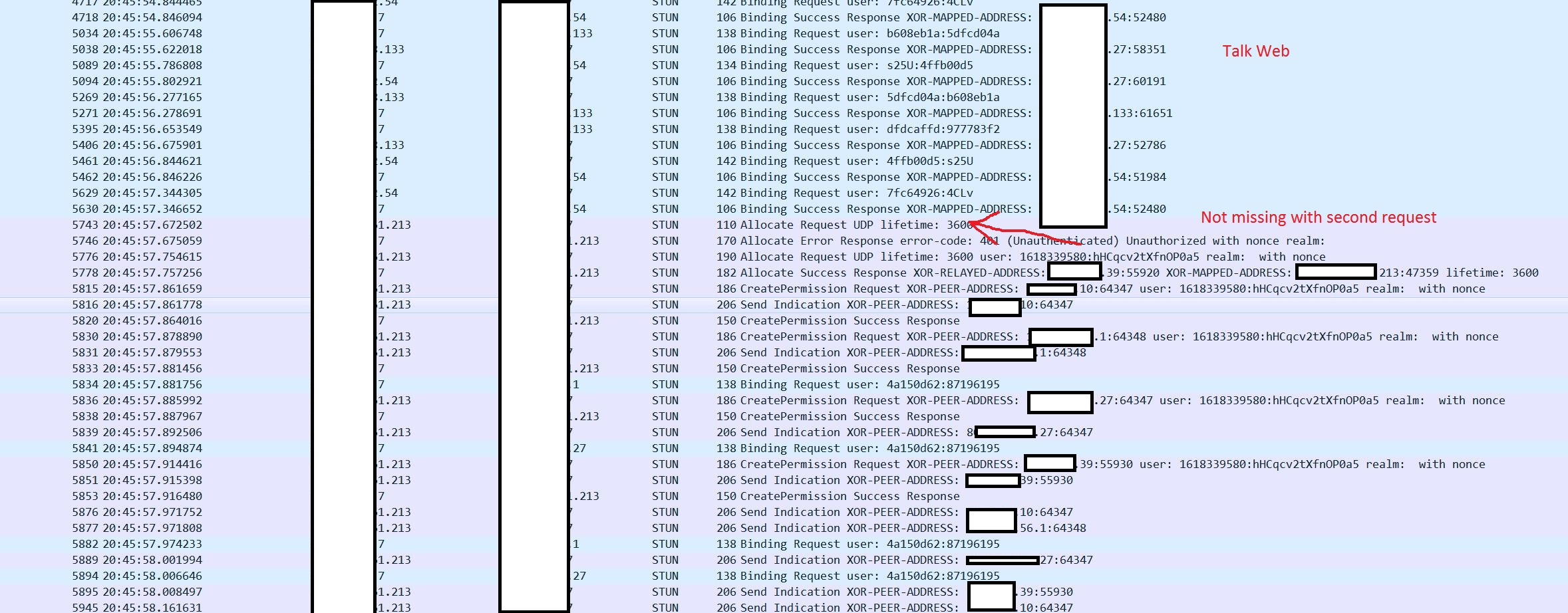
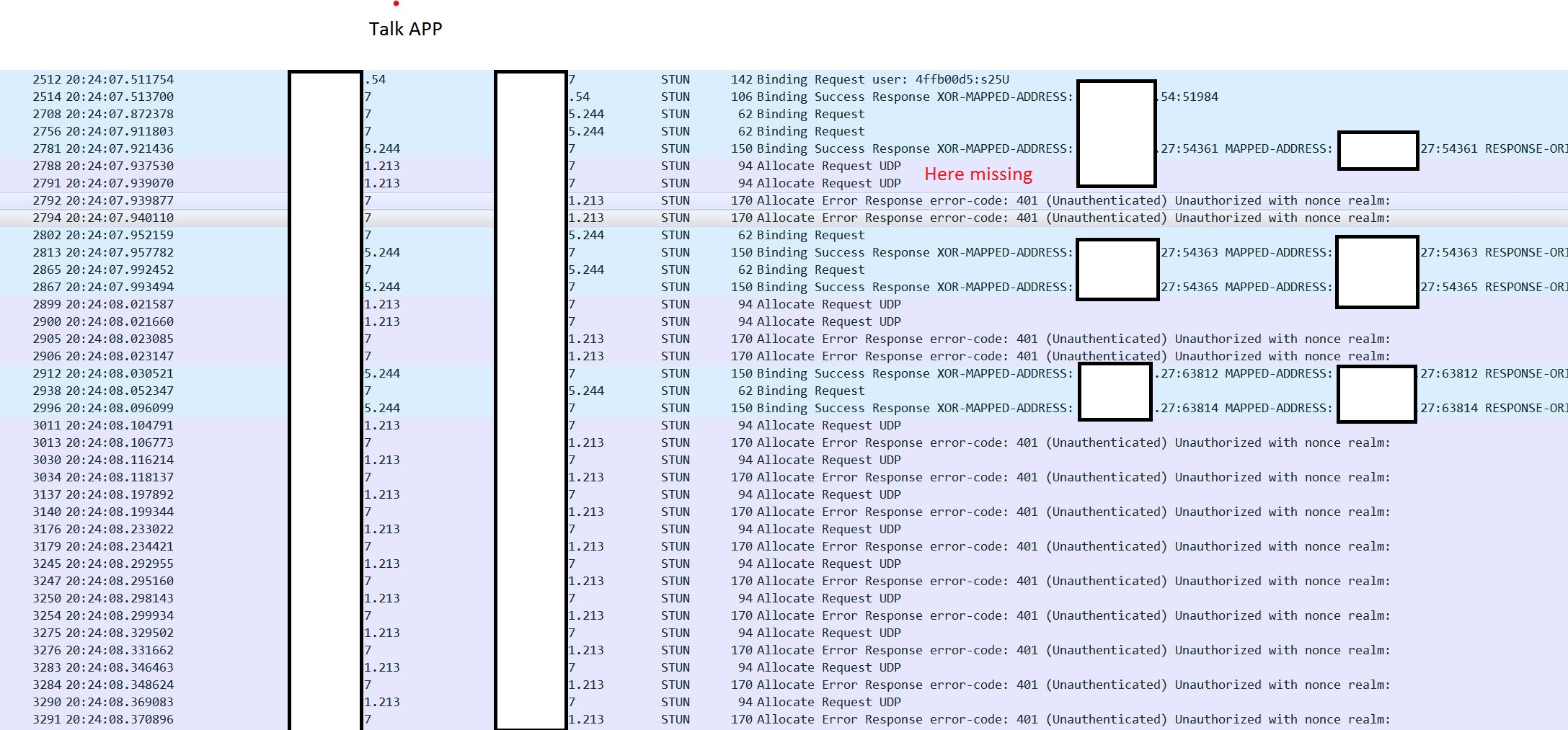
Aditionally from another date: Wireshark log from firewall:
Nginx config:
server { listen 443 ssl; error_log /var/log/nginx/error.log debug;
server_name  one.example.com;
ssl_certificate_key /root/.acme.sh/one.example.com/one.example.com.key;
ssl_certificate     /root/.acme.sh/one.example.com/fullchain.cer;

ssl_session_cache    shared:SSL:1m;
ssl_session_timeout  5m;

ssl_protocols  TLSv1.2;

ssl_ciphers 'EECDH+AESGCM:EDH+AESGCM:AES256+EECDH:AES256+EDH';
ssl_prefer_server_ciphers  on;

location / {
    proxy_pass https://192.168.5.102;
    root   nextcloud;
    index  index.html index.htm;

    proxy_pass_header Authorization;
    proxy_set_header Host $host;
    proxy_set_header X-Real-IP $remote_addr;
    proxy_set_header X-Forwarded-For $proxy_add_x_forwarded_for;
    proxy_http_version 1.1;
    proxy_set_header Connection "";
proxy_buffering off;
    client_max_body_size 0;
    proxy_read_timeout 36000s;
    proxy_redirect off;
}
}

Hi Devs,
I wanted to update the error still exists in 12.1.1.
Hope it will geht fixed soon.
Thank you
@florom Is this a general mobile app issue? -> Does it work with the iOS app?

Hi @AndyScherzinger ,
In a few weeks I will have access to an iphone (I am not owning one) so I will give feedback.
Hi @florom, that would be great. Appreciate your efforts on helping to find the cause of this issue ❤️
Hi @AndyScherzinger ,
Thanks again for looking into this matter.
I had the chance to try it out with someone who owns an iphone 12 mini.
It is tricky.
Setting: The overall setting stated above did not change (Updated: Nextcloud 21.0.3, Talk 11.3.1) I tried with the talk app only (latest version). And not with browser on the iphone. The Endpoints where Iphone (somewhere in the world) - Firewall(IPFire,reverse proxy(nginx/letsencrypt)) - Internal Network with Nextcloud server and PC talk on the browser.
Iphone with Wlan works everytime. Iphone with SimData(4G) never worked.
I the asked to use his old Android phone (but there is no SIM Card anymore so Wlan Only possible). Adnroid with Wlan worked sometime. I got the feeling that it worked after using talk with iphone in Wlan mode.
I have wireshark logs (but not for all scenarios). If you want to take a look at them, i will anonyminze them and post them later, although I would prefer a secure channel cause I am not confident I can anonyminze wireshark logs to an extent where it is save and still useful. In a nutshell I never saw the row "Request UDP lifetime: 3600 ...." nevertheless it worked sometimes, which brings me back to it is tricky.
If you have questions/suggestions please ask.
Thank you.
this issue might be caused by https://github.com/nextcloud/talk-android/issues/1582


Hello all,
Short notice. Retestet it with Nextcloud 25.0.2 and latest version of all necessary apps on 20.12.2022. Still not working behaviour.
thanks to let us know @florom , finally we are now improving the calls. This should already be fixed on latest alpha builds, but there are some more fixes being worked on which should be available with the next release.
We have the same issue and it seems like the Talk Android app can't advertise the public IP of the mobile device to TURN server.
Scenarios we have tried (used both 4G and WiFi on mobile):
- Mobile Firefox (no VPN) <-> Desktop Chrome = OK
- Mobile Firefox (VPN) <-> Desktop Chrome = OK
- Android Talk app (no VPN) <-> Desktop Chrome = FAILS (on chrome://webrtc-internals and on coturn logs we can see that the remote candidate for the mobile device advertises only 127.0.0.1 and not the public IP.)
- Android Talk app (VPN) <-> Desktop Chrome = OK (The public VPN IP is being advertised to coturn...It seems that the VPN service takes over the advertisement of the public IP..?)
VPN is Proton and we are connecting to some random country.
We have tried TURN/STUN config in Nextcloud to be both with domain (eg. turn.example.com) and with direct IP in order to exclude DNS issues in the Talk app.
All TURN/STUN tests (inside Nextcloud admin config, online webrtc tools, coturn-utils) are OK.
Nextcloud AIO v11.7.0 Nextcloud Hub 10 (31.0.8) Nextcloud Talk app: 21.2.0

@xvagnet I am happy to hear about that. I am really looking forward to that. Will close issue if i can confirm.
Nextcloud AIO v11.7.0 Nextcloud Hub 10 (31.0.8) Nextcloud Talk app: 21.2.0
I have the similar issue. Also with latest 22.0.2 Nextcloud Talk app. Mobile phones have wireguard vpn with "don't allow traffic outside VPN" and its work like this:
NCT Mobile + VPN + WiFi = not working NCT Mobile + VPN + LTE = not working NCT Mobile + WiFi = working NCT Mobile + LTE = kinda works (depend on provider, because some of them blocking some ports/traffic)
To exclude problems with VPN - the same type of VPN have on PC and Talk in browser works perfect.
Maybe there should be option: always use TURN/STUN server for connection in mobile app?
