

 nextcloud
[Bug]: Template dialog is to small and unintuitive
⚠️ This issue respects the following points: ⚠️
- [X] This is a bug, not a question or a configuration/webserver/proxy issue.
- [X] This issue is not already reported on Github (I've searched it).
- [X] Nextcloud Server is up to date. See Maintenance and Release Schedule for supported versions.
- [X] Nextcloud Server is running on 64bit capable CPU, PHP and OS.
- [X] I agree to follow Nextcloud's Code of Conduct.
Bug description
We're getting many requests from users, that are unable to create new files. When looking into it, the issue seems to be the template chosser for new files, that is badly designed.
When creating a file which has many/mutliple templates available for it, it becomes unclear to many users, that they have to scroll in order to find the Create file button or to see more templates.
A quick demonstration of how bad the current design is, on a standard WQHD monitor (on 4K it's even worse):
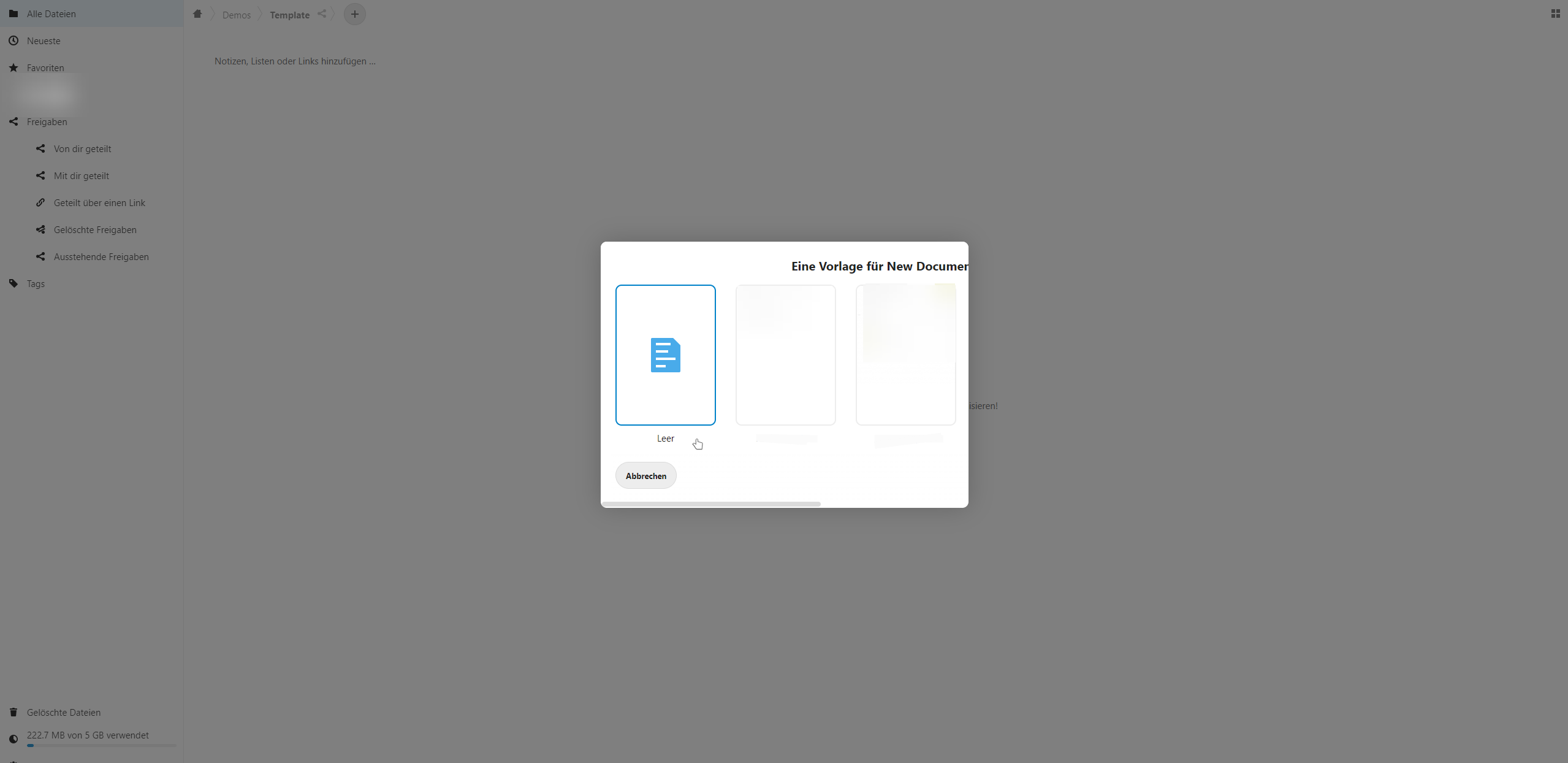 This is a problem even on a FullHD monitor, as seen in #32068 and is made even worse on mobile.
In addition to wasting the complete screen realestate, if more than 2 templates exist, the usability goes downhill by clipping the viewable frame-contents instead of making a vertically scrollable list, thus hiding all other templates and the "Create" button.
Steps to reproduce
- Create more than two templates for a document type.
- Create a new document - opening the template dialog.
- Observe template dialog in "hard mode".
Expected behavior
The dialog should use more of the horizontal space (currently max 600px) and expand vertically (not horizontally) if needed to show more templates. The cancel and create buttons should be kept visible at all times - making it possible to use the dialog without having to know you'd have to scroll. Placing them at top, would make usage on mobile easier, by not having to scroll to see the buttons.
Maybe even indicate that you can scroll downwards with a small animation.
Installation method
Community Manual installation with Archive
Is this bug present after an update or on a fresh install?
Updated to a major version (ex. 22.2.3 to 23.0.1) Currently on 24.0.4.
List of activated Apps
Not relevant.
