

 nextcloud
Logo not showing on white background
Describe the bug
A white Nextcloud logo does not show when viewing a document.
To Reproduce Steps to reproduce the behavior:
- Choose a white logo
- Open a document
- The logo is not visible
- See error
Expected behavior
There should be an option to get a darker background for the top bar.
Screenshots
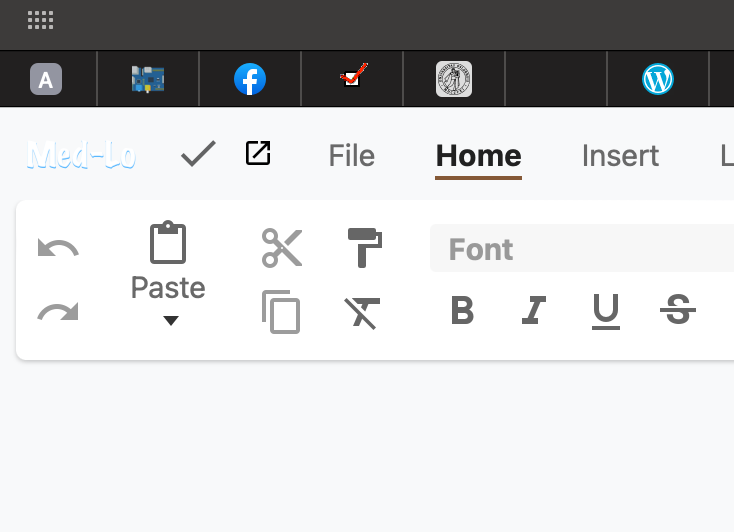
Client details:
- OS: macOS
- Safari
Nextcloud version: 25.0.1
Version of the richdocuments app 7.1.1
Version of Collabora Online The newest.


I have been thinking about this and testing things out. Probably the best would be to allow users to upload an inverted version of their logo via nextcloud-instance/index.php/settings/admin/theming this,
- Allows for better user control over personal branding
- Avoids problems from alternative solutions (as using the primary colour as the background)
- Contrast and colour problems will appear
- Extra hacky code to account for special cases (just apply this for when the logo is white, or lacks etc)
- Benefits the upcoming dark-mode
This is just an idea but if we agree on this we then need to think about clear labelling within nextcloud-instance/index.php/settings/admin/theming , probably avoid the word "inverted" and be clear about it. Something that expresses :
| Section | Description | button |
|---|---|---|
| Logotype | For dark backgrounds | Upload |
| Logotype | For light backgrounds | Upload |

What do you think @juliushaertl? Currently we use the logo for light backgrounds only for:
- Office (light mode)
- Text (light mode)
- anywhere else?
Would of course be nice to not need an additional setting just for those 2 use-cases, but seems it makes most sense? Especially as we basically cheat by inverting our own logo manually.

I would really like to see this feature implemented since it doesn't look great at the moment.
Is there an ETA for this?
Also if that's easier you could ask for an svg. Then you could override the logo color since the format is svg. Usually serious companies will have the coloured version, and a black, white and middle grey variants. Middle grey will both work on light or dark backgrounds without additional code. Although it's some kind of last resort since it doesn't pop. I've seen many brand guidelines forbidding to use the grey logo at all for this reason. It's not the purpose.
The best way is to upload 2 versions, one for light and one for dark background.
It might be more adjustment in the code though.

@elzody Could you share the workaround implemented here and file a follow up in server about the additional logo option for the theming settings?
Sure, as an update to this issue we implemented a workaround which lets you set CSS variables to control the background color or visibility of the logo in Collabora.
:root {
  /* change the background color of the logo */
  --nc-logo-background: cyan;

  /* or hide the logo completely */
  --nc-logo-display: none;
}
In order to set these properties you need to use the custom css app, which exposes an extra area in the theming settings to enter custom CSS.
There is also an issue at nextcloud/server#47357 for tracking a more proper way to handle this.

Let's close this here since we have a server issue tracking a custom logo and we have a workaround with the custom css app, so there is nothing else we can do for now on the richdocuments side.