

 nextcloud
MIUI 11 does not show context based formatting menu
IMPORTANT EDIT
This issue started as an enhancement request, but the characteristics were there, it just turned out to be a bug.
This has been probably asked before, but all I want for this app to be perfect is a little help on writing with markdown, specially with lists.
I can understand a will to make it look simple, as styling in a phone is quite irritating with such keyboards; but quickly setting up lists is quite fundamental in a phone.
Also, in view mode, just like you can check boxes... it would be cool if you could move items up and down, like in Google Keep.

Hi,
thank you for the feedback :slightly_smiling_face:
you can simply long press in any line to transform it into a checkbox. Also you can long press on an empty line. The pop-up menu contains an entry to create a checkbox.
Whenevery you are in a checklist and press "Enter", the next list entry will be generated automatically.
We do not want any control elements that are visible all the time by design. We strongly focus on context based formatting - only show control elements in a concrete context.
You will notice that you can achieve nearly everything you want from transforming text into italic to inserting a link.
Moving items is an interesting idea, but i'm not sure yet that this is so often needed. After all this app is for taking notes and not a specialized tasks app (that's the reason we do not support a duedate and so on)

Well, that is literally AMAZING. But somehow I cannot make it work on my phone. I am running v2.11.8, on a MIUI 11 phone. Is it possible that this feature is not compatible? All I see when I long press is the typical "Select/Select All/Autocomplete" menu that appears everywhere.
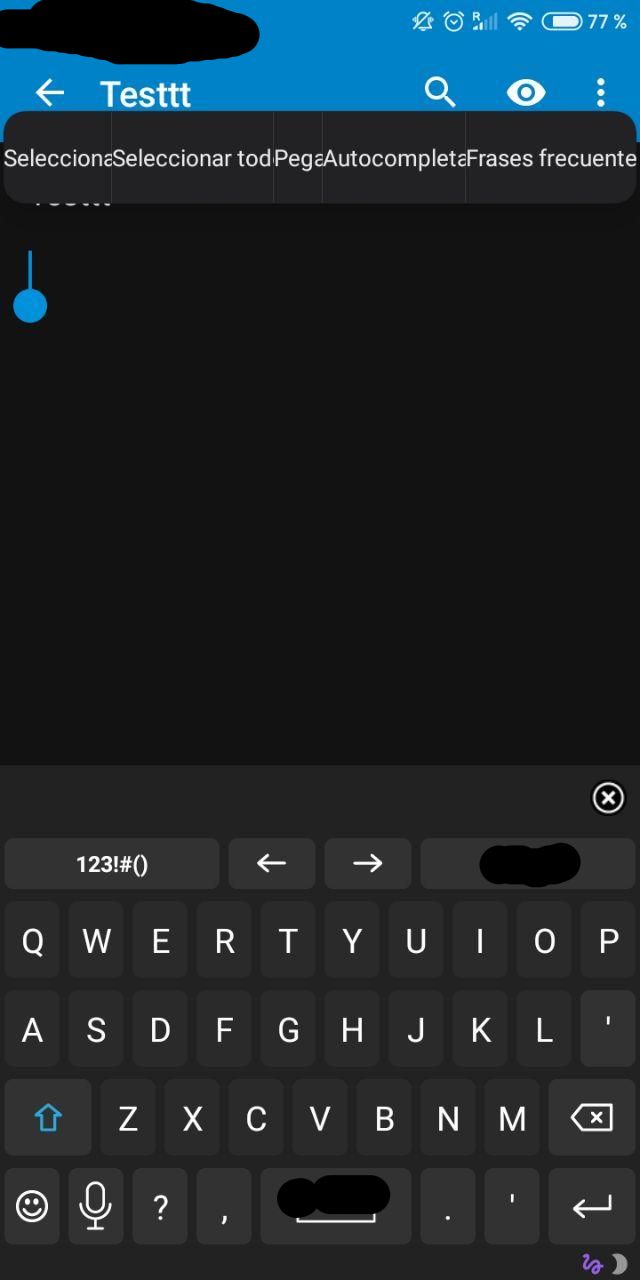
Interesting. Can you try to set your language to US english temporarily?
Please share more data about your exact device model and the software versions (android settings -> about your phone). I will try to find out why the context menu does not work for your device model.
Wow, i am really surprised, but this actually seems to be a more or less known issue of Xiaomi devices when manipulating the context menu. I am not sure if we can deal with that without completely messing up the app source code. Seems like nobody was able to cleanly solve it yet or to reproduce it on any others manufacturers device or an emulator.
I hope a solution can be found soon. I certainly tested other apps and they actually worked and showed a customized context menu.
Can you name some of them (if they are open source, too), so i can have a look at them?
I think they were Google Drive's Documents and Microsoft Word 😅. I knew they had to have that kind of feature and downloaded them to try it out, and they worked out well. I think it was Google Docs the one that had the AOSP look, whereas Word was doing its own thing.
Do you know of any open source app that does this kind of thing?
Unfortunately not :-/ Will be hard enough to test it without a MIUI device. But give me some time, maybe we can find a solution.
You asked for other apps that had native android context menus, instead of showing this MIUI thing.
Firefox Preview uses a native-Android context menu. Maybe you can take a look at that? I wish I could help more.
https://github.com/mozilla-mobile/fenix
I dug into it but haven't found a hint so far. I hope this menu is really native and not displayed by the actual browser rendering engine... I will have another look.
@stefan-niedermann kudos for this, it's really great!
I have the same problem...it looks like a common damn MIUI thing.
This is what xiaomi does with its notes app:
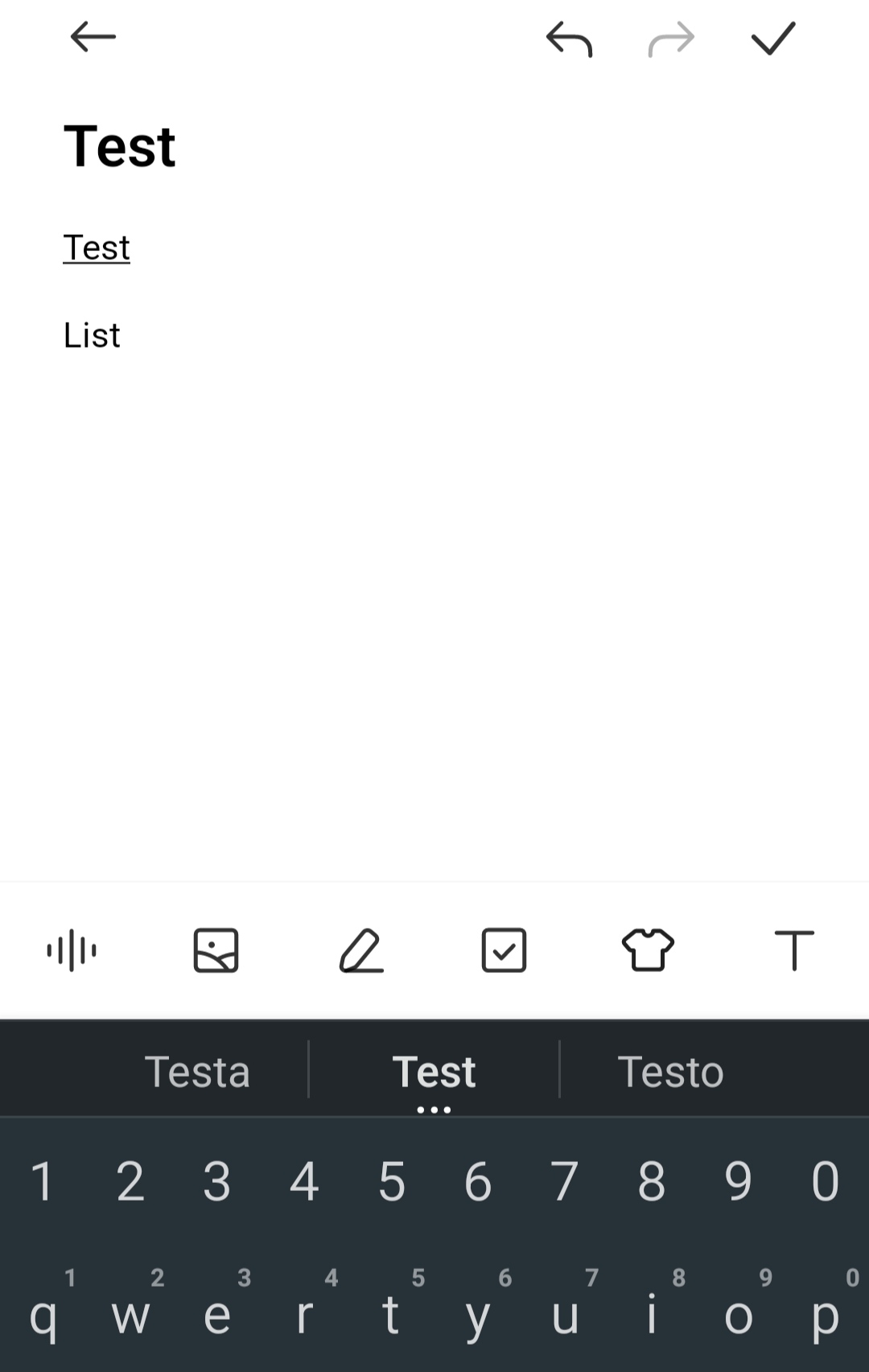 Maybe a viable approach could be implementing the missing actions as a toolbar on top of the keyboard?
And make the toolbar opt-in in settings.
IDK...it's a big UX twist and probably non worth the effort (how many people complaining?) but perhaps I could fork and have a look...
Thank you!
Maybe a viable approach could be implementing the missing actions as a toolbar on top of the keyboard?
And make the toolbar opt-in in settings.
IDK...it's a big UX twist and probably non worth the effort (how many people complaining?) but perhaps I could fork and have a look...
Thank you!

until now two people complained, i guess the other xiaomi isers just don't know about the feature.
I'll have a look, a few people more would appreciate a permanent toolbar, so maybe it's really worth a look.
I got the same problem and did a search and found this on Stsckoverflow I can confirm that the Wikipedia app has a working custom context menu on my phone, running MIUI 12.

I read this article too, but it is not applicable to the Notes app because it requires the content to be entirely in a WebView - since the Notes app has a native markdown editor, this is not possible unfortunately.
For the non technies who are reading this: This workaround only works if the content is a website and not an app.

