
ios

ios copied to clipboard
 nextcloud
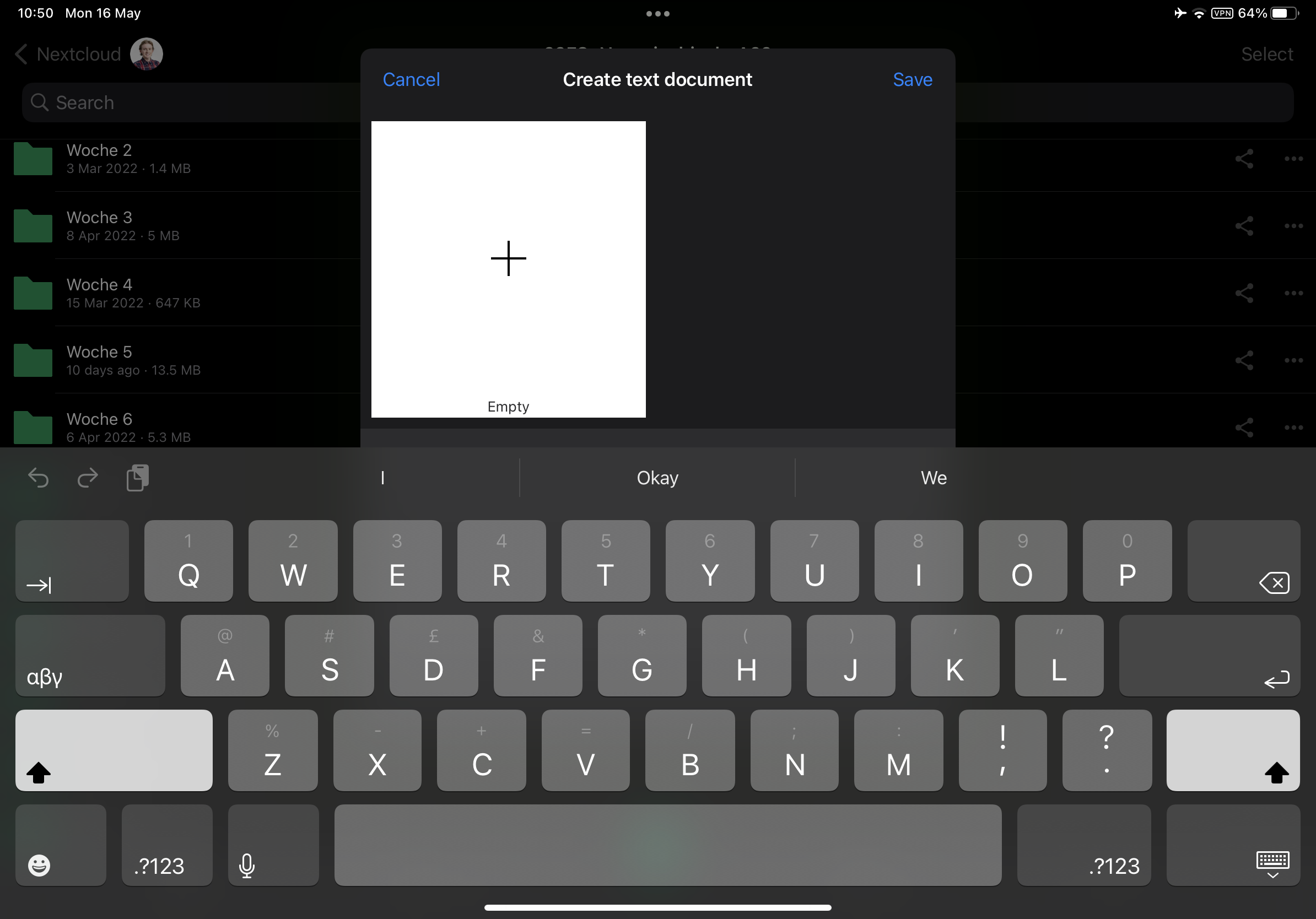
Text field hidden when renaming in Create Text Document in landscape mode
Steps to reproduce
- Hold your iPad in landscape mode
- Click (+)
- Click Create text document
- Click Filename
Expected behaviour
The text input field should be visible.
Actual behaviour
The keyboard overlays the text input field.
Screenshots
Logs
n/a
Reasoning or why should it be changed/implemented?
It is difficult to type a filename when you cannot see what you are typing.
Environment data
iOS version: iPadOS 15.4.1
Nextcloud iOS app version: 4.3.1.0
