

 nextcloud
[Bug]: Windows cannot sleep when the sync folder is on a mounted drive.
⚠️ Before submitting, please verify the following: ⚠️
- [x] This is a bug, not a question or a configuration issue.
- [X] This issue is not already reported on Github (I've searched it).
- [X] Nextcloud Server and Desktop Client are up to date. See Server Maintenance and Release Schedule and Desktop Releases for supported versions.
- [X] I agree to follow Nextcloud's Code of Conduct
Bug description
Hello,
I have an issue with the nextcloud windows client which prevents Windows to going to sleep mode when the synced folders is on a mounted drive.
I have a synology nas with a SAMBA mount on drive Z:
The clients sync some folders to the Z:
Example :

Steps to reproduce : 1 - Mount a SMB drive on windows, assume Z: for example. 2 - Sync some folders with this drive.
The issue: Windows will not be able to go into sleep mode.
Some additional informations :
The client uses a local sqlite database on each synced folder. These files are always opened.
When we check the power requests we see them :
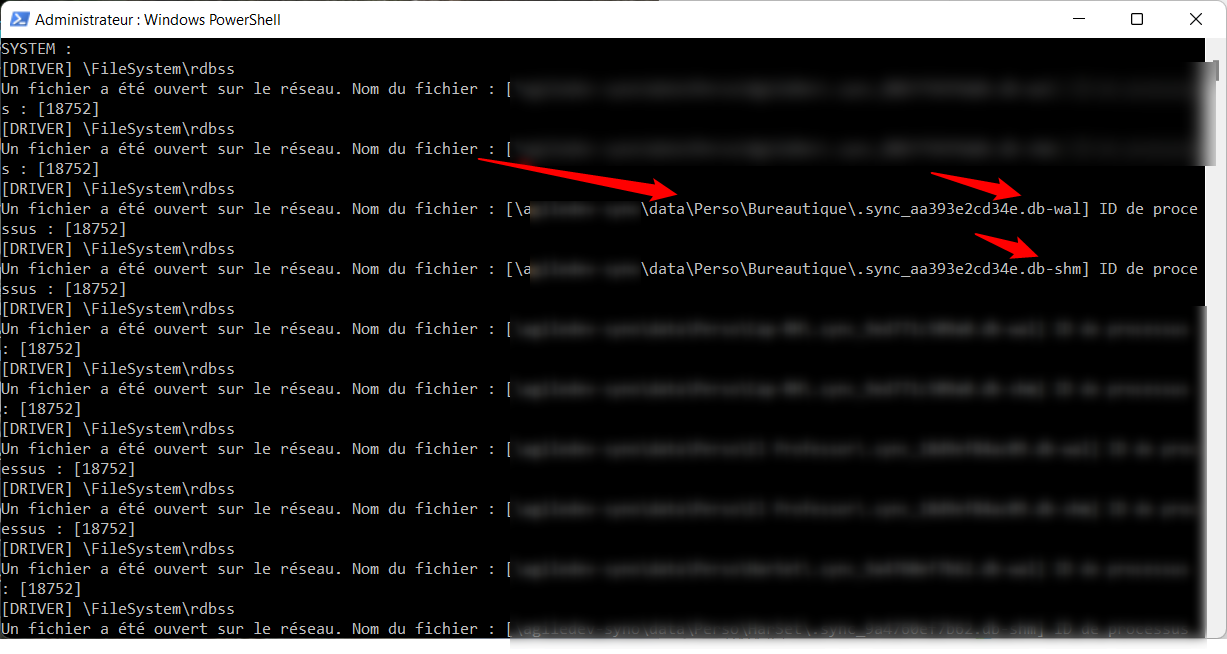
These opened files prevents windows from going into sleep mode.
I've tried to change the power policies in gpedit to allow going sleep with opened network files but it changes nothing :
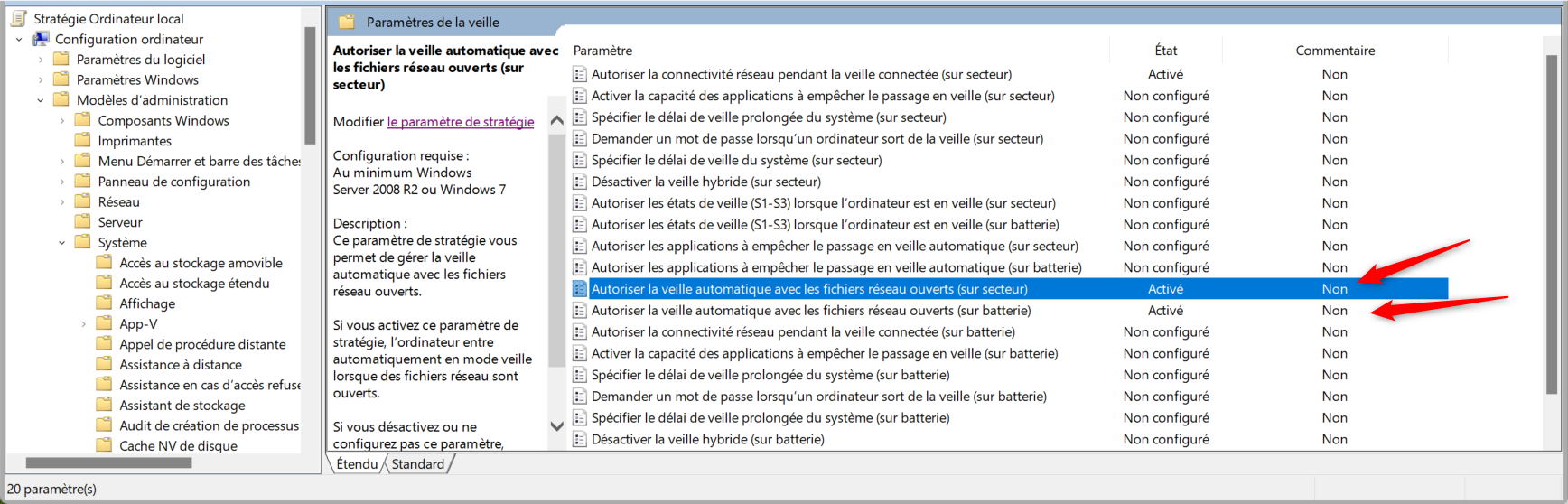
I've think that it is due to the fact that these sync files have access in WRITE mode everytime and this prevents Windows from going sleep mode :-(.
I don't know what can be done to change that. Purhaps changing the folder of the .sync file to something in AppData or other ?
Thanks a lot from helping
Steps to reproduce
- Mount a SMB drive on windows, assume Z: for example.
- Sync some folders with this drive.
- Wait some time to check if windows go in sleep mode
Expected behavior
After the configured delay with no mouse/keyboard activity, windows should go into sleep mode
Which files are affected by this bug
Operating system
Windows
Which version of the operating system you are running.
Windows 11
Package
Distro package manager
Nextcloud Server version
23.0.5
Nextcloud Desktop Client version
3.6.0
Is this bug present after an update or on a fresh install?
Fresh desktop client install
Are you using the Nextcloud Server Encryption module?
Encryption is Disabled
Are you using an external user-backend?
- [x] Default internal user-backend
- [ ] LDAP/ Active Directory
- [ ] SSO - SAML
- [ ] Other
Nextcloud Server logs
N/A
Additional info
N/A
