deck

deck copied to clipboard
 nextcloud
Black icon instead of white one on the dashboard
How to use GitHub
- Please use the 👍 reaction to show that you are affected by the same issue.
- Please don't comment if you have no relevant information to add. It's just extra noise for everyone subscribed to this issue.
- Subscribe to receive notifications on status change and new comments.
Describe the bug The Dashboard app shows a dark icon for Deck instead of a white one if the dark mode is active.
To Reproduce Steps to reproduce the behavior:
- Turn on dark mode
- Visit the Dashboard app
- Add the Deck widget
Expected behavior A clear and concise description of what you expected to happen.
Screenshots
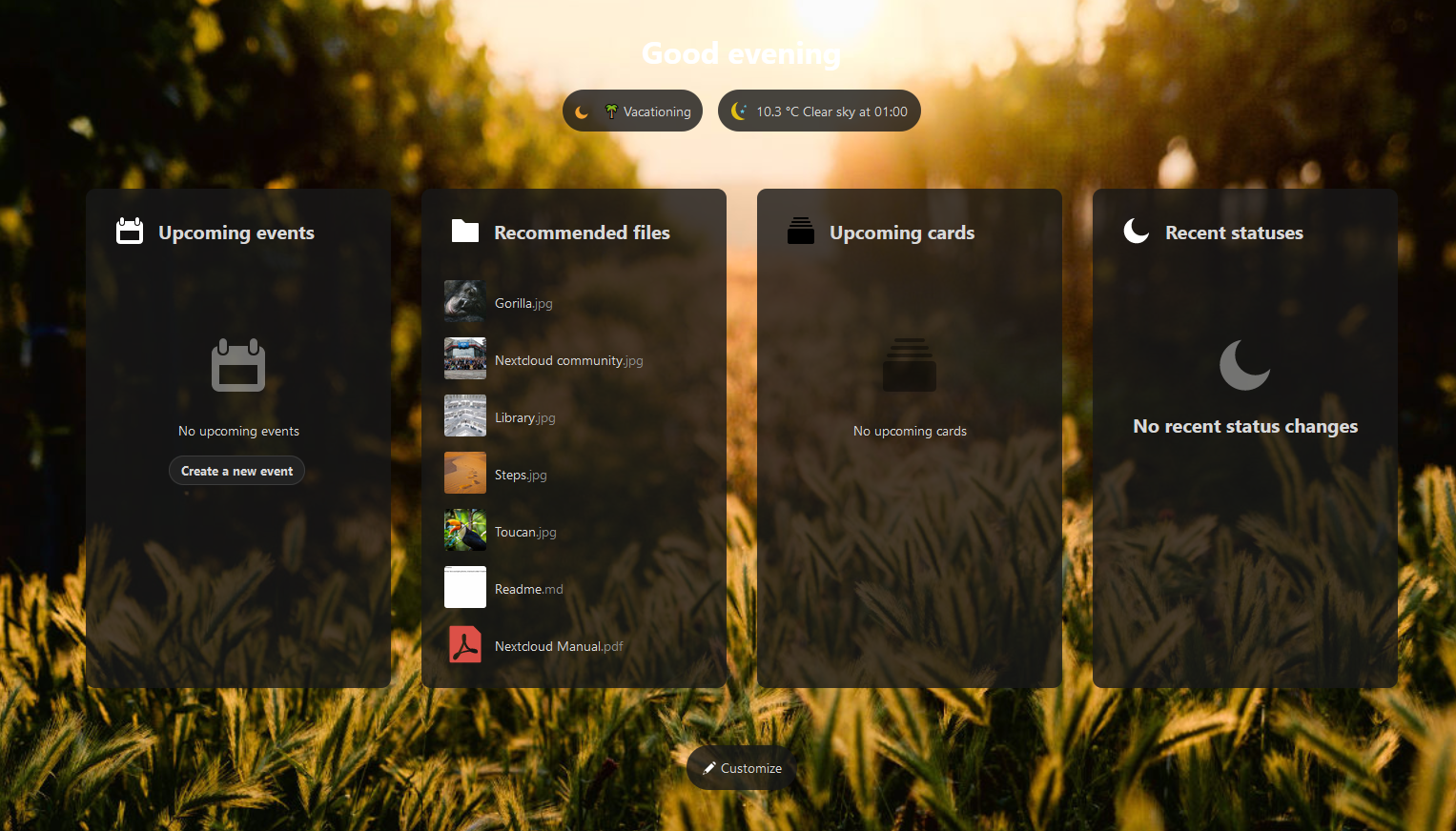
Details:
- Got this bug on https://demo1.nextcloud.com/apps/dashboard/ so Nc 20 with newest versions of the apps probably.
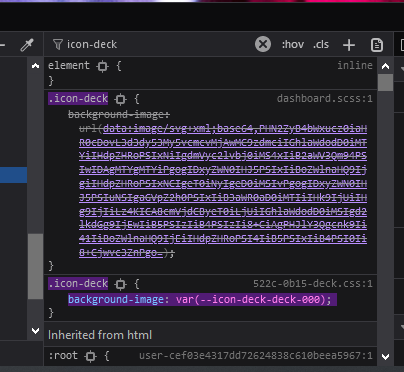
Removing the inline svg code (which comes from https://github.com/nextcloud/deck/blob/master/src/css/dashboard.scss) fixes the color issue:

Also a "Create new card/board" button just like the calendar shows would be pretty cool 👍🏻
Also a "Create new card/board" button just like the calendar shows would be pretty cool 👍🏻
Please open a separate issue for this :)