

 nextapps-be
Table with wire:sortable.handle still all td elements are draggable
I'm using the plugin as follows:
...
<tbody wire:sortable="changeOrder">
...
<tr wire:sortable.item="{{ $index }}" wire:key="position-{{ $index }}">
	<td class="align-middle" style="cursor:pointer;">
		<i class="fas fa-grip-lines" wire:sortable.handle ></i>
	</td>
...
</tr>
...
But I still can drag the whole line on each td element, also if I'm for example in a textarea:
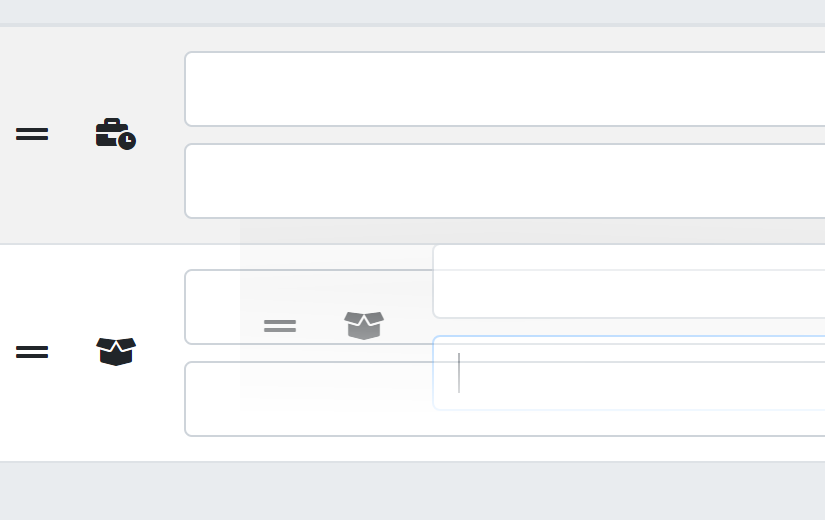
Can you help me?

Oh sorry, closed it by accident 😅 Can you share a complete standalone Livewire component with the issue, so I can reproduce the issue?

I am having a similar issue where the whole LI is draggable instead of just the handle. Any help would be appreciated. Because the whole LI is draggable, I believe it is blocking the button wire:click action on the Go button.
<div class="w-full flex space-x-2" wire:sortable-group="updateCheckInStatus">
    <div wire:sortable.item="{{ $groupName }}" wire:key="group-{{ $groupName }}" class="w-full rounded-sm shadow">
        <div class="{{ $bgColor }} p-2" >{{ $title }} </div>
        <ul wire:sortable-group.item-group="{{ $groupName }}" class="h-full" >
            @foreach($appointments as $appointment)
                <li wire:sortable-group.item="{{ $appointment->external_id }}" wire:key="appointment-{{ $appointment>external_id }}" class="p-2 border-bottom border-b"
>
                    <span class="text-sm"> {{ $appointment->customer()->first()->full_name }}</span>
                    <span class="text-xs">{{ $appointment->appointment_type()->value('name') }}</span>
                    <button wire:click="viewAppointment($appointment->external_id)">GO!!!</button>
                    <button wire:sortable.handle>Drag</button>
                </li>
            @endforeach
        </ul>
    </div>
</div>

You have to use wire:sortable-group.handle instead of wire:sortable.handle when there are multiple groups.
I had incorrectly documented this 🤦♂️ I fixed the documentation in readme file.
@gdebrauwer so do I need to use group in my example too? Or is this another issue?
@Restingo I can not reproduce your issue. I tried the following:
<table class="w-full">
    <tbody wire:sortable="updateItemOrder">
        @foreach ($items as $index => $item)
            <tr wire:sortable.item="{{ $index }}" wire:key="position-{{ $index }}">
                <td>
                    <p>{{ $item }}</p>
                    <i wire:sortable.handle>handle</i>
                </td>
            </tr>
        @endforeach
    </tbody>
</table>
And that seemed to work correctly. Can you share the minimum amount of code needed to reproduce the issue?
Is it possible that the group did not have any items on the initial livewire component load? Because that is fixed in the latest version of this package (v0.3.3 for Livewire v3 en v0.2.3 for Livewire v2)
As this is an old issue and there have been multiple new package releases since this issue was created, I'm closing this issue for now. If you still have this bug or issue, tag me in a new comment on this issue and I will reopen it again.