

 neuralmagic
[BugFix] Server Computer Vision `from_file` fixes
There is a bug in the current implementation of deepsparse.server, when files are sent by client (in CV tasks) the server wasn't actually reading in the files sent over the network, but was looking for local files(on the server machine) with the same name, if such a file existed it would use that for inference and return the result thus giving an illusion that everything worked as intended when it actually didn't, on the other hand if a local file with the same name wasn't found a FileNotFoundError was thrown on the server side (Which should not happen cause the file is not intended to be on the server machine) as follows:
FileNotFoundError: [Errno 2] No such file or directory: 'buddy.jpeg'
This current PR fixes this, The changes are two fold:
- Changes were made on the server side to rely on actual filepointers rather than filenames
- The
from_filesfactory method for all CV Schemas was updated to accept anIterableofFilePointersrather than aList[str],List --> Iterablechange was made to make the function depend on behavior rather than the actual type;str --> TextIOchange was made to accept File Pointers,TextIOis a generic typing module for File Pointers - Now we rely on
PIL.Image.open(...)function to actually read in the contents from the file pointer; this library in included withtorchvision(necessary requirements for all CV tasks) thus does not require any additional installation steps, or additional auto-installation code.
This bug was found while fixing another bug in the documentation as reported by @dbarbuzzi, the docs did not pass in an input with correct batch size, that bug was also fixed as a part of this Pull request
Testing:
Note: Please Test with an image that is not in the same directory from where the server is run, to actually check if the bug was fixed
Step 1: checkout this branch git checkout server-file-fixes
Step 2: Start the server
deepsparse.server \
    --task image_classification \
    --model_path "zoo:cv/classification/resnet_v1-50/pytorch/sparseml/imagenet/pruned95-none" \
    --port 5543
Step 3: Use the following code to make requests, the returned status must be [200], An HTTP status code 200 means success, change the image path accordingly in the following code:
import requests

url = 'http://0.0.0.0:5543/predict/from_files'
image_path = "/home/dummy-data/buddy.jpeg"
path = [
    image_path,
]
files = [('request', open(img, 'rb')) for img in path]
resp = requests.post(url=url, files=files)
print(resp)

~PR changed to Draft mode, to change implementation for yolo pipelines as they do not rely on PIL, and we do not want to add an extra dependency~ yolo dependencies now include torchvision in setup.py which implicitly installs PIL
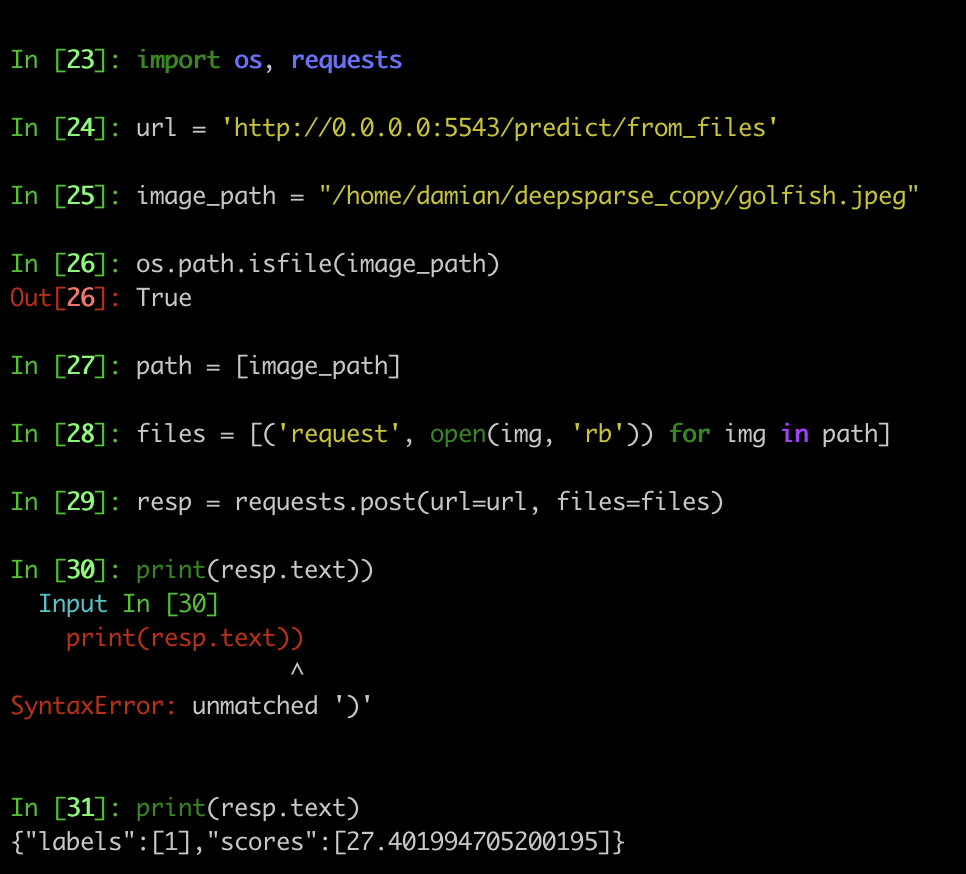
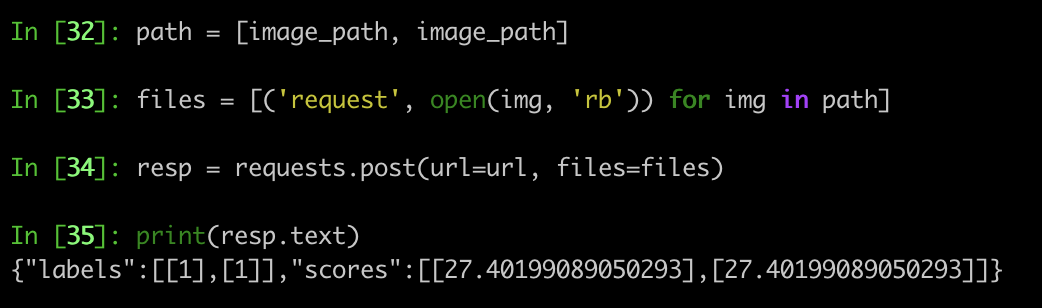
Tested it locally, also for a batch size of two. Looking great! Thank's for spotting it.

Noting these changes revealed another bug in yolact pipelines, where they do not work well deepsparse.server. the fix will be added in a separate PR
@rahul-tuli I took a look at the problem. The problem seems to be solved, however, the solution is a tad hacky.
- What FastAPI does not like, is the type
np.ndarray. That's because it cannot be directly serialized and sent as a json request. Therefore, I remove explicitly setting this type in any field of the schema.Optionalfields are ok, no worries about that. - As a result, we are now sending over a batch of masks in a new format:
- instead of sending directly
masks:List[Optional[np.ndarray]]for everyimage_batch: List[Any]as it was before - we are now sending
masks: List[Optional[List[float]]]. So we flatten every mask to a list of float values.
- One problem is, that we need then to retrieve the original dimensions of the mask when we annotate the image. This is not impossible but awkward; we need to basically solve the "equation":
masks_flattened[flattened_shape] = mask_retrieved[num_detections, orig_dim, orig_dim]
where flattened_shape is given, num_detections can be inferred from the number of bounding boxes and we solve for orig_dim.
My commit a5bb20c displays how I do the conversion.
3. The code that I've committed has been tested on the server inference as well as using the annotation endpoint.
But this is not the end of the problem. Instance segmentation over an image requires us to send a flattened batch of masks. Given that we have let's say 50 detections and the size of the original mask is 138 x 138, for every (single-batch) image we are sending 952200 floats. This is not scalable and actually prohibitive - during inference, the server returns a green request, but it immediately hangs, because of the massive payload it needs to send over. Let's sync on the solution today, please. (@bfineran)
Can you add some unit tests to make sure this doesn't regress? Also is this a problem for other pipelines?

@corey-nm I agree with you. We should be testing for regression (but IMO also correctness) for all the integration pipelines.
Commentary to the commit 5159dba
I managed to get Swagger UI to display the payload from inference (batch size = 1)
Inference Using Python API (input image located on the server)
import requests
import json

url = 'http://0.0.0.0:5543/predict/from_files'
path = ['gettyimages-1401873190-594x594.jpg'] # list of images for inference
files = [('request', open(img, 'rb')) for img in path]
resp = requests.post(url=url, files=files)
annotations = json.loads(resp.text) # dictionary of annotation results
print(annotations)
The command above runs fine. The image is being sent, we get a JSON with correct output in a timely fashion, not much to say. I tried testing also with a batch size of 16, and can confirm, no problems there.
Inference Using Swagger UI (input image located on the server)
Before: process stalling after
INFO: 127.0.0.1:35748 - "POST /predict/from_files HTTP/1.1" 200 OK.
So the post request went fine. This means that the problem lies on the swagger UI side. It is a pretty well-known problem among Swagger UI users: https://github.com/swagger-api/swagger-ui/issues/3832 for instance. The go-to solution is disabling syntax highlighting in Swagger UI. Took me some time, but I found out that there is an argument in the FastAPI python class object that takes swagger UI-related arguments. So the solution to our bug is a one-liner. I disabled syntax highlighting and voila: it takes a couple of seconds for Swagger to process the request, my browser occasionally freezes for a second or so, but then I can freely scroll and inspect the massive output from the pipeline (literally every single pixel of every mask :)), without any problem:
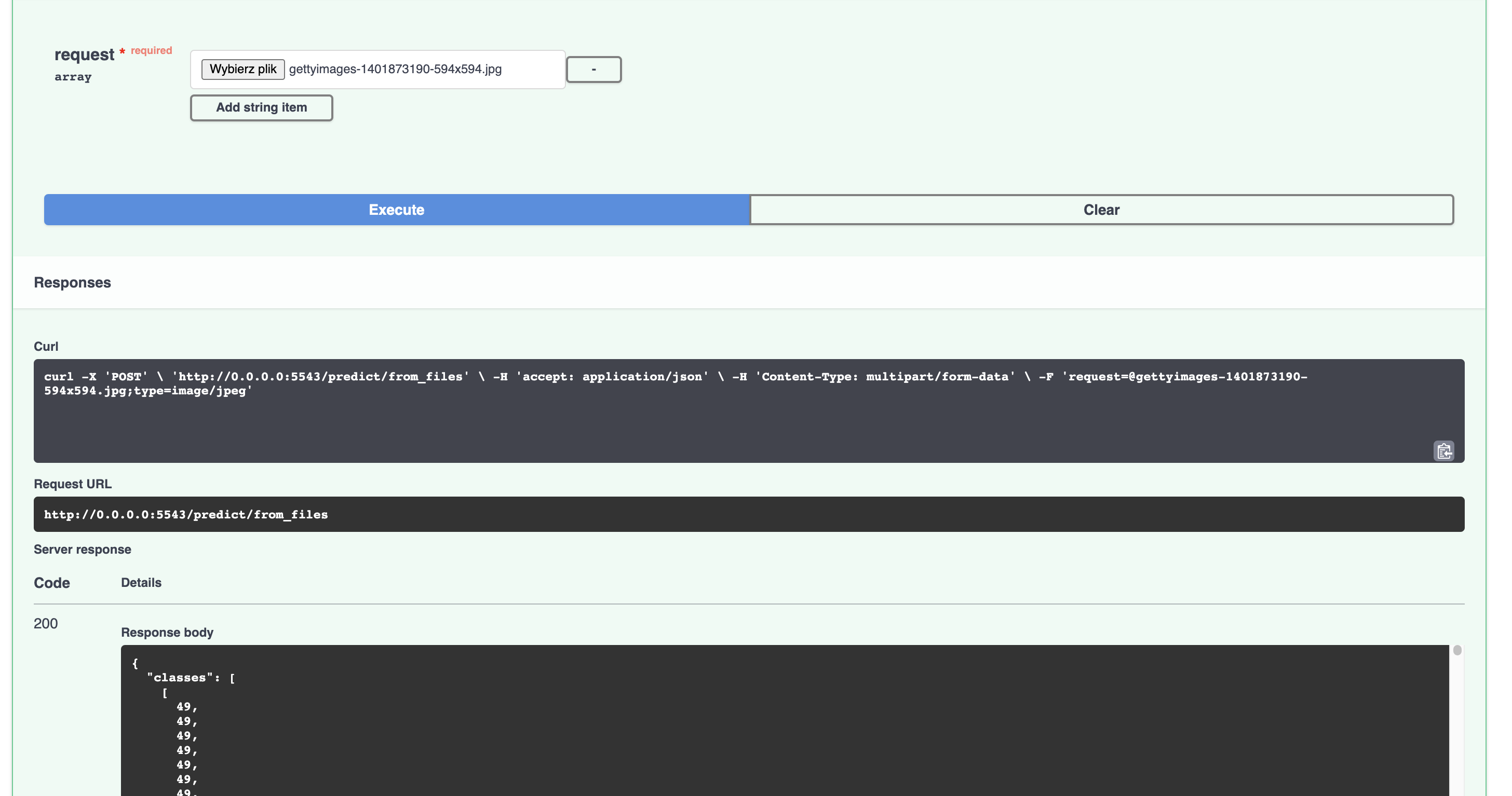
Note: Swagger works okay for a single image, but for a batch size of 2 and more (which means feeding more than two images at once through the interface), my web browser crashes...
Todo:
I am still experiencing problems with running inference when the image is sent from my local machine to the remote server (so the expected pathway). But @rahul-tuli probably has the solution.
Commentary to the commit 5159dba
I managed to get Swagger UI to display the payload from inference (batch size = 1)
Inference Using Python API (input image located on the server)
import requests
import json

url = 'http://0.0.0.0:5543/predict/from_files'
path = ['gettyimages-1401873190-594x594.jpg'] # list of images for inference
files = [('request', open(img, 'rb')) for img in path]
resp = requests.post(url=url, files=files)
annotations = json.loads(resp.text) # dictionary of annotation results
print(annotations)
The command above runs fine. The image is being sent, we get a JSON with correct output in a timely fashion, not much to say. I tried testing also with a batch size of 16, and can confirm, no problems there.
Inference Using Swagger UI (input image located on the server)
Before: process stalling after
INFO: 127.0.0.1:35748 - "POST /predict/from_files HTTP/1.1" 200 OK.So the post request went fine. This means that the problem lies on the swagger UI side. It is a pretty well-known problem among Swagger UI users: swagger-api/swagger-ui#3832 for instance. The go-to solution is disabling syntax highlighting in Swagger UI. Took me some time, but I found out that there is an argument in the FastAPI python class object that takes swagger UI-related arguments. So the solution to our bug is a one-liner. I disabled syntax highlighting and voila: it takes a couple of seconds for Swagger to process the request, my browser occasionally freezes for a second or so, but then I can freely scroll and inspect the massive output from the pipeline (literally every single pixel of every mask :)), without any problem:
Note: Swagger works okay for a single image, but for a batch size of 2 and more (which means feeding more than two images at once through the interface), my web browser crashes...
Todo:
I am still experiencing problems with running inference when the image is sent from my local machine to the remote server (so the expected pathway). But @rahul-tuli probably has the solution.
Noting the code now works with files over the network; tested for all computer vision based pipelines