

 nervosnetwork
Upated Wallet
After the update I received the message stating I require x64 version of MVC++. In the previous version I also got this message however, I was able to skip it and the wallet would be functional. There is now no skip button and when I hit Install and Exit, it closes the wallet and sends me to Microsoft's Official page and closes the wallet. I have downloaded the most recent version and restarted, upon opening the same thing happens. The wallet buttons are functional even while this message is displayed but it no longer attempts to sync.
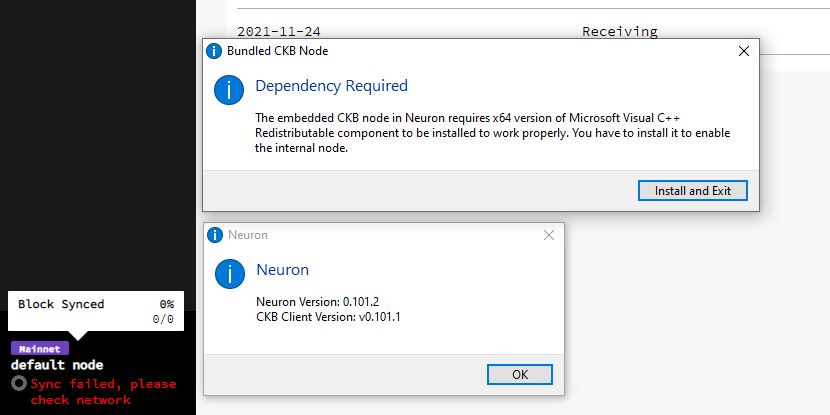 neuron_debug_1642177122011.zip

Hi @tgormglitch , actually this behavior is really strange so that I'm not quite sure the reason.
According to your debug info, your local ckb node and Neuron can sync normally before, in theory the vc redist should have been installed on your machine thus the warning window should not be shown up when start the Neuron.
Could you help do some works to help us locate the problem more accurately:
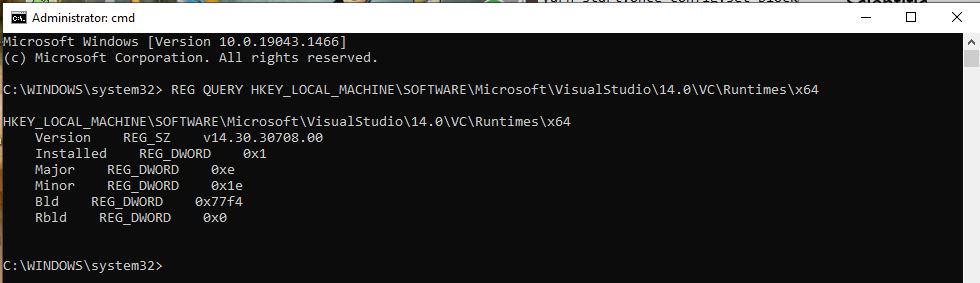
- Open the Powershell on your PC, type this command and see what returned:
REG QUERY HKEY_LOCAL_MACHINE\SOFTWARE\Microsoft\VisualStudio\14.0\VC\Runtimes\x64 - Can you please help take a screenshot of your installed app as below especially including the vc redist related:
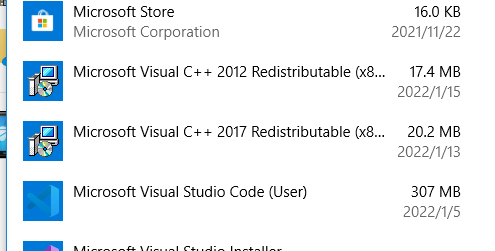
- Could you tell us which location were you chose when installing the Neuron - (
for all usersorjust me) ?

Thanks for responding Kelly. Here are the screenshots you requested and I installed it for just me.
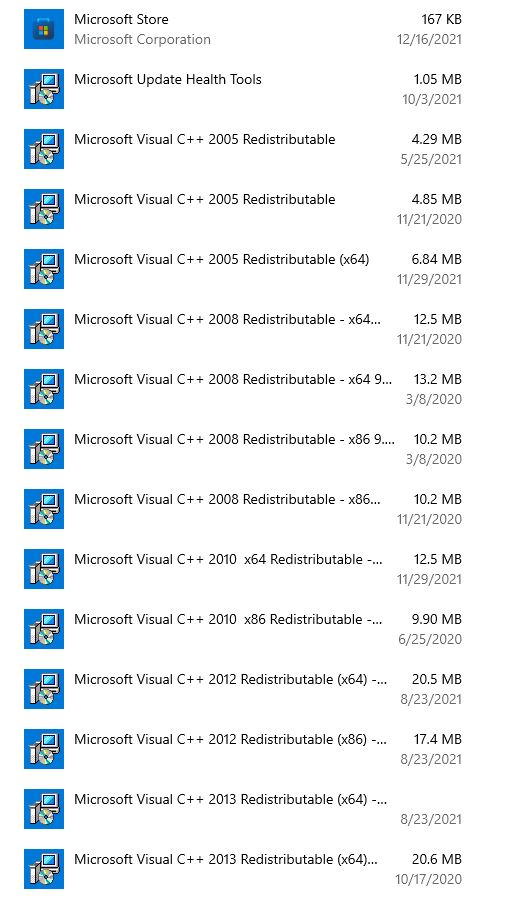
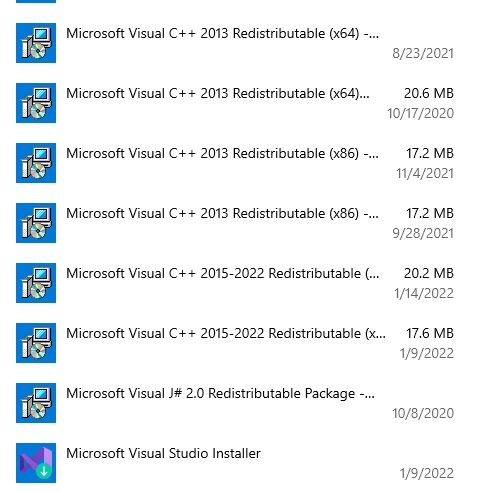
Hi, @tgormglitch, can you download latest version 0.101.3 and try again.In the release we added some logs to find why this happened.Can you help send new logs?
