

 n4kz
n4kz
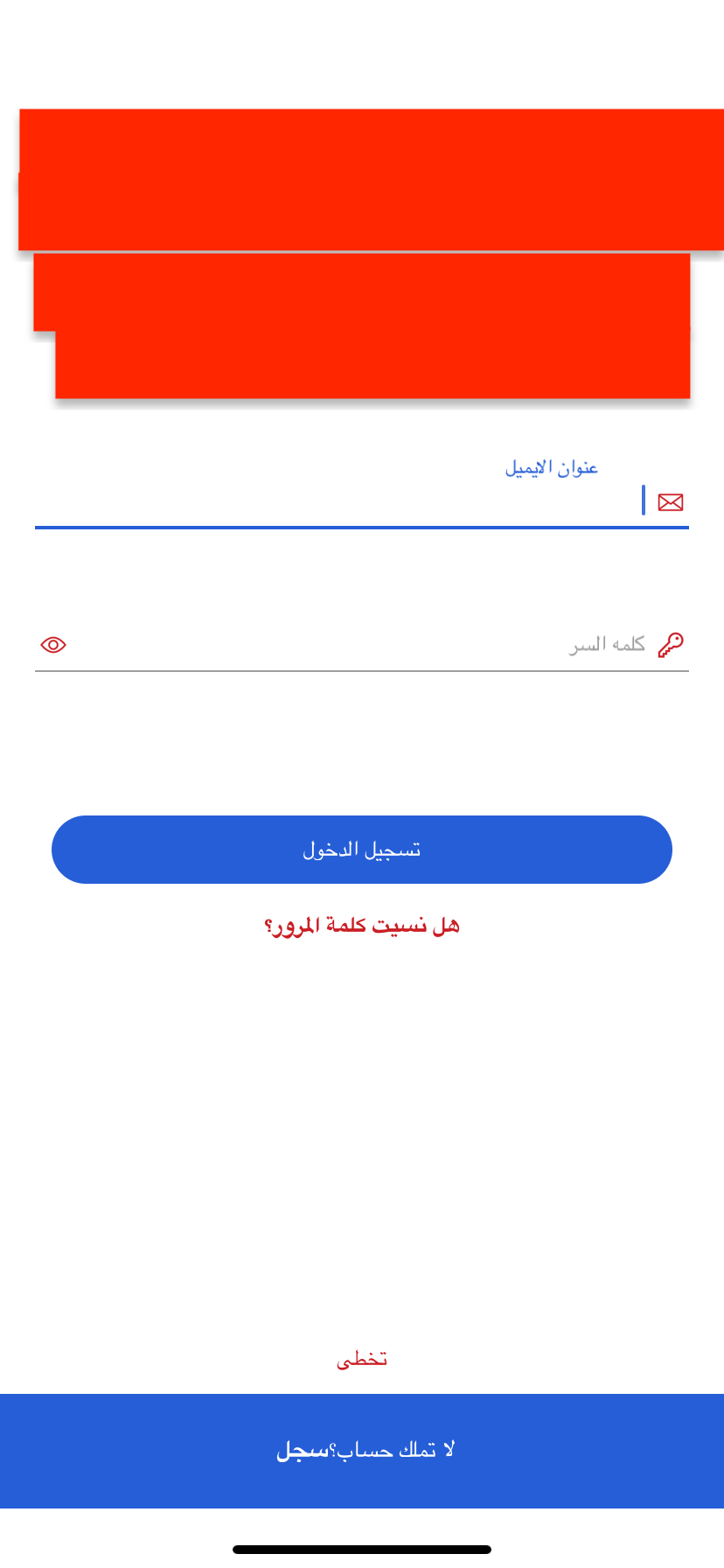
Floating label is not properly alligned while set arabic language and set textalign right
Hello guys,
You guys have done a great job by creating such a great library. Though I am stuck in one issue and need input in that case.
We are facing a label alignment issue when tapping on text input while viewing is for Arabic. We have set manually set text alight to 'right' for Arabic. It is working absolutely fine for English though.
Below is my code & problem screen shot: <TextField maxLength={this.props.maxLength} secureTextEntry={this.props.secureTextEntry} name={this.props.name} fontSize={13} style={{ fontFamily: font.MEDIUM, textAlign: this.props.auth.isRTL ? 'right' : 'left', marginRight: this.props.auth.isRTL ? 0 : 3, marginLeft: this.props.auth.isRTL ? 0 : 3, marginTop: 2, }} textColor={colors.BLACK} tintColor={colors.BLUE} labelTextStyle={{ marginTop: 3, color: colors.GRAY, fontFamily: font.REGULAR, textAlign: this.props.auth.isRTL ? 'right' : 'left', }} label={this.props.label} value={this.props.value} lineWidth={1} keyboardType={this.props.keyboardType} ref={input => (this.textInput = input)} error={''} renderLeftAccessory={() => this.props.auth.isRTL ? this.renderRightComponent() : this.renderLeftComponent() } renderRightAccessory={() => this.props.auth.isRTL ? this.renderLeftComponent() : this.renderRightComponent() } onSubmitEditing={() => { this.props.onSubmitEditing(); }} onChangeText={e => { let name = this.props.name; this.props.handleChange(name, e); }} onBlur={e => { let name = this.props.name; this.props.handleOnBlur(name, e); }} />
Looking forward to your reply.
Thank you

