n00mkrad
Glitch effect bug
My log here: glitch effect report.txt
Dear developers,
When I review the output of Flowframes software, my output video had a glitch effect issue. And this is the video I had done for frame rate boosting: https://youtu.be/CJ0djllyqwY
I have tried several ways to deal with this issue:
- Reset all settings
- Clear cache (clear model cache)
- Restart my PC
But none of them works
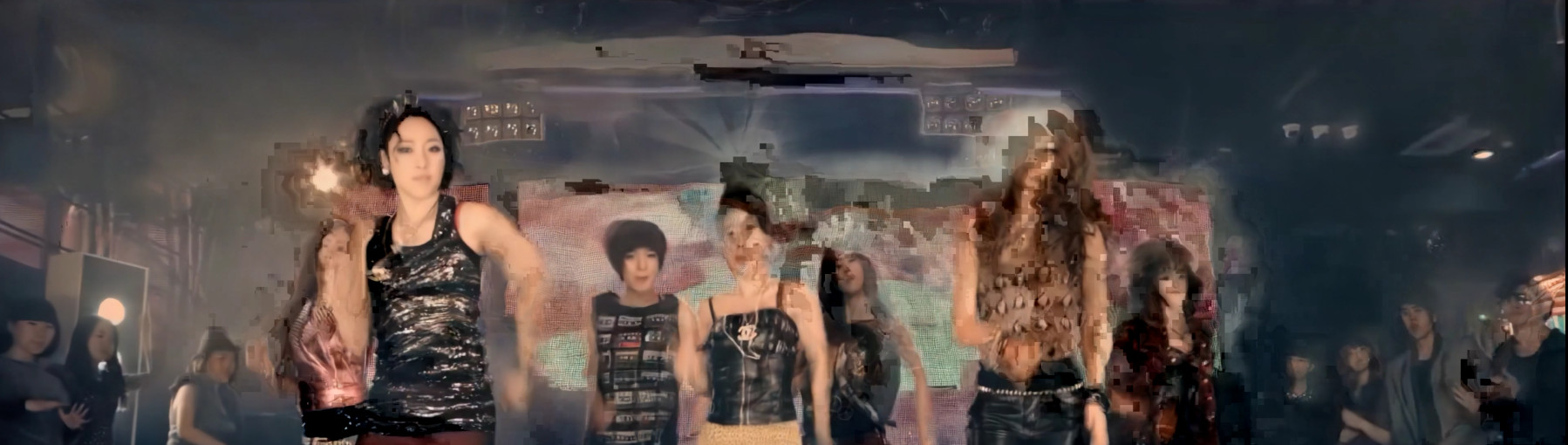


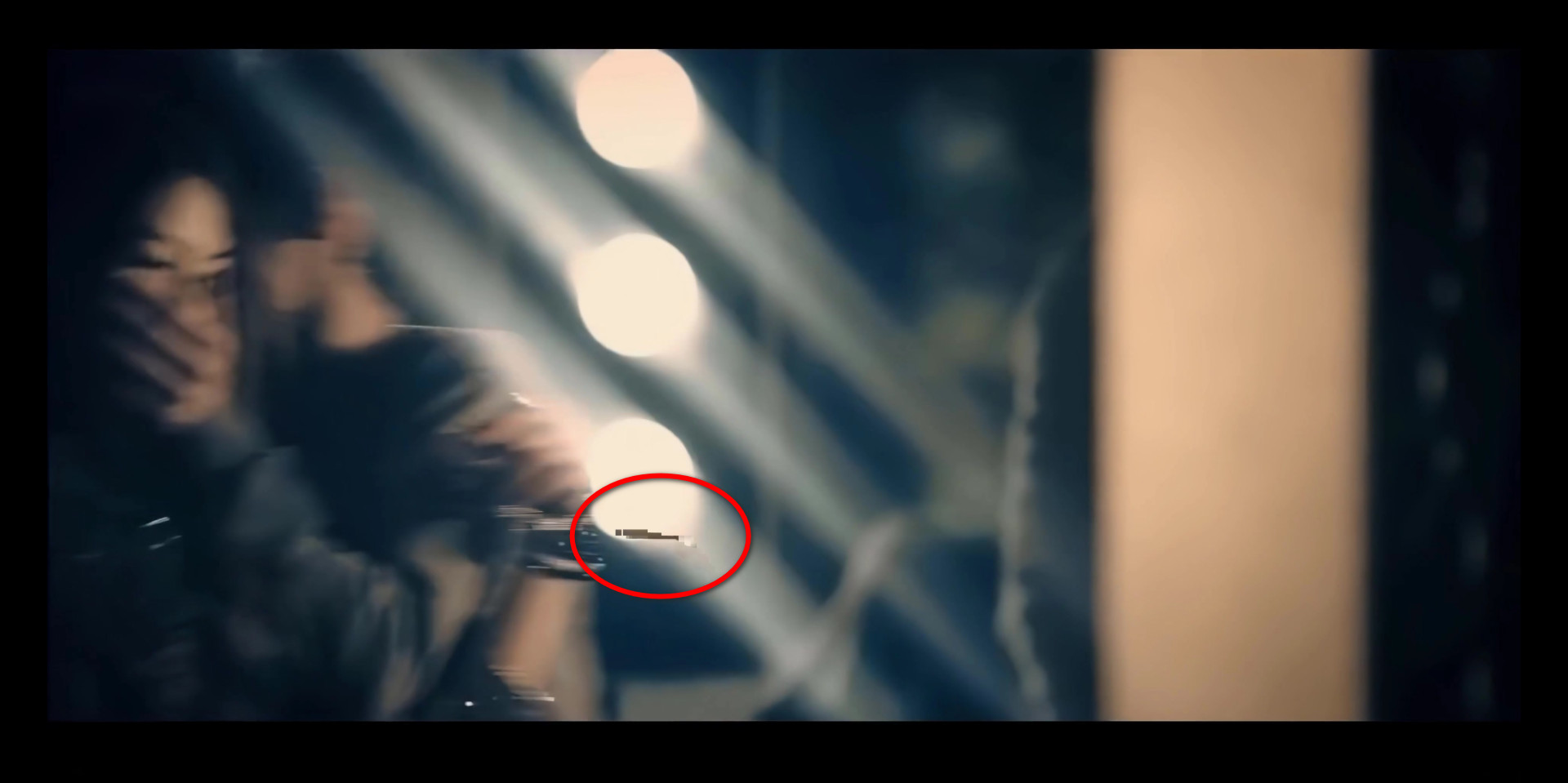
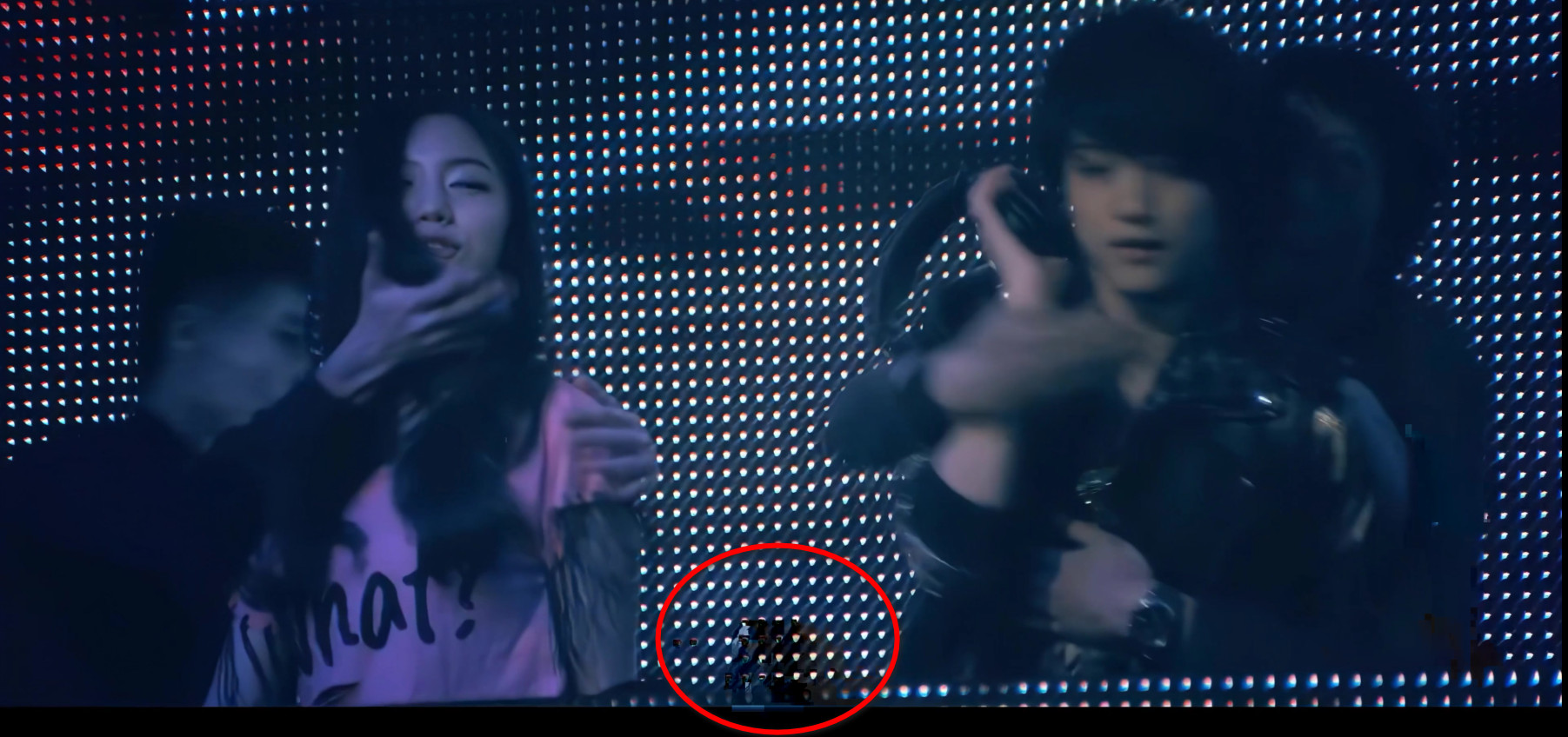

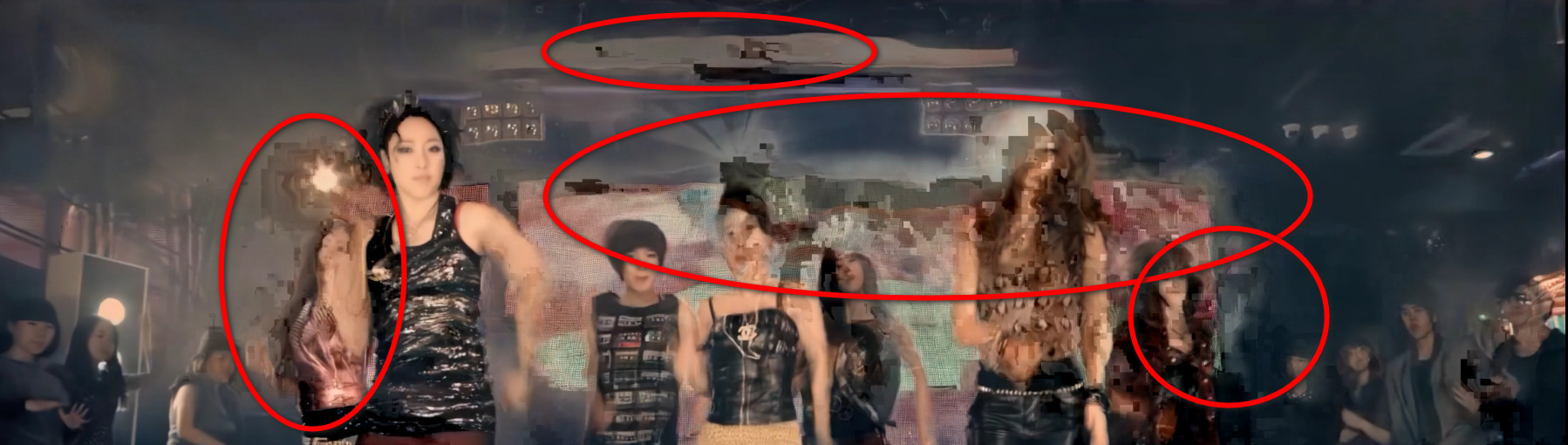
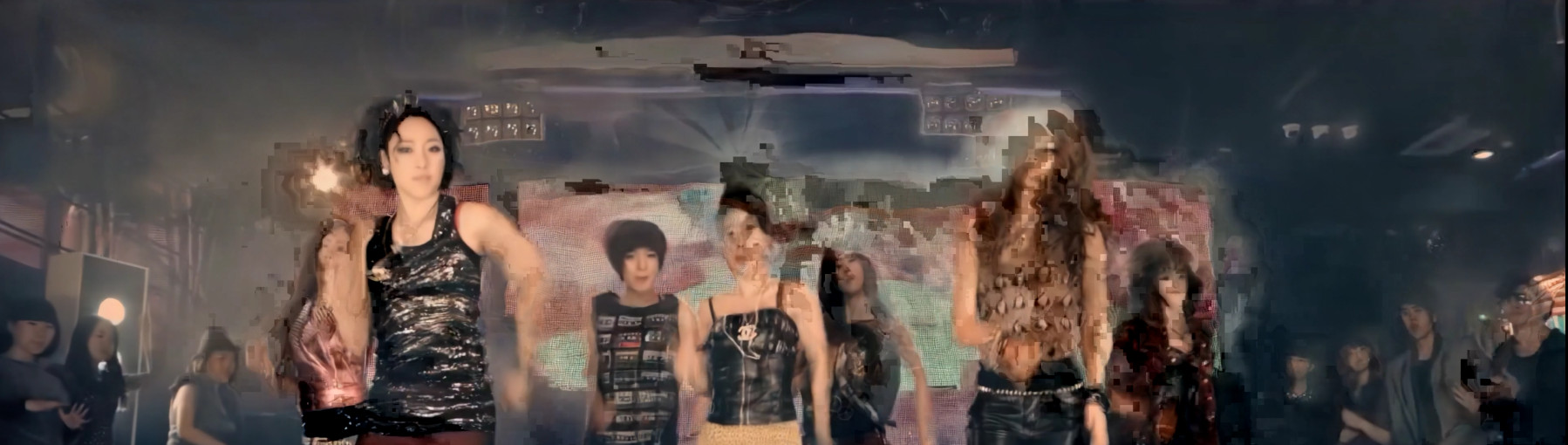 Glitch effect bug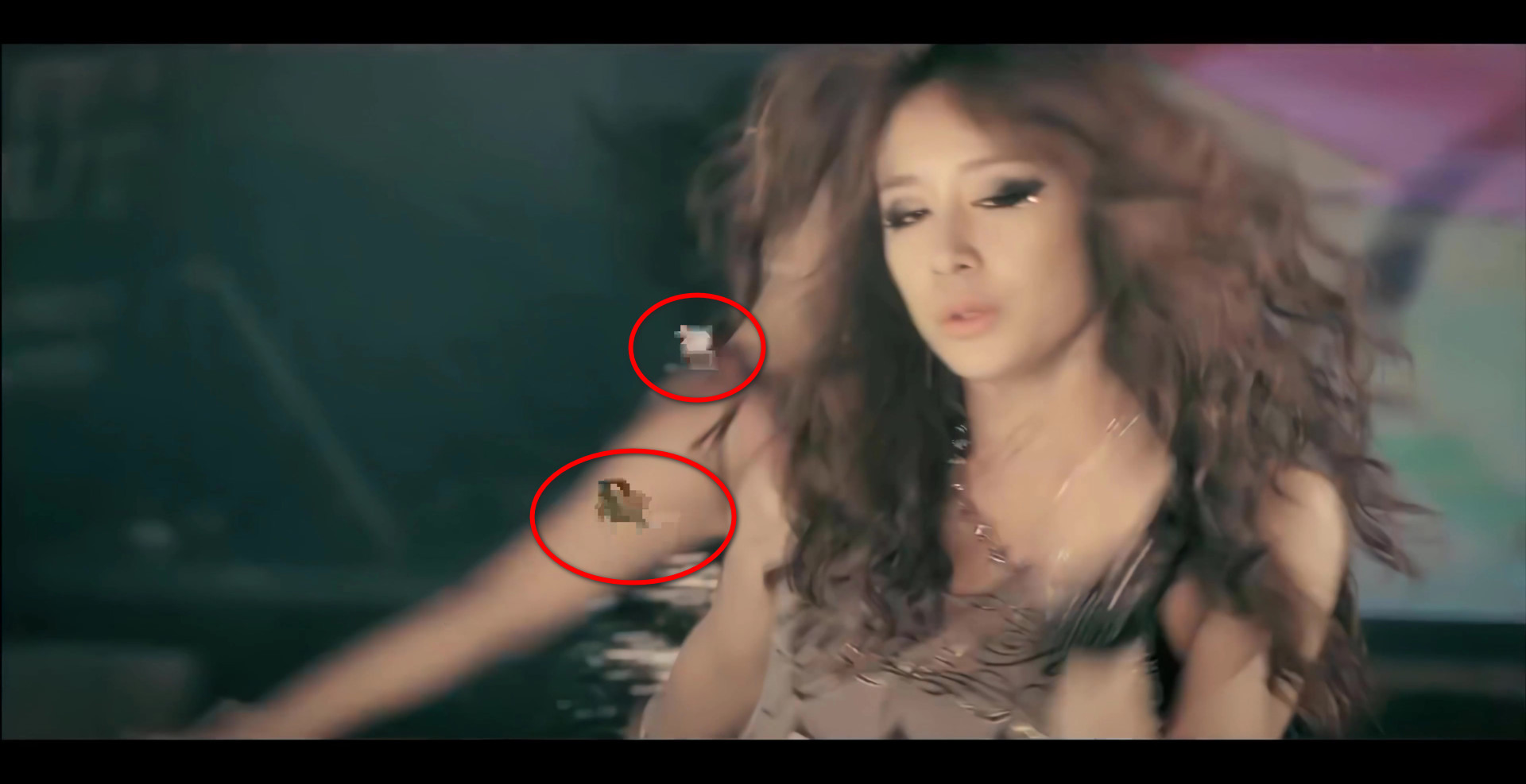

Does this happen to a specific video or to all
Currently, it happens to all video that I am going to increase frame rate by Flkowframes.
Here are some video that I am currently using to increase frame rate with Flowframes, and the output had glitch effects.
- https://youtu.be/CJ0djllyqwY
- https://youtu.be/8m1l3CWETJw
- https://youtu.be/k0n8Yl7ZdKo
- https://youtu.be/AQnpQSNOXDs
They are 4 videos that Flowframes had the glitching problem when the output has finished.
If you want to look further to see my error glitching video, here is the link that it has glitching effect when I had done the flowframes: https://thptthaininhh-my.sharepoint.com/:v:/g/personal/minhhlt2000_1driver_vip/EZavJEdCoTpFpn_HIK91xOoBjcmsITYI_0GHLcU8anYbGw?e=kqCFe3
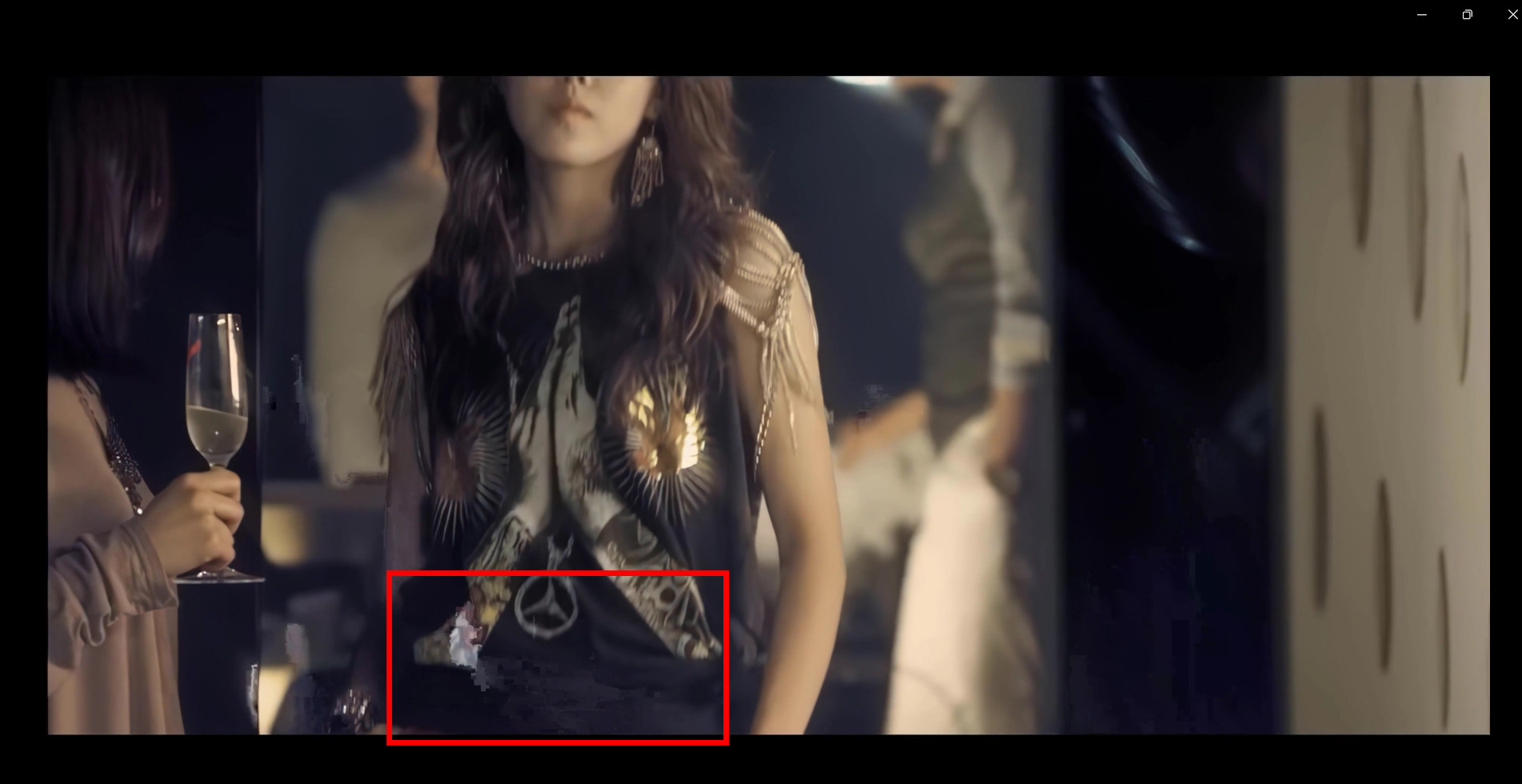
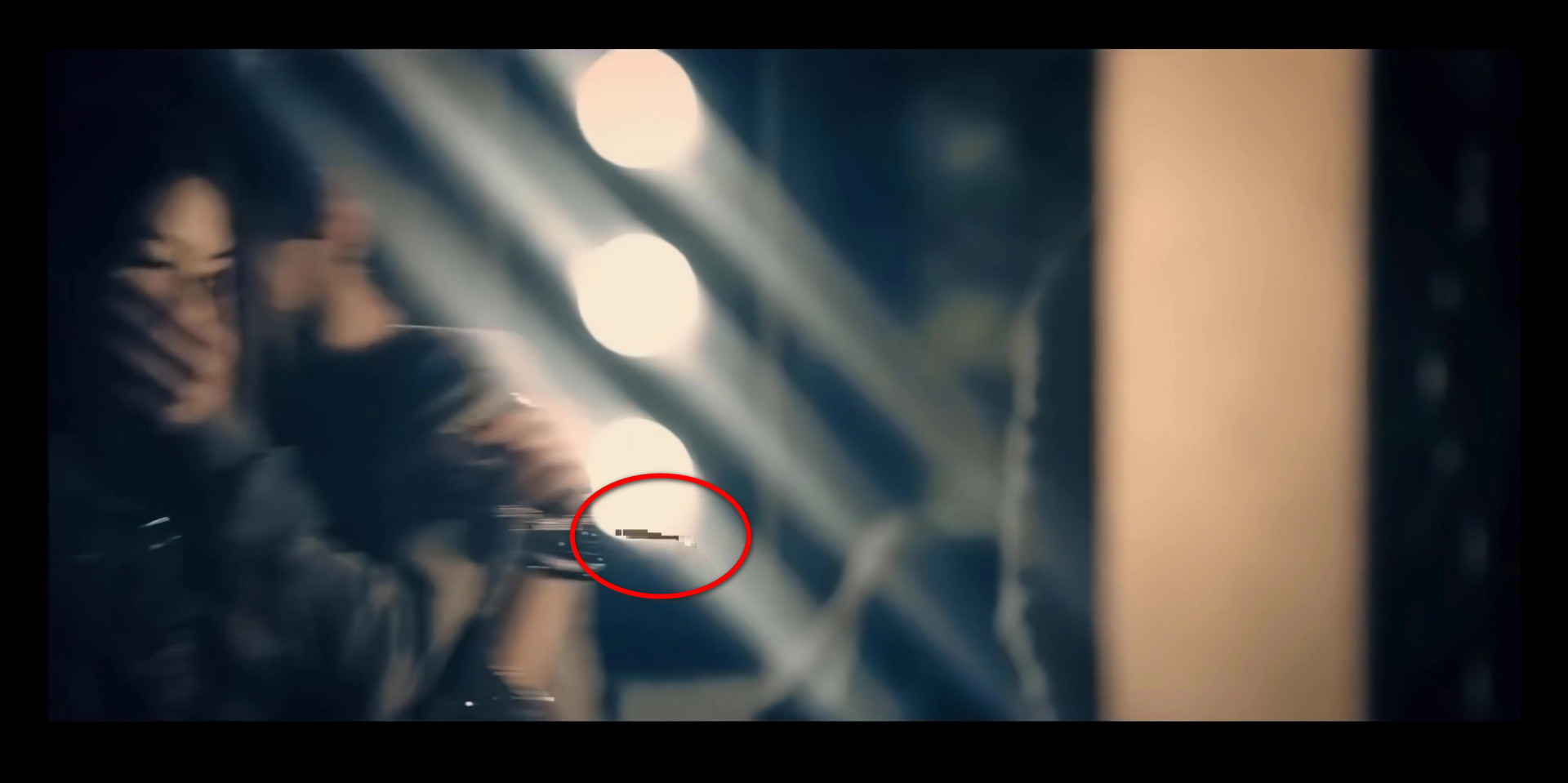
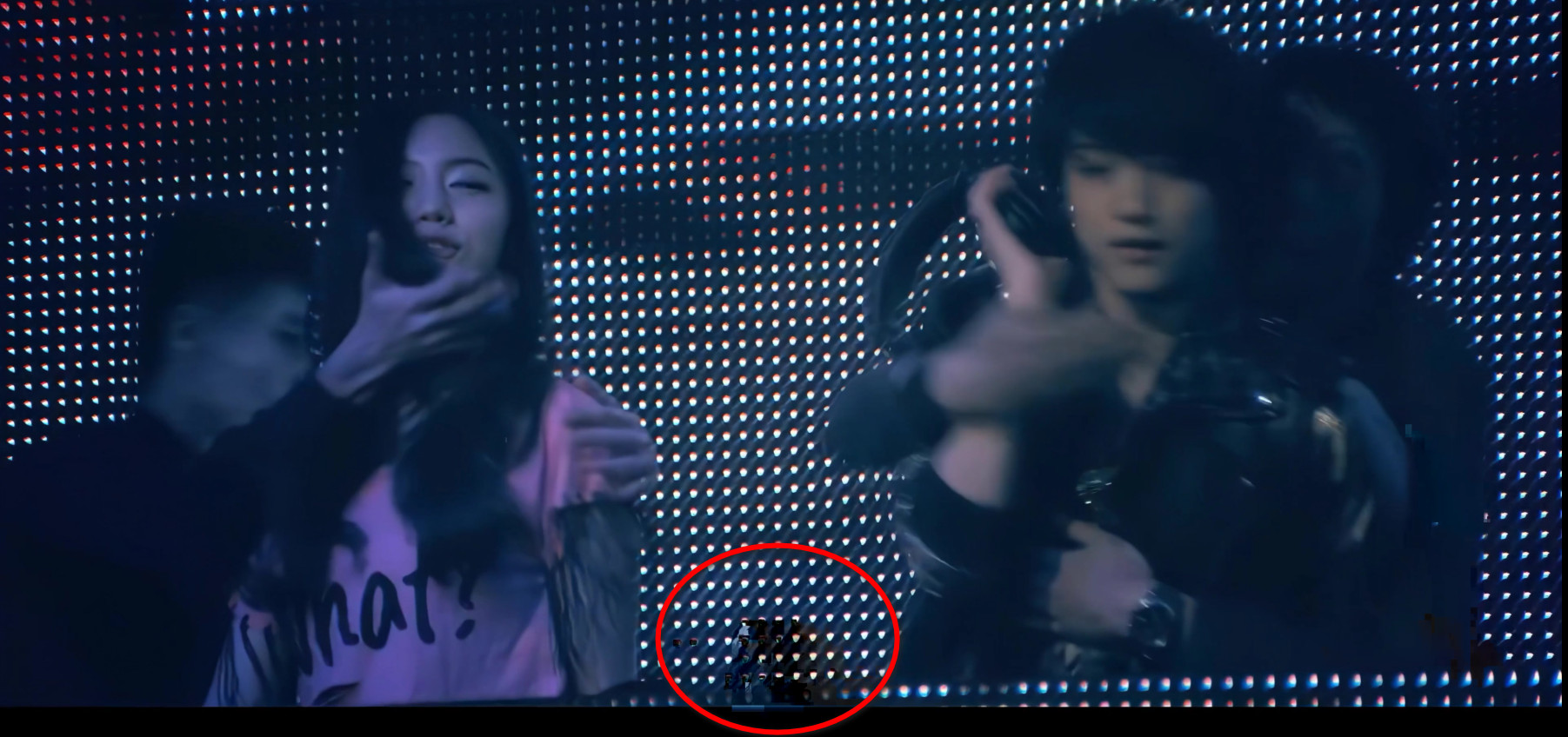
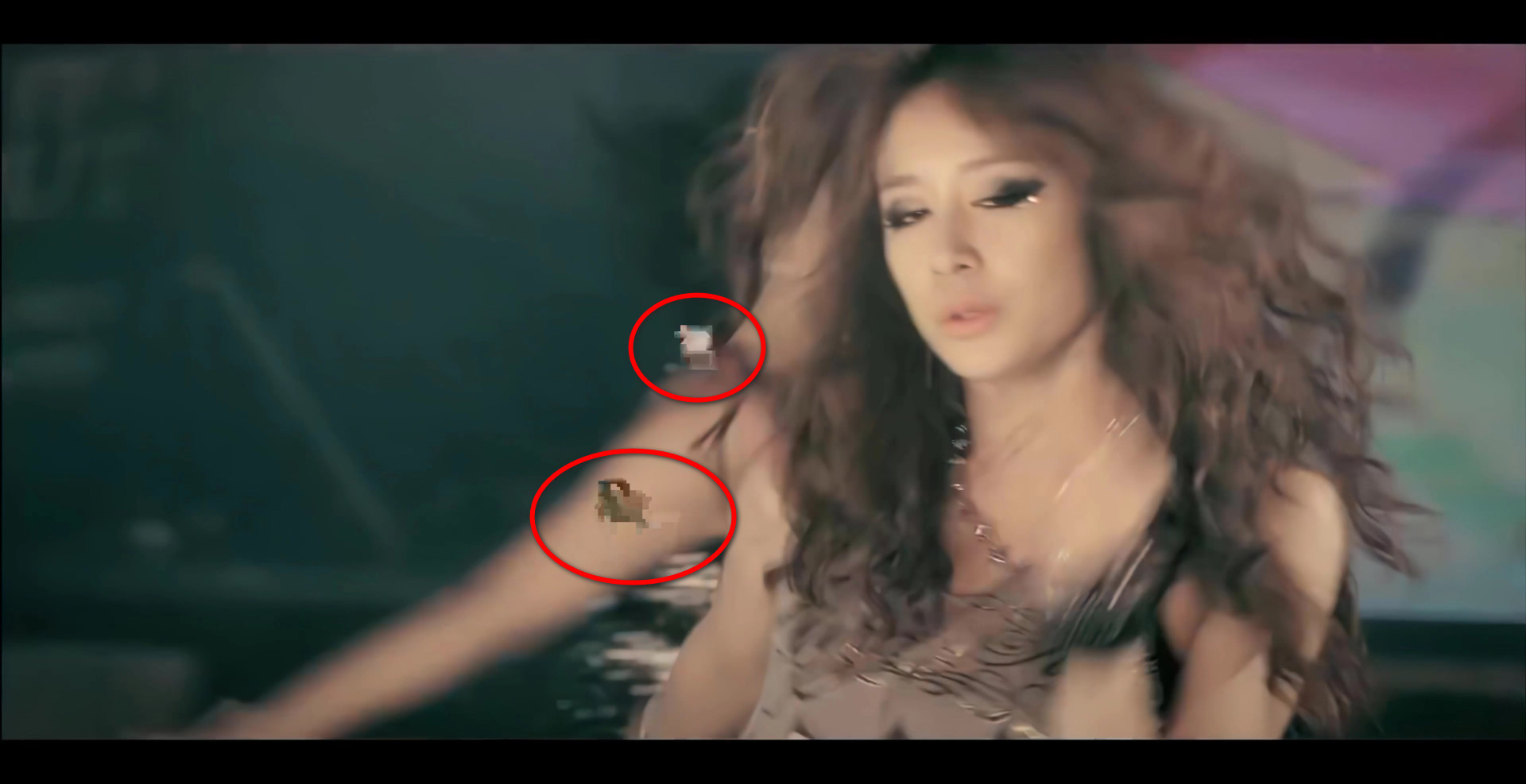
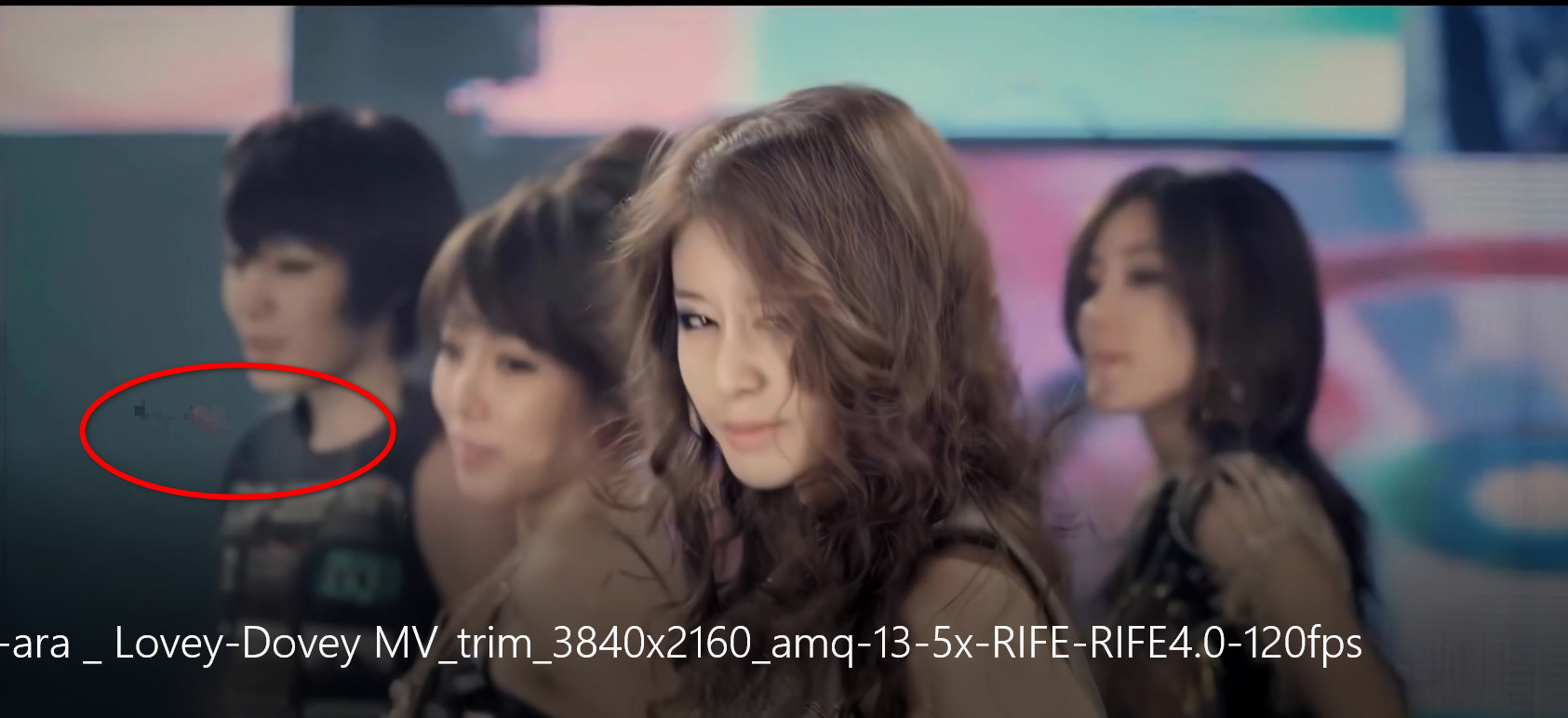
I mean, if you look at the original video in Youtube here: https://youtu.be/CJ0djllyqwY ; there is no glitching at all. But the Flowframes software has this problem.
Thanks for taking your time to debug this software. ❤️
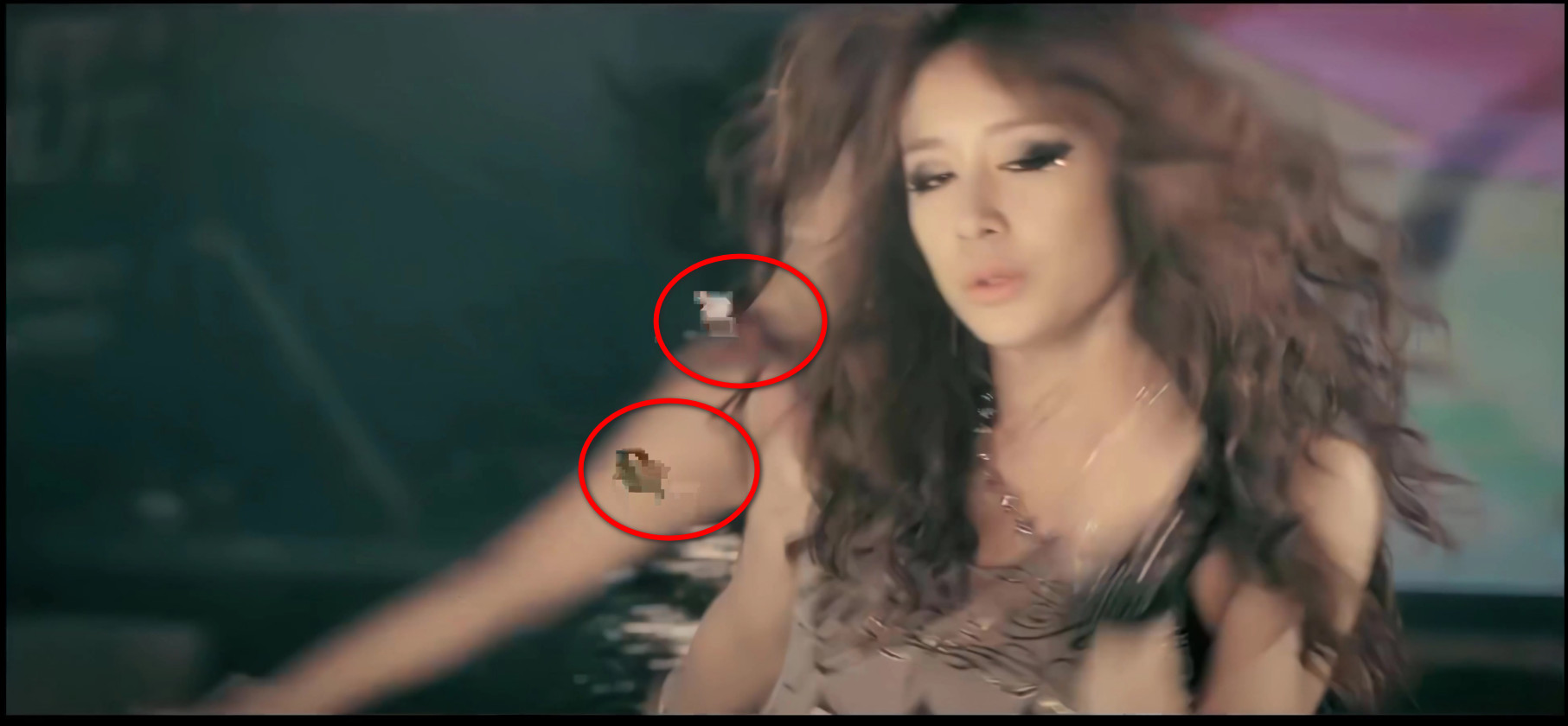
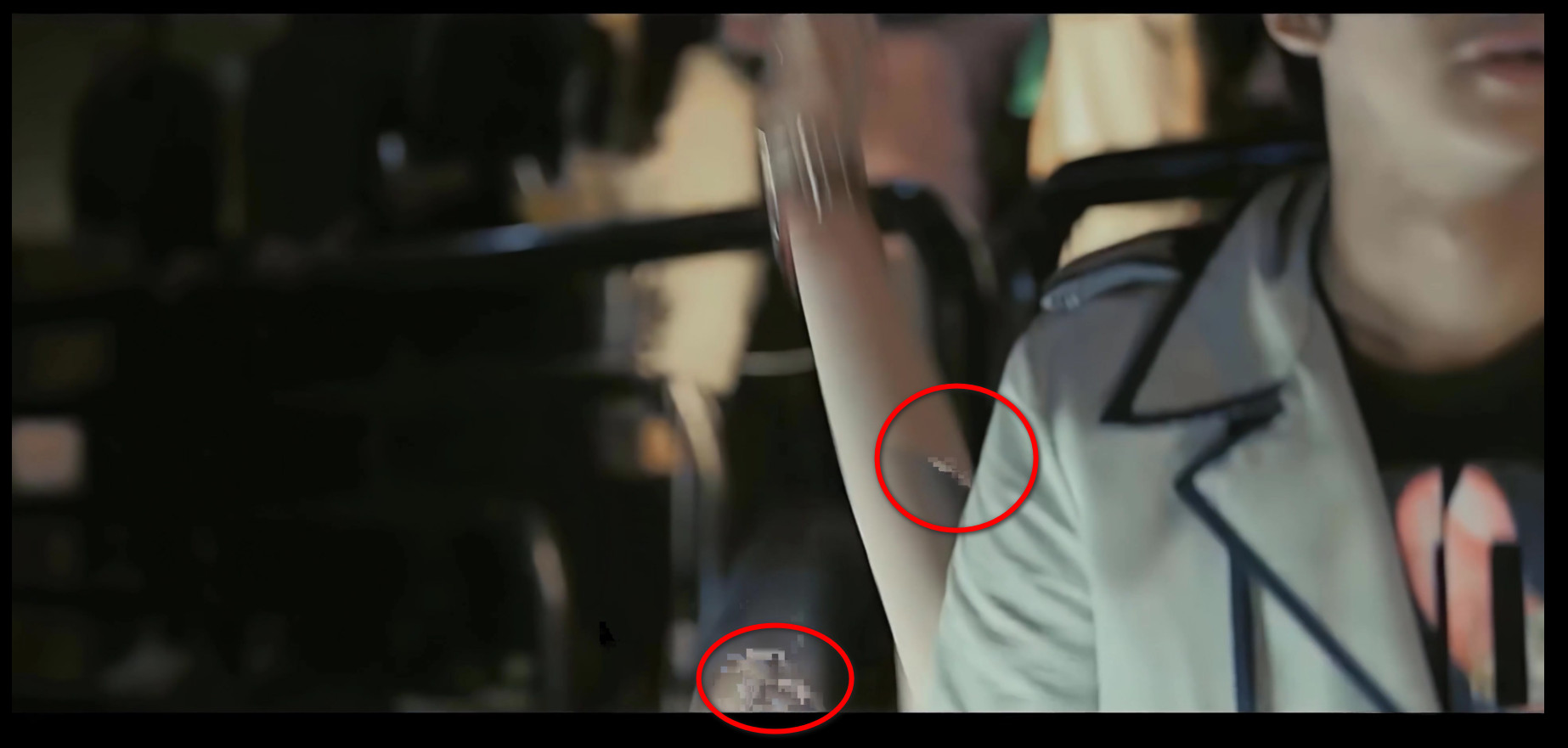
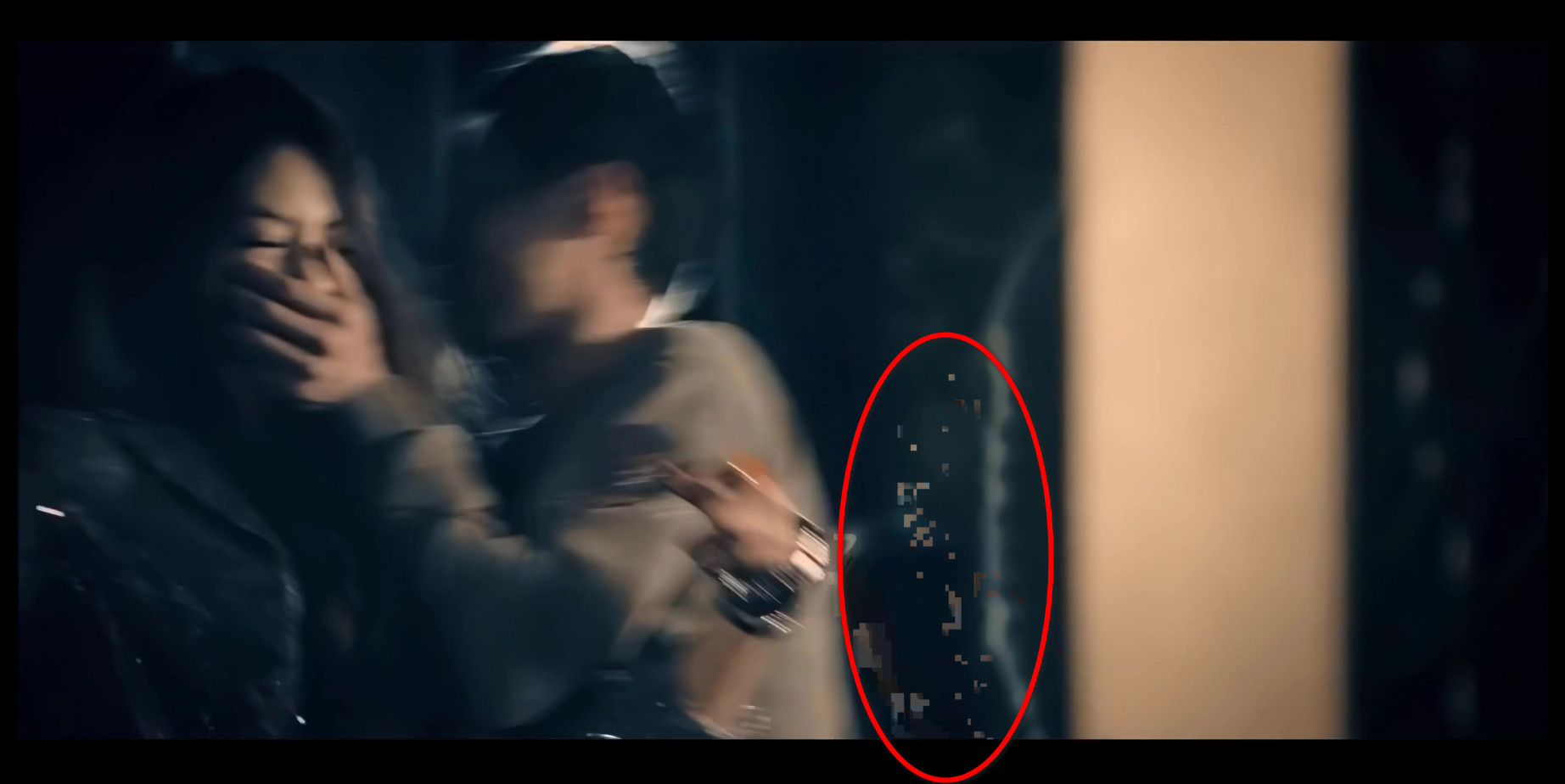
Dear developers,
Sorry for bothering you guys and I did not mean to ask a lot.
I am just a free user, and I am an university student. But if I graduated and I had a job, I would definitely donate you guys on Patreon as much as possible. ❤ Really love this software and love you guys' efforts.
You do not have to fix it or debug it right away, I can wait. No need to rush anything.
Again, love you guys for creating this software and hoping your improvement on this software.
Sincerely,
<Update Glitch effect: bad news, October 13th, 2022>
Dear developers,
The glitch effects still existed, and I think the AI machine might think that the glitch effects were not the bug. But in fact, the glitch effects were a real serious bug that caused a negative impact on users.
Let me give you the log here: https://thptthaininhh-my.sharepoint.com/:t:/g/personal/minhhlt2000_1driver_vip/EVCSG1v743BClQVk9lr0W5MB2Mg_jw1BJKW_UmbZ4XRr9Q?e=T2fMaM
Next, this is my original video, link: https://thptthaininhh-my.sharepoint.com/:v:/g/personal/minhhlt2000_1driver_vip/EWIT4fQl1XROpRPCEHMX17wB-j_589KCLLifBRvPERQNJQ?e=2uwgFo
And this is the video was interpolated by Flowframes (contained glitching effects), link: https://thptthaininhh-my.sharepoint.com/:v:/g/personal/minhhlt2000_1driver_vip/Ed-3MeJuEU1Oi4eVwdt3UeUB4POb8iCQ6Xc08NBjxLSByQ?e=pEmXoC
And finally, these are images that I had taken screenshot in video:
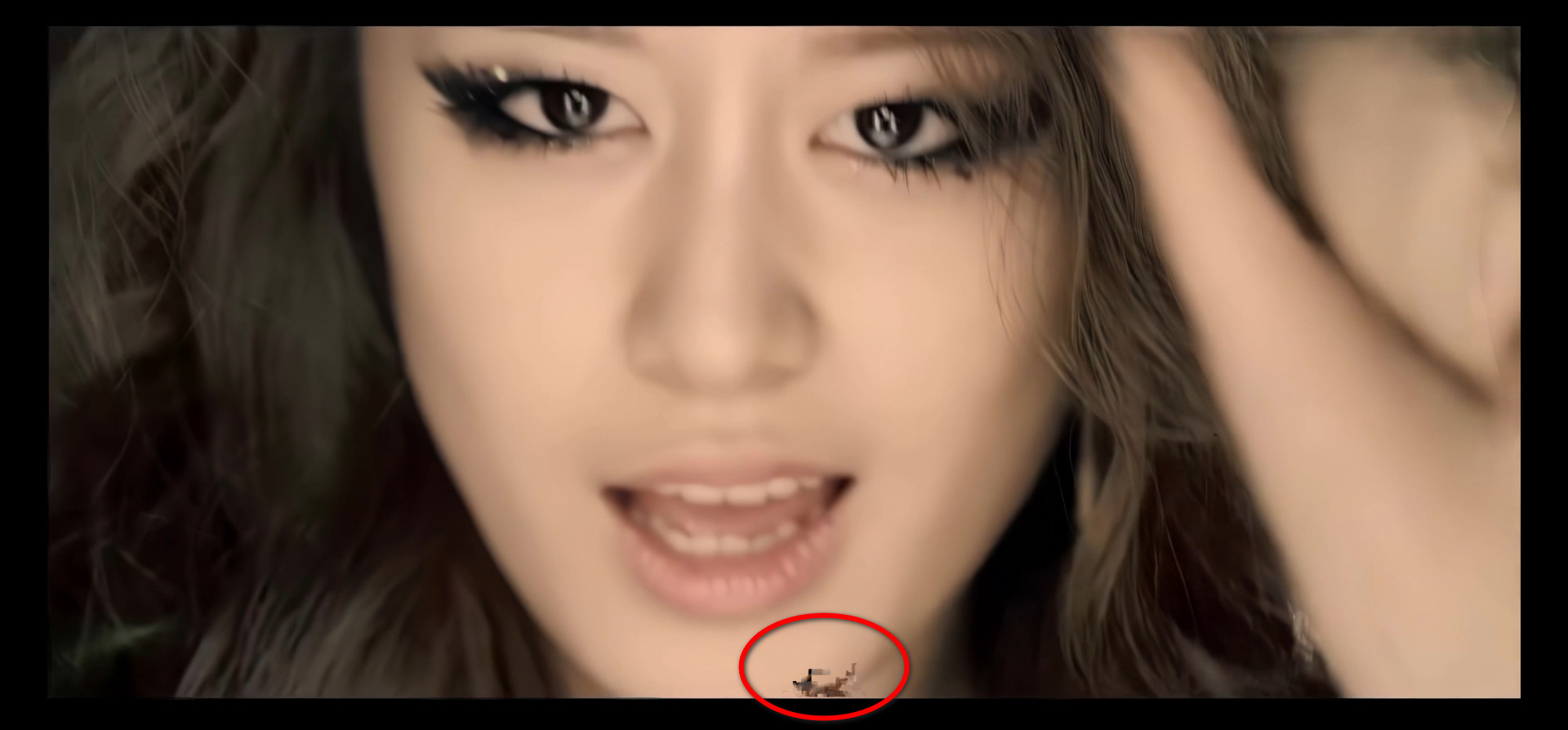
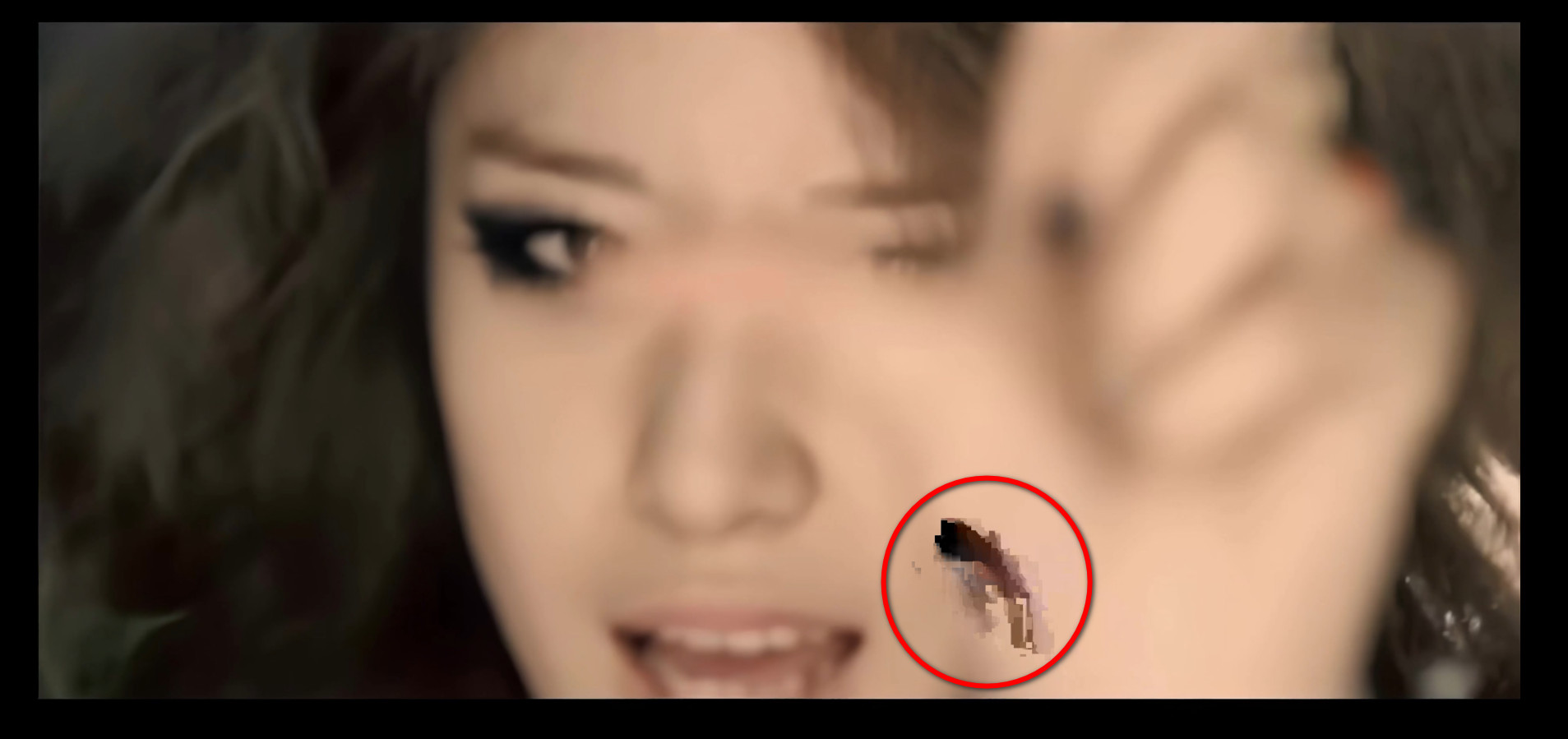
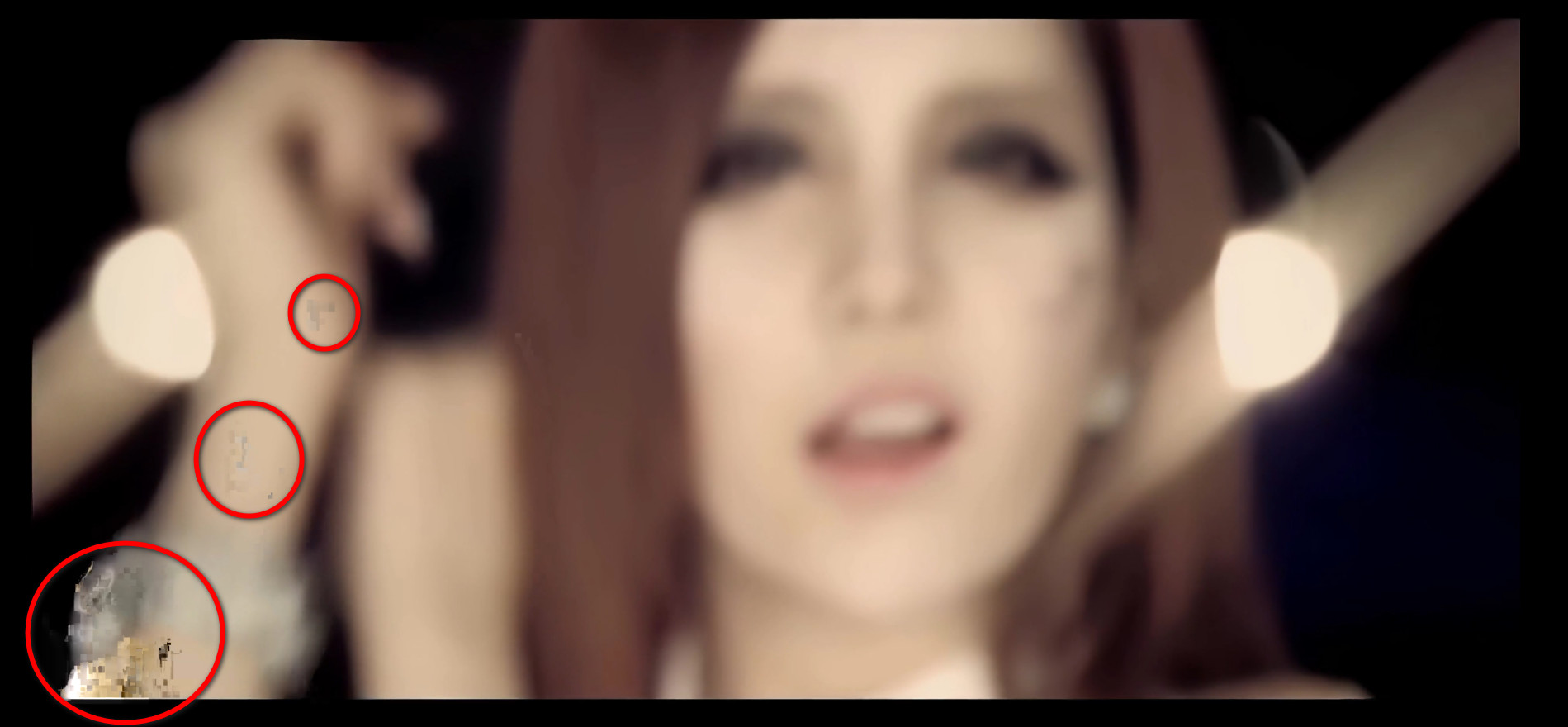
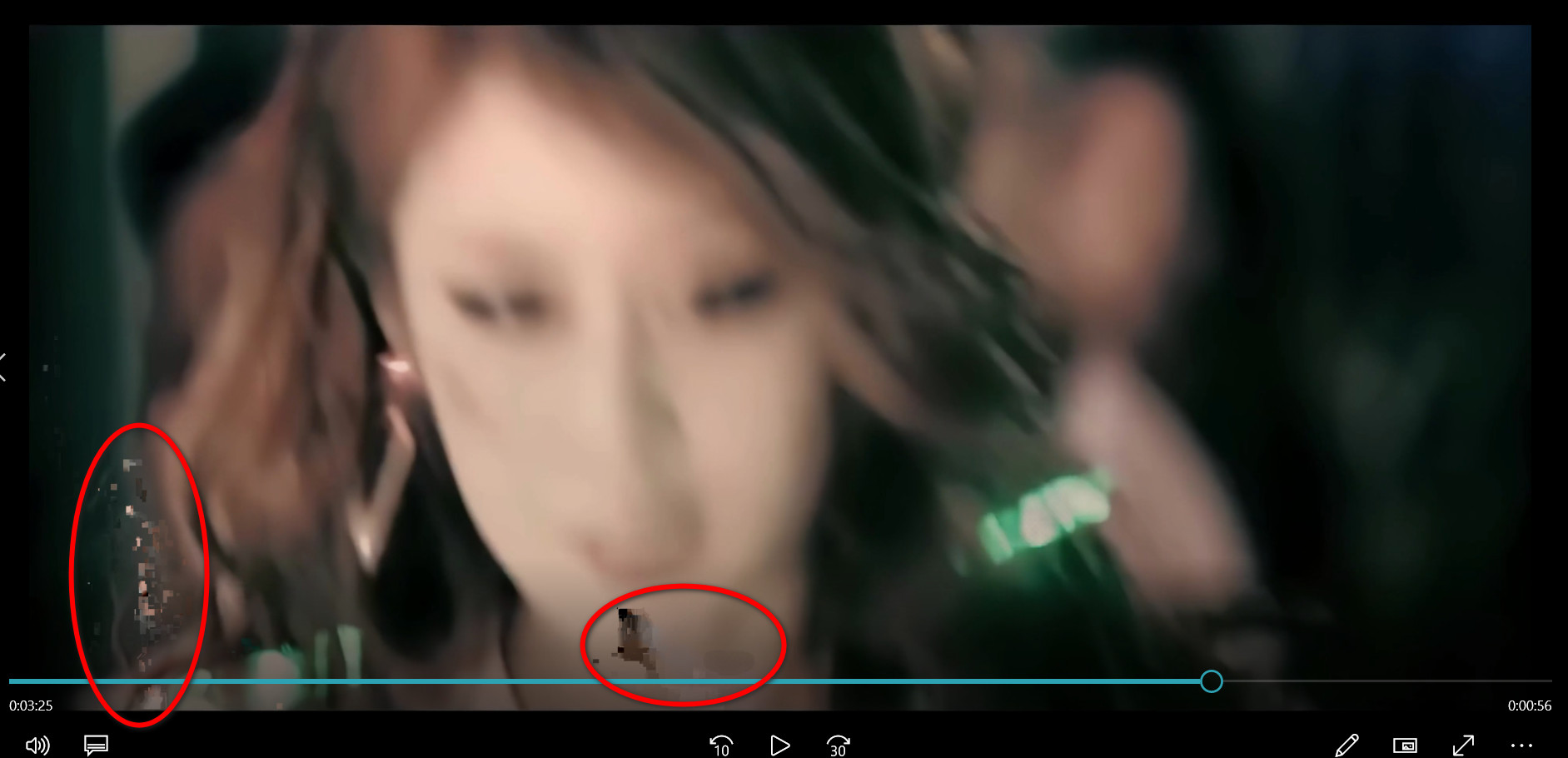
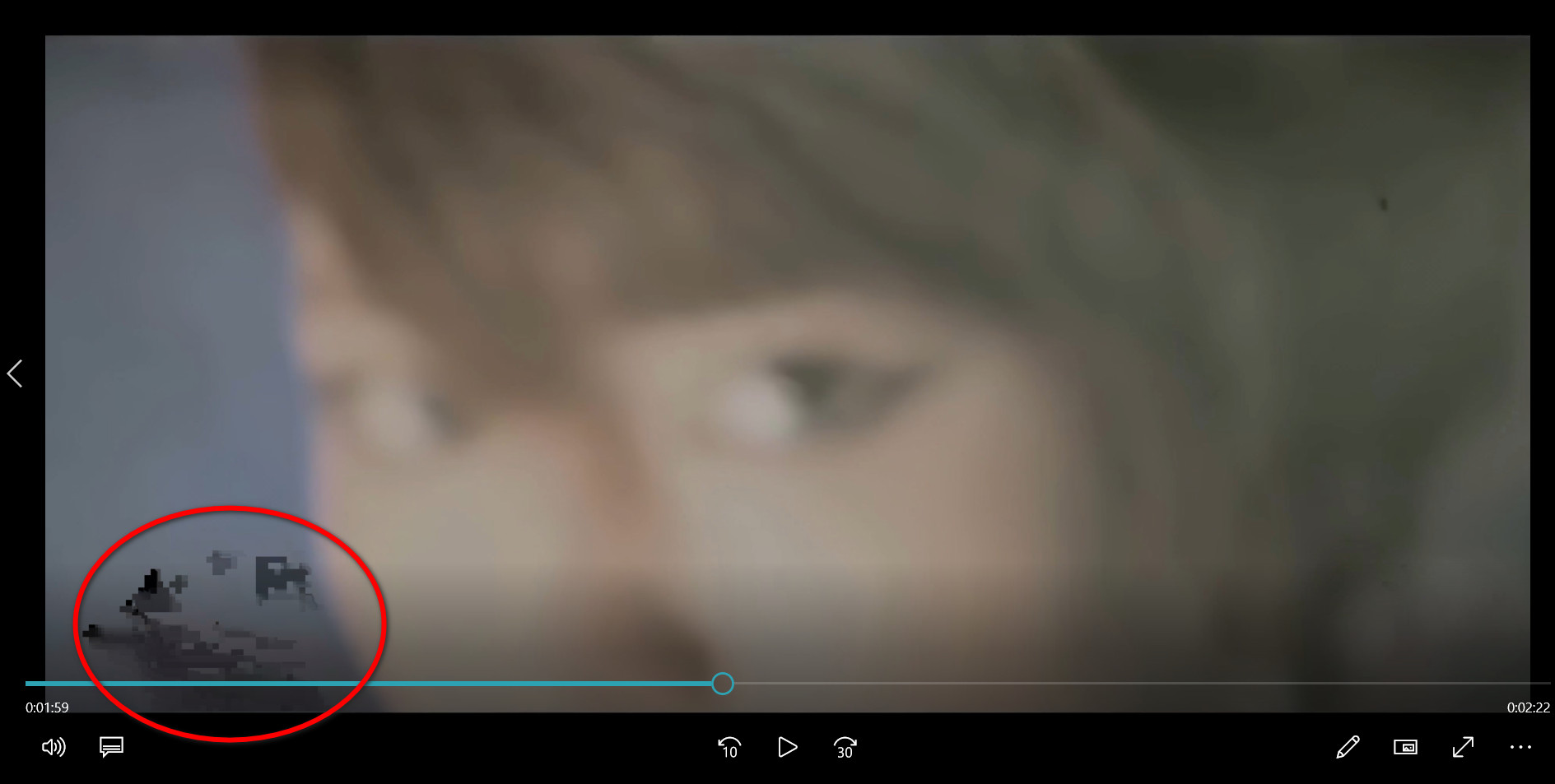
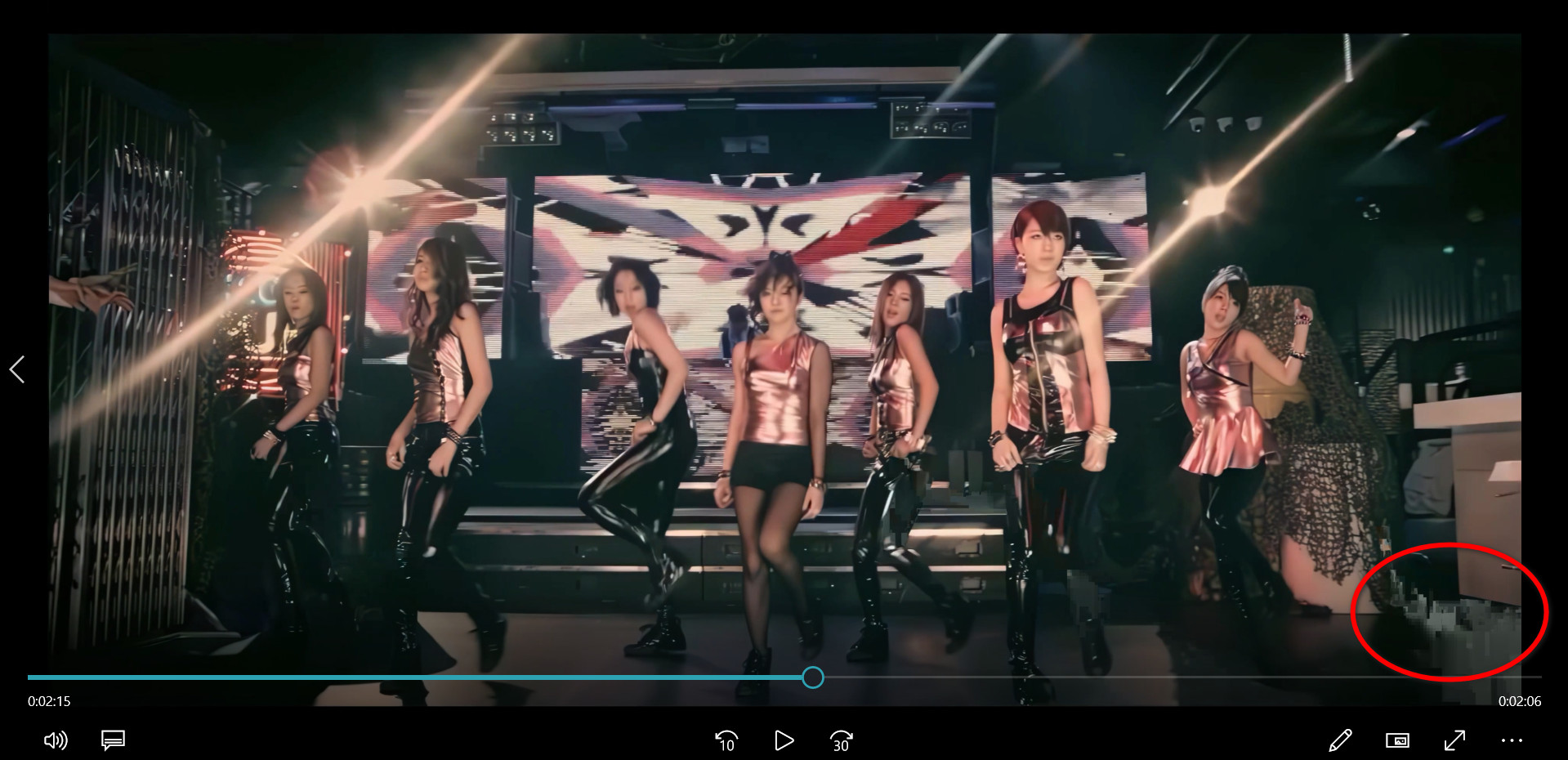
By the way, I tried to delete/erase the "model cache", but it did not solve this problem...
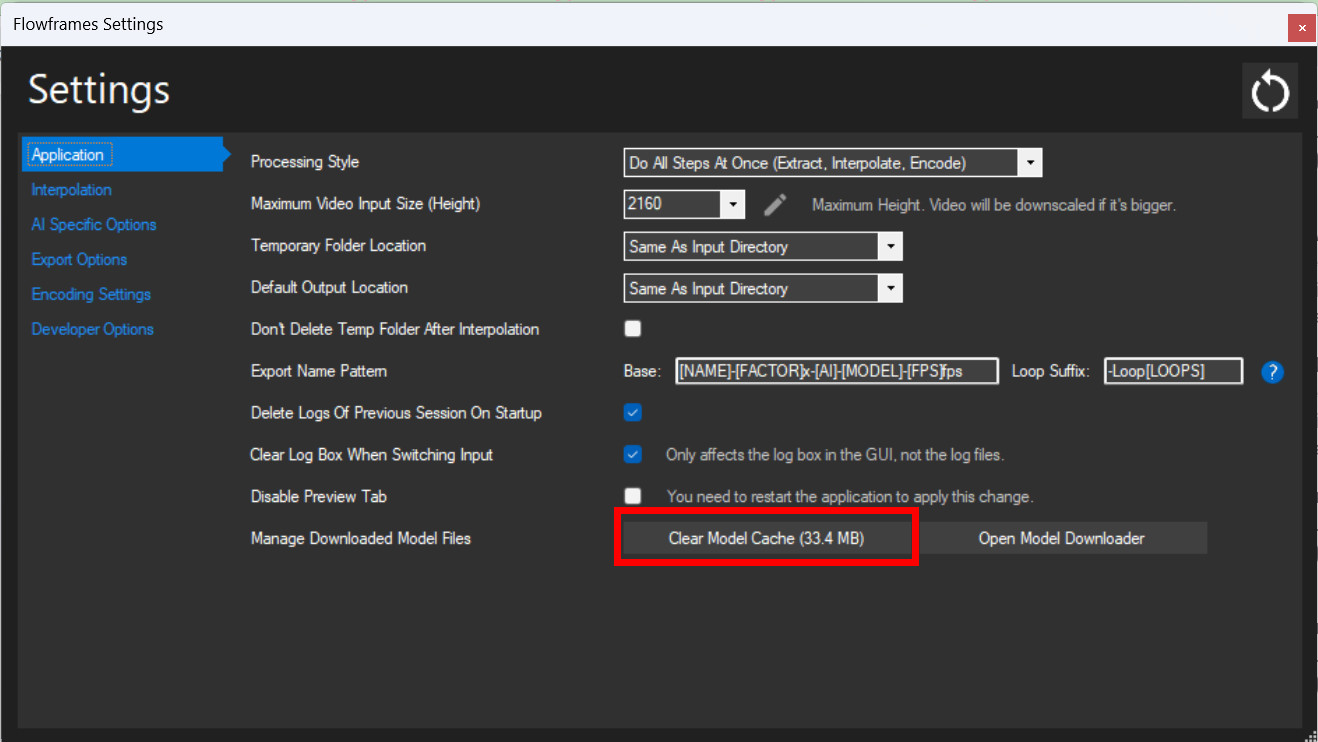 After deleting the model cache, next time running it still cause the glitching again, the RIFE model 4.0, model 3.9 and 3.8 are the three model still cause the glitch effects.
To sum up, you guys created amazing software. I really love it. The interpolation is magnificent and even awesome. Unfortunately, this is the moment I had a little sad experience with Flowframes. Sorry for this bad news guys.
Sincerely,
Try re-installing your GPU drivers and make sure you did not overclock your GPU, CPU, or RAM
Try re-installing your GPU drivers and make sure you did not overclock your GPU, CPU, or RAM
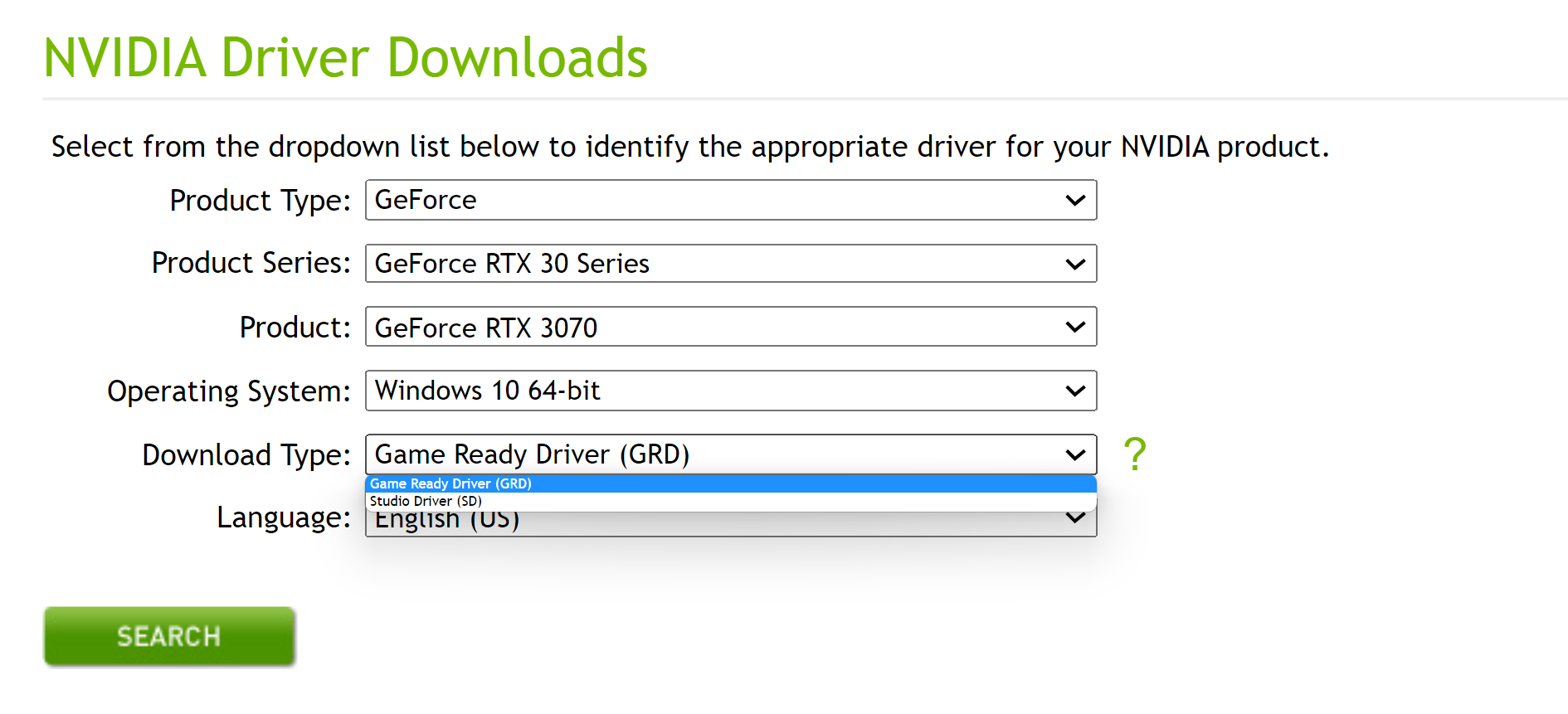
I deleted GPU driver and now I am going to the GPU NVIDIA website for re-installing again
I am a head to https://www.nvidia.com/download/index.aspx#
It said two options for me to download:
- If you are a gamer who prioritizes day of launch support for the latest games, patches, and DLCs, choose Game Ready Drivers.
- If you are a content creator who prioritizes stability and quality for creative workflows including video editing, animation, photography, graphic design, and livestreaming, choose Studio Drivers.
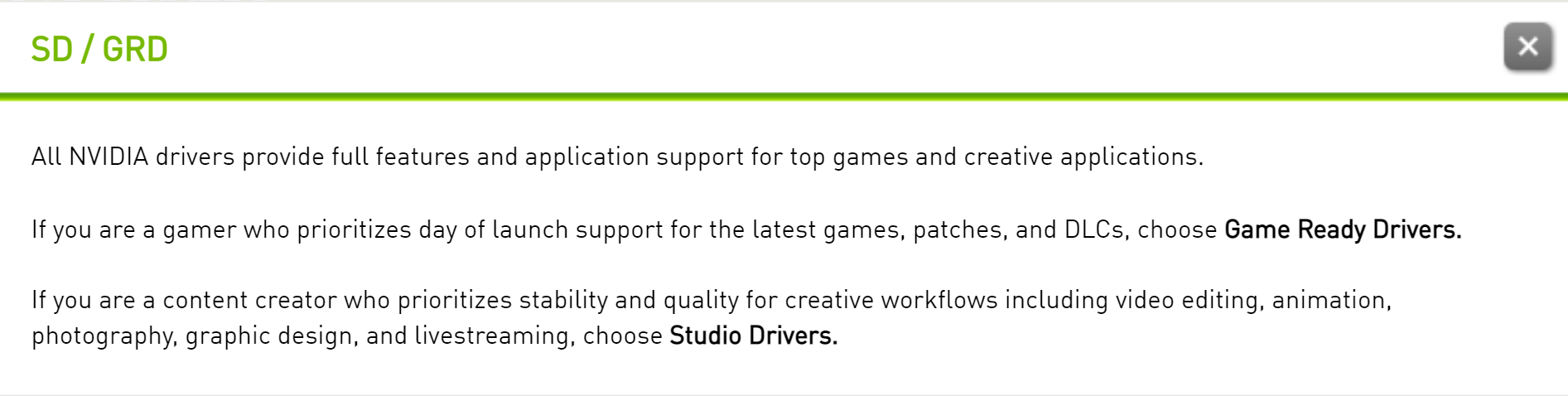

Then which one should I pick?
Thanks for your help, again❤️
Try re-installing your GPU drivers and make sure you did not overclock your GPU, CPU, or RAM
Actually, I did not even know to how to overlock CPU, GPU or RAM. I have not ever used those functions at all. But what if my laptop automatically active the "overlock" function without my permission?
Pick the studio driver, and if you have the same issues, then we can probably rule that out.
Automatic overclocks or 'boost clock' shouldn't impact anything, as it does this within a window that is deemed to be safe as hardware will usually push a low more power to make it stable.
If it is a concern, though, you can disable boost clocks on nvidia cards with MSI Afterburner by pressing CTRL+F in the main program window, then selecting the dot that matches voltage and frequency for the base clock and pressing L. This will lock it to the base clock and it will no longer boost up, but will also no longer reduce clocks and voltage to conserve power, so remember to disable it by pressing L again after you've confirmed it's no longer a problem.
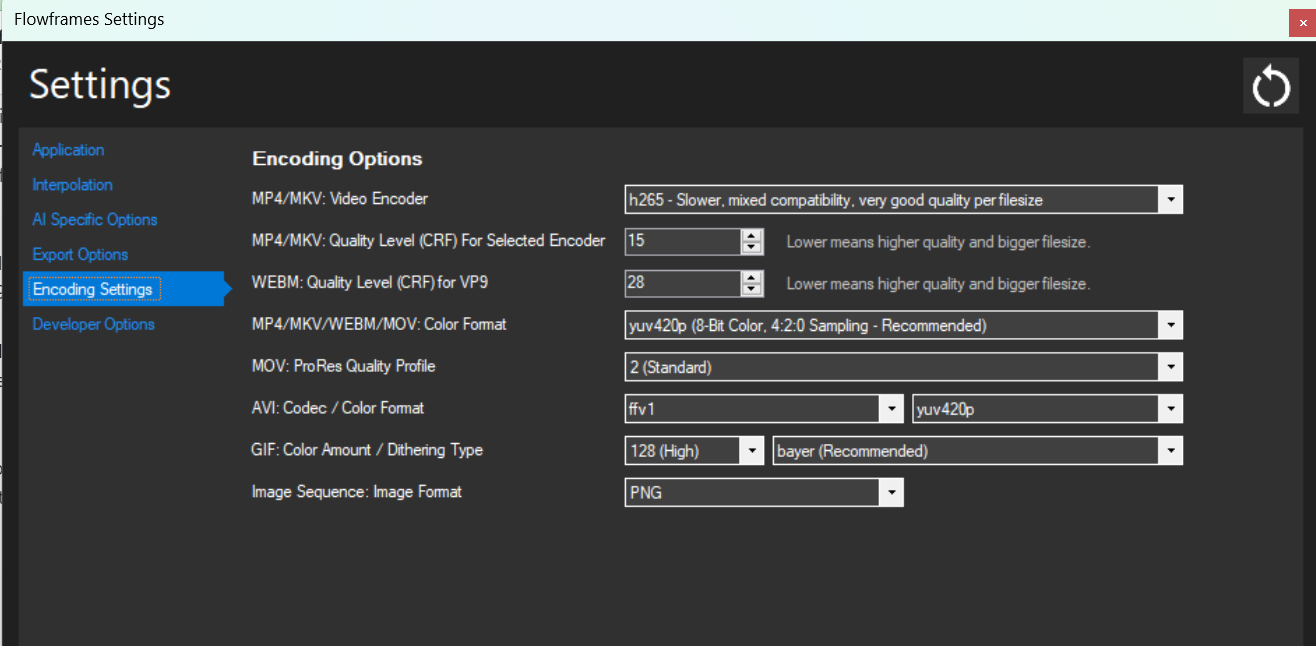
Additionally, there's a good chance it could be artifacts introduced while encoding rather than during interpolation, so try using a different encoder first. Try using h264, or h265 (not the NVENC ones), as these use the CPU to encode and will have less chance of introducing artifacts while encoding.

Pick the studio driver, and if you have the same issues, then we can probably rule that out.
Automatic overclocks or 'boost clock' shouldn't impact anything, as it does this within a window that is deemed to be safe as hardware will usually push a low more power to make it stable.
If it is a concern, though, you can disable boost clocks on nvidia cards with MSI Afterburner by pressing CTRL+F in the main program window, then selecting the dot that matches voltage and frequency for the base clock and pressing L. This will lock it to the base clock and it will no longer boost up, but will also no longer reduce clocks and voltage to conserve power, so remember to disable it by pressing L again after you've confirmed it's no longer a problem.
Additionally, there's a good chance it could be artifacts introduced while encoding rather than during interpolation, so try using a different encoder first. Try using h264, or h265 (not the NVENC ones), as these use the CPU to encode and will have less chance of introducing artifacts while encoding.
──────────────────────────────────────────────── Thank you for answering.
I have installed both drivers (Game Ready Driver and Studio Driver), just in case.
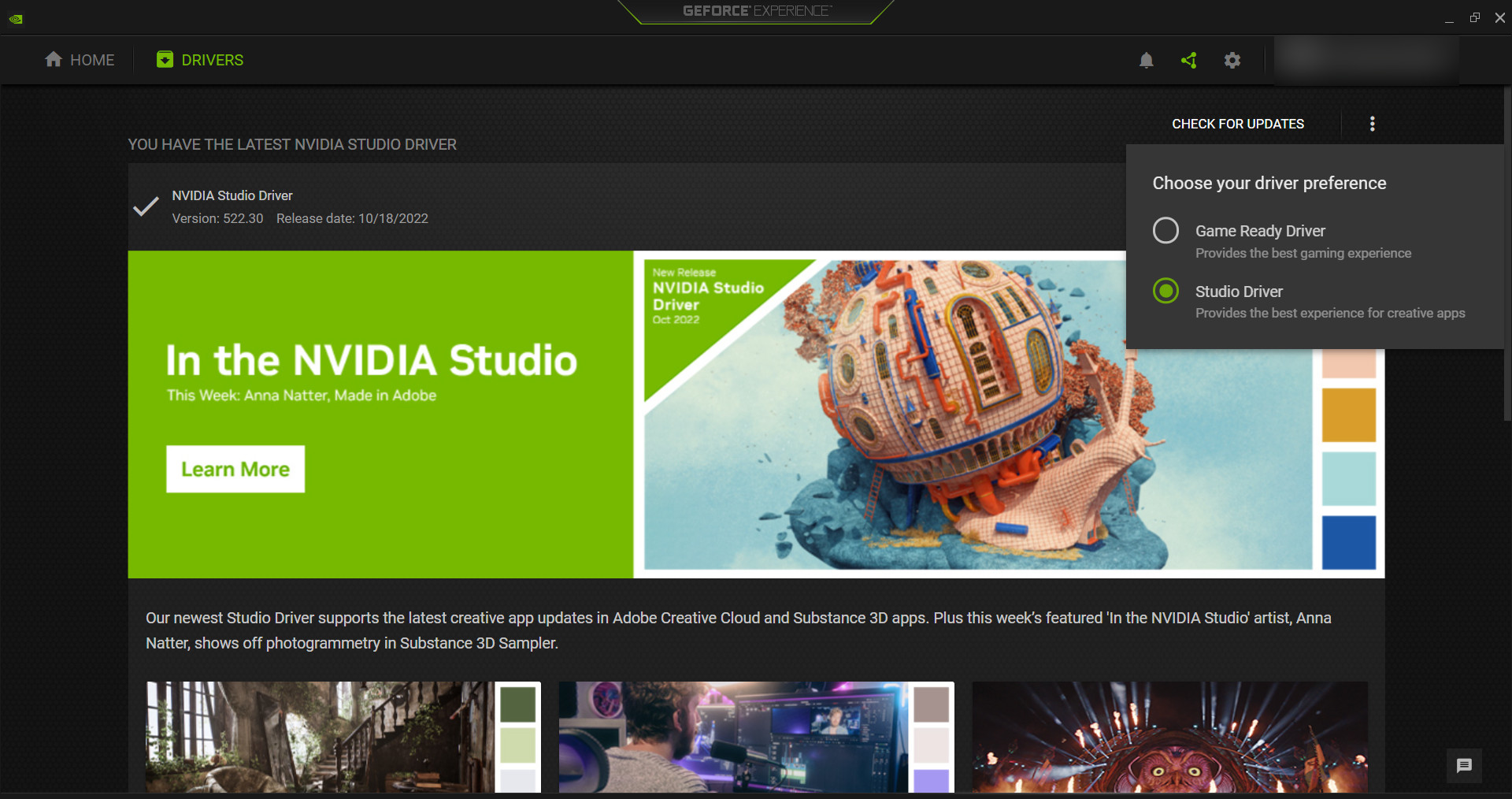
Luckily, NVIDIA Experience did have an option for having both drivers, so I selected "Studio Driver" mode for interpolating video frame rate. And it solved well! No more glitching effects. Many thanks, again! ^^
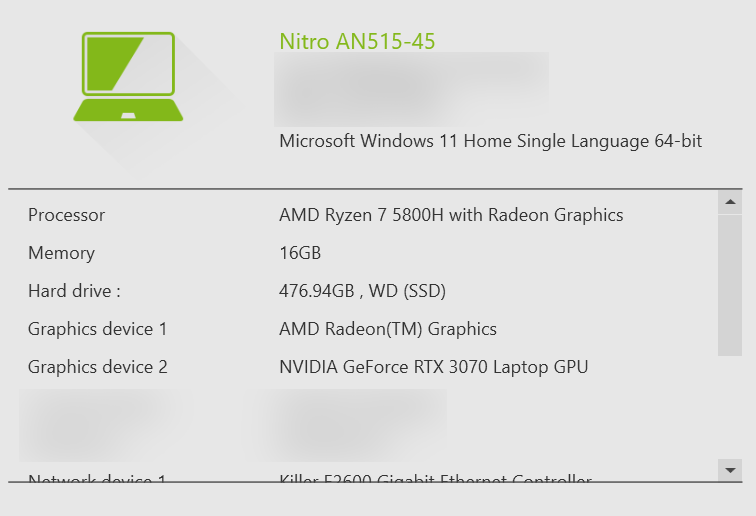
In terms of the "overclock" issue. I still don't know to deal with it next time. I am not using the MSI brand, instead, I am using an Acer laptop. So, this is my laptop configuration (Main laptop model: Laptop Acer Nitro 5 AN515 45 R9SC)
In terms of video encoder, I am currently using H265, since the output quality of the video is better than H264 format.