

 musescore
[MU4 Issue] Footer/Copyright Text Is Uneditable and Can Crash Program
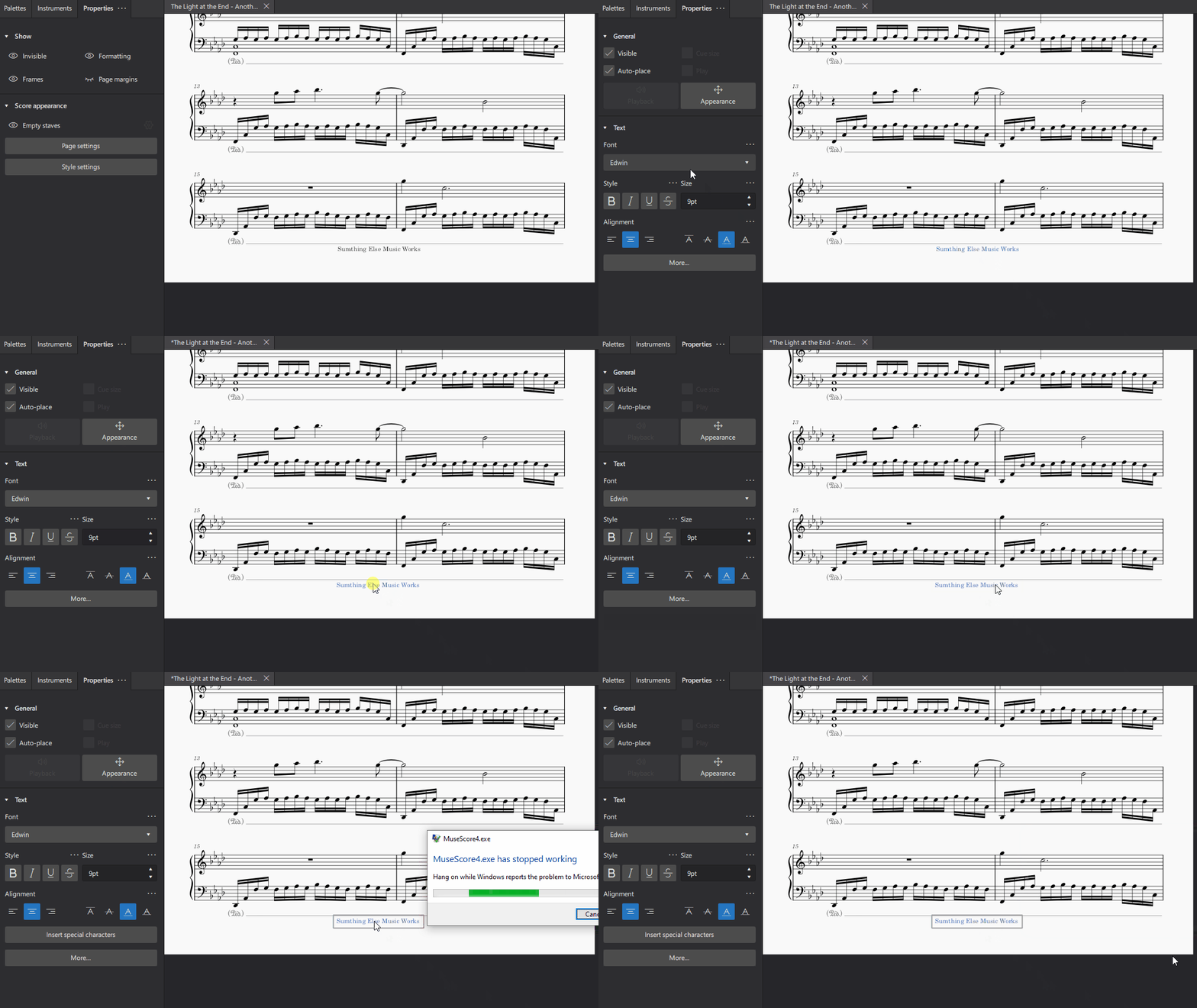
Describe the bug Trying to edit the copyright text comes with a collection of wonky behaviors including crashing and not actually being able to edit it.
- The copyright text doesn't appear to be editable until its position is changed.
- Once you do change the position and try to type, the cursor updates with each keystroke, but no changes take place, even after saving and reopening.
- Pressing Enter while editing the copyright text causes the program to crash.
To Reproduce Steps to reproduce the behavior:
- Open a file with some text in the copyright field
- Click on the copyright text to select it
- Click on it again to edit the content, but notice that nothing changes; it appears to be uneditable
- Move the text, either by using the arrow keys or the Appearance button in the properties panel
- Click on it again, it should now appear to be editable
- Try typing new text or deleting existing text, it does not change, though the cursor moves
- Press Enter once or twice, the program will crash
Expected behavior The text should be editable just as the title/subtitle/composer/etc... are editable.
Screenshots
Platform information
- OS: Windows 10
Additional context I suspect this may be related to #11425.
Editing the copyright in Project Properties works as expected (i.e. edits to the text field are reflected on the page). I might believe this text box is supposed to be uneditable and I've accidentally gotten around the protections. But it makes sense as a user for this text to be editable in the same way as any other text on the screen.
~~Additionally, it doesn't seem like it's currently possible to have multiple lines for this copyright field (or at least it's not obvious how one would do that) which is something I'd greatly appreciate. I saw that this field is linked to the file metadata, but I'm much more interested in the correctness and versatility of the visual output than I am the electronic file and its metadata, so I would choose being able to edit the visuals to my liking over the link to the metadata field.~~ As noted below, multiple lines in the footer is an option, but it requires some finagling to get the newline character in there.

You are correct that the footer is not meant to be editable at all. The bug is that you somehow managed to do it :-). Making it editable some day would be nice too, but it’s way more complex than other text because much of it is auto-generated, also treated specially according to odd/even/left/right/center.

You can definitely multi line copyright info, you just can’t enter it directly into the Project Properties dialog. Try copy/paste from a a text editor, or typing directly into Format / Style / Header, Footer
You are correct that the footer is not meant to be editable at all. The bug is that you somehow managed to do it :-).
Users always find a way.
You can definitely multi line copyright info, you just can’t enter it directly into the Project Properties dialog. Try copy/paste from a a text editor, or typing directly into Format / Style / Header, Footer
Awesome, that works. Thanks for the tip.
Essentially the same issue as https://github.com/musescore/MuseScore/issues/13535 and can perhaps be solved (or, at least, avoided) for now in a similar fashion.

Since the copyright text can't be selected, is this crash no longer an issue?
Perhaps we can close this and refer to the feature request https://github.com/musescore/MuseScore/issues/14947 moving forward?
