

 mpitropov
Solved Problem: Download Speed too low in China
Hi, Thanks for your sharing.
However, the download speed in China is too low, approximately serveral kbps. I sloved this problem by bypass the GFW via shadowsocksr.
For Chinese Mainland User:
Please refer to post How to Use Proxy in Windows Terminal Environment, before execuate python download_cadcd.py target_path, please add HTTP_PROXY to cmd by
set HTTP_PROXY=http://user:[email protected]:port
for my case is
set HTTP_PROXY=http://127.0.0.1:1080
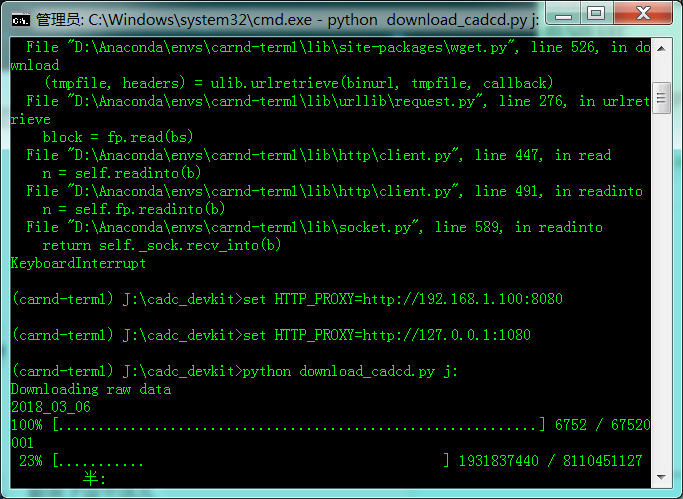
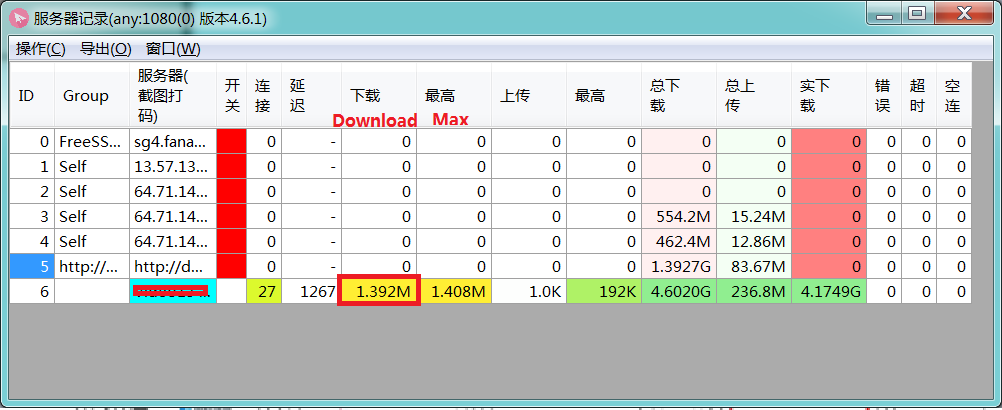
After this, in my case, the top download speed reach approx. 1.5 Mbps
Enjoy!

Is it convenient for you to share part of your downloaded data to a domestic online disk, such as Baidu cloud online disk, thank you very much in advance

Is it convenient for you to share part of your downloaded data to a domestic online disk, such as Baidu cloud online disk, thank you very much in advance
Hi BLACKES, I didn't follow up this datasets recently. I recall my ssd, seems I didn't finish the download at that time due to the bad connection. I DM you my wechat account, let's talk!
thank you for your reply. My WeChat account is 18713596579. I need some Lidar data about snow scenes to do some tests. If you can provide some data, it will be very helpful to me. Thanks again