hubs

hubs copied to clipboard
 mozilla
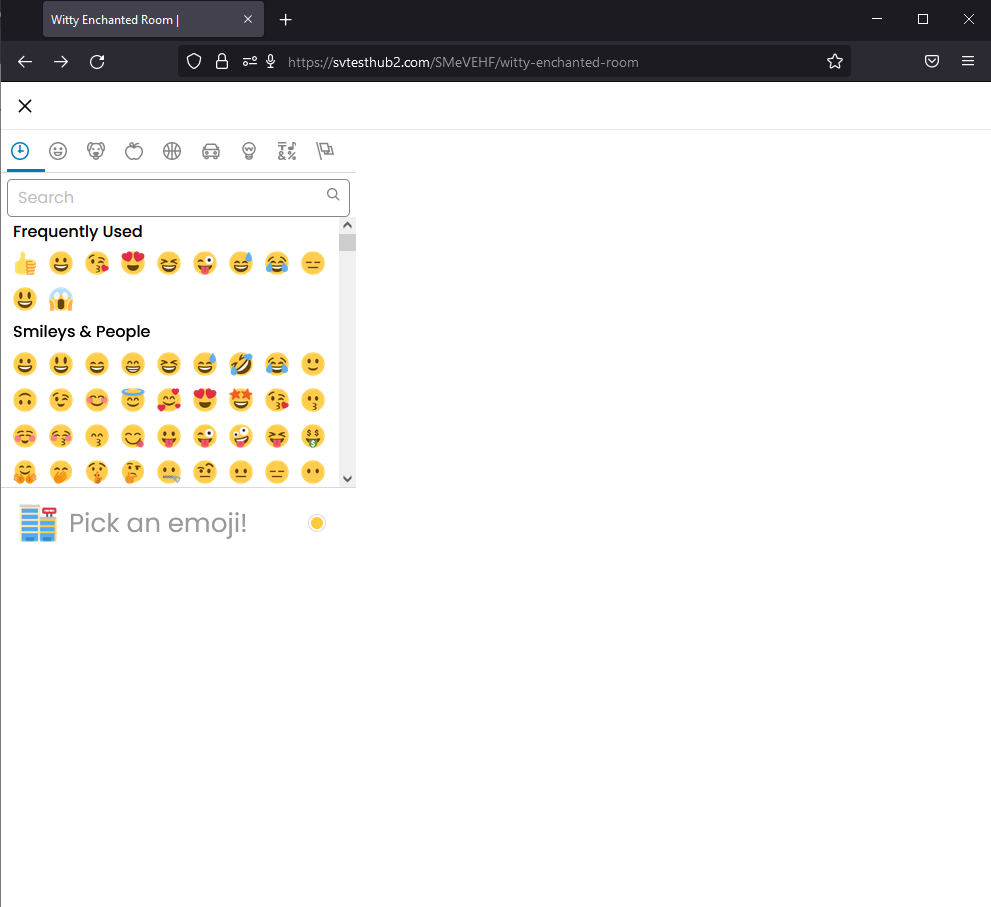
The emoji panel is incorrectly rendered under a certain browser width (~990px)
[Affected Versions]:
- Latest Firefox/Chrome/Safari
[Affected Platforms]:
- Windows 10x64
- macOS BigSur 11.6.2
[Prerequisites]:
- The Hubs Cloud stack is set up.
- The user is logged in and has joined a room.
[Steps to reproduce]:
- Click on the "Chat" button.
- Open the emoji panel.
- Resize the browser to a narrow width.
[Expected results]:
- The chat/emoji panel are correctly displayed.
[Actual results]:
- When the browser width is at ~ 990 pixels and lower, the issue occurs.
[Notes]:
- Attaching a screenshot of the issue.