

 mozilla
Can't connect to room using Chrome on Android
Description Whenever I try to create or connect to a Mozilla Hubs room on my phone, I get an error telling me that the connection to the room could not be created. It also tells me to try using TCP but that gives me the same error.
To Reproduce Steps to reproduce the behavior:
- Go to https://hubs.mozilla.com/
- Click on "Create room"
- See error
If you want to reproduce the console ouptut on your android phone, check this Tutorial Expected behavior I expected to see the "entry flow" (see Screenshot 1)
Screenshots
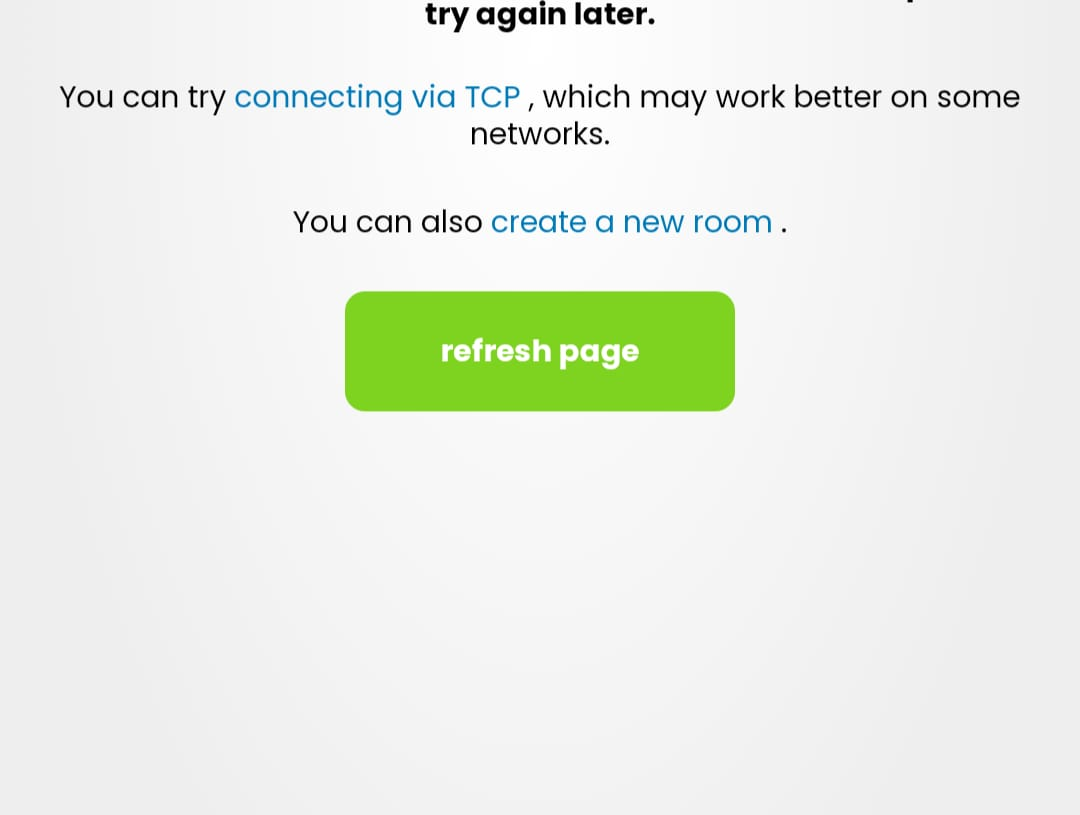

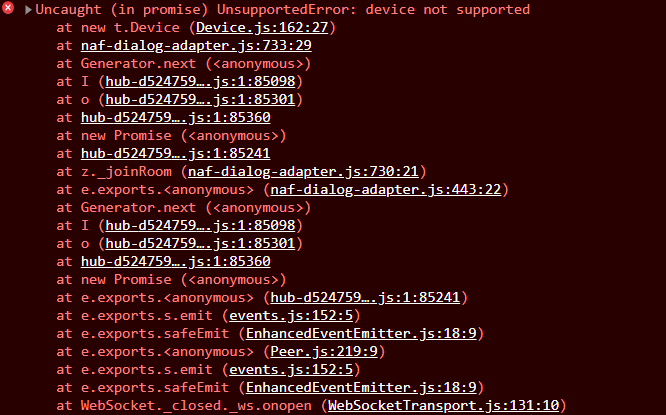

Hardware
- Device: Motorola Edge 20 pro
- OS: Android
- Browser: Chrome
- Android Version: 11
- Chrome version: 100.0.4896.127
- Tried to reinstall chrome but still does not work
Network Information
- Speed: 15 Mbps down and 4 Mbps up
- Private network
- Same error when using mobile data (83 Mbps down and 11 Mbps up)
Additional context It works perfectly fine on the Mozilla Firefox and DuckDuckGo Browser on the same device. I asked another friend to try it and he gets the same result. We're both from germany but I am currently in canada. Another friend (also from germany) tried it and he could't connect to the room either. He went offline too early to tell me what error he got but I think it was something different.


Unable to reproduce [android 9 Galaxy S8 chrome 100]
That is really weird. I just tried to empty my browser cache and that does not help either.
I'm also unable to reproduce this on my Galaxy S9+ device (Android 10, Chrome v. 100.0.4896.127).

Could you may tell me which country you're from or at least if you're from germany or not? Because some other german friends had the same problem and this might be the reason
I'm from Romania. Worth mentioning is that I've also tried with a Germany VPN and I was still unable to reproduce it.
The same behavior was found in https://github.com/mozilla/hubs/issues/5328 with different environments. Closed that ticket so we can follow-up here.
I couldn't reproduce the problem on my Pixel 6 Android.
Can you do remote debug, set breakpoints, and check exactly what line and how causes the problem?
