
hubs

hubs copied to clipboard
 mozilla
Object appears at origin if was pinned while window blurred
Description
- user A has Hubs tab backgrounded (blurred),
- user B places and pins an object in the room
- user B leaves
- user A focuses Hubs Object appears at the scene origin instead of at the pinned location. After a reload, object appears at the correct location.
Hardware
- Device: Desktop
- OS: Windows
- Browser: Chrome


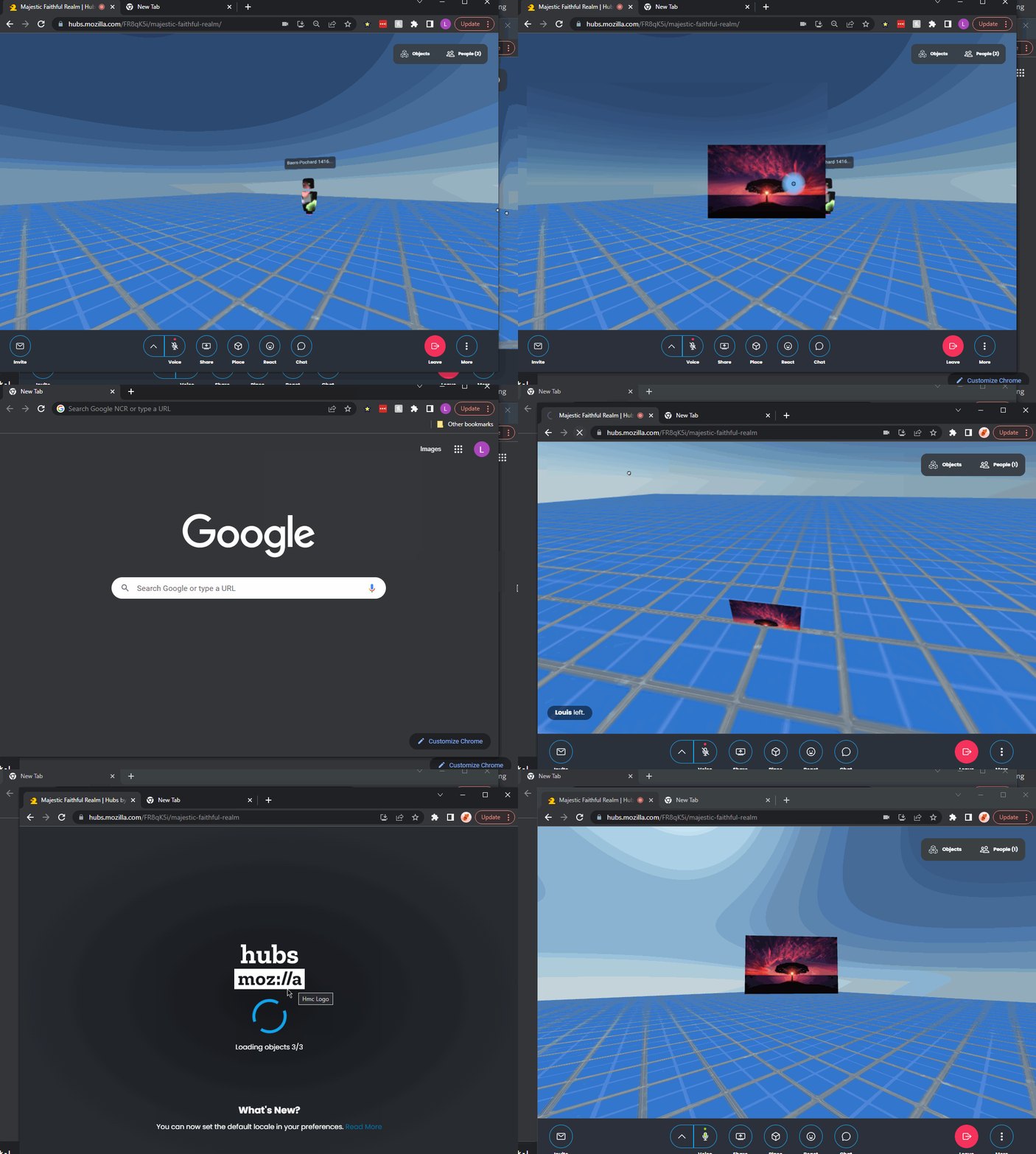
yes this is still the case, below is a gif demonstrating this: see two windows, upper-left (1) and lower-right (2), each with a user in the same room.
- in window 2, switch to a different tab (hubs tab is now 'blurred')
- in window 1:
- spawn an object
- pin it
- leave the room
- return to window 2 and focus Hubs tab
- see the object located at the scene's origin instead of where it was placed
- reload the page, the object now appears in the correct location (since position is correct in objects.gltf)
 :
: