

 mozilla-lockwise
Interaction design to fill saved credentials that enables user involvement without impeding efficiency
First story coming from the epic #467 to provide user control over what gets populated and where. This requires a new design as "fill" won't happen automatically to start.
Acceptance criteria
- Design should allow the user to have control over what gets populated
- Design should be oriented around efficiency where a user can fill a web form in 3 clicks or less
- Design should have a clear backup option for copy/paste for when fill doesn't work

Based on the conversation yesterday between @jimporter, @linuxwolf, and myself, we'll plan on moving forward with the following exploration...
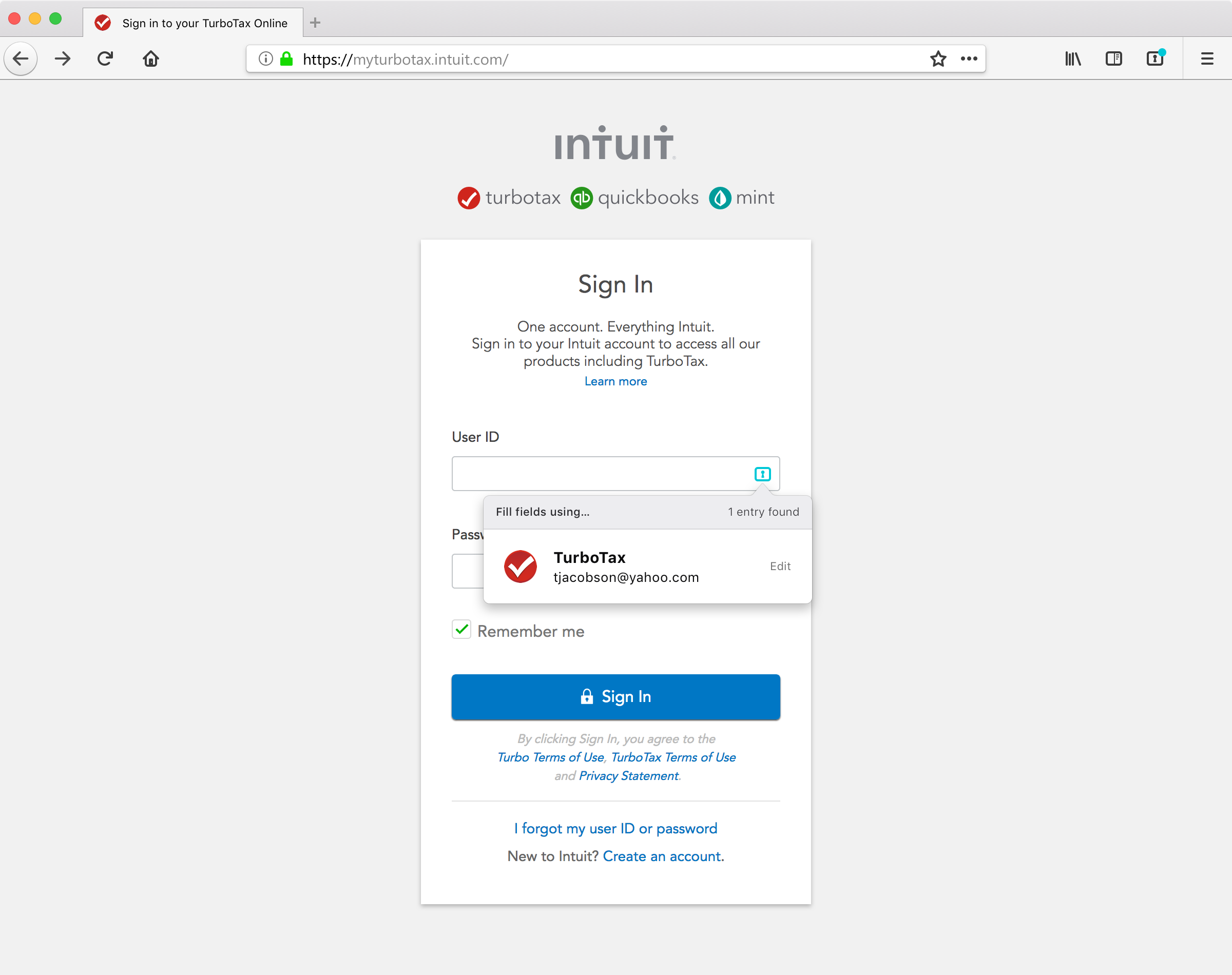
- Contextual form field callouts on username/password fields of a given website
- Tapping on the callout would present an overlay displaying any matching entries associated with the URL
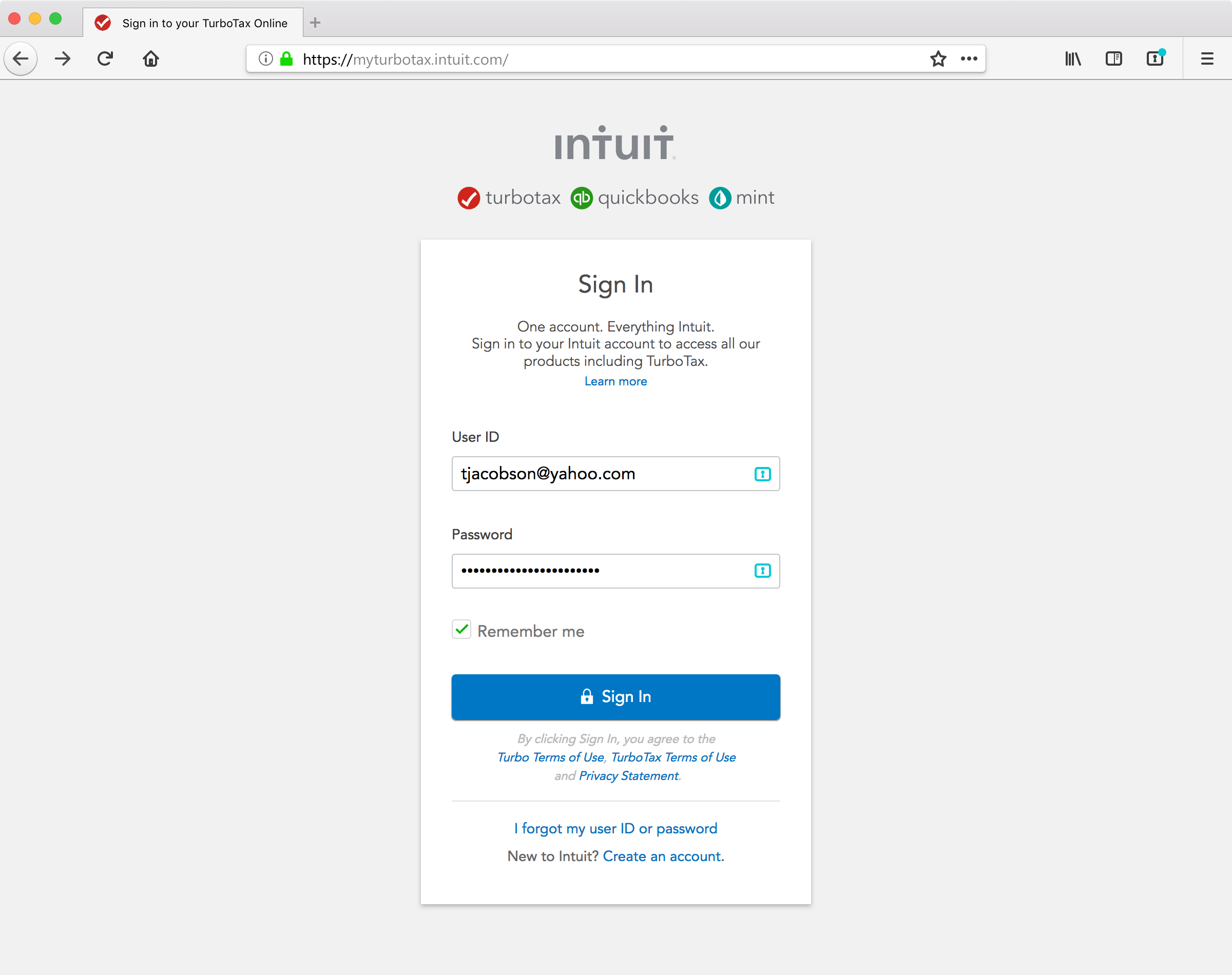
- Fill actions can be accessed from both the username and the password fields, and one callout action will fill both fields (ideally)
- The state of the icon in the toolbar may require exploration for both status (authenticated or not), number of entries matching a current page, and successful fill (trust that the overlay is coming from lockbox extension, and not a phising attack)


Initial designs included below, which represent the bullet points for our tentative acceptance criteria of this new feature...
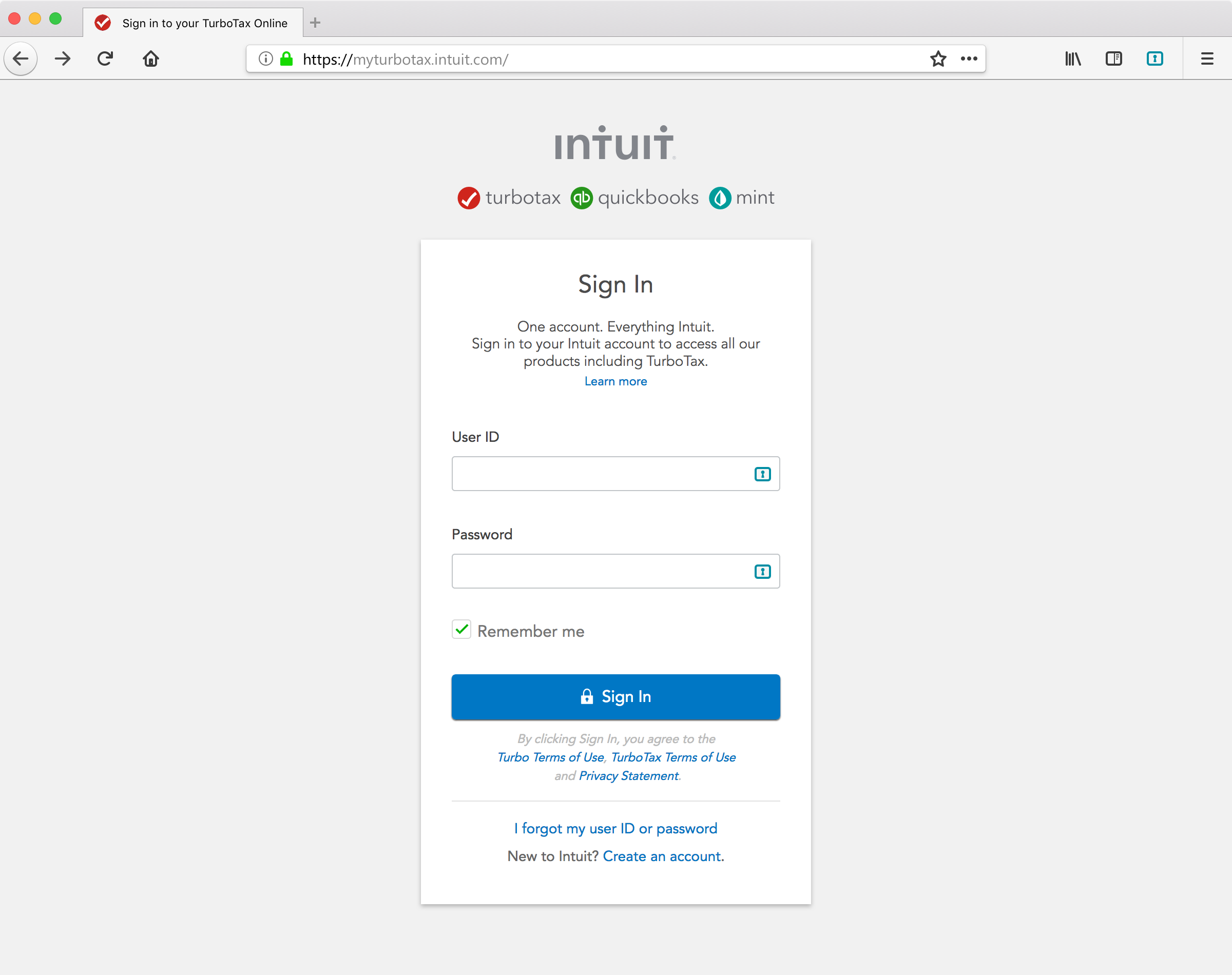
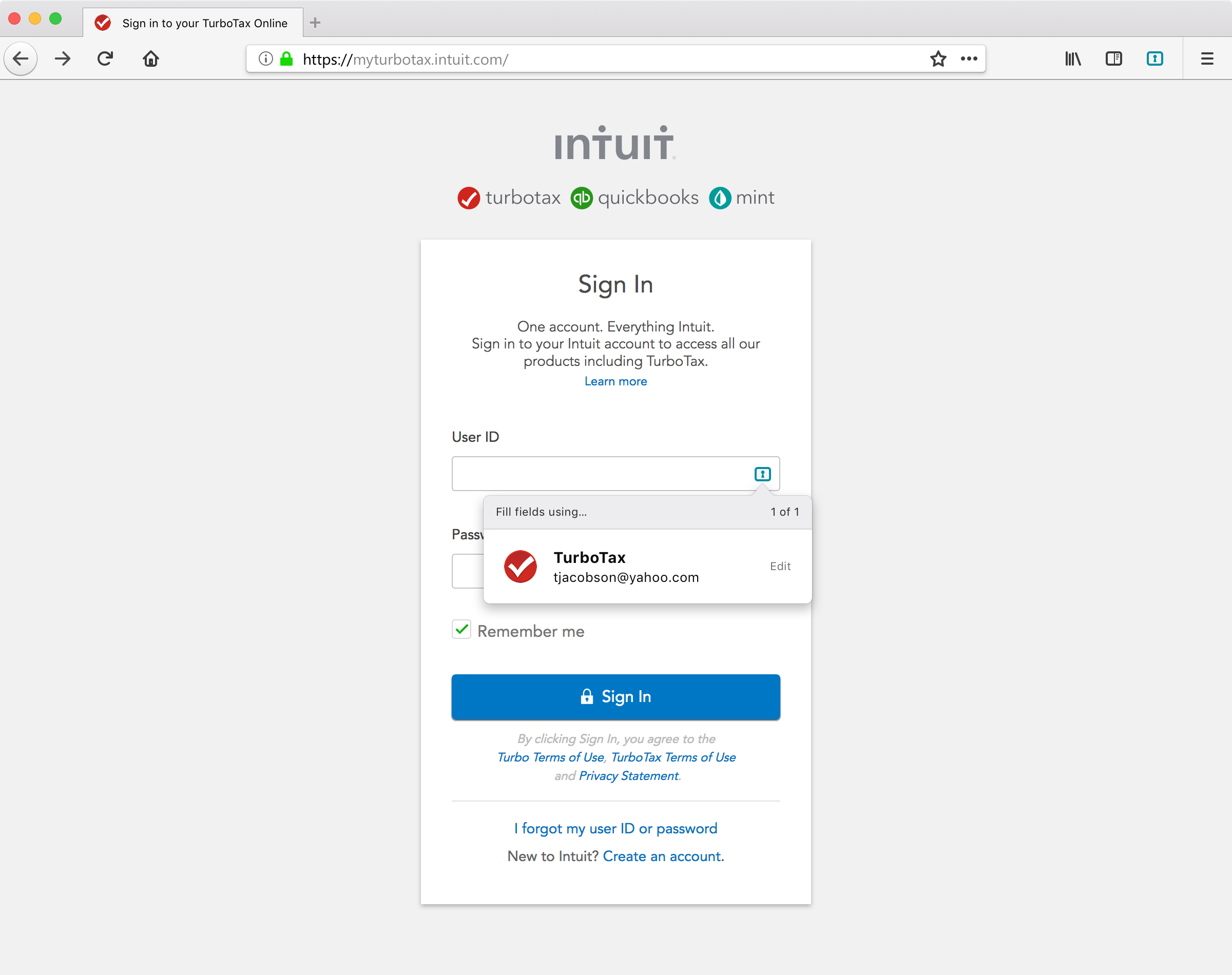
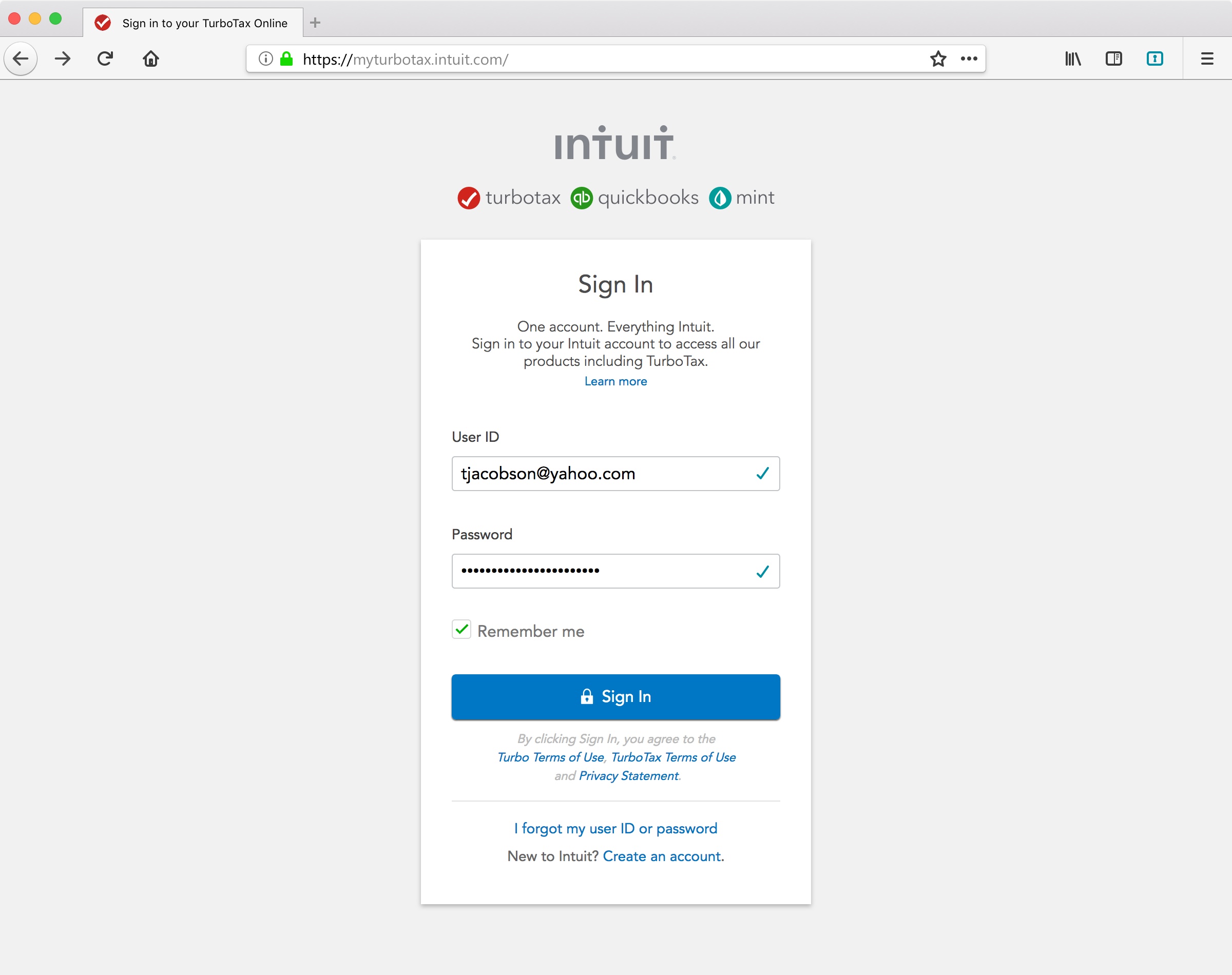
Ready for review.
Initial accessibility review complete. These designs look fine. Once we have have a working mock, we will do a complete Accessibility review.

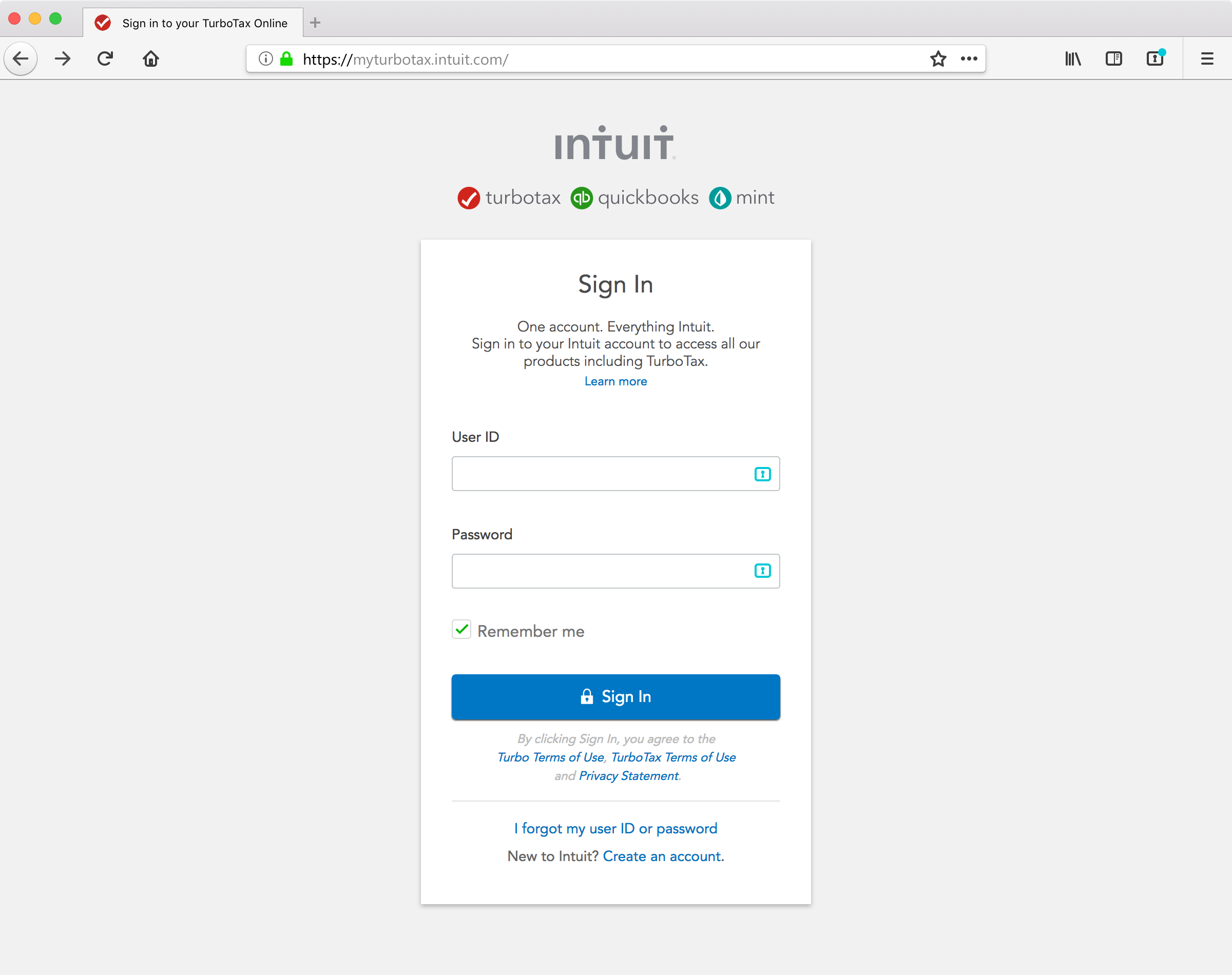
Based on feedback from @linuxwolf on today's call, I've made the following tweaks...
- updated toolbar icon that has a more accessibility-friendly indication of matching entries (dot notification instead of color change)
- revised icon color to correspond with toolbar indicator
- removal of check mark affordance (we'll maintain the same icon state for pre-filled vs. filled actions)
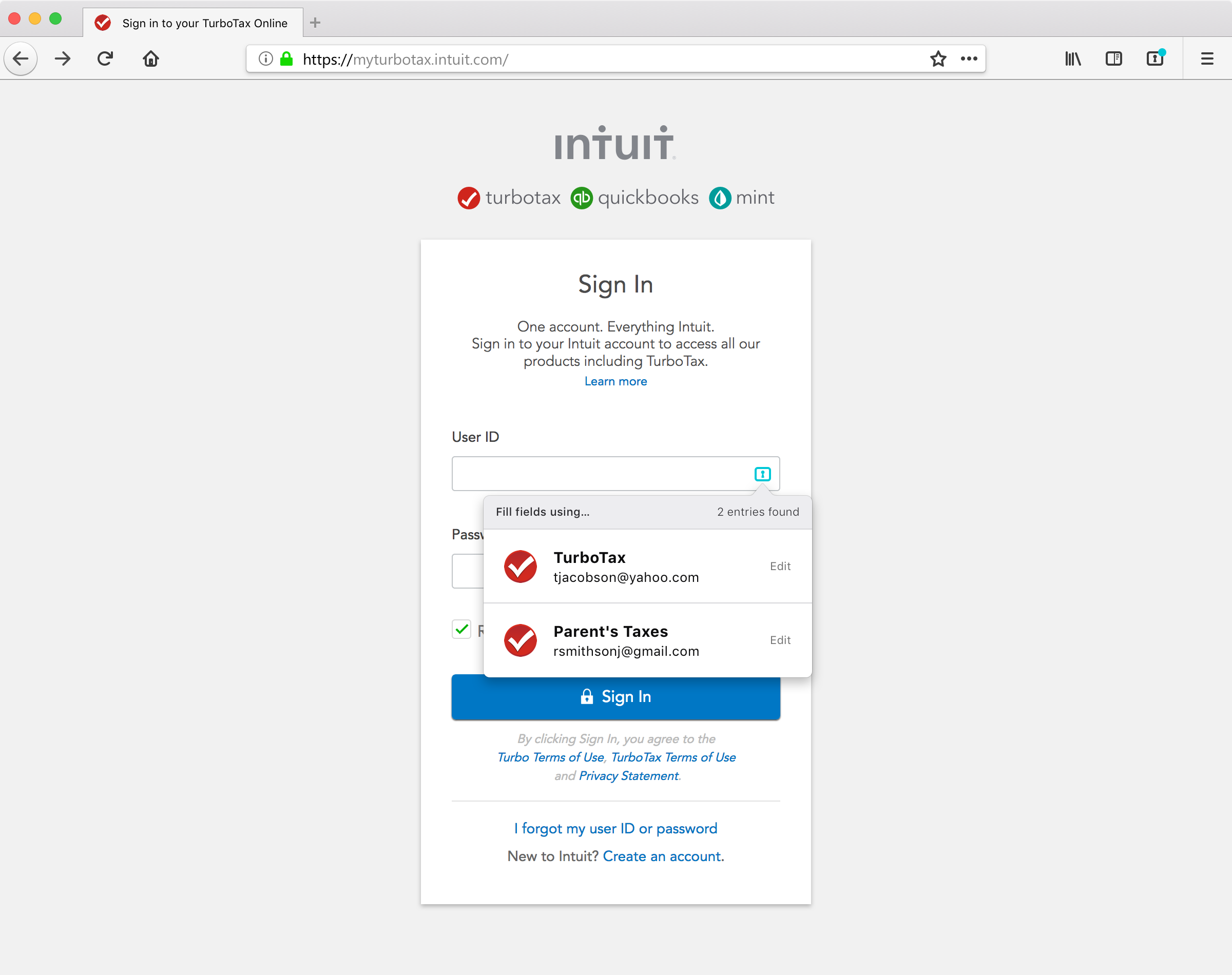
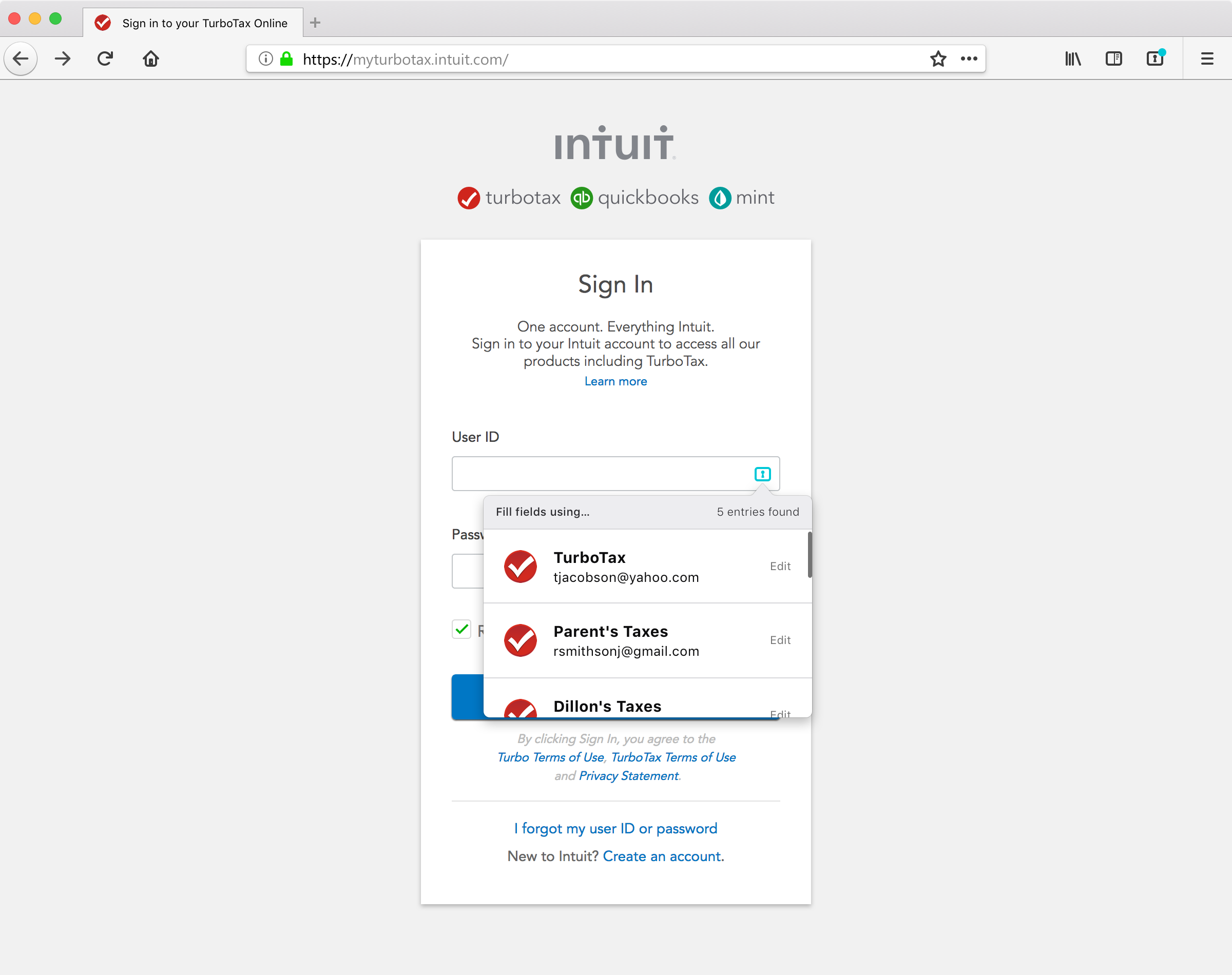
(regarding multiple matches) @changecourse something to keep in mind, although I don't know if/when it'll be an actual problem:
an overlay would have to be "in content", which means it is theoretically possible for a portion to be outside the viewport (visible boundaries of the content window). Using a separate popup window carries even more baggage AFAICT.

@linuxwolf understood, though in most of the use cases I've explored (auditing common login forms on websites for top sites) I feel that having an overlay that extends below and to the left being the best case scenario for the vast majority of login forms.
@changecourse I agree it's an edge case, and a very thin edge at that. This will need to be taken into account by @mozilla-lockbox/product-integrity and testing as a known risk.
@linuxwolf can I take this as a thinly veiled acceptance of the designs then? 😛
If yes, feel free to pull the 'needs-eng' tag
Per discussion with @changecourse:
- The icon only appears when there is an entry that matches the URI AND we can detect both the username and password fields. We realize this means that there will be cases where fill doesn't appear at all and users will need to use the doorhanger UI to copy/paste. @linuxwolf do you have a rough estimate for how often this will/won't work given this "and" parameter?
- "Edit" is intended to take the user to the management tab UI to that entry. That is not currently implemented, but a story to capture that was created in #355. I would propose we continue to build the requirements for edit in #355 and proceed with scoping this fill work without the 'edit' option. This is just to split the work.
Remaining open to break out into engineering stories. Need @jimporter to help identify the work to implement.
Per my chat with @jimporter today, we're going to work on scoping this effort in #625. Leaving this open as I would expect some amount of design refinements needed or at least some final agreement that this works as designed. @changecourse let me know if you feel otherwise.