moudey
Style issues in 1.8 beta
changing font in 1.8 beta not working but working with 1.7 & have context item height issue while still no transparency or mica & icons can't be colored with colorize like the explorer

Hi Mohamed,
changing font in 1.8 beta not working but working with 1.7
Font options have been moved to the theme scope.
have context item height issue while still no transparency or mica
Mica and Tabbed are not currently supported.
To make background of menu item transparent, change normal color opacity value to 0.
shell  {
    default  {
        theme  {

            font-name="Segoe Script"
            font-size=20

            item {
                // transparent background of item
                back-normal=0

                // Change height of item
                padding.top=3
                padding.bottom=3
            }
        }
    }
}
Please attach a screenshot of the other issues

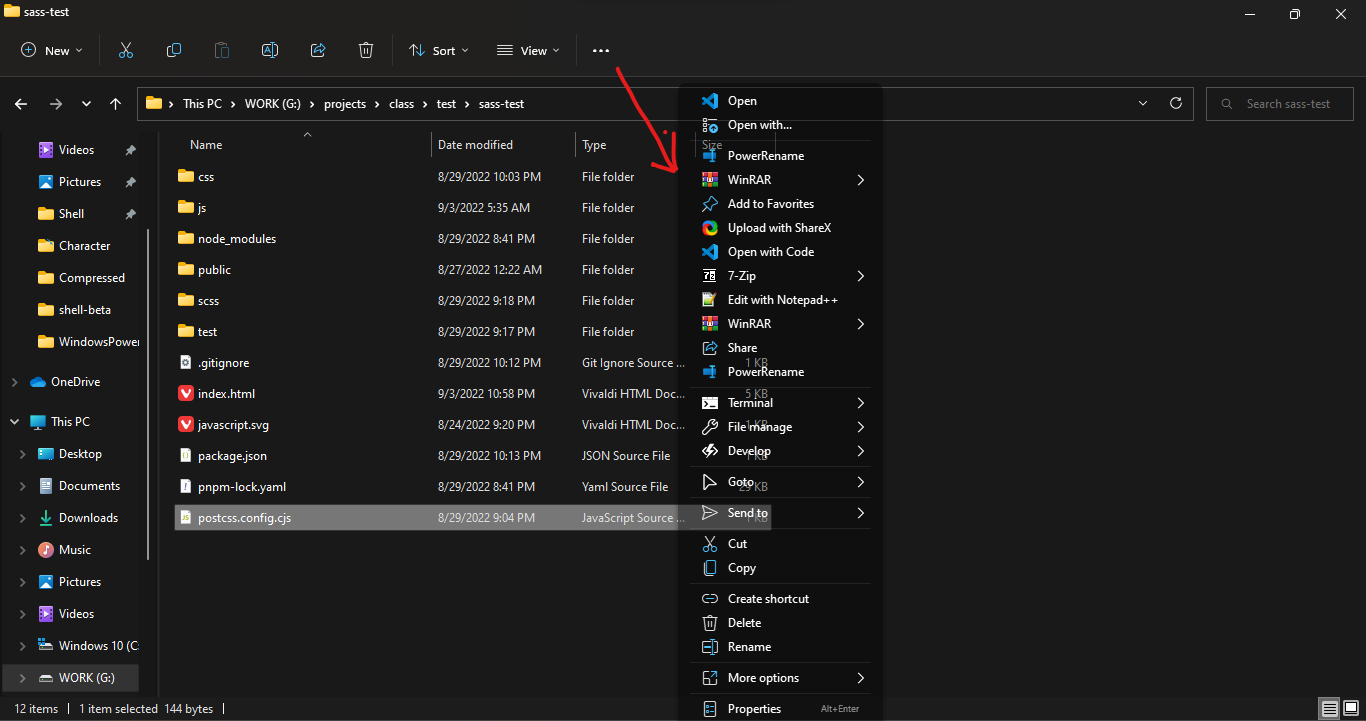

Hi @shafschwd Use margin or padding option to reduce or increase the space
default  {
    theme  {
        item {
            padding.left=10
            padding.right=10
            // or
            padding = [10, auto]   // [left = 10 and right = 10, top = default and bottom = default]

            // or use margin option
            margin=[10, auto]   // [left and right, top and bottom]
        }
    }
}
how to use these options all is see is shell.dll shell.exe shell.log shell.shl readme.txt
From: Mahmoud Gomaa @.> Sent: Sunday, October 2, 2022, 9:51 PM To: moudey/Shell @.> Cc: M7MDE7EGAZY @.>; Author @.> Subject: Re: [moudey/Shell] Style issues in 1.8 beta (Issue #42)
Hi @shafschwdhttps://github.com/shafschwd Use margin or padding option to reduce or increase the space
default { theme { item { padding.left=10 padding.right=10 // or padding = [10, auto] // [left = 10 and right = 10, top = default and bottom = default]
        // or use margin option
        margin=[10, auto]   // [left and right, top and bottom]
    }
}
}
— Reply to this email directly, view it on GitHubhttps://github.com/moudey/Shell/issues/42#issuecomment-1264719697, or unsubscribehttps://github.com/notifications/unsubscribe-auth/ASKT5UPYKSLZFOWUF64TBM3WBHRU7ANCNFSM6AAAAAAQ2ACJUQ. You are receiving this because you authored the thread.Message ID: @.***>
how to use these options all is see is shell.dll shell.exe shell.log shell.shl readme.txt
These options are set in shell.shl file.
is it edited via notepad or custom app ?
Get Outlook for Androidhttps://aka.ms/AAb9ysg
From: Mahmoud Gomaa @.> Sent: Monday, October 3, 2022 8:48:59 PM To: moudey/Shell @.> Cc: M7MDE7EGAZY @.>; Author @.> Subject: Re: [moudey/Shell] Style issues in 1.8 beta (Issue #42)
how to use these options all is see is shell.dll shell.exe shell.log shell.shl readme.txt
These options are set in shell.shlhttps://nilesoft.org/docs/syntax file.
— Reply to this email directly, view it on GitHubhttps://github.com/moudey/Shell/issues/42#issuecomment-1265884912, or unsubscribehttps://github.com/notifications/unsubscribe-auth/ASKT5UMGV4ERNIM4LUBTN6TWBMTBXANCNFSM6AAAAAAQ2ACJUQ. You are receiving this because you authored the thread.Message ID: @.***>
is it edited via notepad or custom app ?
shell.shl is a text format. You can use Notepad or your favorite text editor.
thanks a lot
Get Outlook for Androidhttps://aka.ms/AAb9ysg
From: Mahmoud Gomaa @.> Sent: Monday, October 3, 2022 9:11:46 PM To: moudey/Shell @.> Cc: M7MDE7EGAZY @.>; Author @.> Subject: Re: [moudey/Shell] Style issues in 1.8 beta (Issue #42)
is it edited via notepad or custom app ? Get Outlook for Androidhttps://aka.ms/AAb9ysg
shell.shl is a text format. You can use Notepad or your favorite text editor.
— Reply to this email directly, view it on GitHubhttps://github.com/moudey/Shell/issues/42#issuecomment-1265907478, or unsubscribehttps://github.com/notifications/unsubscribe-auth/ASKT5UNB64DS4YH6Q3DTMFDWBMVXFANCNFSM6AAAAAAQ2ACJUQ. You are receiving this because you authored the thread.Message ID: @.***>
Hi @shafschwd Use
marginorpaddingoption to reduce or increase the spacedefault { theme { item { padding.left=10 padding.right=10 // or padding = [10, auto] // [left = 10 and right = 10, top = default and bottom = default] // or use margin option margin=[10, auto] // [left and right, top and bottom] } } }
there's still a padding idk what im doing wrong
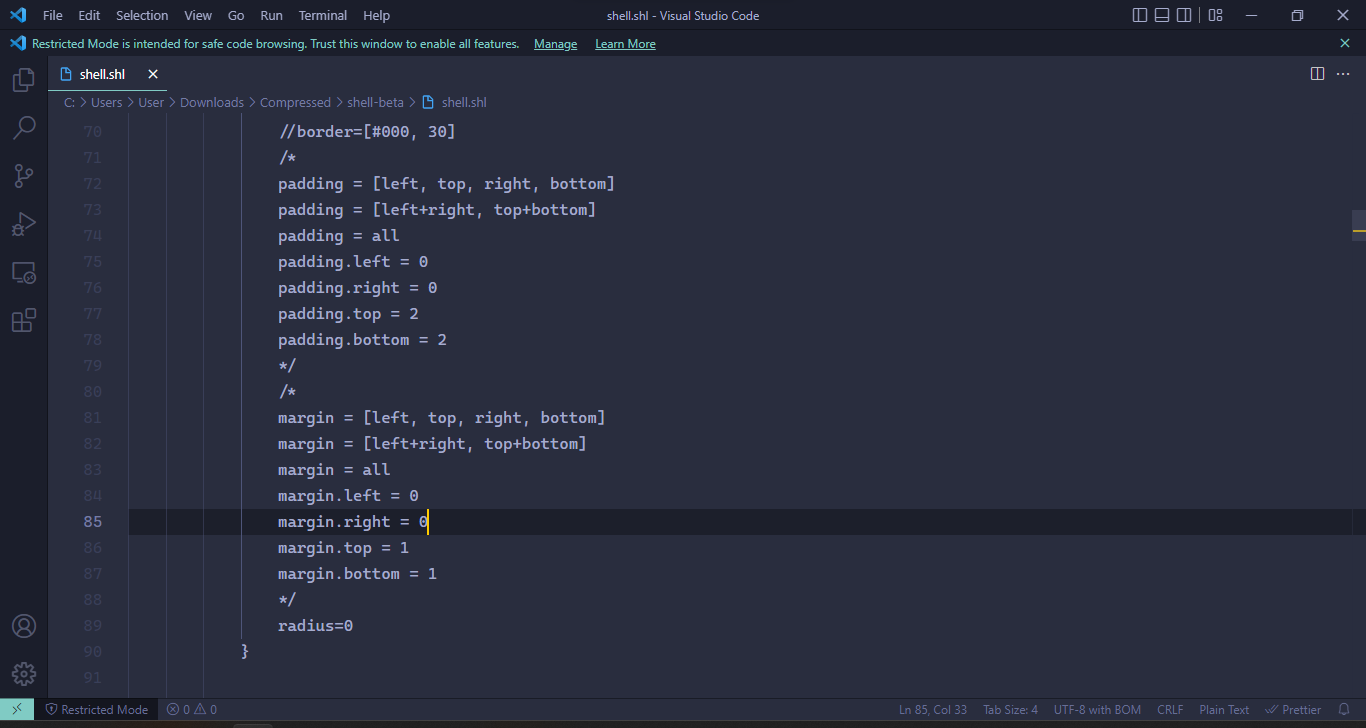
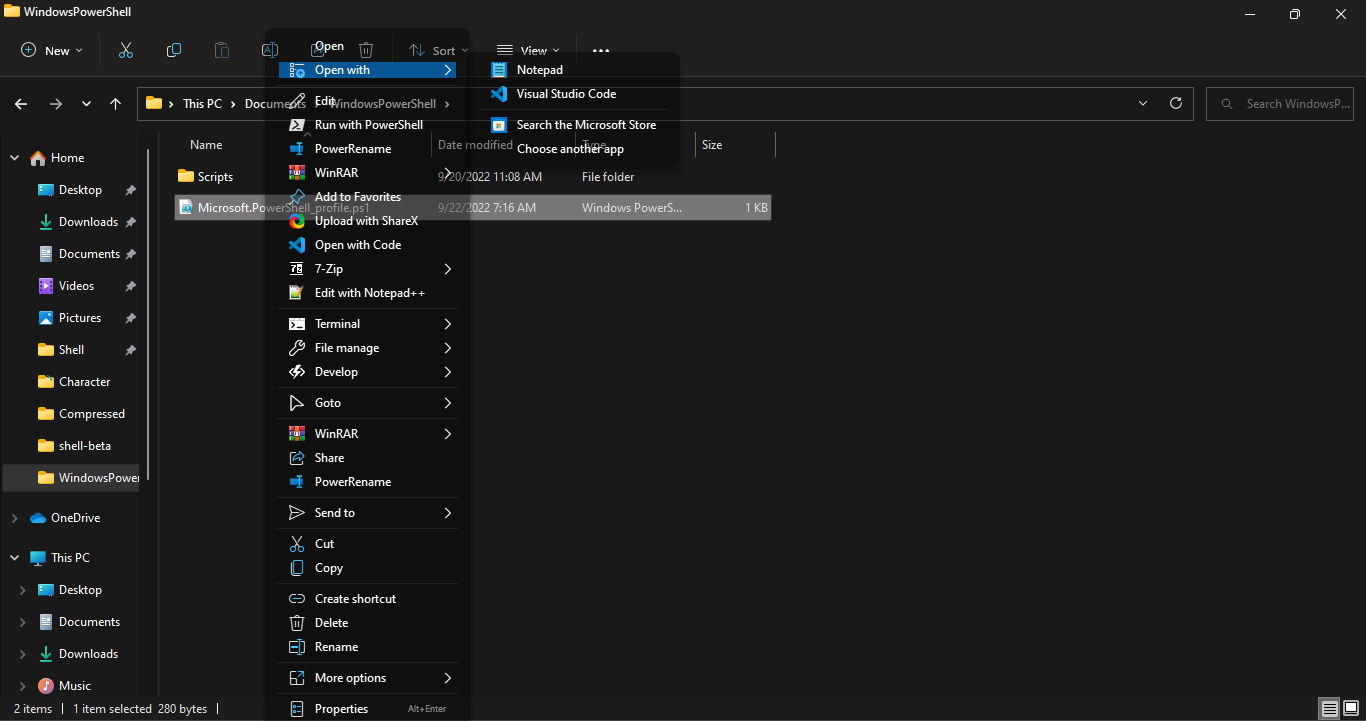
@shafschwd Uncomment the code to be executed. After saving the changes, right click+ctrl to reload the settings
holy shit im so dumb i thought that that was some kind of parameter or something since commenting uses // since there was no syntax highlighting. so sorry for wasting your time 😥.
You can use C/C++, C# or javascript syntax highlighting when opening shell.shl in vscode. :)
Mahmoud, any idea how I can stop the text being cut off here?
I love being able to skin the old context menu, not fussed about all the other (very impressive) stuff so I've basically commented everything out apart from the "default" section.
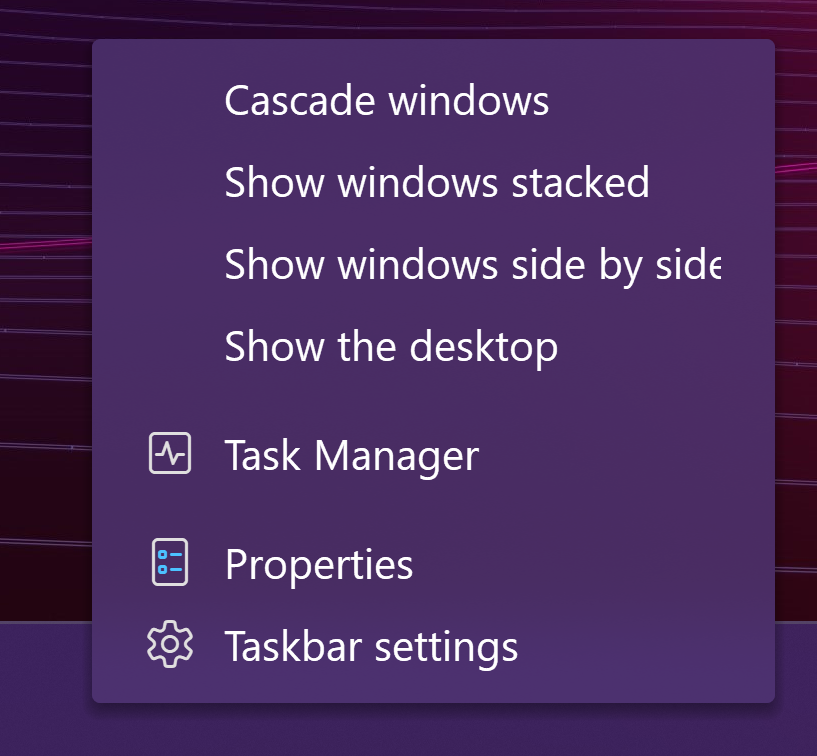

@fatguy666 Is this version 1.8 beta? if YES have you changed the default Windows settings for display Like Custom Scaling, Text size?
You can ignore the handling of static and dynamic items with the following options
default {
    static.auto=0
    static=0
    dynamic=0
}
@moudey yes, 1.8 beta as Windows latest update broke my 1.7 so I went to reinstall and noticed the beta was available. Yeah, I have scaling in Windows set to 300% as I site about 2.5m away from a 4K TV.
Thanks, I'll have a play about with it tonight.
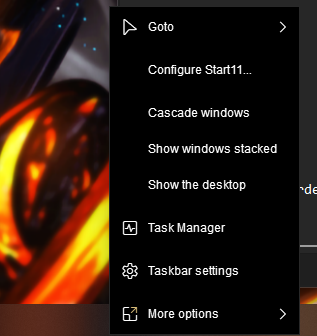 styling isn't applied in start11 taskbar
What settings should I change if I want the old 1.7 auto theme back on 1.8 Beta? I'm having trouble reverting the new context menu boarder margin (although setting those params to enabled=0 doesn't seem to remove it) and item-hover blue highlighting to how they were before updating today.

Hi @davidlieberman
1.8 beta changes The following options have been moved to theme scope: (item, font, border shadow, separator, symbol)
theme
{
    name = auto
    dark = auto

    border-padding = [4, 4]  // This option has been moved to layout-padding in the next update

    item
    {
        back-select = [#f00, 50] // [color, opacity] highlighting
        padding = [10, 2]
        margin = [0, 2]
    }
}
There are still some changes with the new update
Hey @moudey, first of all I want to say that Shell is amazing and you did amazing job!
I was searching in docs and here (git) to resolve the issue with padding/scaling on Windows 22H2 22621.819 and found this thread where you are mentioning possible solutions to the issue : quoting
default { static.auto=0 static=0 dynamic=0
I've tried this solution although with not positive results:
- The issue still persists (text is cut because of scaling)
- Taskbar menu stop working completely
I just wanted to ask you if there are any alternatives or it's necessary to wait for a Shell Update.
- Shell version - 1.8
- Win version - Windows 22H2 22621.819
- Desktop Resolution - 2560x1440
- Windows Scaling - 125% (No custom scaling value)
- Windows Text Scaling - 100% (Default)
My Padding & Margin settings in shell.shl
item
{
	text.normal=[#fff, 20]
	text.select=[auto, 50]
	back
	{
	//normal = 0
	//normal-disabled = 0
	select = [#197896, 75]
	select-disabled = [#fff, 15]
	}


	padding = [left, top, right, bottom]
	padding.left = 6
	padding.right = 64
	padding.top = 2
	padding.bottom = 2

	margin = [left, top, right, bottom]
	margin.left = 8
	margin.right = 8
	margin.top = 2
	margin.bottom = 2
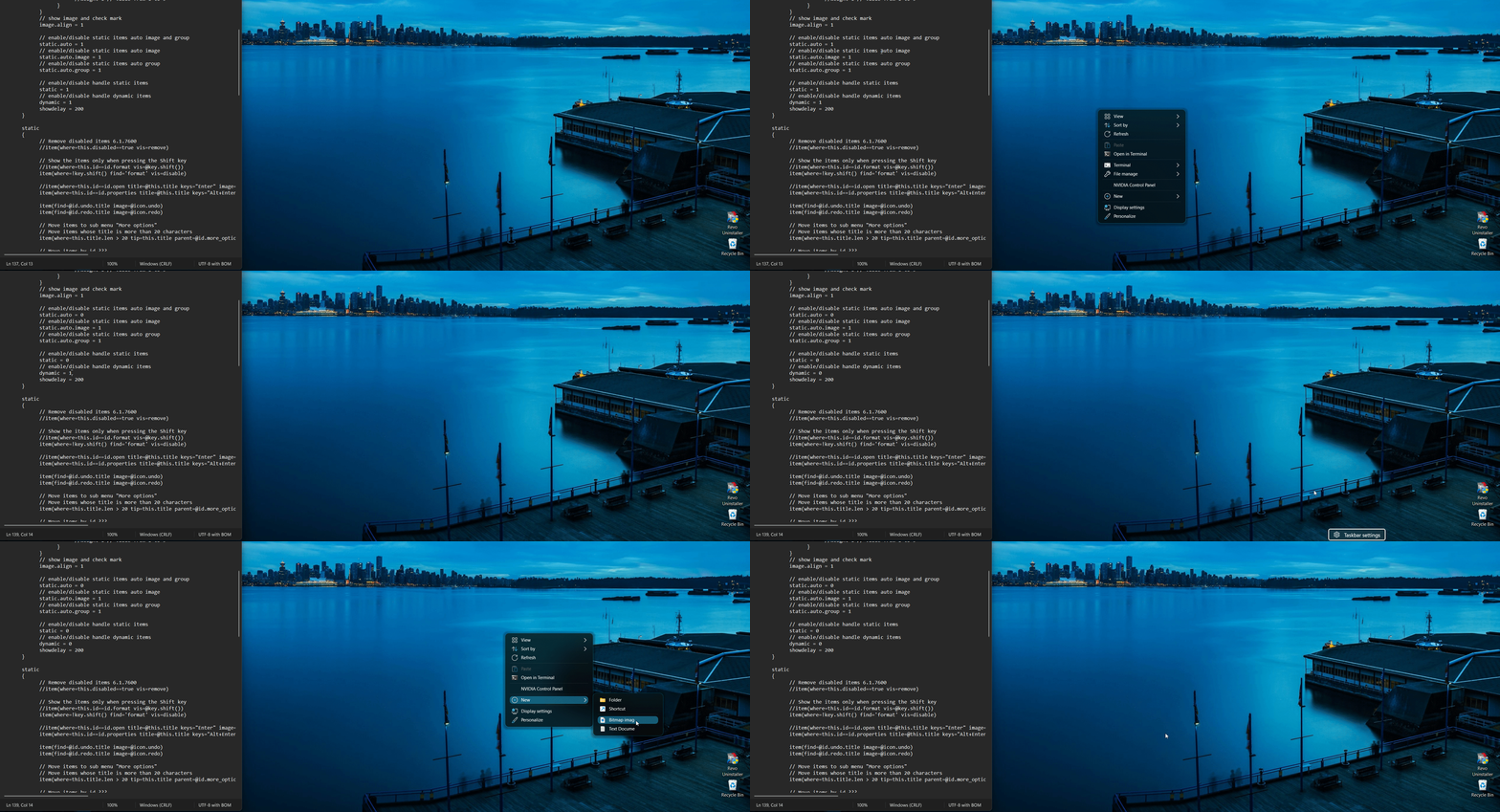

@moudey I've tested the build that you've sent me!
- The text is scaled properly now.
- The padding looks proper.
- Taskbar scaling and padding looks properly scaled too.