

 moudey
Nitpick: The acrylic noise effect does not match the system's noise
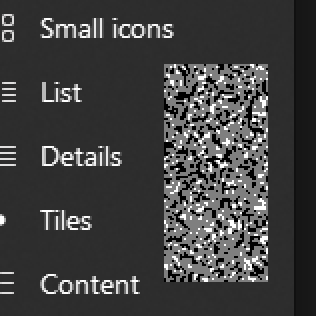
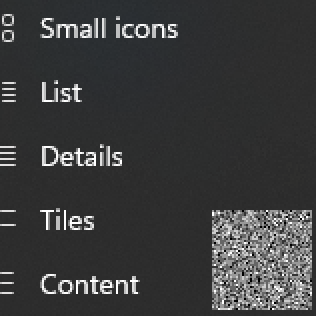 First is Shell, the other is the system.
I made these comparison images by taking screenshots of both menus into an image editor. I selected regions of the menus with no color behind, then performed auto-level adjustment. This takes the darkest/lightest pixels in the selection range and then stretches all color values from zero to one. This has the effect of enhancing any contrast/variations if there are any.
Shell's noise texture appears to be stretched and has fewer unique values than the system noise; it gives Shell's menus a soft, blurry look, whereas the system menus appear "crisp" and grainy.
While looking into this, I could not find the source of the system's noise texture. So, I extracted it myself by force-resizing the emoji picker window to cover my entire desktop. I took a screenshot of it, did auto-normalization, and then searched for a repeating region. I found this 256x256 texture:
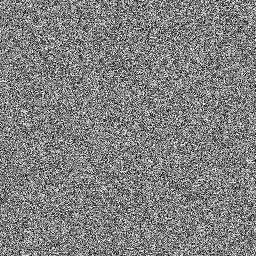
I hope this makes this one easy 😉 PS. I've double-checked; Github has not altered this image, it's good to use as an asset.

The acrylic effect was implemented by undocumented WIN32 functions, so you'll see a difference between them and default XAML implementations. They will be replaced in the future by customizable, fast-performing baked-on effects that support anti-aliasing.

background
{
  opacity = 0
  effect=[3, #0f0, 50]  // Special for acrylic effect [acrylic, tint color, opacity ]
}