

 moneytoo
Crop and zoom distortion
Is there anything known about this issue? It seems to occur on Android TV but not on mobile devices. The picture is distorted whenever the frame is cropped using either RESIZE_MODE_ZOOM, RESIZE_MODE_FIXED_WIDTH or RESIZE_MODE_FIXED_HEIGHT
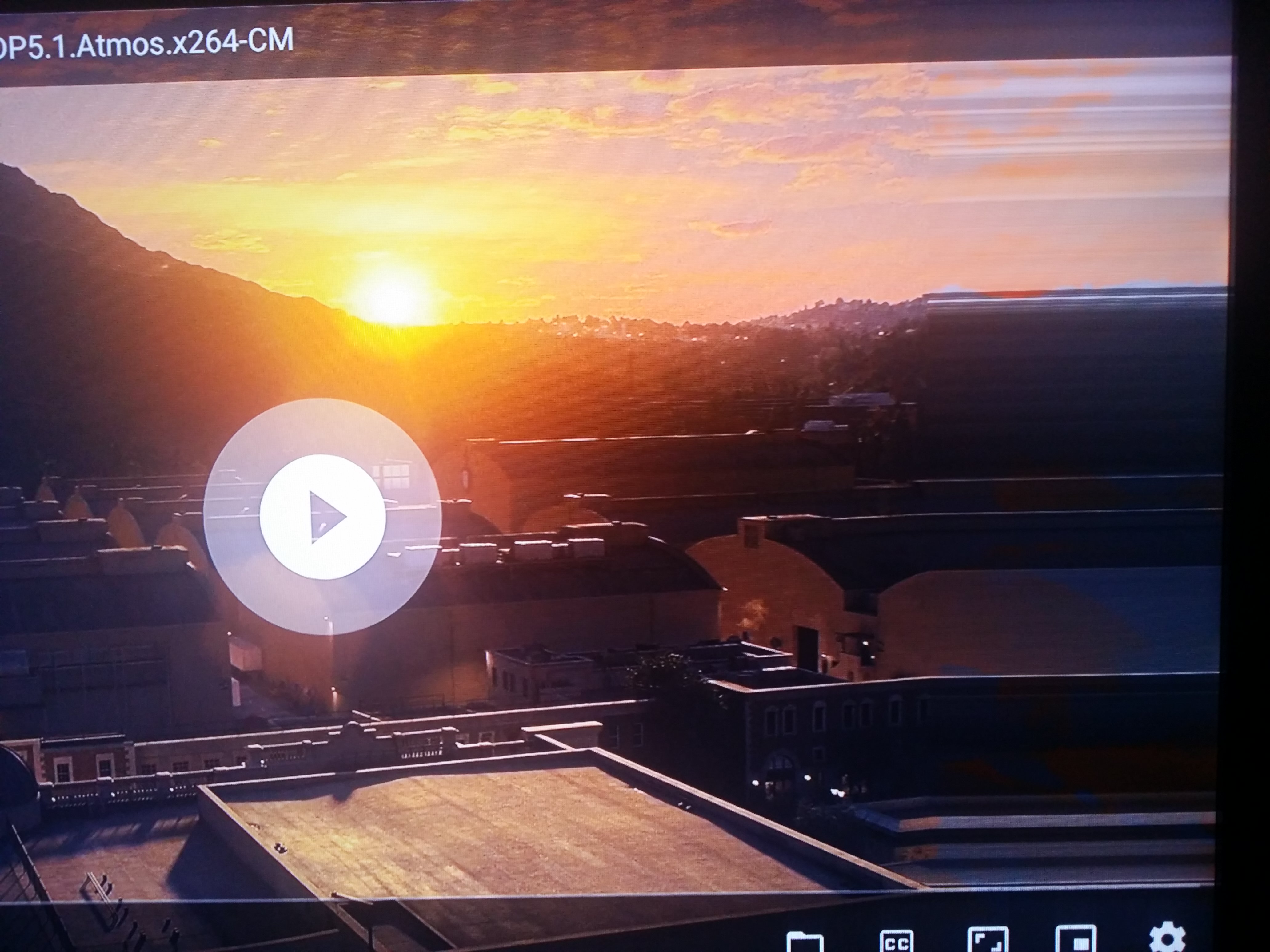

What device is that? Xiaomi by any chance?
This was confirmed so far on a Shield Pro 2019 device running Android 9 and another running Android 11
I'm not sure if this helps but the image is correct when capturing screenshot but displayed incorrectly on the TV
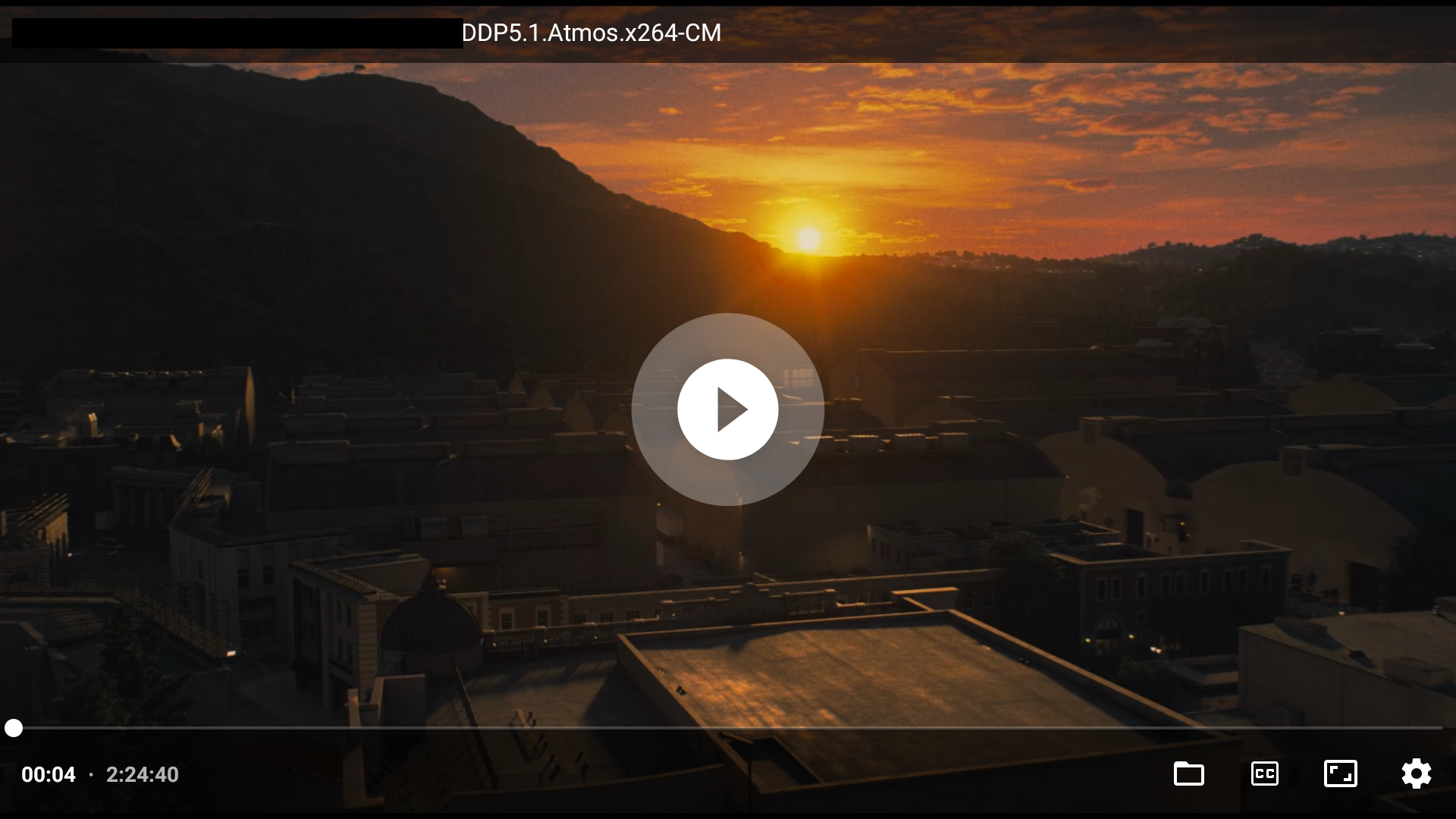
I have something similar with Xiaomi Mi Box S connected to 15 years old TV. In case of these Xiaomi boxes (only) I had to switch to TextureView instead the accelerated SurfaceView because otherwise zoom wouldn't work (device/system/driver bug). If RESIZE_MODE_ZOOM is causing this even with SurfaceView, I'm afraid that then this is an upstream (ExoPlayer) issue. If you can reproduce it with all video files, you would suggest attempting to replicate this with other ExoPlayer apps (NewPipe/SmartTubeNext...).
I could only seem to replicate this with h.264 files on my 1080p display but this isn't confirmed, as it was also reported by others to be happening on most 4K files which are usually h.265.
And yes, after some more testing I found this also happens with almost ALL other players, including another Exo based player, the latest VLC player, the latest MX player, an older Kodi 16.7 player, but NOT the latest Kodi 19.3 player (Edit: yes it does still affect Kodi 19.3 when "MediaCodec (Surface)" video acceleration is enabled)😔
Is there anything that can be done to have this identified with upstream ExoPlayer. I couldn't seem to find any mention of it anywhere?
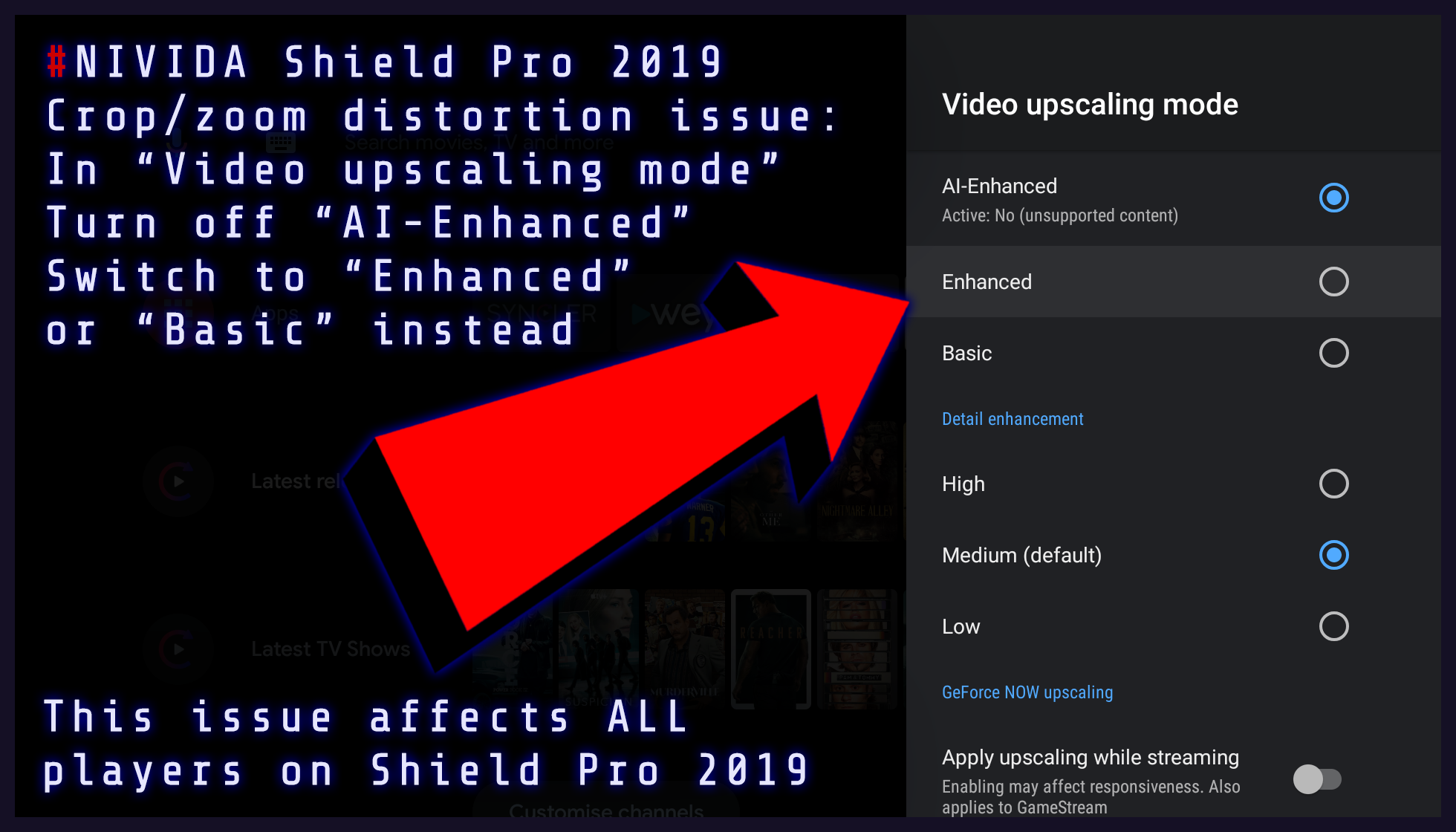
UPDATE: After some further testing I found this to be the cause of the issue. I'm not certain if the "AI-Enhanced" feature is available in other devices or if it's specific to the Shield Pro 2019. Maybe someone else can confirm..
I also noticed (on Xiaomi Mi Box S) that Kodi works differently when it comes to video output, compared to any other video app.
Actually disregard my earlier finding with Kodi 19.x as I just noticed I had "MediaCodec (Surface)" hardware acceleration disabled from previously testing something else. When I enabled this (which is the Kodi default setting) then the issue is still apparent.
So this affects ALL players on the Shield Pro 2019 so it must be specific to the "AI-Enhancement" video enhancement mode but it doesn't affect Kodi (any version) with the "MediaCodec (Surface)" option disabled
This "AI-Enhanced" bug seems to be triggered when the SurfaceView is cropped or zoomed around 100% of the original height.
Using the long press zoom option, a cropped 1.85:1 image distorts at 99% of the original height, and a zoomed 4:3 image distorts at 101% of the original height.
Could this be relevant? https://stackoverflow.com/a/33775646