

 mohzy83
[Feature Request] YAML and Code Block Syntax Highlighting
Context :
-
Front Matter is added to
.mdfiles by Jekyll and many other services
Request :
- Render with Syntax Highlighting for
- YAML in FrontMatter
- And Code Blocks
Images:
Left Side Source File Right Side Rendered View
How it is looks in Obsidian

How it is looks in NPP

Issue
- Without proper syntax highlighting it breaks the format for YAML
- The code blocks are hard to read

I used highlight.js but it doesn't work in NPP, it can only be converted to html and read in Chrome.😒

Possible solution is to use Markdig extension markdown-colorcode which uses ColorCode-Universal.
Seems pretty simple to just add to the pipeline in 'nppMarkdownPanel\MarkdigWrapper\MarkdigMarkdownGenerator.cs'
27:         public string ConvertToHtml(string markDownText, string filepath)
28:         {
29:             var pipeline = new MarkdownPipelineBuilder()
30:                 .UseAdvancedExtensions()
+                   .UseColorCode()
31:                 .UsePreciseSourceLocation()
32:                 .Build();
Then just having to figure out how to include in the build and distribute the proper assemblies.
Cheers.

That sounds straightforward. I will add the ColorCode lib for the next release.

This feature is now partly implemented in version 0.7.0.
Fenced code blocks will be highlighted.
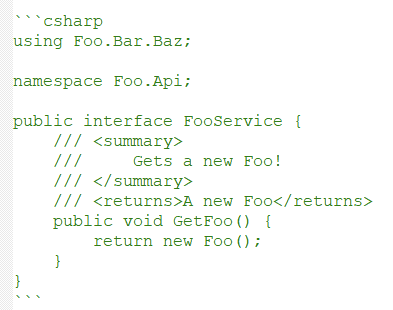 becomes:
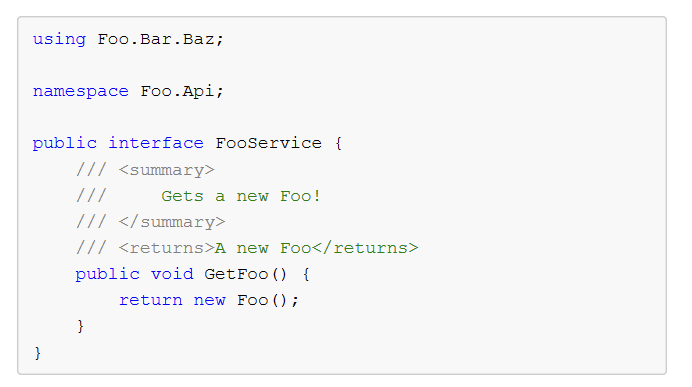
The markdig extension https://github.com/RichardSlater/Markdig.SyntaxHighlighting is being used.
The parsing of the Frontmatter block (with YAML) needs more investigation.
By default markdig will remove that block from the output, when using new MarkdownPipelineBuilder().UseYamlFrontMatter().
Maybe it can be converted to a standard "code block", but that has to be implemented.
In version 0.7.1
YAML Frontmatter blocks are rendered as standard code blocks (no syntax highlighting yet).


closing this issue in favor of a new issue, concerning the support of further languages