

 mkloubert
I'm having trouble creating a custom endpoint.
I was able to get the rest api up and running and the following url works in my browser: http://127.0.0.1:1781/api/
If I add a custom endpoint, would it show up in that list of apis?
I tried making my settings:
"rest.api": {
    "autoStart": true,
    "openInBrowser": true,
    "port": 1781,

    "endpoints": {
        "myendpoint": {
            "script": "./my-endpoint.js",
            "options": "Hello!"
        }
    }
},
And saving the example script you gave here: ( in the same folder as settings.json )
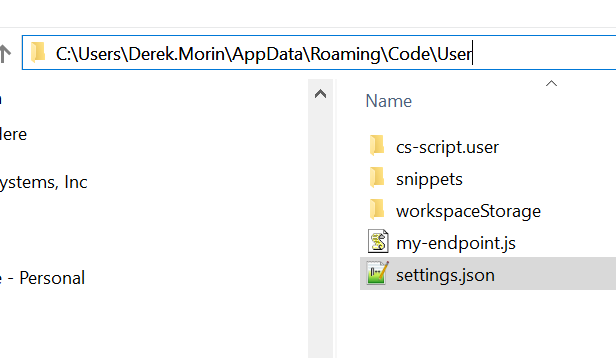
Should I be able to excecute it with:
http://127.0.0.1:1781/api/myendpoint
I'm not sure how I would debug this, or if it is possible my .js file is in the wrong spot, or invalid, or if I need special settings to allow executing a custom endpoint.
I will want to create a few custom endpoints like:
- get current line number ( where cursor position is )
- get current line text
- get current file name ( api/editor seems like a start but I think it might crash if the content of the file is too large )
I'm interested in learning how to write all of these but I think I need to get my "hello world" example going first :)

I just figured out some answers by reading through the code:
- The js file to define the custom endpoint is specified with relative path starting from your workspace root directory.
- mine is here: .vscode/myendpoint.js and
- this is what I have as the endpoint script argument.
- The custom endpoints are not listed when calling the /api resource
