
JarvisBot
 JarvisBot copied to clipboard
 mkfeuhrer
Intelligent Bot lets you perform utility and fun stuff (Runnerup - Hack36)
Jarvis - Bot

Intelligently Interactive Bot. Built with Python and Zulip.


Table of Contents
- Introduction
- Features
- Deploy
- Screenshots
- Feedback
- Contributors
- Contribute
- Announcements
- Acknowledgement
Introduction
Intelligent Bot lets you perform utility and fun stuff like games, Built with Python and ZulipChat-Api, Jarvis-Bot is the most feature-rich unofficial ZulipChat Bot that is 100% free.

Features
Jarvis-Bot holds following features -
- News based on Keyword
- Live Sports Score
- View Lyrics of Songs
- View Movie Details
- Weather forecasting
- Dictionary based search
- Currency Conversion Viewer
- Calculator
- To-Do List
- NLP based Instant Response
- Remote Login Via Bot
- Access file lists of a system via bot
- View Man Page of any Linux Command Line
- Games
- Hangman
- Scrabble
- Stone-Paper-Scissor
- Memory-Game
Deploy
To deploy Jarvis bot using your local machine as server, follow following steps -
- Firstly create a zulip organisation on which you want to deploy bot. If you already have one then you may skip this step.
- Register a new bot user on the Zulip server's web interface.
- Log in to the Zulip server.
- Navigate to Settings -> Your bots -> Add a new bot. Select Generic bot for bot type, set both bot-name and bot username to Jarvis and click on Create bot.
- A new bot user should appear in the Active bots panel.
- Download the bot's zuliprc configuration file to your computer.
- Go to Settings -> Your bots
- In the Active bots panel, click on the little green download icon to download its configuration file zuliprc (the structure of this file is explained here).
- Make sure sure that your system has following packages installed -
- enchant (Please make sure your enchant version is <= 1.6.1-2)
- sshpass (For debian based system install using
sudo apt-get install sshpass) - aspell-en (For debian based system install using
sudo apt-get install aspell-en)
- Install all required python packages, rum command
pip3 install -r requirements.txt - Now we are all set, to run bot enter following command
zulip-run-bot <absolute path to jarvisBot.py file > --config-file <absolute path to downloaded zuliprc file>
Example Usage - zulip-run-bot ~/Projects/JarvisBot/bot/jarvisBot --config-file ~/Projects/JarvisBot/bot/zuliprc
- You can now finally use power of Jarvis in your organisation.
Screenshots
Latest news :

Song Lyrics :

Popular Trending Movies :

Popular Trending Shows :

Movie Search :

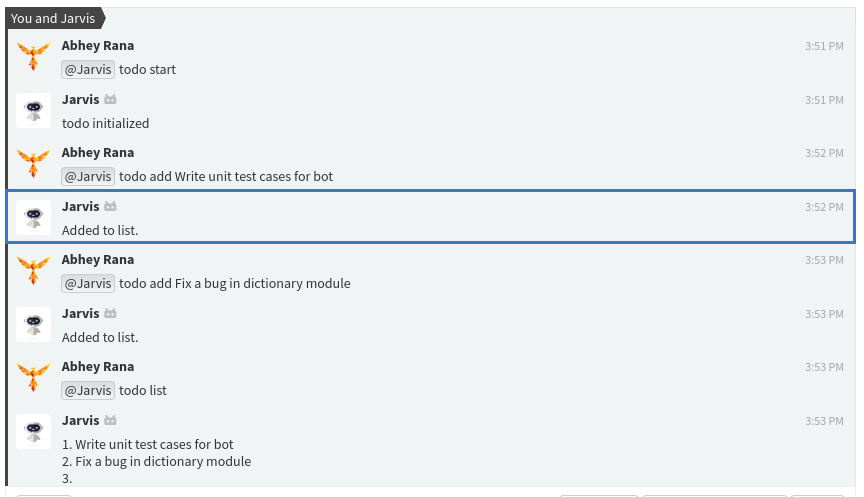
TODO List :
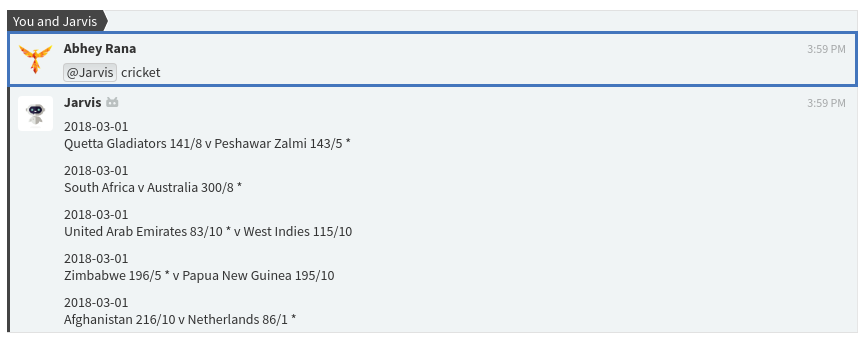
Cricket Scores :
Currency Converter :

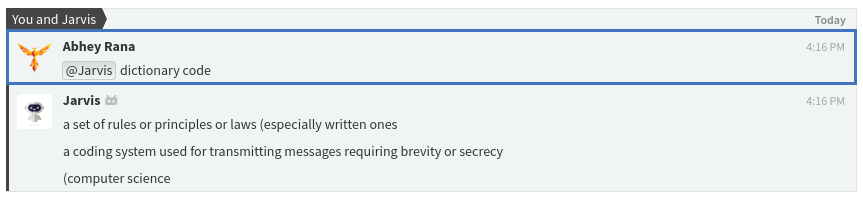
Dictionary :
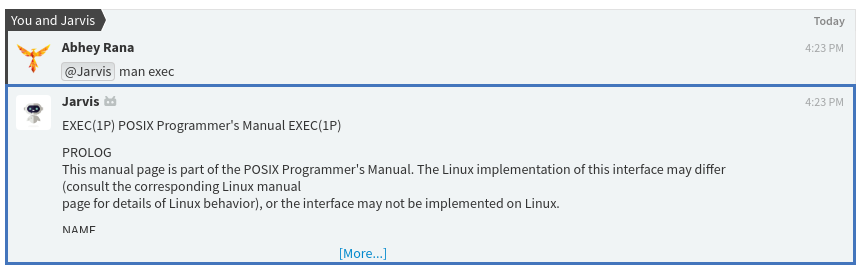
Man Page Of Command :
NLP Based Output :
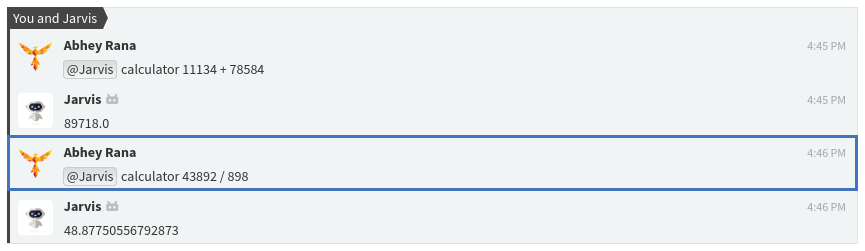
Calculator :
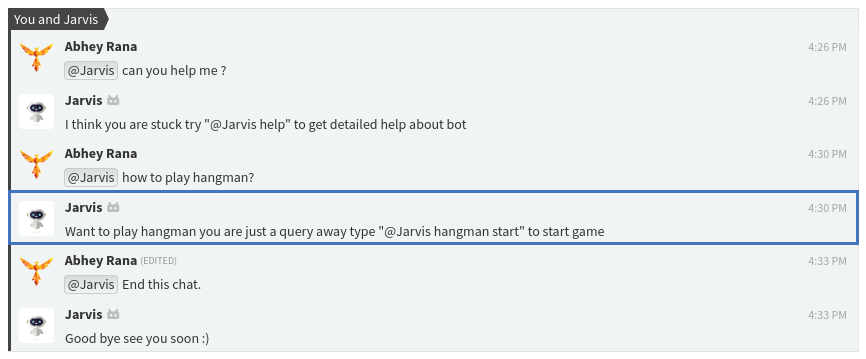
Hangman Game :

Feedback
Feel free to send us feedback on Email or file an issue.
Contributors
Contribute
- Feel free to report issues and bugs.It will be helpful for future launches of application.
- All Suggestions are welcome.
- Fork repository and Contribute.
Announcements
We have updated Jarvis Bot and it now uses latest python-zulip-api. Also now all the features of Jarvis bot can be used in both stream as well as private messages.
Acknowledgment
Thanks to Zulip for providing Zulip Api and Platform.
 mkfeuhrer