
ipmon
 ipmon copied to clipboard
 mistergates
IP Address Monitoring/Alerting
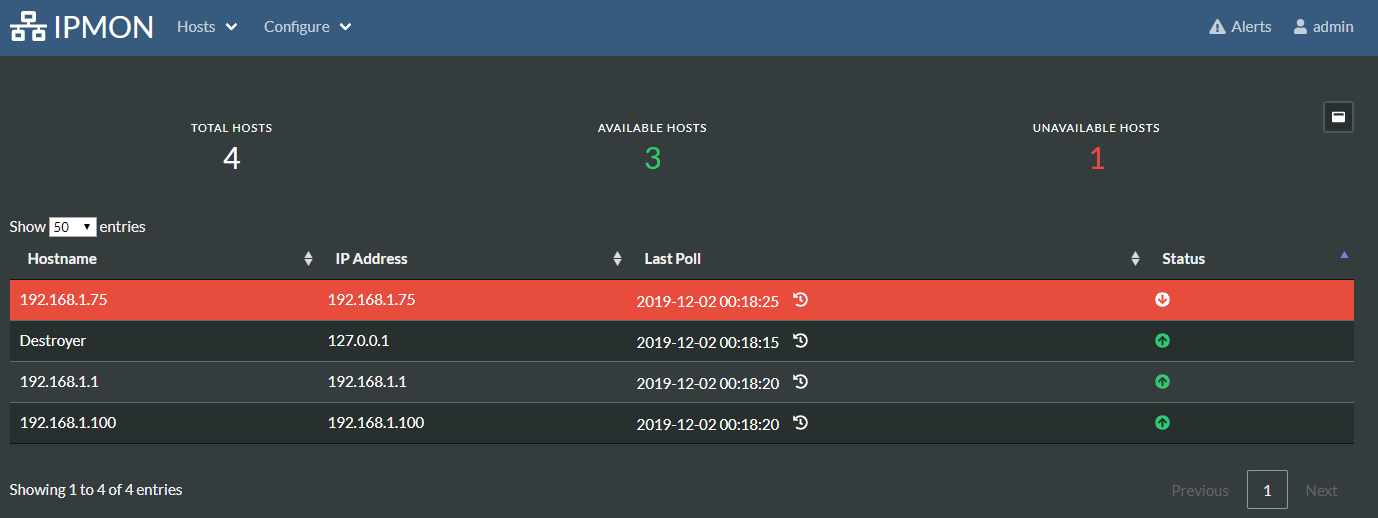
Monitor IP addresses by polling them via ICMP (ping) requests.
A web app is made available using Flask to view IP address statuses and poll history.
Polling runs as a service as part of the web app.
A SQLite DB is used for storing hosts, polling results, user accounts, etc.
Setup
The following setups will need to be performed in order for setup:
1) Install Python
Python 3.0+ needs to be installed, you can find installers here
2) Install Python Requirements
From the main directory of this repo, run the following command:
pip install -r requirements.txt
3) Configuration
Follow the directions below to run the web server and navigate to the server once it's running. You will be redirected to a setup page to perform first time setup on the web application/database.
Note: You will configure an admin account during setup, this account will need to be used for full functionality. By default, unauthenticated visitors will only be able to view IP statuses
Running Web Server
To run the web server the most basic (lazy) way, you can run the following from the main directory of this repo:
flask run
If no arguments are provided, the web server will be running on http://127.0.0.1:5000
If you'd like to specify a host/port, you can use the following arguments:
flask run -h <host> -p <port>
To view all arguments:
flask run --help
Note: It would be wise to move this to a WSGI server for production use, see here
4) Datbase Migrations
In the event the database schema changes a migration will need to occur. These migrations can be found in migrations/versions/
To perform a database migration, stop web services then run the following command from the main directory of this repo:
flask db upgrade
TO DO
- Add user management under configuration
- Add User
- Remove User
- Reset Password
- Allow adding hosts by hostname
- nslookup to find IP address
- Fail and skip adding of host if nslookup fails
 mistergates