

 mini-software
Invalid output with decimal numbers
Excel Type
- [X] XLSX
- [ ] XLSM
- [ ] CSV
- [ ] #332
Upload Excel File
Attached testexcel.xlsx
MiniExcel Version
MiniExcel.1.23.1
Description
The file attached was created with the following code. Is there any configuration I am missing?
void Main()
{
	var rnd = new Random();
	var data = Enumerable.Range(1, 100).Select(x => new MyEntity
	{
		Number = x,
		Text = $"Number {x}",
		DecimalNumber = (decimal)rnd.NextDouble(),
		DoubleNumber = rnd.NextDouble()
	});

	MiniExcelLibs.MiniExcel.SaveAs(@"c:\temp\testexcel.xlsx", data);
}

public class MyEntity
{
	public int Number { get; set; }
	public decimal DecimalNumber { get; set; }
	public double DoubleNumber { get; set; }
	public string Text { get; set; }
}
Excel is able to recover the file (there is an error message about wrong cell information in /xl/worksheets/sheet1.xml) and decimal numbers are formatted as text.
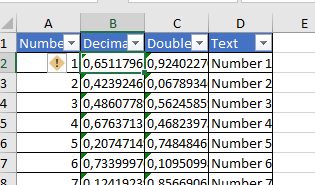

I think I've figured out the problem - the /xl/worksheets/sheet1.xml file contains values formatted based on the current culture (and thus might use various characters as the decimal point).
Setting the CurrentCulture to en-US fixes the issue, but is not suitable in all cases.
Unfortunately, setting the culture through the OpenXmlConfiguration configuration parameter throws an error:
Specified cast is not valid.
   at MiniExcelLibs.OpenXml.ExcelOpenXmlSheetWriter.WriteCell(StreamWriter writer, Int32 rowIndex, Int32 cellIndex, Object value, ExcelCustomPropertyInfo p)
   at MiniExcelLibs.OpenXml.ExcelOpenXmlSheetWriter.GenerateSheetByProperties(StreamWriter writer, IEnumerable value, List`1 props, Int32 xIndex, Int32 yIndex)
   at MiniExcelLibs.OpenXml.ExcelOpenXmlSheetWriter.CreateSheetXml(Object value, String sheetPath)
   at MiniExcelLibs.OpenXml.ExcelOpenXmlSheetWriter.SaveAs()
   at MiniExcelLibs.MiniExcel.SaveAs(Stream stream, Object value, Boolean printHeader, String sheetName, ExcelType excelType, IConfiguration configuration)
   at UserQuery.Main()
@gius
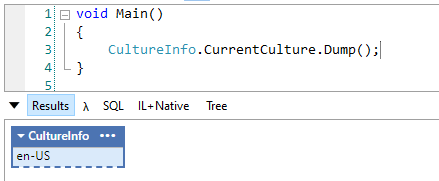
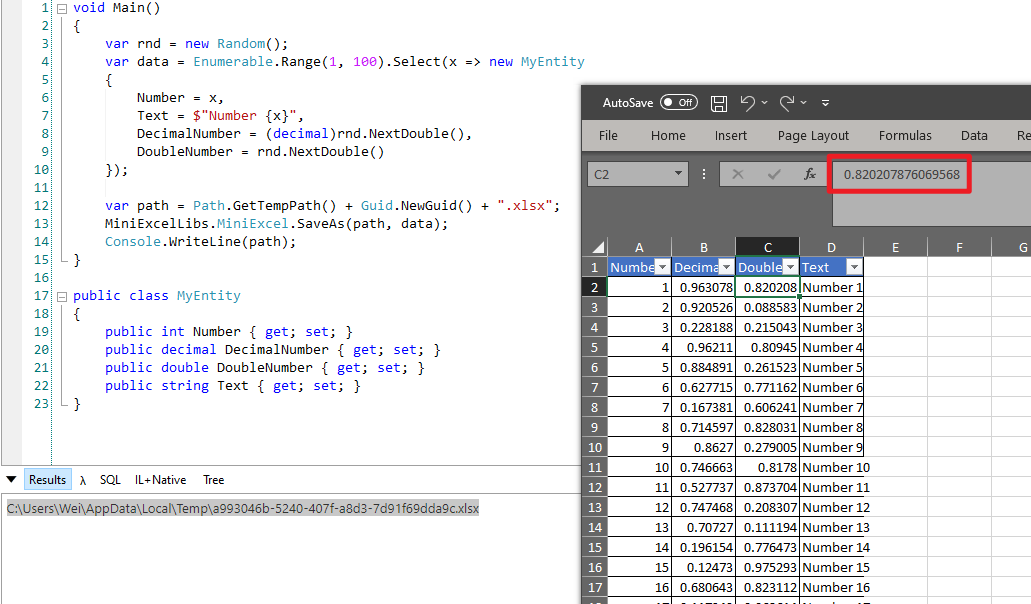 It's ok for me, and yes my cultureinfo is en-US, could I know your default cultureinfo?

@shps951023 Thank you for such a quick response! Let me know if I can be of any help and keep up the great work!