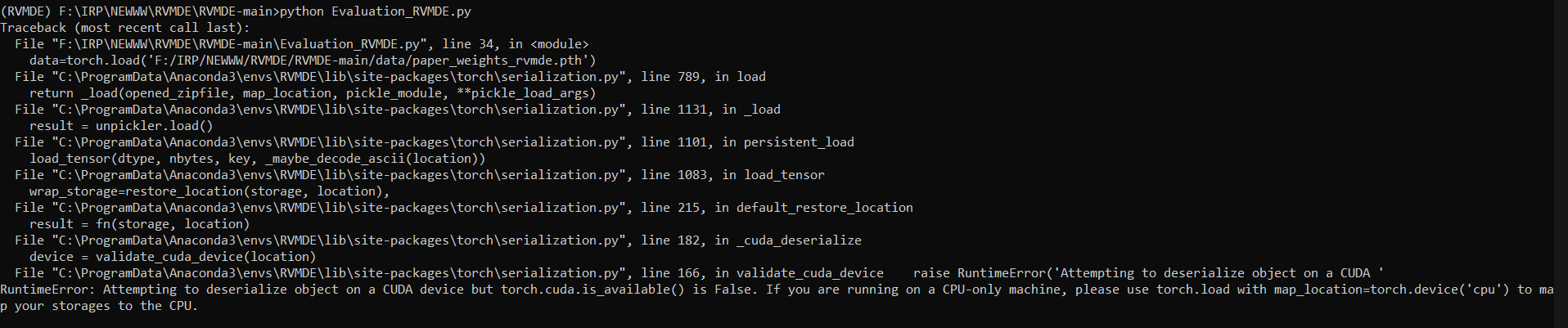
RuntimeError: Attempting to deserialize object on a CUDA device but torch.cuda.is_available() is False.
Open
dsyrock
opened this issue 4 years ago
•
7 comments
I run it on pc (cpu only) and google colab(Tesla 1000), and got the same wrong message:
Traceback (most recent call last):
File "synthesize.py", line 188, in
model = get_model(args, configs, device, train=False)
File "/content/drive/My Drive/FastSpeech2/utils/model.py", line 20, in get_model
ckpt = torch.load(ckpt_path)
File "/usr/local/lib/python3.7/dist-packages/torch/serialization.py", line 594, in load
return _load(opened_zipfile, map_location, pickle_module, **pickle_load_args)
File "/usr/local/lib/python3.7/dist-packages/torch/serialization.py", line 853, in _load
result = unpickler.load()
File "/usr/local/lib/python3.7/dist-packages/torch/serialization.py", line 845, in persistent_load
load_tensor(data_type, size, key, _maybe_decode_ascii(location))
File "/usr/local/lib/python3.7/dist-packages/torch/serialization.py", line 834, in load_tensor
loaded_storages[key] = restore_location(storage, location)
File "/usr/local/lib/python3.7/dist-packages/torch/serialization.py", line 175, in default_restore_location
result = fn(storage, location)
File "/usr/local/lib/python3.7/dist-packages/torch/serialization.py", line 151, in _cuda_deserialize
device = validate_cuda_device(location)
File "/usr/local/lib/python3.7/dist-packages/torch/serialization.py", line 135, in validate_cuda_device
raise RuntimeError('Attempting to deserialize object on a CUDA '
RuntimeError: Attempting to deserialize object on a CUDA device but torch.cuda.is_available() is False. If you are running on a CPU-only machine, please use torch.load with map_location=torch.device('cpu') to map your storages to the CPU.
Do what the error suggests. In model.py add map_location=torch.device('cpu') to all torch.load(...) calls. There might be a better way, but I got it working this way.
Do what the error suggests. In model.py add map_location=torch.device('cpu') to all torch.load(...) calls. There might be a better way, but I got it working this way.
If you get this on a cpu only system, the above comments should help. If you get this error on a system with a compatible GPU, you may need to update your NVIDIA driver and Cuda version:
https://developer.nvidia.com/cuda-downloads
You may also want to get the latest pytorch, as opposed to the version in requirements.txt
=> loading model from model/pose_coco/pose_dekr_hrnetw32_coco.pth
Traceback (most recent call last):
File "/Users/grishmadihora/Desktop/RA/DEKR/tools/valid.py", line 211, in
main()
File "/Users/grishmadihora/Desktop/RA/DEKR/tools/valid.py", line 109, in main
model.load_state_dict(torch.load(cfg.TEST.MODEL_FILE), strict=True)
File "/Users/grishmadihora/opt/anaconda3/lib/python3.9/site-packages/torch/serialization.py", line 593, in load
return _legacy_load(opened_file, map_location, pickle_module, **pickle_load_args)
File "/Users/grishmadihora/opt/anaconda3/lib/python3.9/site-packages/torch/serialization.py", line 772, in _legacy_load
result = unpickler.load()
File "/Users/grishmadihora/opt/anaconda3/lib/python3.9/site-packages/torch/serialization.py", line 728, in persistent_load
deserialized_objects[root_key] = restore_location(obj, location)
File "/Users/grishmadihora/opt/anaconda3/lib/python3.9/site-packages/torch/serialization.py", line 175, in default_restore_location
result = fn(storage, location)
File "/Users/grishmadihora/opt/anaconda3/lib/python3.9/site-packages/torch/serialization.py", line 151, in _cuda_deserialize
device = validate_cuda_device(location)
File "/Users/grishmadihora/opt/anaconda3/lib/python3.9/site-packages/torch/serialization.py", line 135, in validate_cuda_device
raise RuntimeError('Attempting to deserialize object on a CUDA '
RuntimeError: Attempting to deserialize object on a CUDA device but torch.cuda.is_available() is False. If you are running on a CPU-only machine, please use torch.load with map_location=torch.device('cpu') to map your storages to the CPU.
I have the same error as well. I train my model on a GPU, but no matter what I do when storing its weights and parameters, when loading, the error pops up, even if I add the map_location = torch.device("cpu"). Does anyone have a suggestion?


 ming024