
node-notifier

node-notifier copied to clipboard
 mikaelbr
I use it in electron and repeat to bind click event , then when I trigger this click , the callback function will be called many times.
I use it in electron and repeat to bind click event , then when I trigger this click , the callback function will be called many times.
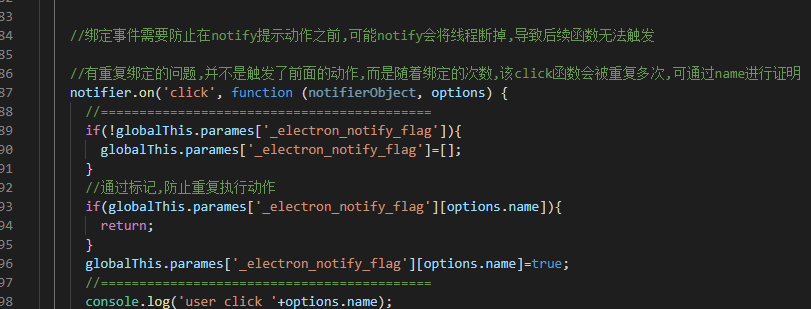


@major697 I set a param to flag the click. the above image is my code
@major697
 //测试弹窗,使用别的弹窗方案.官方的,在win10里,实在跑不起来.暂时跳过,需要测试回调事件是否能接触到
 //主进程相关对象
 globalShortcut.register('CommandOrControl+Alt+S', (event, arg) => {
   // 打开开发者工具
   // win.webContents.openDevTools();
   //使用其它弹窗方案,非electron(主进程方式和渲染进程方式试了都不行)
   //默认是windwosToaster 对象
   //文档:https://www.npmjs.com/package/node-notifier
   notifier = require('node-notifier');
   // String
   //notifier.notify('hello world');


   //绑定事件需要防止在notify提示动作之前,可能notify会将线程断掉,导致后续函数无法触发

   //有重复绑定的问题,并不是触发了前面的动作,而是随着绑定的次数,该click函数会被重复多次,可通过name进行证明

   notifier.on('click', function (notifierObject, options) {
     //===========================================
     if (!globalThis.parames['_electron_notify_flag']) {
       globalThis.parames['_electron_notify_flag'] = [];
     }
     //通过标记,防止重复执行动作
     if (globalThis.parames['_electron_notify_flag'][options.name]) {
       return;
     }
     globalThis.parames['_electron_notify_flag'][options.name] = true;
     //===========================================
     console.log('user click ' + options.name);
     require('electron').session.defaultSession.cookies.get({
       //url: 'http://www.meiqidata.com'
     }).then((cookies) => {
       console.log('can call the function of electron');
       //console.log(cookies);
     }).catch((error) => {
       //console.log(error);
     });
   });
   if (!globalThis.parames['_index']) {
     globalThis.parames['_index'] = 0;
   }
   globalThis.parames['_index'] += 1;
   // Object
   notifier.notify({
     title: 'My notification',
     message: 'Hello, there!', wait: true,
     //名字用于标记提示框,防止重复,请误修改.
     name: "notify name " + globalThis.parames['_index']
   }, function (err, response) {
     console.log(err, response);
     // Response is response from notification
   });
   WindowsToaster = require('node-notifier/notifiers/toaster');
   new WindowsToaster({
     title: 'WindowsToaster',
     message: 'Hello, there!', wait: true
   }, function (err, response) {
     console.log(err, response);
     // Response is response from notification
   }).notify();

 });
@major697 I set a param to flag the click. the above image is my code
compromise(折中方案)
const nn = require('node-notifier');
ipcMain.on("notify", (evt, data,msgType) => {
        const { senderName, msg,logo } = data;

        let newNN = new nn.NotificationCenter({
            withFallback: false, // Use Growl Fallback if <= 10.8
            customPath: undefined // Relative/Absolute path to binary if you want to use your own fork of terminal-notifier
        });

            newNN.notify({
                appName:'com.aab.app',
                title: senderName || 'data',
                message: 'data2',
                wait: true,
                // timeout: 200, // Takes precedence over wait if both are defined.
                //closeLabel: 'Close', // String. Label for cancel button
                //actions: 'show', // String | Array<String>. Action label or list of labels in case of dropdown
                icon: icon,
                sound: true,
                contentImage: logo || icon,
                // open: open,
            },(err, res) => {
                if (err) {
                    console.log("error:", err);
                }
            });
            // 点击之后
            // After clicking on
            newNN.on('click', function (notifierObject, options, event) {
                // console.log('clickkk',notifierObject, options, event)
                // console.log('globalThis: ',globalThis)
                // Triggers if `wait: true` and user clicks notification
                // console.log('options: ', options)
                mainWindow.show();
                mainWindow.webContents.send('OpenChat',data);

            });

        // 自动消失之后
        // After it goes away automatically
        // newNN.on('timeout', function (notifierObject, options) {
        //     console.log('timeOutttt')
        //     console.log(notifierObject, options)
        //     // Triggers if `wait: true` and notification closes
        // });
    });
