

 microstream-one
Storage exception in microstream
Environment Details
- MicroStream Version: 06.01.00-MS-GA Also 07.00.00-MS-beta2
- JDK version: 13
- OS: Windows
- Used frameworks: JavaCore, JavaFx
Describe the bug
A clear and concise description of what the bug is.
I'm using microstream and I try to save my content (Object) in storage :
EmbeddedStorageFoundation esf = EmbeddedStorageFoundation.New().setConfiguration(storageConfiguration);
storage = esf.createEmbeddedStorageManager();
storage.start();
storage.setRoot(content);
Producing the issue
Just run the follow code.
Stacktrace
07:09:45 DEBUG - StorageChannel#0 started 07:09:45 ERROR - Error occured in storage channel#0 one.microstream.afs.exceptions.AfsExceptionExclusiveAttemptSharedUserConflict: File "C:\Z\work\TheProject\Settings\settingsstorage/UserSetup/channel_0/transactions_0.sft" cannot be accessed exclusively since there are shared users present. at one.microstream.afs.types.AccessManager$Default$2.handleExclusiveAttemptSharedUsersConflict(AccessManager.java:746) ~[microstream-afs-07.00.00-MS-beta2.jar:?] at one.microstream.afs.types.AccessManager$Default.internalUseWriting(AccessManager.java:656) ~[microstream-afs-07.00.00-MS-beta2.jar:?] at one.microstream.afs.types.AccessManager$Default.useWriting(AccessManager.java:482) ~[microstream-afs-07.00.00-MS-beta2.jar:?] at one.microstream.afs.types.AFile.useWriting(AFile.java:108) ~[microstream-afs-07.00.00-MS-beta2.jar:?] at one.microstream.afs.types.AFS.applyWriting(AFS.java:272) ~[microstream-afs-07.00.00-MS-beta2.jar:?] at one.microstream.afs.types.AFS.applyWriting(AFS.java:262) ~[microstream-afs-07.00.00-MS-beta2.jar:?] at one.microstream.afs.types.AFile.ensureExists(AFile.java:157) ~[microstream-afs-07.00.00-MS-beta2.jar:?] at one.microstream.storage.types.StorageFileManager$Default.createTransactionsFile(StorageFileManager.java:1119) ~[microstream-storage-07.00.00-MS-beta2.jar:?] at one.microstream.storage.types.StorageFileManager$Default.readTransactionsFile(StorageFileManager.java:729) ~[microstream-storage-07.00.00-MS-beta2.jar:?] at one.microstream.storage.types.StorageFileManager$Default.readStorage(StorageFileManager.java:714) ~[microstream-storage-07.00.00-MS-beta2.jar:?] at one.microstream.storage.types.StorageChannel$Default.readStorage(StorageChannel.java:758) ~[microstream-storage-07.00.00-MS-beta2.jar:?] at one.microstream.storage.types.StorageChannelTaskInitialize$Default.internalProcessBy(StorageChannelTaskInitialize.java:195) ~[microstream-storage-07.00.00-MS-beta2.jar:?] at one.microstream.storage.types.StorageChannelTaskInitialize$Default.internalProcessBy(StorageChannelTaskInitialize.java:1) ~[microstream-storage-07.00.00-MS-beta2.jar:?] at one.microstream.storage.types.StorageChannelTask$Abstract.processBy(StorageChannelTask.java:252) ~[microstream-storage-07.00.00-MS-beta2.jar:?] at one.microstream.storage.types.StorageChannel$Default.work(StorageChannel.java:428) ~[microstream-storage-07.00.00-MS-beta2.jar:?] at one.microstream.storage.types.StorageChannel$Default.run(StorageChannel.java:520) ~[microstream-storage-07.00.00-MS-beta2.jar:?] at java.lang.Thread.run(Thread.java:830) ~[?:?] 07:09:45 DEBUG - StorageChannel#0 processing disabled 07:09:45 DEBUG - StorageChannel#0 stopped 07:09:45 DEBUG - Destroying all buffers explicitly!
Screenshots
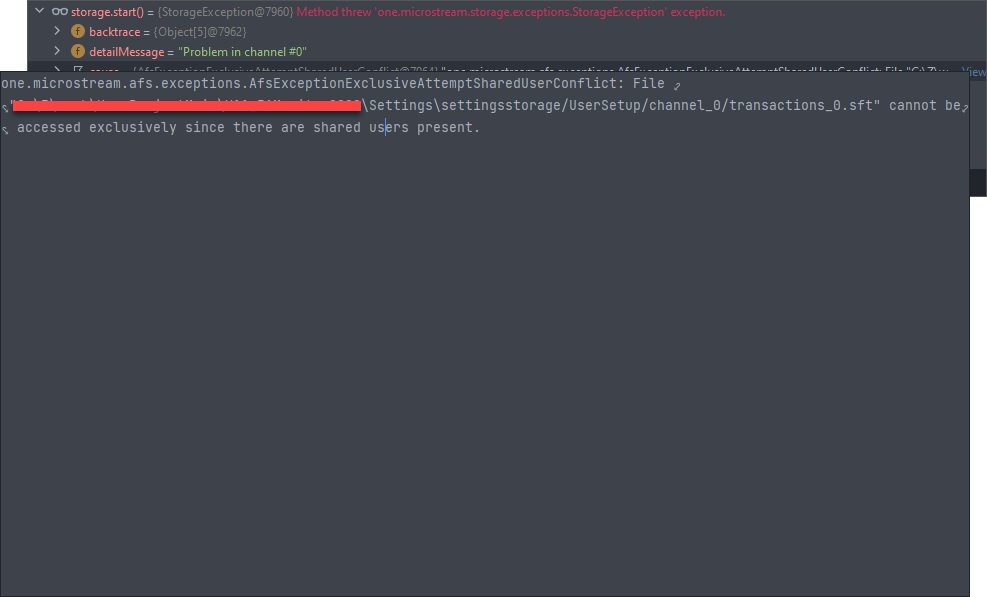
Additional context
I reported my issue also in StackOverflow : https://stackoverflow.com/questions/73114615/storage-exception-in-microstream Thanks :))

Hello
Is the exception thrown at the first start of your application or at a later (re) start in the same process?
If it is not the first start: Did you check that there is no other Microstream instance alive that works with the directory mentioned in the exception?
Another cause might be a “reused” part of the configuration that is in an inconsistent state. To avoid that I’d suggest creating a new instance of the StorageConfiguration instead of reusing an existing one before starting.

It happened at first, So you think the problem is because of StorageConfiguration. but when I delete the settingsstorage and run the app, everything is ok and I can add and remove data, so the problem shouldn't be from code 🤔.
The exception indicates that there is already another Microstream storage registered with read access when the storage requires write access to the transactions_0.sft file. If there are no reused configurations, foundation or other Microstream instances involved the problem is quite odd.
Does the exception also occur if you run a very simple java core example? Is it possible that you provide a small project that reproduces the scenario?
UserSetup.zip This is the file that I can't write to it. Is that possible that the .sft file has been corrupted? I deleted the .sft file after writing the above line and testing it. It's worked well 🤔
I doubt that the transaction file is corrupted. Even if it is, the exception indicates that the storage denies write access because there is another component already accessing the file. A corrupted transaction file would throw another exception. If you delete the transaction file the storage will create a new one at the next start and gets the required write access.
Another question: Do you have any logs? If not, maybe you could enable logging e.g., using logBack https://docs.microstream.one/manual/misc/logging/index.html by adding its dependency.
Another thing you may try is to shutdown Microstream explicitly when stopping your application:
storage.shutdown();
LazyReferenceManager.get().stop();