

 microsoftgraph
UserType of Graph.User could be null
We want a list of all internal users so we tried to filter on UserType eq 'Member'. This works but we were missing quite some of our employees. We then tried to simply exclude External users but the "not equals" operator is not supported for this field.
When inspecting these users in the Azure AD Portal we found out that these users don't have a User Type value set. The SDK is reflecting this error by returning a null value for the Usertype which does not match the documentation.
Since we cannot filter for external users via de $filter parameter directly on the Graph, we tried to retrieve all users and then filter in our own application. We found out that the Graph SDK also returns null values for the UserType field for some of the users. According to the documentation this is not possible (it's a string value).
We solved this by using the following code.
 bool isGuest = false;
            if (graphUser.UserType != null)
            {
                if (graphUser.UserType.Equals("Guest"))
                {
                    isGuest = true;
                }
            }
However we believe that this is something that should be fixed in the Graph or at least the Graph SDK. AB#7276

This will need some investigation on how to best handle this on the SDK. This could be related to how the DeltaResponseHandler does some of it work.

Just for additional information, we had this exact problem in the past and had to solve it in the same way, null userType occurs for users that were created before ~2014 but this is not well documented, and it seems to be impossible to create a filter to include both member and null but exclude guest, so you have to pull every user down and then filter the results in the application.

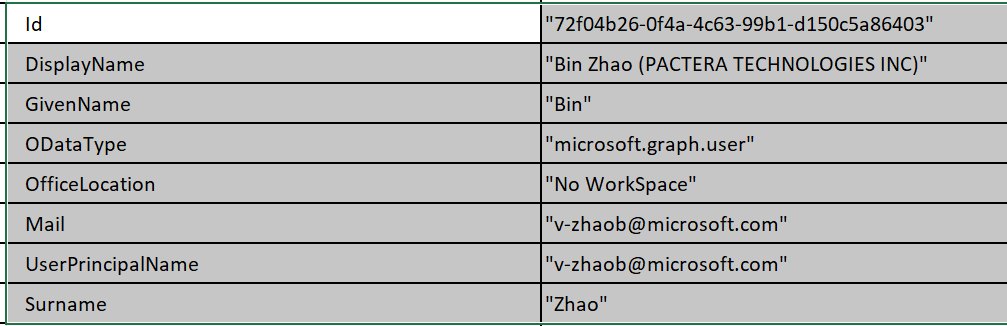
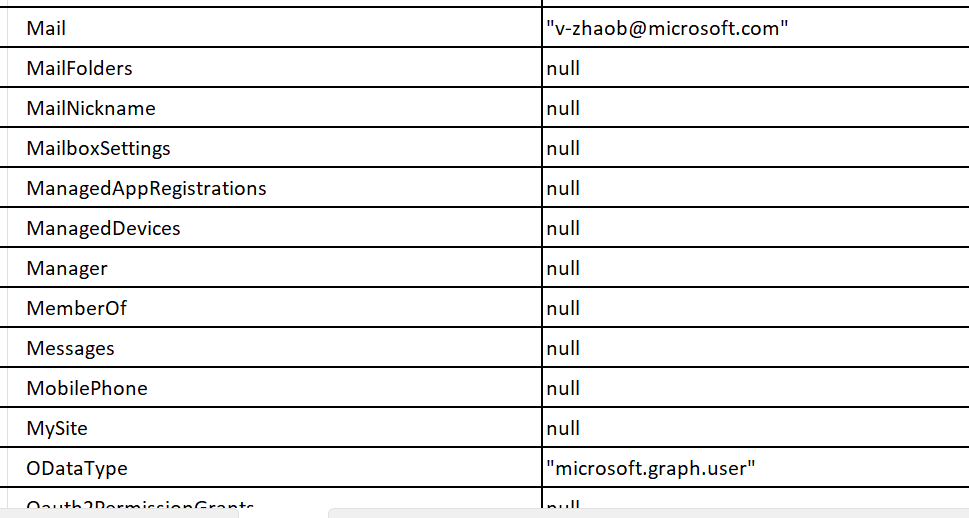
May I know if this issue has been fixed or not ? I have same question and due to our framework is 4.6.1, I can only use the sdk package with version 3.35.0. And I found that not only userType is null, but also AccountEnabled, MailNickName, etc
actually only properties like below have value, all others are null. This is not good experience.

Hey @bingjing-xiaozhao,
In your scenario, have you included the properties you wish to see the values of in the select statement? According to the documentation here, the API only returns a set of values if you do not specify the properties in the select statement.
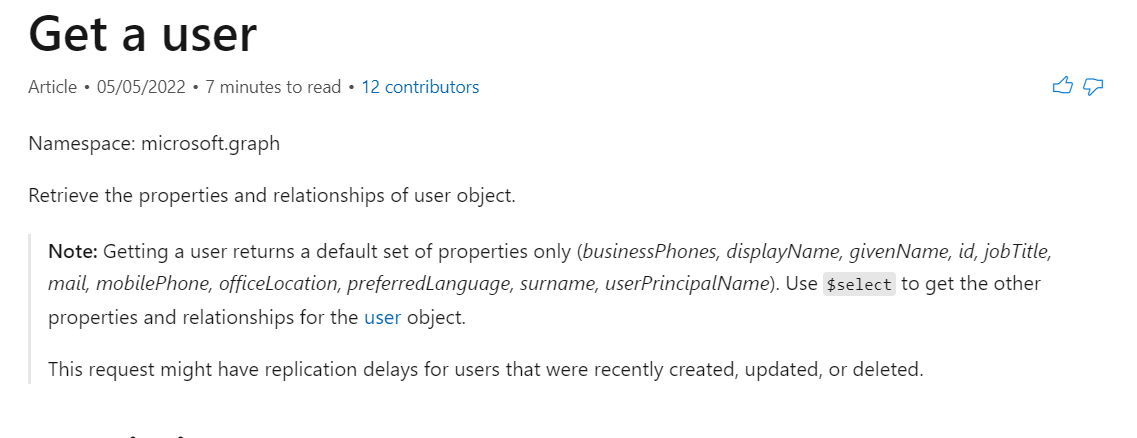
You may therefore need to do something like below to make sure the property is returned from the API if it exists.
var user = await graphClient.Users["{user-id}"]
	.Request()
	.Select("displayName,givenName,postalCode,identities")
	.GetAsync();
@andrueastman thanks, it works. May I know your Microsoft alias? I have some more questions, can I ping you on teams ?
Hey @bingjing-xiaozhao,
I'll reach out to you directly so that I can follow up.
