

 microsoftgraph
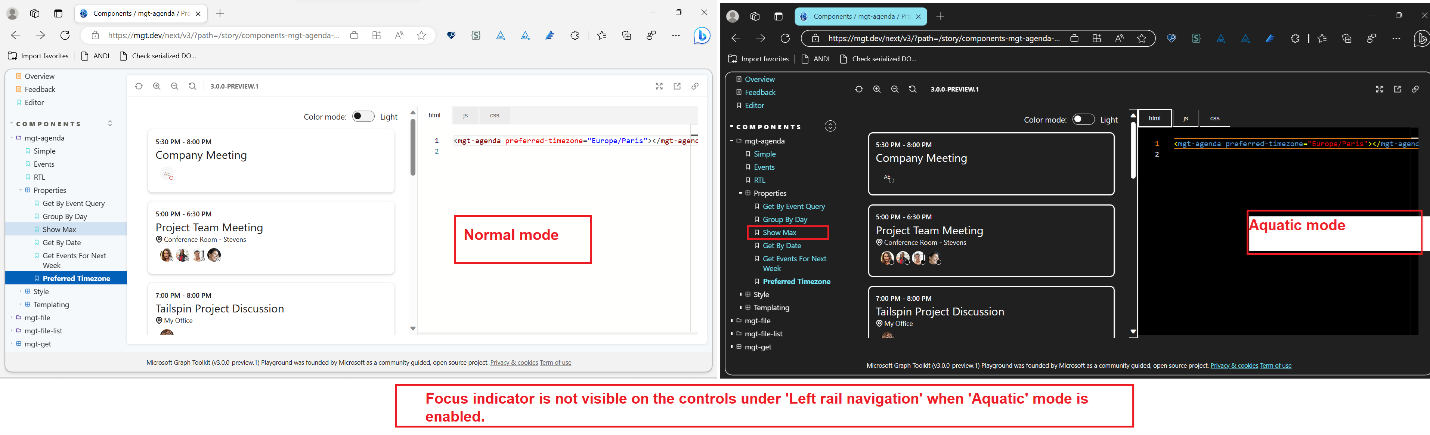
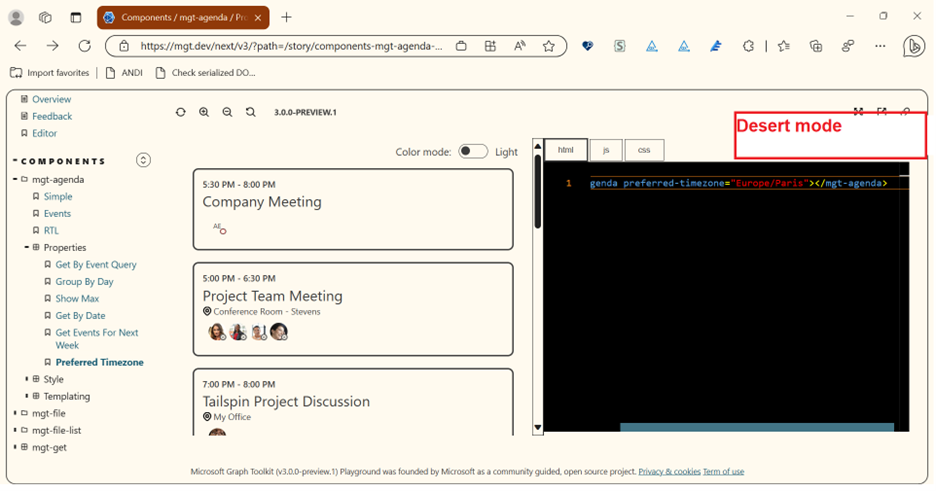
[MGTP-Left navigation region]: Keyboard focus indicator is not visible on the 'Navigation controls' under 'Left navigation' region when 'Aquatic/Desert mode' is enabled.
Test Environment: OS Build: Windows 11 Version: 22H2 (OS Build 25300.1000) Browser: Edge dev Browser Version 114.0.1807.5 (Official build) dev (64-bit) URL: Components / mgt-agenda / Properties - Preferred Timezone ⋅ Storybook User ID: V-id
Pre-requisites:
- Settings>>Accessibility>>Contrast themes>>Aquatic/Desert mode
Repro Steps:
- Open the above URL and login with valid credentials.
- 'Microsoft Graph Toolkit Playground' Overview page will get displayed.
- Navigate on the controls under 'Left navigation' region using tab key and arrow keys.
- Observe the issue.
Actual Result: Keyboard focus indicator is not visible on the controls under 'Left rail navigation' when 'Aquatic' mode is enabled.
Observation: Same issue reproduces on 'Desert' mode.
Expected Result: Keyboard focus indicators should be visible on the controls under 'Left rail navigation' when 'Aquatic' mode is enabled.
User Impact: When keyboard focus is not visible on the interactive elements in high contrast mode, customers who rely on that feature are affected by information and functionality of the full user experience within the site/app.
“Have feedback to share on Bugs? Please help fill Trusted Tester Bug Feedback (office.com)“
https://user-images.githubusercontent.com/95913748/236828692-b02ffe7e-2970-47af-91a5-f0f8c1989834.mp4

Hello vagpt, thank you for opening an issue with us!
I have automatically added a "needs triage" label to help get things started. Our team will analyze and investigate the issue, and escalate it to the relevant team if possible. Other community members may also look into the issue and provide feedback 🙌

Hi @gavinbarron and @sebastienlevert
Hope you are doing great.
AS this issue is still repro so could you please provide ETA to fix this issue ?
@vagpt this is an underlying issue in Storybook in that it does not provide native focus indicators on the menu items. I think that this should probably be A11yExternal

HI @gavinbarron,
Thanks for the updates.
Could you please provide us code pen or the storybook so that we can route this bug to external team? Also, could you please let us know about the external team?
@Raisul123, no. This is not something that can be done in a codepen, it requires building the Storybook site from their source code.
The button comes from Storybook, closing as A11yExternal.
HI @gavinbarron
Please find the external bug id below -
https://dev.azure.com/CSS-IRT/CSS%20IRT/_workitems/edit/224320