

 microsoft
Screen information not available from WSL (need monitor EDID from Windows host).
Environment
Windows build number: 10.0.22000.258
Your Distribution version: Ubuntu 20.04
Your WSLg version: 1.0.28
Steps to reproduce
Using Qt 5.15.
Fetching the manufacter and model.
  auto screens = QApplication::screens( );
  for ( const auto& item : screens )
  {
    addItem( item->manufacturer( ) + " - " + item->model( ));
  }
Creating a screenshot.
    auto screen = data_->screen;
    auto map = screen->grabWindow( 0 );
    setPixmap( map );
WSL logs:
versions.txt
WSLg ( x86_64 ): 1.0.28+Branch.main.Sha.8b5993a2190de8954de59fbca93ff8b4ed5f8330
Mariner: VERSION="1.0.20210224"
FreeRDP: b05321cd4e6a862aef76163a69db4e1910245736
weston: 9a55de1bde7ad5a9774391d83ed3371a68370502
pulseaudio: 2f0f0b8c3872780f15e275fc12899f4564f01bd5
mesa:
Expected behavior
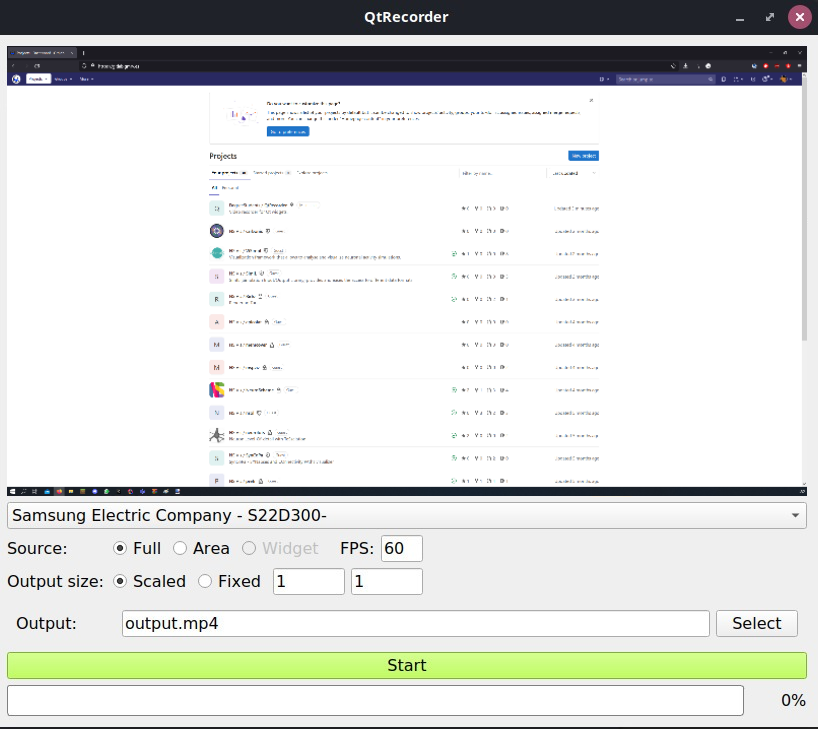
The application should look like this:
Actual behavior
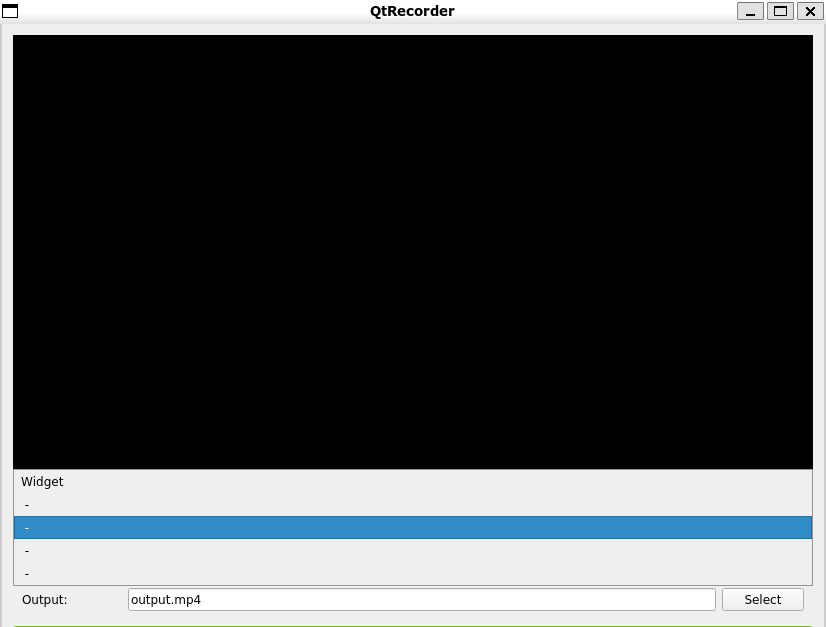
Qt's QScreen API is not able to fetch information about the available screens. It is not able to screenshot any of the displays too.

@gaeqs, thanks for reporting the issue. Currently WSLg doesn't virtualize monitor and export EDID to WSL VM, thus application (including Qt) can't obtain monitor EDID via either X11 or Wayland. We can look into this future. Thanks!

For the benefit of future Googlers, I am leaving here some Python/PySide6 code which reproduces the problem (and can thus be used quickly to verify a potential fix). Here, the issue is that the QPixmap.isNull() is true on WSLg.
Install python with pip, run pip install PySide6-Essentials, then run this code:
"""Pixmap is NULL on WSLg."""
from PySide6.QtWidgets import QApplication, QMainWindow

class Window(QMainWindow):
    def __init__(self) -> None:
        super().__init__()
        self.show()
        print(self.screen())
        print(self.effectiveWinId())
        pixmap = self.screen().grabWindow(self.effectiveWinId())
        assert not pixmap.isNull()

application = QApplication()
window = Window()
application.exec()

1.5 years later, I have found out that there are two different, unrelated issues:
- WSLg does not export monitor information to WSL VM, hence info such as EDID are not available in WSL
-
QScreen.grabWindow()is not implemented for Wayland, hence screens cannot be captured in Wayland, compare https://bugreports.qt.io/browse/QTBUG-34976. My (now hidden) repro code in https://github.com/microsoft/wslg/issues/511#issuecomment-1427569799 concerns that issue.
Now, if you run WSL using Wayland, you will encounter both issues, but the necessarily resolutions are distinctly different. In particular, issue 2 cannot be fixed by WSLg and needs to be fixed by Qt.
As a workaround for issue 2, try using X11 by setting QT_QPA_PLATFORM=xcb- that should enable screenshots at least.