

 microsoft
Adding the CSS file location, when devtools can't find it.
Is your feature request related to a problem? Please describe:
It is related to a problem, so I noticed that when I was using localhost with PHP while I was including the CSS file through PHP (because I always needed a relative path to that even when the pages are in different folders) the CSS mirroring couldn't work, because it wasn't able to find the file (and I totally understand that because the CSS is loaded on top of my HTML file as plain text), and even though I may change the way I approach the "main.css" file I still believe that there could be a solution to that problem (listed below). After that, I found a second problem. I tried to include the CSS file through a link tag and I accessed it through localhost again, and while vscode-edge-devtools was able to find it (I could click on it from the dev tools app and it would go at the file) when I was making changes the changes were not happening at the file (and I even think someone else had the same kind of problem at the other Issues of the project).
Describe the solution you'd like:
The solution I have in my mind would be as follows: When the devtools app can't find the file it would let you choose the file from your files. Now I understand that this could be hard to implement because the user could add a wrong CSS file, but maybe a check could happen at the start that all the CSS classes are the same etc etc.
Describe alternatives you've considered:
Additional context:
The program isn't able of finding the file:
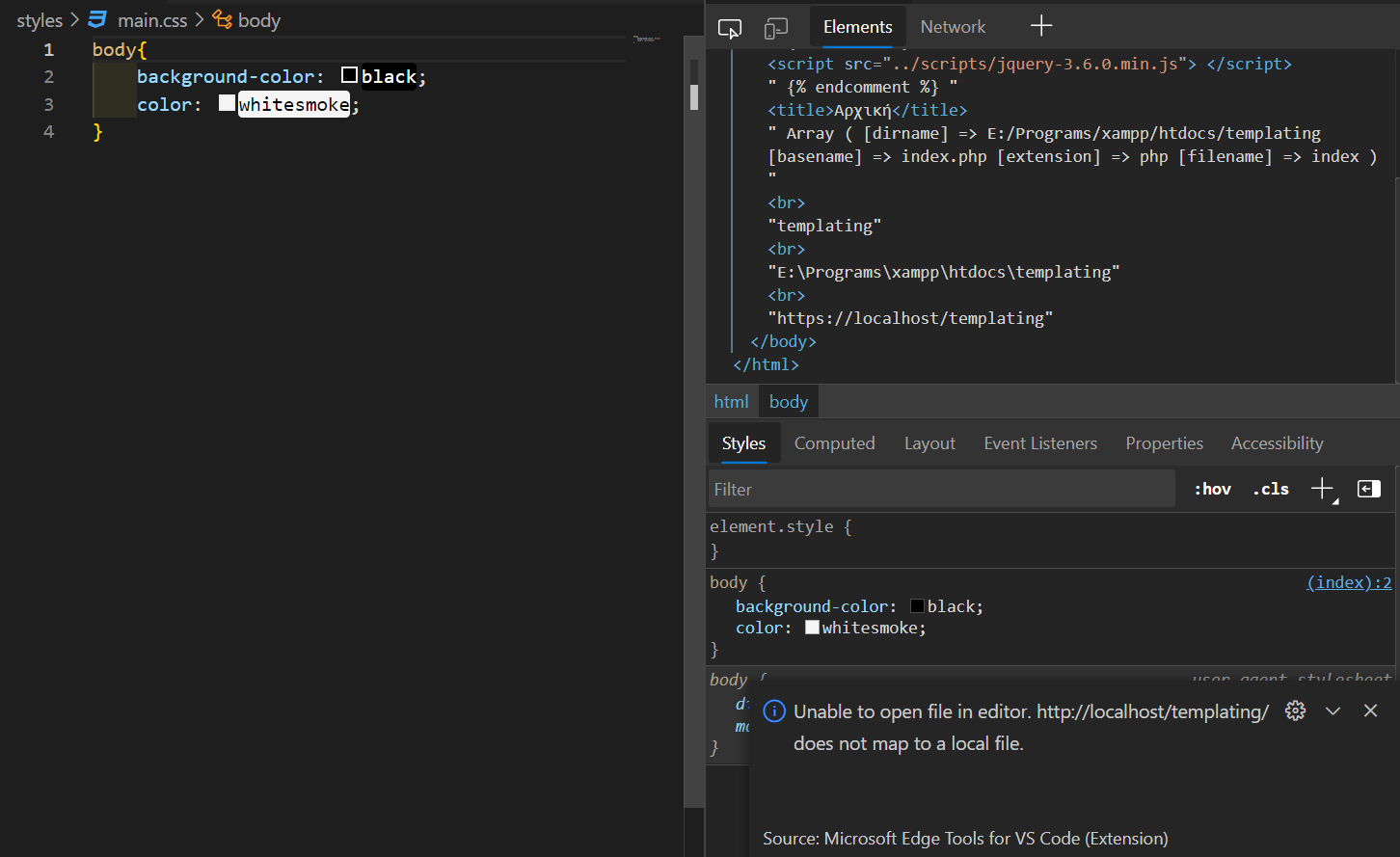
The program is able of finding the file but changes don't apply:


Hey @kalazzz
Thanks for suggesting the feature. We can kind of replicate what you're going for by modifying the webRoot property in the launch.json. This will dictate where our sourcemapping logic will look for your file. By default, it will go to your workspace root directory, but you can specify another directory if you wish.
Read more about it here: https://code.visualstudio.com/docs/nodejs/browser-debugging#_launch-configuration-attributes
After that, I found a second problem. I tried to include the CSS file through a link tag and I accessed it through localhost again, and while vscode-edge-devtools was able to find it (I could click on it from the dev tools app and it would go at the file) when I was making changes the changes were not happening at the file
As for this bug. Is there a consistent repro you could provide for this? If you can provide the steps to reach this bug, I can look into it further.
