microsoft
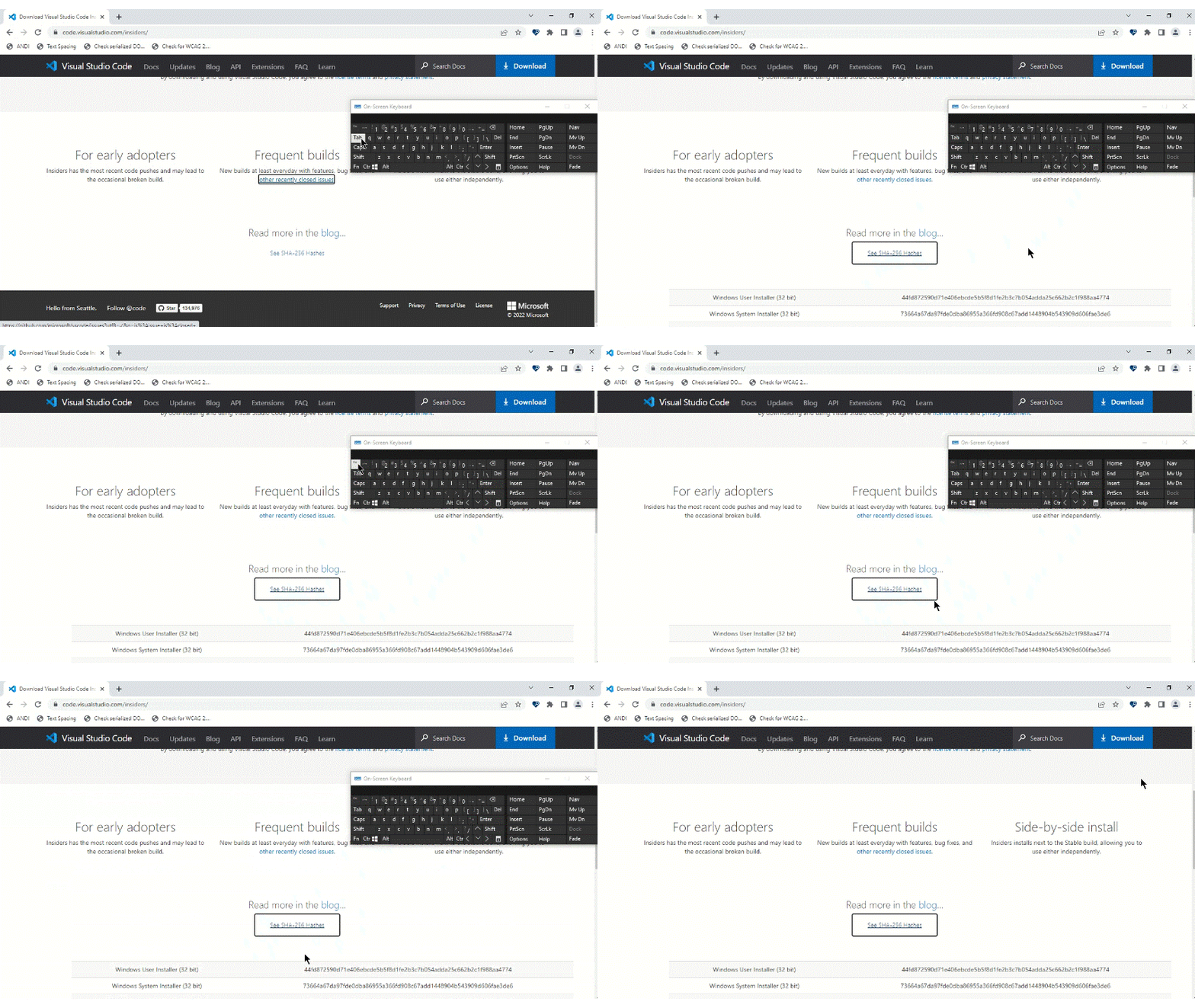
A11y_Visual Studio Code Services_Download Insiders_Usability: When we press enter on "See SHA-256 Hashes"button, the table opens up and on using Esc it does not collapse.
“Check out Accessibility Insights! - Identify accessibility bugs before check-in and make bug fixing faster and easier.”
GitHubTags:#A11yUsable;#A11yTCS;#BM_Visual Studio Code Services_Aug2022;#Visual Studio Code Services;#Win10;#FTP;#DesktopWeb;#A11ySev4;#Keyboard;#Chrome;
Environment Details:
Application Name: Visual Studio Code Services URL: https://code.visualstudio.com/ Windows Version: Win10 Chrome Version: Version 103.0.5060.134(Official build)(64-bit)
Repro Steps:
- Please do not close this bug. This bug should only be closed by TCS, C+AI Accessibility tester after verification of the fix
- Launch the application Url : https://code.visualstudio.com/
- Tab till "Download" button.
- Scroll down the page and hit enter on "Insiders build" link.
- Tab till button "See SHA-256 Hashes" and press enter on it.
- The table will appear.
- Now press Esc key to close the table and check whether it is closing or not.
Actual:
When we press enter on "See SHA-256 Hashes"button, the table opens up and on using Esc it does not collapse. There is no other key available to close the expanded table.
Expected:
The table should be closed on pressing Esc key or there should be some other buttons available to close the expanded table. When focus is present on the button to expand the table, the focus should remain on it after expansion so user can press it again to collapse the table.
User Impact:
Keyboard users will find it difficult to close the table and they will have to navigate through entire table to move to content below it.
Attachment