

 microsoft
extension cannot list aci containers on linux
I created an ACI context successfully. locally the extension listed the containers fine, but when I switched to the ACI context successfully, i got the error: Failed to connect. Is Docker running? Error: 14 UNAVAILABLE: No connection established
The additional troubleshooting page doesn't mention anything about ACI contexts

my docker version is: docker version Client: Docker Engine - Community Cloud integration: 1.0.14 Version: 20.10.6 API version: 1.41 Go version: go1.13.15 Git commit: 370c289 Built: Fri Apr 9 22:48:16 2021 OS/Arch: linux/amd64 Context: tibor_aci Experimental: true
Server: Docker Engine - Community Engine: Version: 20.10.6 API version: 1.41 (minimum version 1.12) Go version: go1.13.15 Git commit: 8728dd2 Built: Fri Apr 9 22:46:27 2021 OS/Arch: linux/amd64 Experimental: false containerd: Version: 1.4.4 GitCommit: 05f951a3781f4f2c1911b05e61c160e9c30eaa8e runc: Version: 1.0.0-rc93 GitCommit: 12644e614e25b05da6fd08a38ffa0cfe1903fdec docker-init: Version: 0.19.0 GitCommit: de40ad0

I've seen this error as well. I've been able to make it go away with a Docker Desktop restart.

Happened to me on Windows, it got stuck with a InvalidAuthenticationToken tenant even after starting a clean vscode in a new userdatadir, so I knew it had to be coming from elsewhere, docker CLI was working just fine with ACI.
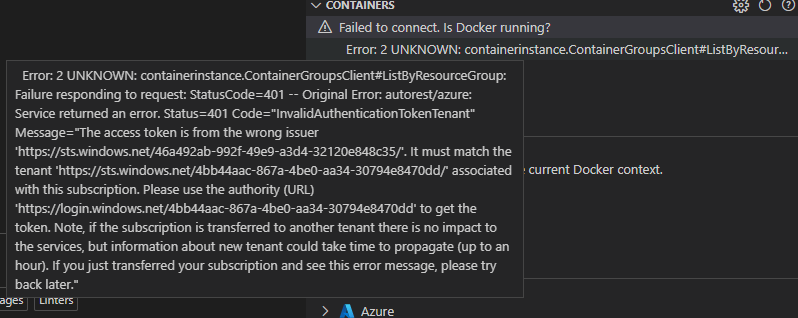
Doing a docker desktop update/restart fixed it for me as well.
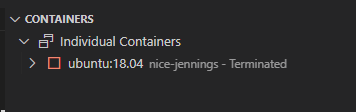
It was maddening :)

At the moment I'm not able to reproduce but I'm also blocked by #2941.
I have this issue. I have a Mac M1 and a Windows 10 box. Both have Docker Desktop and I have the same issue on both machines. I've tried restarting Docker Desktop on both with VS Code running. On both machines I can do a docker ps and see my running containers but on either machine, even after restarting Docker Desktop, VS Code will never show the running container.

@ElanShudnow do you see Error: 14 UNAVAILABLE: No connection established error? Or is it just that VS Code does not show any ACI containers?
If it is the latter, it is a known issue with Docker Node.js SDK
@karolz-ms No error. Just no containers listed. Thanks for information.
The others that get solved by #3263 are all put in the future bucket, so I'll do that with this one as well.