

 microsoft
There is no validation when inputting an App Setting name with more than 64 characters
OS: Win10 Build Version: 20210816.16 Regression: Not a regression
Repro Steps:
- F1 --> Azure Static Web App: Add New Setting... --> Select one Static Web App -> Select environment -> Input an App Setting name with more than 64 characters.
- Check whether there is a validation for the invalid app setting name.
Expect: There is a validation "App setting key cannot be more than 64 characters in length.".
Actual: There is no validation.
More Info:
- This issue also reproduces on the previous released Static Web Apps extension 0.7.1.
- An error occurs when adding the new setting which name contains more than 64 characters.
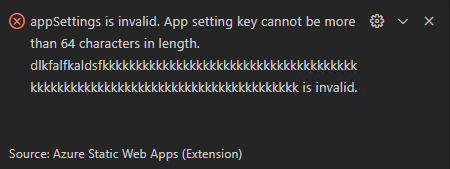

The key character length limits for App Service and Functions appear to be different:
App Service: Linux: 100 characters Windows: No limit
Functions: 100 characters

This issue has become stale and is at risk of being closed. The community has 60 days to upvote the issue. If it receives 5 upvotes we will keep it open and take another look. If not, we will close it. To learn more about how we handle issues, please see our documentation.
Happy Coding!
