

 microsoft
CMake Build Native, NativeSparseSimulator, QIR failed
Describe the bug
When I run bootstrap.ps1 in Powershell to build the emulator, I get an error like this:
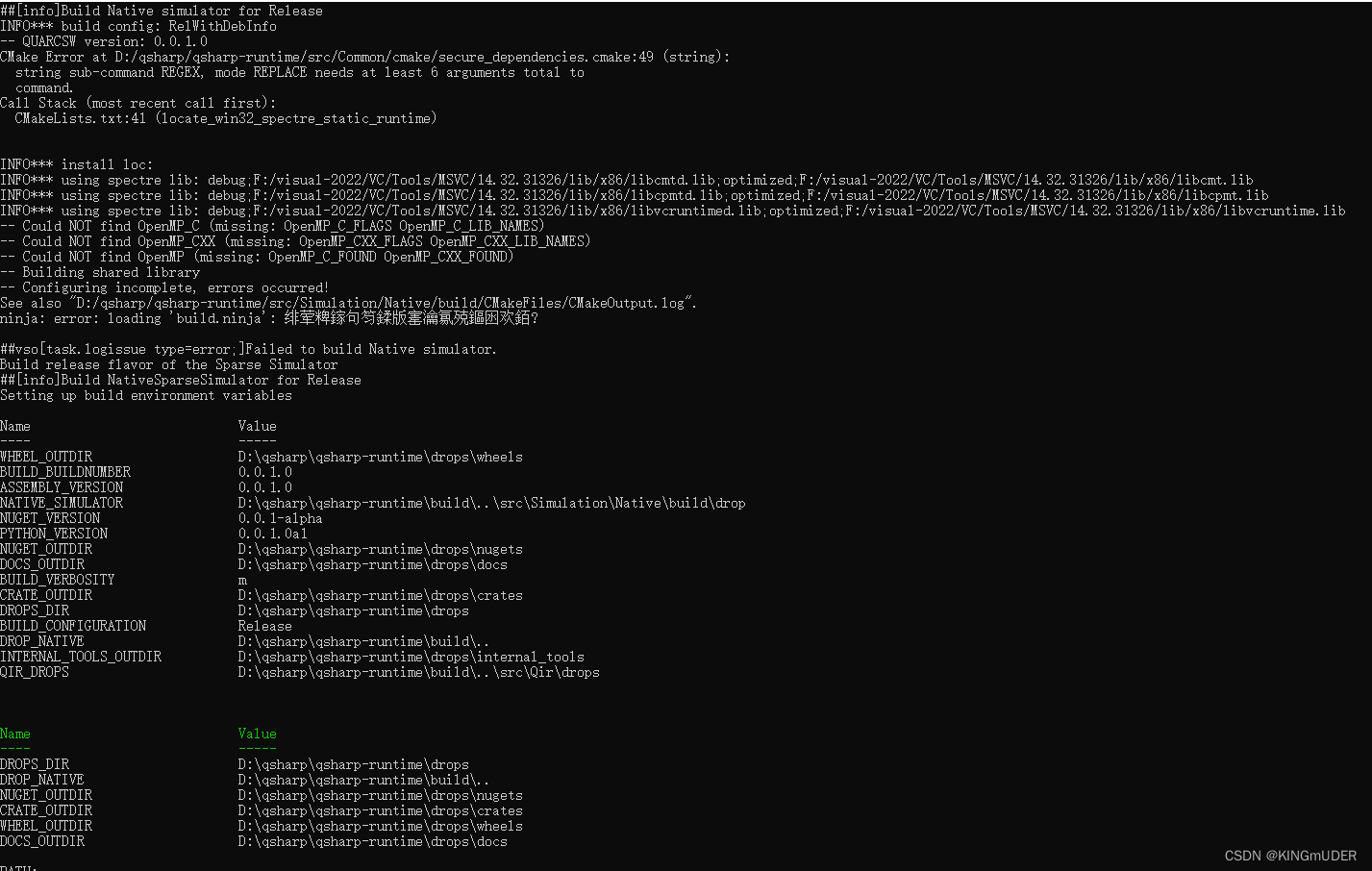 Here are the errors in Build NativeSparseSimulator:
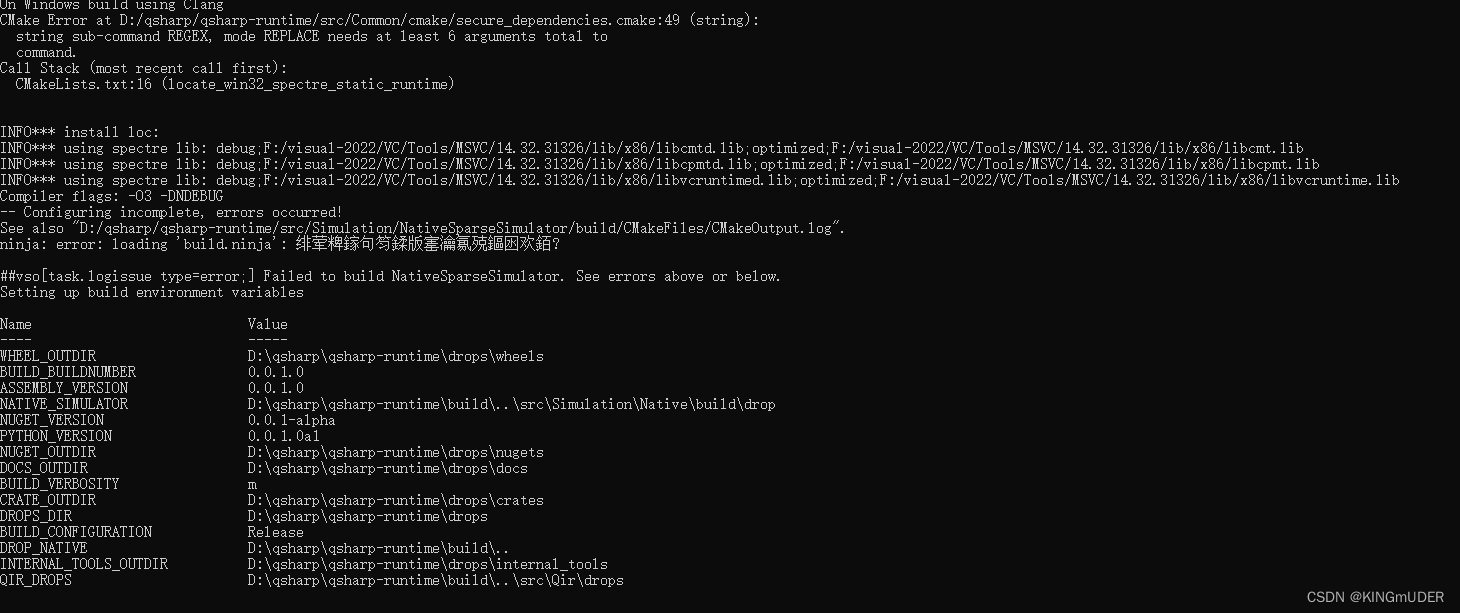 Finally, the QIR error:

To Reproduce
I installed vs2022 and checked the latest version of "MSVC v143-vs 2022 C++ x64/x86 spectre-mitigated libs".The Powershell I used was PowShell7-Preview downloaded from Github. But when I run bootstrap.ps1 in Powershell to build the emulator, I get errors.
System information
-
OS: [Windows]
-
.NET Core Version: [6.0]
-
Python Version (if applicable) [3.9]
-
Powshell [PowShell7-Preview]
-
VisulStudio [2022]

@LAJIidea, can you please double-check that you have the Spectre-mitigated libraries installed? (for more info, in this readme search for "spectre")
Compare mine output below against your pictures and see the fragment "spectre" in the paths below (make sure that on your machine you really have paths containing "lib/spectre/x64", see this line).
INFO*** install loc: C:/Program Files/Microsoft Visual Studio/2022/Enterprise/VC/Tools/MSVC/14.32.31326/lib/spectre/x64;C:/Program Files/Microsoft Visual Studio/2022/Enterprise/VC/Tools/MSVC/14.32.31326/atlmfc/lib/spectre/x64
INFO*** using spectre lib: debug;C:/Program Files/Microsoft Visual Studio/2022/Enterprise/VC/Tools/MSVC/14.32.31326/lib/spectre/x64/libcmtd.lib;optimized;C:/Program Files/Microsoft Visual Studio/2022/Enterprise/VC/Tools/MSVC/14.32.31326/lib/spectre/x64/libcmt.lib
INFO*** using spectre lib: debug;C:/Program Files/Microsoft Visual Studio/2022/Enterprise/VC/Tools/MSVC/14.32.31326/lib/spectre/x64/libcpmtd.lib;optimized;C:/Program Files/Microsoft Visual Studio/2022/Enterprise/VC/Tools/MSVC/14.32.31326/lib/spectre/x64/libcpmt.lib
INFO*** using spectre lib: debug;C:/Program Files/Microsoft Visual Studio/2022/Enterprise/VC/Tools/MSVC/14.32.31326/lib/spectre/x64/libvcruntimed.lib;optimized;C:/Program Files/Microsoft Visual Studio/2022/Enterprise/VC/Tools/MSVC/14.32.31326/lib/spectre/x64/libvcruntime.lib
Otherwise you can do some more investigation/experiments in this fragment.
From your pictures I see that in this line the environment variable SPECTRE_LIB_PATH is empty (in your pictures see the fragment *** install loc:).
And later in this fragment the libraries (in your picture) are found in the paths not containing "spectre" (i.e. the non-spectre-mitigated libs are found).
In your experiments you can use the message command to see the values of different variables at different stages of the fragment(s) of interest.

Oh, @LAJIidea, the problem might already been fixed by this PR 6 days ago (in which case it means that locally you have newer spectre-mitigated libs than the scripts were expecting before the PR, see in the PR the change in line 44)
If the problem is already fixed then feel free to close this GitHub issue and/or let us know in this discussion.