

 microsoft
The close button for the help window seems to be easily lost
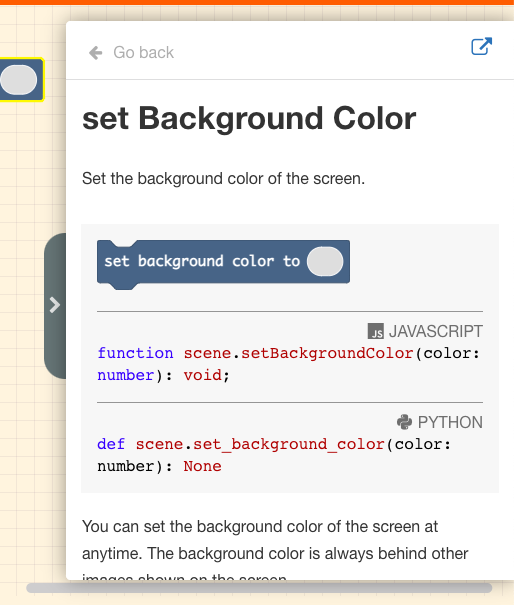
In the office we usability tested the close button on the help window - seems like everyone missed the chevron on the left. The window feels like it is stuck open.
Repro steps Open any pxt, I used arcade Drag out a block Right click on the block, choose help Now try to get rid of the modeless dialog that appears.
Results Everyone naturally went to the (open external tab) to try to close it. In my pxt I have worked around this by styling the chevron to attract attention..
--
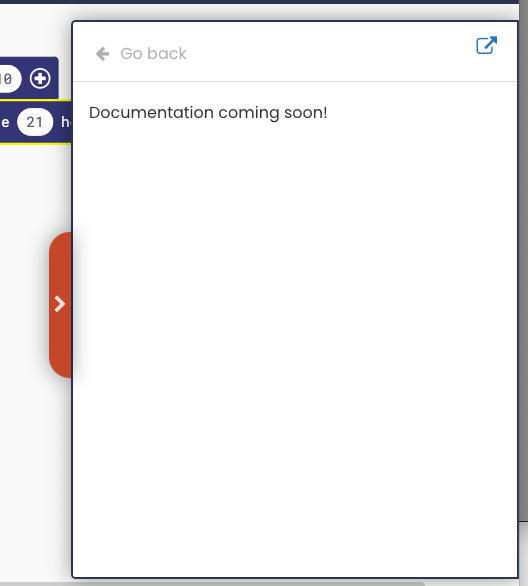
Not suggesting you take my fix, but I did put the same shadow for the handle under the toggle button so it looks like it is actually part of the window. Then I made it a horrid orange. Still debating that one. 🤔
Adding standard close (x) next to the open external might be better.
/** the default toggle isnt visible enough to see the close mechanism*/
#sidedocsframe-wrapper {
    border: 2px solid #2b3550;
}
#sidedocstoggle {
    background: #d7674e;
    z-index: 999;
    opacity: 1;
    box-shadow: 0px 0px 20px 0px rgba(0, 0, 0, 0.41) !important;
}
