

 microsoft
Cannot create new environment with templates
Hi I am trying to create a new environment which includes a template. Despite populating the "Templates" parameter, the result is a standard blank Dataverse environment.
I used the code below
  name: create-environment action
  uses: microsoft/powerplatform-actions/[email protected]
  id: create_environment
  with:
    user-name: ${{ github.event.inputs.admin_username }}
    password-secret: ${{ github.event.inputs.admin_password }}
    name: ${{ github.event.inputs.env_name }}
    region: ${{ github.event.inputs.env_region }}
    type: SubscriptionBasedTrial
    currency: ${{ github.event.inputs.env_currency }}
    language: ${{ github.event.inputs.env_language }}
    domain: ${{ github.event.inputs.env_domain }}
    templates: ${{ github.event.inputs.env_templates }}
This is the resulting output
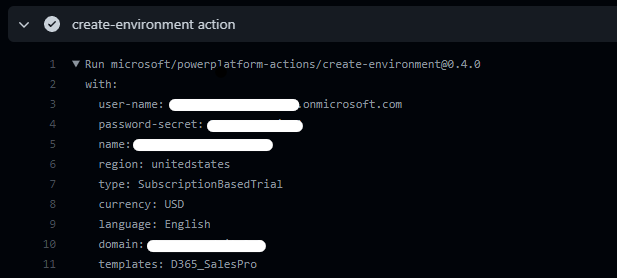
Is it possible to specify a template? Am I missing something? The same parameter works on Power Shell Cmdlets. Thank you!

@gabrielesilvagni sorry for the delay in reply :-( investigating on our side; since you have not attached any error spew, I assume in your case, the action succeeded without showing errors or failures, but the resulting env is not configured with the template, correct?

Yes, you are correct. The operation succeeded but no template has been applied.
the create-environment actions simply hands the list of templates through to the EnvManagement API. If this reproes, we would need a more detailed log for us to have our partner team investigate.
If such reproes are consistent, it will also reproduce when calling pac admin create ... --templates <templates>. The CLI does keep a local trace log that we'd need to investigate; it is placed in a subfolder logs/ next to the pac.exe's location
A local copy of pac CLI can be installed via our VSCode extension: https://marketplace.visualstudio.com/items?itemName=microsoft-IsvExpTools.powerplatform-vscode