

 microsoft
[BUG]: Calendar does not respect Theme.palette.white as background
Describe the bug Calendar needs to use the Theme.palette.white as the background to match theme, or allow for transparent background so it can be embedded in apps that are not white
To Reproduce Steps to reproduce the behavior:
- Generate a theme with the background color any other than white and add to a new app from scratch
- Add calendar component to app and assign Theme property to the theme
Expected behavior Calendar background matches the background color in the app
Actual behavior Background color of calendar component is white
Screenshots
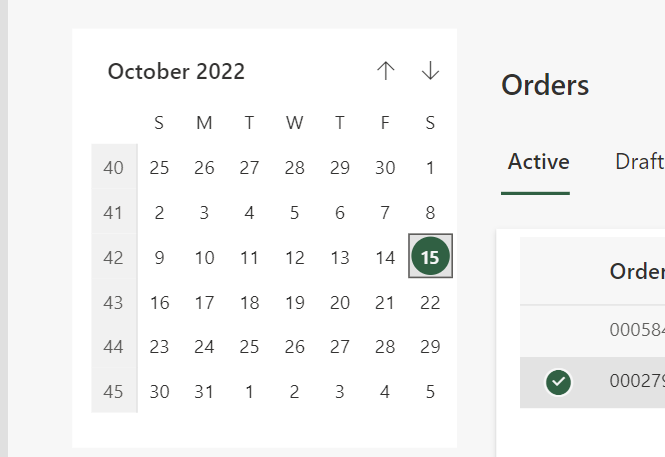
Additional context Respecting theme or allowing for transparent background would work

Hi @denisem-msft, Calendar component of Fluent UI is transparent by nature, i.e. we can observe other elements beneath it while using in Canvas App as a code component. I believe it is due to the fact that it is primarily used as part of Datepicker. Hence a white color which is one of the background property value is provided. App makers can remove this color to make it transparent or use Palette colors(From theme ThemeJSON) as per their needs.
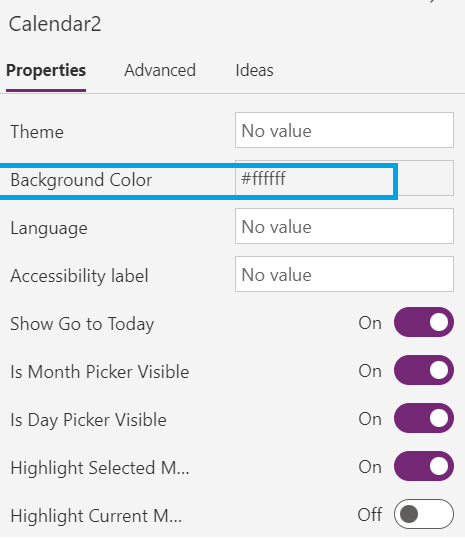

Thanks @Ramakrishnan24689 - the issue was happening when there was a Theme applied to the calendar, it doesn't respect the background color and was rendering as white and seems to be transparent without the Theme applied. Ideally, I would want to have today's date and month highlight colors match the theme.
A workaround could be to apply the Theme to the calendar and update the Background color with the correct color (which I confirmed works) - documenting here for others' awareness.