

 microsoft
Syntax highlighting not working locally for conda installation
Describe the bug On local Q# notebooks, syntax highlighting doesn't work on a conda installation. Syntax highlighting still shows in Binder and in a .NET CLI installation.
To Reproduce Steps to reproduce the behavior:
- Create a new conda environment and then open a notebook:
conda create -n qsharp-18.2109 -c quantum-engineering qsharp notebook
conda activate qsharp-18.2109
jupyter notebook

- By contrast, these steps produced the following result:
dotnet tool update -g Microsoft.Quantum.IQSharp
dotnet iqsharp install
jupyter notebook

Expected behavior Syntax highlighting should be present for conda IQ# installations.
System information
- OS: Windows 10
- Browser: Edge
- Version: 0.18.2109162713
- conda: 4.10.3
Additional context
I tried to find which QDK version the syntax highlighting stopped working in and found some odd behavior. I initially found that highlighting worked in 0.16.2105.140472:

However, when I went to open this issue, the same conda environment no longer showed highlighting:
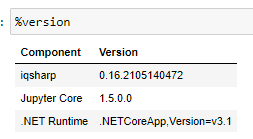
Creating a new conda environment with the same version initially restored highlighting. However, activating that environment in a different terminal and opening a notebook showed no highlighting. Similarly, switching to the base environment and then back to the test environment in the initial terminal resulted in no syntax highlighting.
I tested a few other earlier versions as well, but no syntax highlighting was present.
