

 microsoft
Heatmaps & Recordings not showing any HTML. Using Sveltekit
Hello everyone,
Please help me if you can, I'd love to use Clarity on my project.
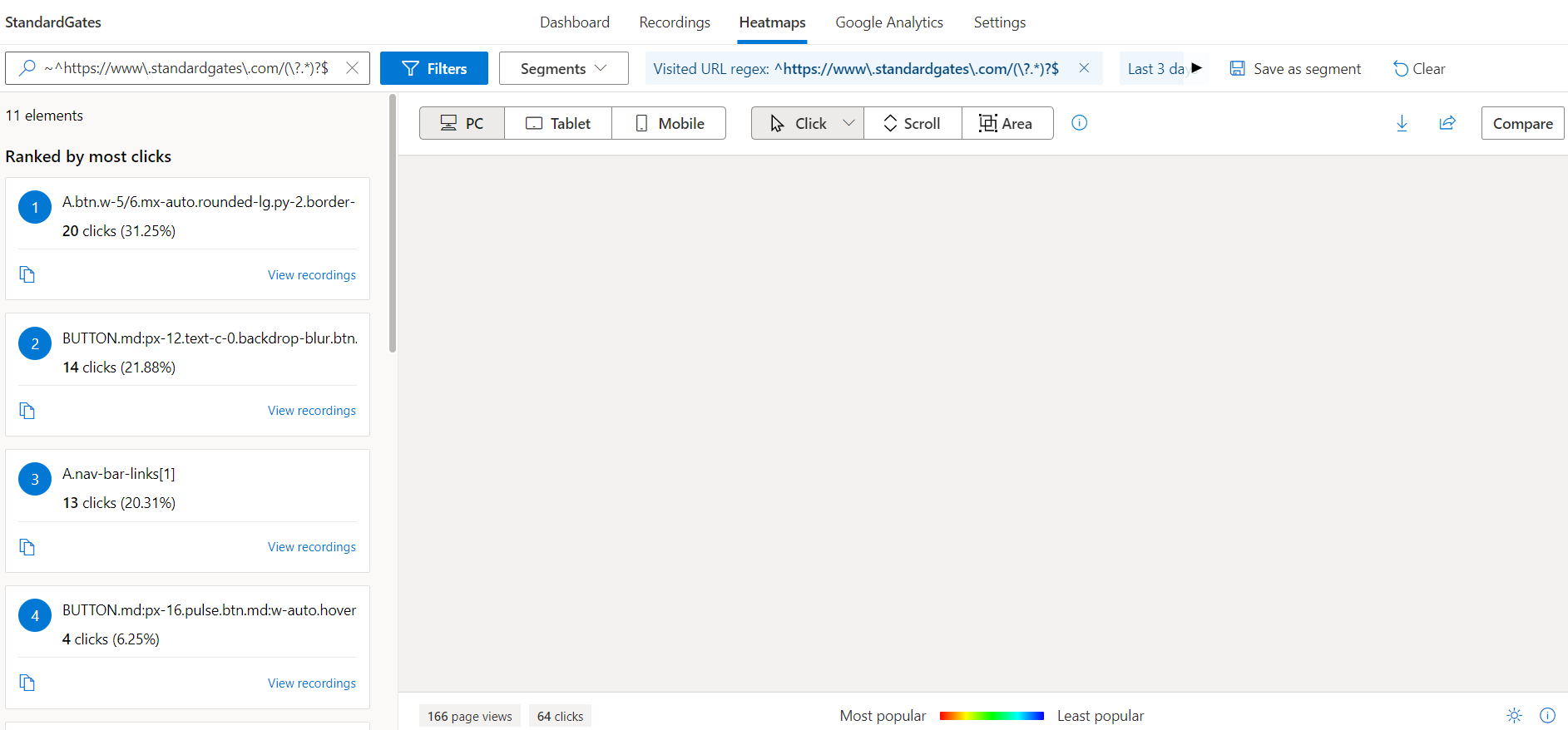
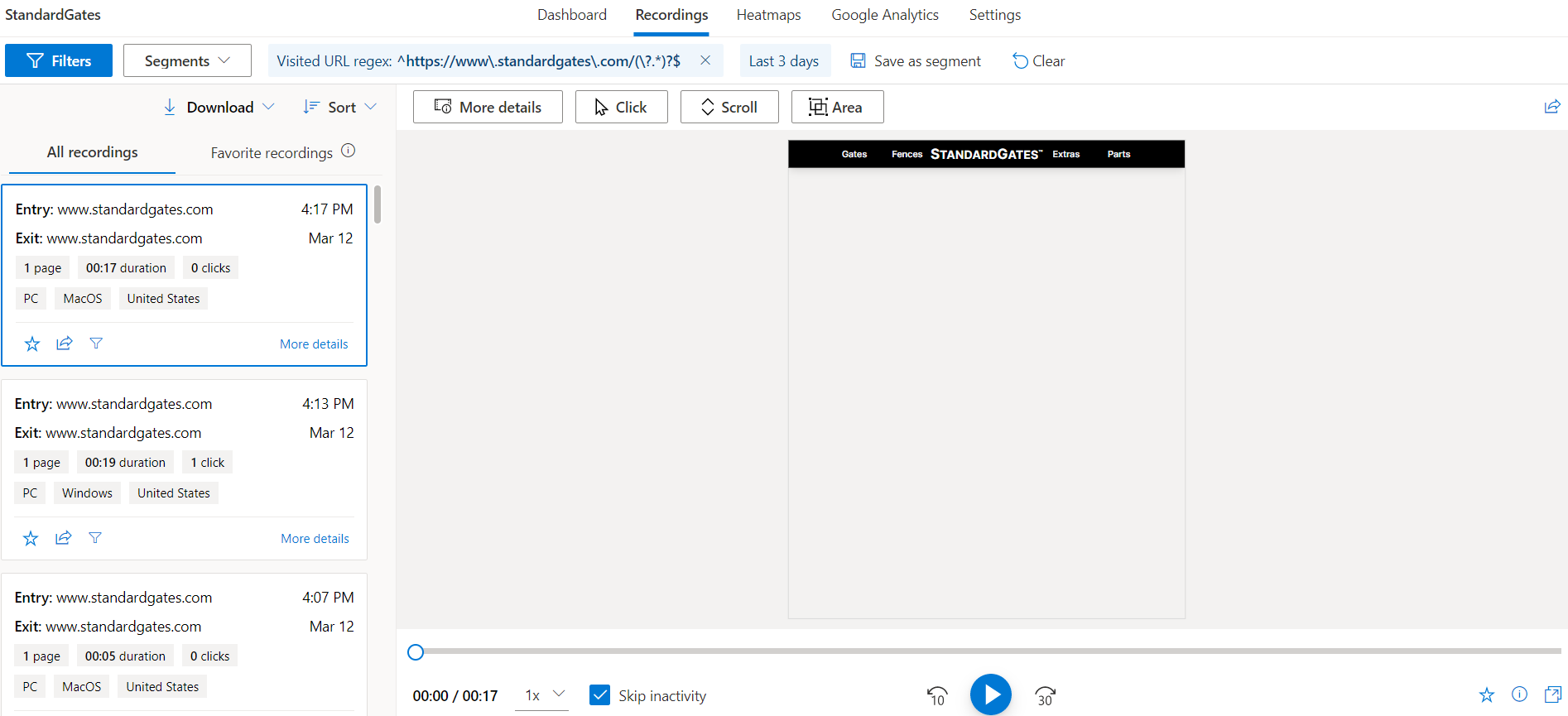
Everything works except all of my heatmaps are completely blank and the recordings only show a mouse moving around a blank canvas.
Anyone else using Sveltekit or hosting through Vercel?
Edit: The heatmap page is throwing this error to the console.
Uncaught TypeError: Failed to execute 'observe' on 'ResizeObserver': parameter 1 is not of type 'Element'.
Update: Found a recording with a split second of HTML displayed.
Thank you, RR

Hi I'm tomoyo
I also have same problem on heatmap of Clarity.... Did you solve that? or still waiting to find solutions?
If already fixed that problem, I would be happy to share how to solve

Hi I'm tomoyo
I also have same problem on heatmap of Clarity.... Did you solve that? or still waiting to find solutions?
If already fixed that problem, I would be happy to share how to solve
Still waiting for a solution :/
@RickRyan26 , We are Clarity support team. Could you please share Project ID and sample recordingd/heatmap having issue to investigate further.

@ClaritySupport , I have the same problem. My project ID is h3wygjfhhm. Kindly help.

Hi,
All Static data(images ,Styles, CSS) should be publicly available to render in Clarity. Please refer Troubleshooting Recordings | Microsoft Docshttps://docs.microsoft.com/en-us/clarity/troubleshooting-recordings for possible reasons & resolutions why CSS or fonts may appear broken in recordings and heatmaps. Clarity now also offers a web extension that allows you to view recordings and heatmaps directly on your websiteAfter downloading Clarity Live, simply navigate to your project site, select the heatmap, area heatmap, or session recording icon on the Clarity widget. The feature will launch right over the page you're on! Learn more about Clarity Live extensionhttps://docs.microsoft.com/en-us/clarity/clarity-live-extension Click on the link below to download Clarity Live for your browser:
Microsoft Clarity Live - Microsoft Edge Addonshttps://microsoftedge.microsoft.com/addons/detail/microsoft-clarity-live/bngpiglbalmenaabohcooocpnljgfemj Microsoft Clarity Live - Chrome Extensionhttps://chrome.google.com/webstore/detail/microsoft-clarity-live/cjfdbemmaeeohgibnhdhlakiahifjjcf
Thanks, Clarity Support Team Visit our docs!: https://docs.microsoft.com/en-us/clarity @.@.> @.***
Confidentiality note: This e-mail, and any attachment to it, contains privileged and confidential information intended only for the use of the individual(s) or entity named in the e-mail. If the reader of the e-mail is not the intended recipient, or the employee or agent responsible for delivering it to the intended recipient, you are hereby notified that reading it is strictly prohibited. If you have received this e-mail in error, please immediately return it to the sender and delete it from your system.
From: Biraj Bora @.> Sent: Friday, June 16, 2023 5:17 AM To: microsoft/clarity @.> Cc: Microsoft Clarity Support @.>; Mention @.> Subject: Re: [microsoft/clarity] Heatmaps & Recordings not showing any HTML. Using Sveltekit (Issue #227)
@ClaritySupporthttps://github.com/ClaritySupport , I have the same problem. My project ID is h3wygjfhhm. Kindly help.
Reply to this email directly, view it on GitHubhttps://github.com/microsoft/clarity/issues/227#issuecomment-1594587167, or unsubscribehttps://github.com/notifications/unsubscribe-auth/AW5BXQ3DQJHNEKMCPIRUFOLXLRFFDANCNFSM5QSPXDQQ. You are receiving this because you were mentioned.Message ID: @.@.>>