

 microsoft
Settings menu buttons have no hover state with high contrast theme set
Describe the bug
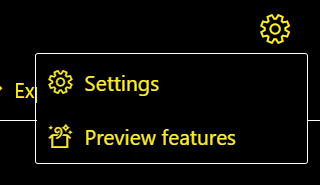
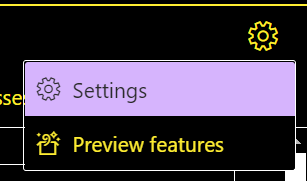
In the current Canary (2022.6.24.1419), when the "night sky" theme enabled in Windows, the settings menu buttons no longer have a visible hover state. This is a regression from the current production build. Other buttons in the extension still change color when hovered.
To Reproduce Steps to reproduce the behavior:
- In the Windows settings app, go to Accessibility > Contrast themes and enable the "Night sky" theme
- In Chrome, start an assessment or fastpass run with the Canary extension
- Select the gear in the upper right corner to open the settings menu
- Hover the cursor over the buttons in the menu
Expected behavior
The buttons should change visibly when hovered
Screenshots
In the current Canary build (2022.6.24.1419) with the "Settings" button hovered
In the Production build (2.32.0) with the "Settings button hovered
Context (please complete the following information)
- OS Name & Version: Windows 11 build 22000.739
- AI-Web Version & Environment: Canary 2022.6.24.1419
- Browser Version: Google Chrome 102.0.5005.115 (Official Build) (32-bit)
- Target Page: any
Are you willing to submit a PR?
Yes
Did you search for similar existing issues?
Yes

This issue has been marked as ready for team triage; we will triage it in our weekly review and update the issue. Thank you for contributing to Accessibility Insights!

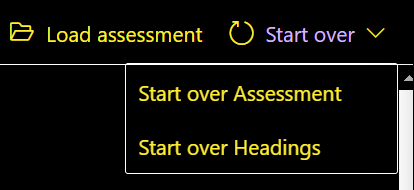
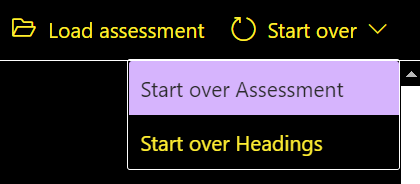
Edit: Most other buttons still change color when hovered. I've found similar issues in a few other popup menus. The first screenshot in each pair is from Canary, the second is from Prod.
-
The Assessment "Start over" menu
-
The "export" split button in the Assessment "Export report" dialog
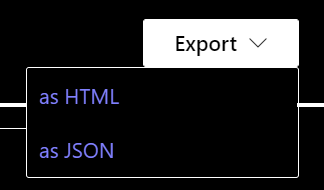
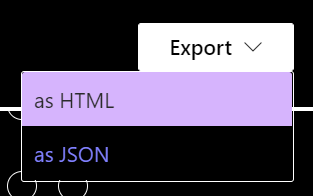
-
The top-left meatballs menu when the screen is shrunk to reflow size, only in Fastpass and only with the "start over" button (The "Export report" button changes text color to purple when hovered in both canary and prod)
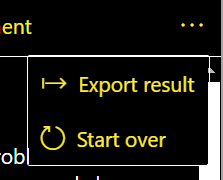
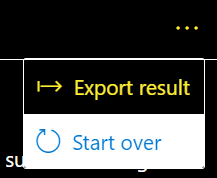
Interestingly, the buttons in the fastpass cards kebab menu do change color when hovered, although the styling is slightly different between Canary and Prod:
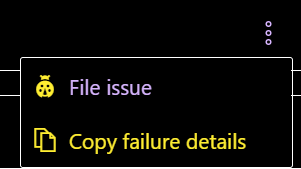
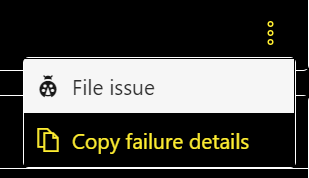
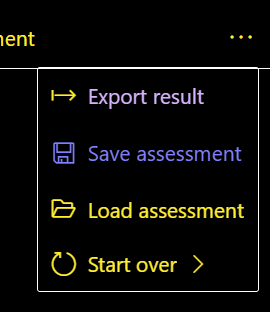
And the Assessment reflow menu has identical hover states in both Canary and Prod ("Export report" is hovered in this screenshot, "Save Assessment" is always dark purple for some reason unless it's hovered):
This may be a Fluent UI issue. The same behavior can be seen in the contextual menu samples at https://developer.microsoft.com/en-us/fluentui#/controls/web/contextualmenu (FluentUI v 8.94.3)
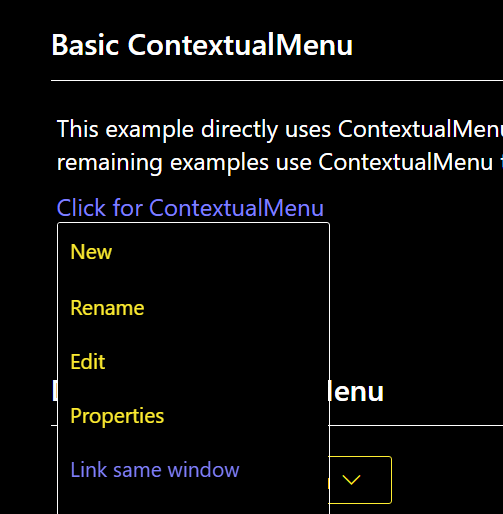 (image showing no hover indication when mouse hovering over Rename item)

Rolling fluentui/react back to 8.49.6 (the version used in the previous release) seems to restore the hover behavior.