

 microsoft
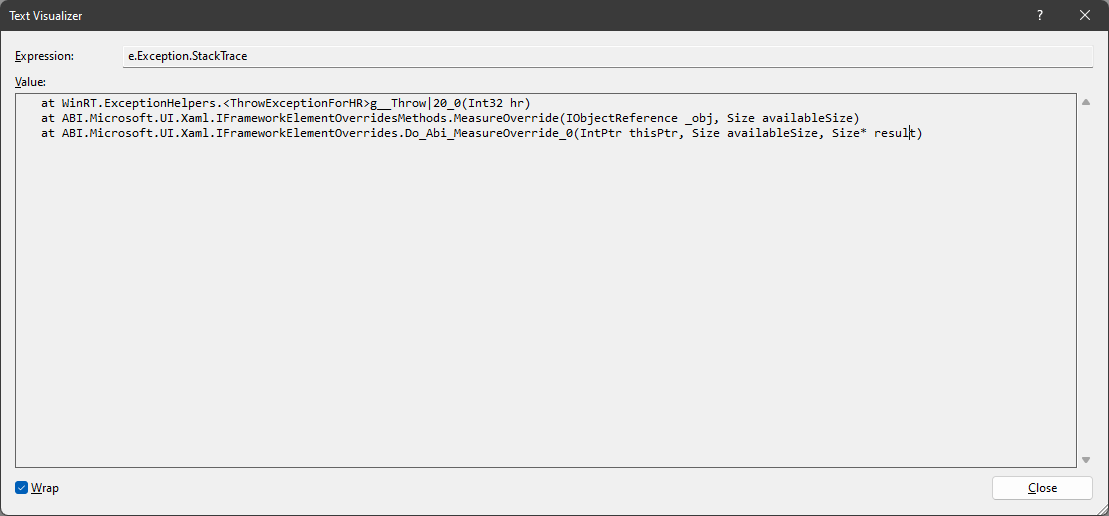
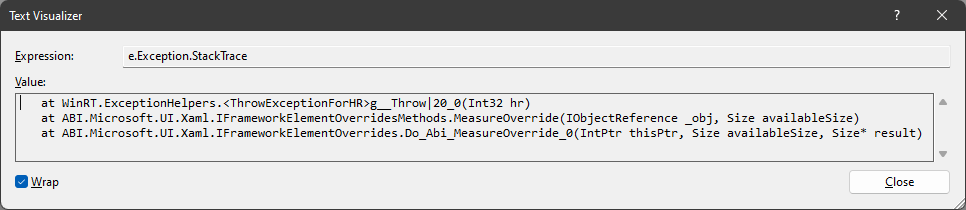
Error HRESULT E_FAIL has been returned from a call to a COM component at ABI.Microsoft.UI.Xaml.IFrameworkElementOverrides.Do_Abi_MeasureOverride_0(IntPtr thisPtr, Size availableSize, Size* result)
Describe the bug
I've created a WinUI CustomControl library. Then I've created a UserControl (named MainUI)that is composed by 3 different CustomControls of that library. Finally, since all those controls have Size properties, I've created a MySize DependencyProperty (with enum values like Size1, Size2, etc.) on the MainUI UserControl that is used to set proportionally the sizes on all child controls.
MainUI UserControl XAML
<StackPanel Orientation="Vertical">
    <local:MyTextBlock x:Name="MessageBox"
                       Message="{x:Bind Message}"
                       DisplayMode="{x:Bind DisplayMode}">
    </local:MyTextBlock>
    <local:TriangleCursor x:Name="TriangleCursor"></local:TriangleCursor>
    <local:ThreeDotsLoading x:Name="LoadingIndicator"></local:ThreeDotsLoading>
</StackPanel>
MainUI UserControl code behind
public static readonly DependencyProperty MySizeProperty = DependencyProperty.Register(
    nameof(MySize), typeof(MainUISize), typeof(MainUI), new PropertyMetadata(MainUISize.Size1, (d, e) => ((MainUI)d).MySizeChanged(d, e)));

public MainUISize MySize
{
    get => (MainUISize)GetValue(MySizeProperty);
    set => SetValue(MySizeProperty, value);
}

private void MySizeChanged(DependencyObject d, DependencyPropertyChangedEventArgs e)
{
    if (e.NewValue != null)
    {
        switch ((MainUISize)e.NewValue)
        {
            default:
            case MainUISize.Size1:
                MessageBox.FontSize = (int)Sizes[MainUISize.Size1][nameof(MessageBox)];
                TriangleCursor.CursorSize = (PointCollection)Sizes[MainUISize.Size1][nameof(TriangleCursor)];
                LoadingIndicator.PointSize = (int)Sizes[MainUISize.Size1][nameof(LoadingIndicator)];
                break;
            case MainUISize.Size2:
			    // TODO...
                break;
            case MainUISize.Size3:
			    // TODO...
                break;
            case MainUISize.Size4:
			    // TODO...
                break;
        }
    }
}
MainWindow XAML
See the MySize property of MainUI control
<StackPanel Orientation="Vertical"
            HorizontalAlignment="Center"
            VerticalAlignment="Center">

    <custom:MainUI x:Name="MainUI"
                   Message="HELLO!"
                   DisplayMode="AllWords"
                   MySize="Size1">
    </custom:MainUI>

</StackPanel>
I get the Exception when the code reaches the OnApplyTemplate() method of the MessageBox (type MyTextBlock) custom control of my library:
protected override void OnApplyTemplate()
{
    base.OnApplyTemplate();
    MessageContainer = GetTemplateChild(nameof(MessageContainer)) as TextBlock;
}
Steps to reproduce the bug
- Create a
CustomControl. - Create a
UserControlthat contains the previously createdCustomControl. - Add a
DependencyPropertyon theUserControlto be used to change the size of something (i.e.:FontSize) on the containedCustomControl. - Add a
PropertyChangedCallbackmethod to theDependencyPropertyto manage the change ofSizevalue.
Expected behavior
The sizes set from the code behind of the container control on all the child controls have to be applied without exceptions.
Screenshots
NuGet package version
1.1.4
Packaging type
Packaged (MSIX)
Windows version
Windows 11 version 21H2 (22000)
IDE
Visual Studio 2022
Additional context
Additional Version info
Windows 11 21H2 build 22000.978 Visual Studio 2022 v17.3.4 Microsoft.WindowsAppSDK v1.1.5
It looks like an error was thrown from app code. Do you see any exceptions being fired form your app in a custom MeasureOverride implementation?

@codendone I've no custom implementation of MeasureOverride. I've tried to catch the Exception but I wasn't able to do it.
Okay, OnApplyTemplate will typically get called during Measure, so the failure you mentioned hitting in OnApplyTemplate is bubbling out as this Measure error.
The parameter to GetTemplateChild should be the x:Name of the child. Does that match your case? Is GetTemplateChild returning null?
Okay, OnApplyTemplate will typically get called during Measure, so the failure you mentioned hitting in OnApplyTemplate is bubbling out as this Measure error.
The parameter to
GetTemplateChildshould be thex:Nameof the child. Does that match your case? IsGetTemplateChildreturning null?
I think I "fixed" somehow the issue by changing the XAML...
Anyway, now the code seems to work but if I set the MySize property of the MainUI control in MainWindow.xaml, from Size1 to Size2, I don't see any change in the size of the controls, that should be bigger, but instead always remains the same default values. It seems that the code doesn't actually affect the properties it sets.
The values of the Sizes dictionary are set as follows:
Dictionary<string, object> size1Settings = new Dictionary<string, object>();
size1Settings.Add(nameof(MessageBox), 24);
size1Settings.Add(nameof(TriangleCursor), new PointCollection
{
    new Windows.Foundation.Point(0, 20), new Windows.Foundation.Point(10, 0), new Windows.Foundation.Point(20, 20)
});
size1Settings.Add(nameof(LoadingIndicator), 8);

Dictionary<string, object> size2Settings = new Dictionary<string, object>();
size2Settings.Add(nameof(MessageBox), 30);
size2Settings.Add(nameof(TriangleCursor), new PointCollection
{
    new Windows.Foundation.Point(0, 25), new Windows.Foundation.Point(12.5, 0), new Windows.Foundation.Point(25, 25)
});
size2Settings.Add(nameof(LoadingIndicator), 10);

Sizes.Add(MainUISize.Size1, size1Settings);
Sizes.Add(MainUISize.Size2, size2Settings);
Then those settings are applied as shown in the switch statement inside MySizeChanged event handler method.
Do I understand correctly that your MySizeChanged gets called and successfully runs the correct case statement and sets the correct values, but you're not seeing any of those value updates affect how the UI is rendering?
The FontSize property looks like the only built-in XAML property. Does this property work if you set it in markup? If not, perhaps something else is overriding the value, such as in the style of your <local:MyTextBlock>?
Do I understand correctly that your
MySizeChangedgets called and successfully runs the correctcasestatement and sets the correct values, but you're not seeing any of those value updates affect how the UI is rendering?
Exactly.
The
FontSizeproperty looks like the only built-in XAML property. Does this property work if you set it in markup? If not, perhaps something else is overriding the value, such as in the style of your<local:MyTextBlock>?
No, it's not working even if I set the FontSize property from markup like this:
<StackPanel Orientation="Vertical">
    <local:MyTextBlock x:Name="MessageBox"
                       Message="{x:Bind Message}"
                       DisplayMode="{x:Bind DisplayMode}"
					   FontSize="30">
</StackPanel>
The only place where there's a value set for FontSize (24) for the MyTextBox CustomControl is in its definition markup, like this:
<ResourceDictionary
    xmlns="http://schemas.microsoft.com/winfx/2006/xaml/presentation"
    xmlns:x="http://schemas.microsoft.com/winfx/2006/xaml"
    xmlns:local="using:MyControls">

    <Style x:Key="MyTextBlockDefaultStyle"
           TargetType="local:MyTextBlock" >
        <Setter Property="Template">
            <Setter.Value>
                <ControlTemplate TargetType="local:MyTextBlock">
                    <StackPanel Orientation="Horizontal">
                        <Border BorderThickness="0,0,0,1.5" Border.BorderBrush="#222222" Margin="0,0,0,5">
                            <TextBlock x:Name="MessageContainer"
                                       Text="{TemplateBinding Message}"
                                       Foreground="#222222"
                                       FontSize="24"
                                       FontStretch="Expanded"
                                       FontWeight="SemiBold"
                                       HorizontalAlignment="Center"
                                       VerticalAlignment="Bottom">
                            </TextBlock>
                        </Border>
                    </StackPanel>
                </ControlTemplate>
            </Setter.Value>
        </Setter>
    </Style>
    <Style TargetType="local:MyTextBlock"
           BasedOn="{StaticResource MyTextBlockDefaultStyle}" />
</ResourceDictionary>
I'm assuming that the CustomControl XAML definition is needed to set a default style and so some default values for some properties. Then, in other XAML windows/pages where I insert my custom control, I should be able to set or change its properties both from code or with markup. Am I wrong?
In this case, the MyTextBlock control is set to have a default FontSize=24 and the same value is associated to MainUISize.Size1 enum in the dictionary. When I set MainUISize.Size2 the FontSize value is 30.
Try changing the FontSize="24" to be FontSize="{TemplateBinding FontSize}". The hardcoded 24 on the <TextBlock> is preventing it from inheriting the FontSize property from the MyTextBlock control (since the FontSize property is one of the few inheriting properties in XAML). Simply removing that line should fix this case, but using a TemplateBinding will explicitly declare your intent to use the property from your custom control, and this is likely what you need for your custom CursorSize and PointSize properties.
@codendone Issue solved for FontSize! Thanks! 🥳
For the other 2 custom controls the problem is a little bit different...
TriangleCursor
On the TriangleCursor control, the CursorSize property is of type PointCollection, as you can see from the above switch statement code. If I try to apply the same suggestion you gave me for the FontSize property, the application crash.
XAML
<ResourceDictionary
    xmlns="http://schemas.microsoft.com/winfx/2006/xaml/presentation"
    xmlns:x="http://schemas.microsoft.com/winfx/2006/xaml"
    xmlns:local="using:MyControls">

    <Style x:Key="TriangleCursorDefaultStyle"
           TargetType="local:TriangleCursor">
        <Setter Property="Template">
            <Setter.Value>
                <ControlTemplate TargetType="local:TriangleCursor">
                    <StackPanel>
                        <Canvas Name="CursorContainer"
                                Height="20"
                                Width="20"
                                HorizontalAlignment="Center">
                            <Polygon x:Name="Cursor"
                                     Points="{TemplateBinding CursorSize}"
                                     Fill="Green" />
                        </Canvas>
                    </StackPanel>
                </ControlTemplate>
            </Setter.Value>
        </Setter>
    </Style>
    <Style TargetType="local:TriangleCursor"
           BasedOn="{StaticResource TriangleCursorDefaultStyle}" />
</ResourceDictionary>
Code
public sealed class TriangleCursor : Control
{
    public static readonly DependencyProperty CursorSizeProperty = DependencyProperty.Register(
        nameof(CursorSize), typeof(PointCollection), typeof(MainUI), new PropertyMetadata(null));

    public PointCollection CursorSize
    {
        get => (PointCollection)GetValue(CursorSizeProperty);
        set => SetValue(CursorSizeProperty, value);
    }

    public TriangleCursor()
    {
        this.DefaultStyleKey = typeof(TriangleCursor);
    }
}
LoadingIndicator
The LoadingIndicator control has 3 points (type Ellipse) and I want to set both the Width/Height of the point but also the Margin property for the last 2 points: 1 that has a left margin of twice the size of the point, the other is instead half the size.
XAML
<ResourceDictionary
    xmlns="http://schemas.microsoft.com/winfx/2006/xaml/presentation"
    xmlns:x="http://schemas.microsoft.com/winfx/2006/xaml"
    xmlns:local="using:My.Controls">

    <Style x:Key="ThreeDotsLoadingDefaultStyle"
           TargetType="local:ThreeDotsLoading" >
        <Setter Property="Template">
            <Setter.Value>
                <ControlTemplate TargetType="local:ThreeDotsLoading">
                    <StackPanel Orientation="Horizontal" HorizontalAlignment="Center">
                        <Ellipse Name="Dot1"
                                 Stroke="#FF0000"
                                 StrokeThickness="1"
                                 Opacity="0"
                                 Width="{TemplateBinding PointsSize}"
                                 Height="{TemplateBinding PointsSize}"/>
                        <Ellipse Name="Dot2"
                                 Fill="#FF0000"
                                 Opacity="0"
                                 Width="{TemplateBinding PointsSize}"
                                 Height="{TemplateBinding PointsSize}"
                                 Margin="16,0,0,0"/>
                        <Ellipse Name="Dot3"
                                 Fill="#00FF00"
                                 Opacity="0"
                                 Width="{TemplateBinding PointsSize}"
                                 Height="{TemplateBinding PointsSize}"
                                 Margin="4,0,0,0"/>
                    </StackPanel>
                </ControlTemplate>
            </Setter.Value>
        </Setter>
    </Style>
    <Style TargetType="local:ThreeDotsLoading"
           BasedOn="{StaticResource ThreeDotsLoadingDefaultStyle}" />
</ResourceDictionary>
Code
public sealed class LoadingIndicator : Control
{
    public static readonly DependencyProperty PointsSizeProperty = DependencyProperty.Register(
        nameof(PointsSize), typeof(double), typeof(MainUI), new PropertyMetadata(null));

    public double PointsSize
    {
        get => (double)GetValue(PointsSizeProperty);
        set => SetValue(PointsSizeProperty, value);
    }

    public LoadingIndicator()
    {
        this.DefaultStyleKey = typeof(LoadingIndicator);
    }

    protected override void OnApplyTemplate()
    {
        base.OnApplyTemplate();
    }
}
I'd like to derive both those margin values (that are of type Thickness) from the same PointSize property. Is it somehow possible?
Your custom properties both specify typeof(MainUI) as the owner type rather than the control type. Try fixing those to specify TriangleCursor/LoadingIndicator as appropriate and I think that will fix the crash. In the debugger output currently you might be seeing an error like this:
Exception thrown at 0x76227172 (KernelBase.dll) in MyApp.exe: WinRT originate error - 0x80004005 : 'The property 'CursorSize' was not found in type 'MyApp.TriangleCursor'.'.
For the Margin property values, I think the best option is to declare additional properties on LoadingIndicator for the extra Margin values you need and update these computed values when the PointsSize property changes.