

 microsoft
Unpackaged C++ WinAppSDK app gives error on launch: The program has exited with code 2147942405 (0x80070005)
Describe the bug
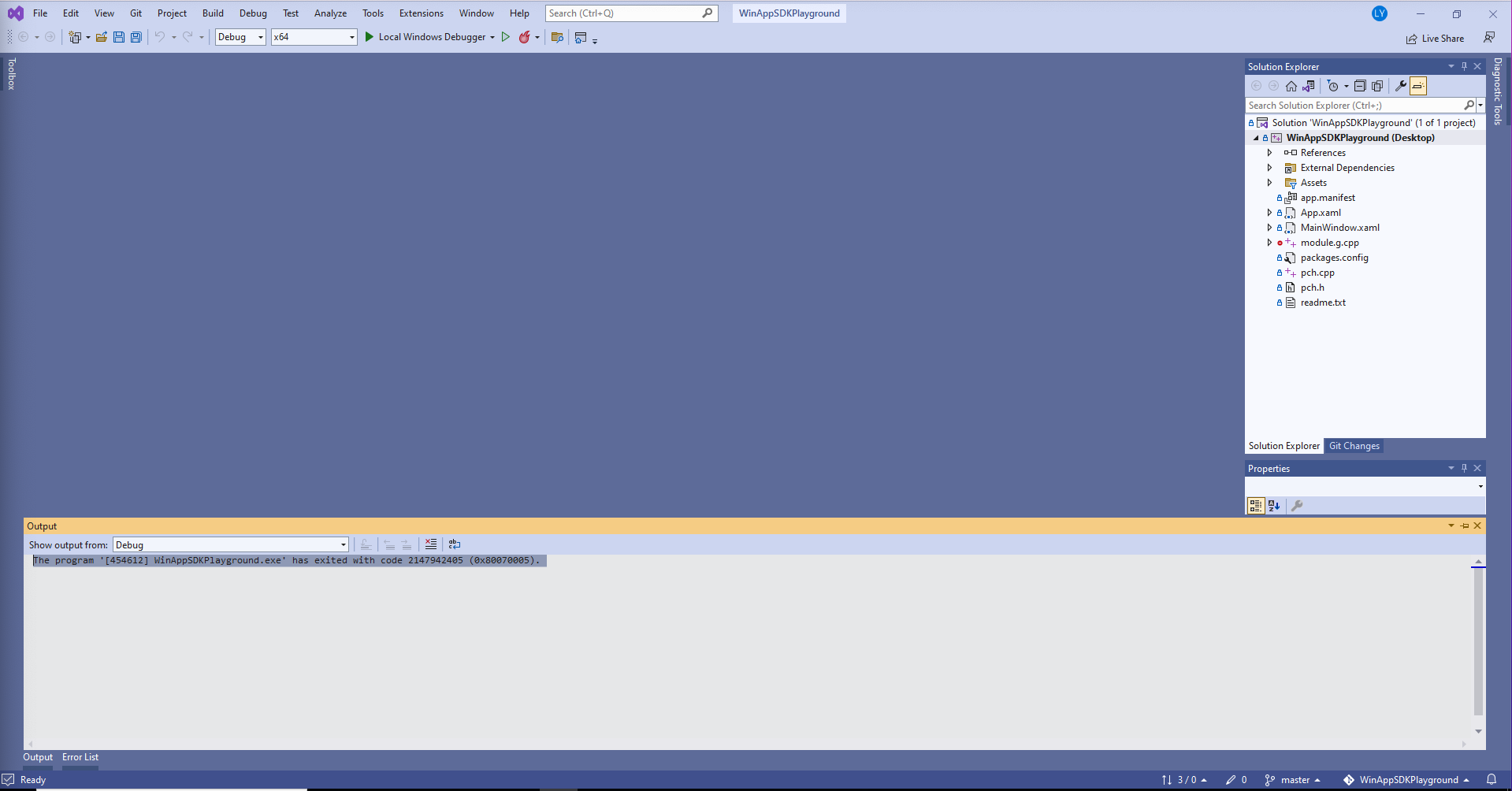
After following instructions at https://docs.microsoft.com/en-us/windows/apps/winui/winui3/create-your-first-winui3-app#non-msix-packaged-create-a-new-project-for-a-non-msix-packaged-c-or-c-winui-3-desktop-app to create an unpackaged C++ WinAppSDK app, when I run it Visual Studio shows following error before any app window is rendered or debugger is attached:
The program '[454612] WinAppSDKPlayground.exe' has exited with code 2147942405 (0x80070005).
Steps to reproduce the bug
Follow C++ steps here: https://docs.microsoft.com/en-us/windows/apps/winui/winui3/create-your-first-winui3-app#non-msix-packaged-create-a-new-project-for-a-non-msix-packaged-c-or-c-winui-3-desktop-app
Expected behavior
App launches
Screenshots
NuGet package version
1.1.4
Packaging type
Unpackaged
Windows version
Windows 10 version 21H2 (19044, November 2021 Update)
IDE
Visual Studio 2022
Additional context
The app runs fine if I revert the changes I made to the .vcxproj file per https://docs.microsoft.com/en-us/windows/apps/winui/winui3/create-your-first-winui3-app#non-msix-packaged-create-a-new-project-for-a-non-msix-packaged-c-or-c-winui-3-desktop-app to make it an unpackaged app

Following the instructions as is doesn't result in the same issue here. What is also curious is that access denied. Normally, what appears first in the output window is the executable. If Visual Studio isn't able to access the executable, either because it doesn't have the rights to access the executable, or the executable has been opened but not with sharing, then the error Visual Studio gives is very different. So, in the spirit of "if weird things happen, blame the antimalware", have you tried disabling it?

The same problem is reported here:
#2918
I think it has something to do with Windows App SDK 1.1.4 and 1.1.5. Only with these two versions of the Windows App SDK I get the error.
With the Windows App SDK 1.2 Preview 1 the problem does not occur and all unpackaged apps work as they should.
Maybe an upgrade to Windows App SDK 1.2 Preview 1 will help, if possible.


Yes, that AccessDenied is rather surprising and likely a clue to the root issue. I'm wondering if it's related to [Unpackaged x64 C++ WinUI application fails with "Access is denied" #3298](https://github.com/microsoft/WindowsAppSDK/issues/3298)
I have the same problem with C# application and Windows App SDK 1.2.
Are you using C# 6.0 or 7.0?
Do you see the same failure if you run in the debugger? If so can you share the debugger's output window?
Also, please share the ACL for your executable e.g. ICACLS Q:\Foo\Bar.exe
+@Scottj1s @bpulliam @MikeHillberg

Environment
OS version
Windows 10, version 21H2 (OS Build 19044.2364)
.NET version
>>> C:\Projects>dotnet --info

.NET SDK:
 Version:   7.0.101
 Commit:    bb24aafa11

Runtime Environment:
 OS Name:     Windows
 OS Version:  10.0.19044
 OS Platform: Windows
 RID:         win10-x64
 Base Path:   C:\Program Files\dotnet\sdk\7.0.101\

Host:
  Version:      7.0.1
  Architecture: x64
  Commit:       97203d38ba

.NET SDKs installed:
  6.0.100 [C:\Program Files\dotnet\sdk]
  7.0.101 [C:\Program Files\dotnet\sdk]
Visual Studio Version
Visual Studio 2022, version 17.4.3
Issue details
Configuration Debug x86
Application runs succesfully
Configuration Debug x64
Error, application is not started and exited with error
'App1.exe' (CoreCLR: DefaultDomain): Loaded 'C:\Temp\App1\bin\x64\Debug\net6.0-windows10.0.19041.0\win10-x64\System.Private.CoreLib.dll'. Skipped loading symbols. Module is optimized and the debugger option 'Just My Code' is enabled.
'App1.exe' (CoreCLR: clrhost): Loaded 'C:\Temp\App1\bin\x64\Debug\net6.0-windows10.0.19041.0\win10-x64\App1.dll'. Symbols loaded.
'App1.exe' (CoreCLR: clrhost): Loaded 'C:\Temp\App1\bin\x64\Debug\net6.0-windows10.0.19041.0\win10-x64\System.Runtime.dll'. Skipped loading symbols. Module is optimized and the debugger option 'Just My Code' is enabled.
'App1.exe' (CoreCLR: clrhost): Loaded 'c:\program files\microsoft visual studio\2022\community\common7\ide\commonextensions\microsoft\hotreload\Microsoft.Extensions.DotNetDeltaApplier.dll'. Skipped loading symbols. Module is optimized and the debugger option 'Just My Code' is enabled.
'App1.exe' (CoreCLR: clrhost): Loaded 'C:\Temp\App1\bin\x64\Debug\net6.0-windows10.0.19041.0\win10-x64\System.IO.Pipes.dll'. Skipped loading symbols. Module is optimized and the debugger option 'Just My Code' is enabled.
'App1.exe' (CoreCLR: clrhost): Loaded 'C:\Temp\App1\bin\x64\Debug\net6.0-windows10.0.19041.0\win10-x64\System.Linq.dll'. Skipped loading symbols. Module is optimized and the debugger option 'Just My Code' is enabled.
'App1.exe' (CoreCLR: clrhost): Loaded 'C:\Temp\App1\bin\x64\Debug\net6.0-windows10.0.19041.0\win10-x64\System.Collections.dll'. Skipped loading symbols. Module is optimized and the debugger option 'Just My Code' is enabled.
'App1.exe' (CoreCLR: clrhost): Loaded 'C:\Temp\App1\bin\x64\Debug\net6.0-windows10.0.19041.0\win10-x64\System.Console.dll'. Skipped loading symbols. Module is optimized and the debugger option 'Just My Code' is enabled.
'App1.exe' (CoreCLR: clrhost): Loaded 'C:\Temp\App1\bin\x64\Debug\net6.0-windows10.0.19041.0\win10-x64\System.Threading.dll'. Skipped loading symbols. Module is optimized and the debugger option 'Just My Code' is enabled.
'App1.exe' (CoreCLR: clrhost): Loaded 'C:\Temp\App1\bin\x64\Debug\net6.0-windows10.0.19041.0\win10-x64\System.Threading.Overlapped.dll'. Skipped loading symbols. Module is optimized and the debugger option 'Just My Code' is enabled.
'App1.exe' (CoreCLR: clrhost): Loaded 'C:\Temp\App1\bin\x64\Debug\net6.0-windows10.0.19041.0\win10-x64\System.Security.AccessControl.dll'. Skipped loading symbols. Module is optimized and the debugger option 'Just My Code' is enabled.
'App1.exe' (CoreCLR: clrhost): Loaded 'C:\Temp\App1\bin\x64\Debug\net6.0-windows10.0.19041.0\win10-x64\System.Security.Principal.Windows.dll'. Skipped loading symbols. Module is optimized and the debugger option 'Just My Code' is enabled.
'App1.exe' (CoreCLR: clrhost): Loaded 'C:\Temp\App1\bin\x64\Debug\net6.0-windows10.0.19041.0\win10-x64\System.Runtime.InteropServices.dll'. Skipped loading symbols. Module is optimized and the debugger option 'Just My Code' is enabled.
'App1.exe' (CoreCLR: clrhost): Loaded 'C:\Temp\App1\bin\x64\Debug\net6.0-windows10.0.19041.0\win10-x64\System.Security.Claims.dll'. Skipped loading symbols. Module is optimized and the debugger option 'Just My Code' is enabled.
'App1.exe' (CoreCLR: clrhost): Loaded 'C:\Temp\App1\bin\x64\Debug\net6.0-windows10.0.19041.0\win10-x64\Microsoft.Win32.Primitives.dll'. Skipped loading symbols. Module is optimized and the debugger option 'Just My Code' is enabled.
'App1.exe' (CoreCLR: clrhost): Loaded 'C:\Temp\App1\bin\x64\Debug\net6.0-windows10.0.19041.0\win10-x64\System.Runtime.Loader.dll'. Skipped loading symbols. Module is optimized and the debugger option 'Just My Code' is enabled.
'App1.exe' (CoreCLR: clrhost): Loaded 'C:\Temp\App1\bin\x64\Debug\net6.0-windows10.0.19041.0\win10-x64\Microsoft.WindowsAppRuntime.Bootstrap.Net.dll'. Skipped loading symbols. Module is optimized and the debugger option 'Just My Code' is enabled.
'App1.exe' (CoreCLR: clrhost): Loaded 'C:\Temp\App1\bin\x64\Debug\net6.0-windows10.0.19041.0\win10-x64\System.Collections.Concurrent.dll'. Skipped loading symbols. Module is optimized and the debugger option 'Just My Code' is enabled.
The program '[1564] App1.exe' has exited with code 2147942405 (0x80070005).
ACL info:
c:\Temp\App1\bin\x64\Debug\net6.0-windows10.0.19041.0\win10-x64>ICACLS App1.exe
App1.exe BUILTIN\Administrators:(I)(F)
         NT AUTHORITY\SYSTEM:(I)(F)
         BUILTIN\Users:(I)(RX)
         NT AUTHORITY\Authenticated Users:(I)(M)

Successfully processed 1 files; Failed processing 0 files

c:\Temp\App1\bin\x64\Debug\net6.0-windows10.0.19041.0\win10-x64>
I found a difference between WindowsAppRuntime x86 and x64
WindowsAppRuntime x86
>>> CACLS "C:\Program Files\WindowsApps\Microsoft.WindowsAppRuntime.1.2_2000.707.2303.0_x86__8wekyb3d8bbwe\Microsoft.WindowsAppRuntime.dll" /s

C:\Program Files\WindowsApps\Microsoft.WindowsAppRuntime.1.2_2000.707.2303.0_x86__8wekyb3d8bbwe\Microsoft.WindowsAppRuntime.dll
"D:AI(A;ID;0x1200a9;;;AC)
(A;ID;0x1200a9;;;S-1-15-2-2)
(A;ID;0x1200a9;;;BU)
(A;ID;FA;;;S-1-5-80-956008885-3418522649-1831038044-1853292631-2271478464)
(A;ID;0x1200a9;;;S-1-15-3-1024-3635283841-2530182609-996808640-1887759898-3848208603-3313616867-983405619-2501854204)
(A;ID;FA;;;SY)
(A;ID;0x1200a9;;;LS)
(A;ID;0x1200a9;;;NS)
(A;ID;0x1200a9;;;RC)
(A;ID;FA;;;S-1-5-21-4027160192-2743716042-2923426179-1001)"
WindowsAppRuntime x64
>>> CACLS "C:\Program Files\WindowsApps\Microsoft.WindowsAppRuntime.1.2_2000.707.2303.0_x64__8wekyb3d8bbwe\Microsoft.WindowsAppRuntime.dll" /s

C:\Program Files\WindowsApps\Microsoft.WindowsAppRuntime.1.2_2000.707.2303.0_x64__8wekyb3d8bbwe\Microsoft.WindowsAppRuntime.dll
"D:PAI(A;;0x1200a9;;;AC)
(A;;FA;;;SY)
(A;;0x1200a9;;;S-1-15-2-2)
(A;;0x1200a9;;;LS)
(A;;0x1200a9;;;NS)
(A;;FA;;;S-1-5-80-956008885-3418522649-1831038044-1853292631-2271478464)
(A;;0x1200a9;;;S-1-15-3-1024-3635283841-2530182609-996808640-1887759898-3848208603-3313616867-983405619-2501854204)
(A;;FR;;;BU)
(XA;;0x1200a9;;;BU;(Exists WIN://PKG))
(XA;;0x1200a9;;;BU;(WIN://SYSAPPID Contains "Microsoft.WindowsAppRuntime.1.2_8wekyb3d8bbwe"))
(XA;;0x1200a9;;;BU;(WIN://SYSAPPID Contains "Microsoft.YourPhone_8wekyb3d8bbwe"))
(A;;0x1200a9;;;RC)"
We’re running into the same issue with an unpackaged C++/WinRT app on two machines using SDK version v1.2 and 1.2.2. Please let me know if we can provide any further info.

@triplef Please check using 1.3 Preview 1, as we've made numerous changes. Also, this issue has already been repurposed from C++ to C# and from 1.1 to 1.2. If you still see issues, please open a new issue.
From my reading the original C++ issue has been fixed.
The C# issue may be an issue we fixed in 1.2. If the C# issue still repros, feel free to reactivate and we'll pursue further. Thanks!
