

 microsoft
Abortion Policy (Independent Publisher)
When submitting a connector, please make sure that you follow the requirements below, otherwise your PR might be rejected. We want to make you have a well-built connector, a smooth certification experience, and your users are happy :)
If this is your first time submitting to GitHub and you need some help, please sign up for this session.
- [x] I attest that the connector doesn't exist on the Power Platform today. I've verified by checking the pull requests in GitHub and by searching for the connector on the platform or in the documentation.
- [x] I attest that the connector works and I verified by deploying and testing all the operations.
- [x] I attest that I have added detailed descriptions for all operations and parameters in the swagger file.
- [x] I attest that I have added response schemas to my actions, unless the response schema is dynamic.
- [x] I validated the swagger file,
apiDefinition.swagger.json, by runningpaconn validatecommand. - [x] If this is a certified connector, I confirm that
apiProperties.jsonhas a valid brand color and doesn't use an invalid brand color,#007ee5or#ffffff. If this is an independent publisher connector, I confirm that I am not submitting a connector icon.
If you are an Independent Publisher, you must also attest to the following to ensure a smooth publishing process:
- [x] I have named this PR after the pattern of "Connector Name (Independent Publisher)" ex: HubSpot Marketing (Independent Publisher)
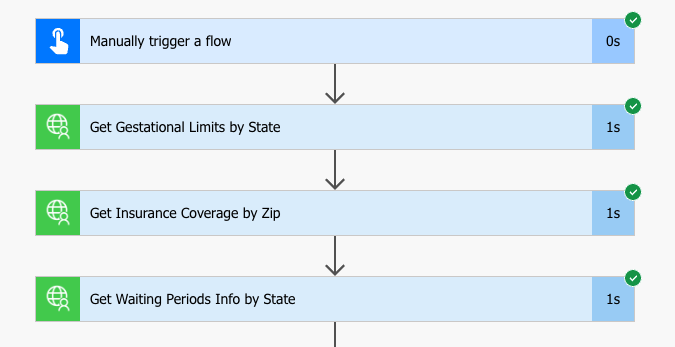
- [x] Within this PR markdown file, I have pasted screenshots that show: 3 unique operations (actions/triggers) working within a Flow. This can be in one flow or part of multiple flows. For each one of those flows, I have pasted in screenshots of the Flow succeeding.
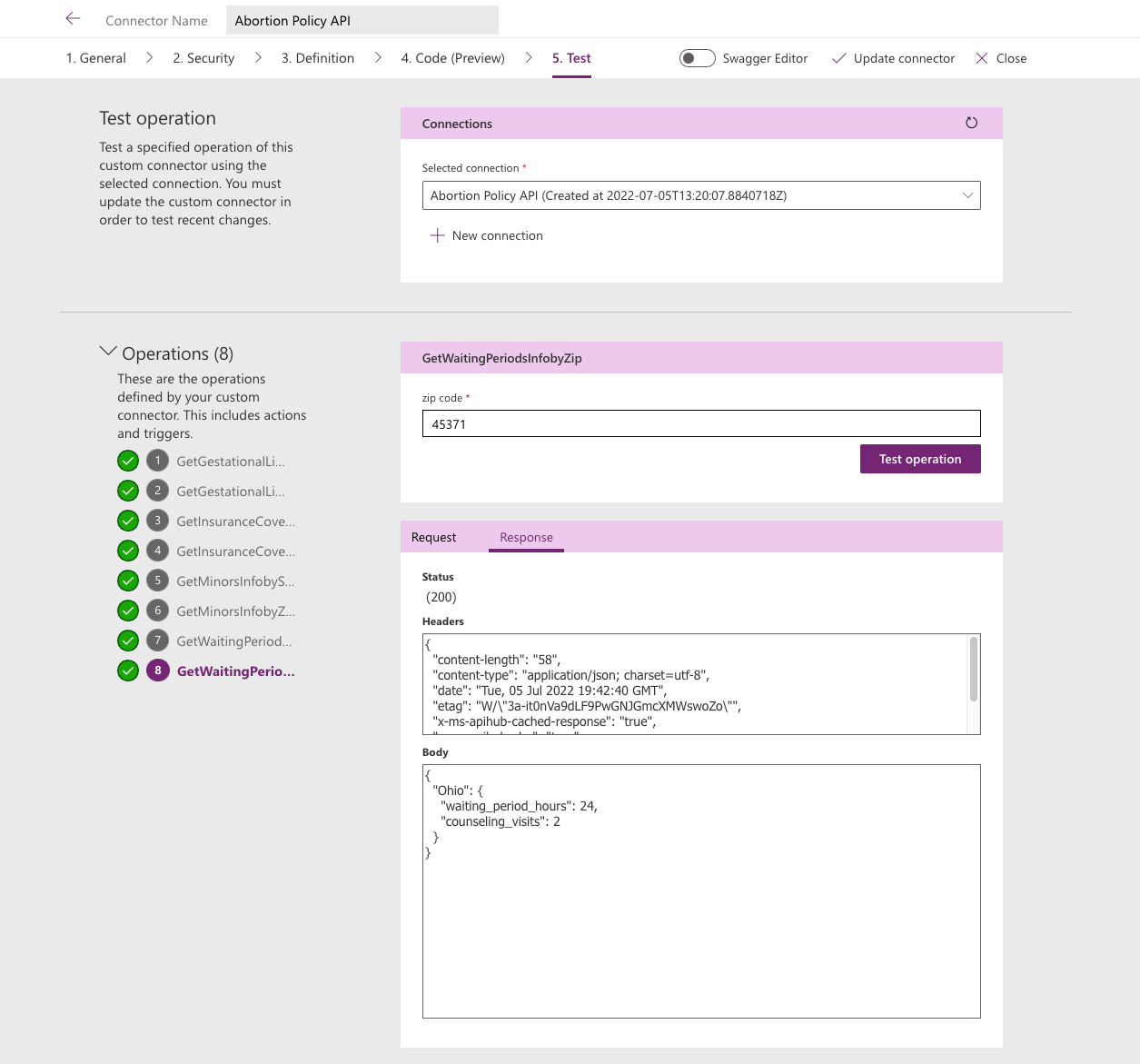
- [x] Within this PR markdown file, I have pasted in a screenshot from the Test operations section within the Custom Connector UI.
- [x] If the connector uses OAuth, I have provided detailed steps on how to create an app in the readme.md.

Hello Partners, Thank you very much and congratulations on your new submission. Please allow us some time while we are making sure that this connector is not violating any rights in the community. Our Certification Engineers will review your submission within 1-2 weeks. Please let us know if you have any questions. Thank you very much again for working with us.

@thatapiguy Apologies for the delay in response.
We are preparing your connector for production deployment and will queue up for the next deployment schedule. Once your connector onboards the next deployment schedule, it starts to deploy your connector in our production environments that typically takes 3-4 weeks. Please note that the documentation for your connector will not be generated until the deployment process is in the final steps. Thanks.

Hello @thatapiguy, I hope you are doing well. Your connector is in production deployment and queued up for the next deployment schedule. This process typically takes 3-4 weeks. Please note that the documentation for your connector will not be generated until the deployment process is in the final steps. Please let us know if you have any questions. Thank you very much for working with us.