Partner-Center-PowerShell

Partner-Center-PowerShell copied to clipboard
 microsoft
Issue New-PartnerAccessToken Scope Microsoft Graph which is replacing AAD Graph
Steps to reproduce
$azureToken = New-PartnerAccessToken -ApplicationId $AppID -Credential $CSPSPNCred -RefreshToken $RefreshToken -Scopes 'https://management.azure.com//user_impersonation' -ServicePrincipal -Tenant $CustomerTenantID

$graphToken = New-PartnerAccessToken -ApplicationId $AppID -Credential $CSPSPNCred -RefreshToken $RefreshToken -Scopes **'https://graph.microsoft.com/.default'** -ServicePrincipal -Tenant $CustomerTenantID

Connect-AzAccount -AccountId $AppID -AccessToken $azureToken.AccessToken -GraphAccessToken $graphToken.AccessToken -TenantId $CustomerTenantID

$AppTemp = New-AzADApplication -DisplayName $SPNName -IdentifierUris "http://$SPNName" -HomePage "http://$SPNName"
Expected behavior
The expected behavior would be to be able to create the SPN. It is working when using the AAD Graph scope (https://graph.windows.net/.default). However, as the AAD Graph API is deprecated we need to change to Microsoft Graph API.
Actual behavior
Instead I am getting the following error: New-AzADApplication: Your access token has expired. Please renew it before submitting the request. Is it possible to get the Microsoft Graph API token or is it still not supported?
Diagnostic logs
Environment
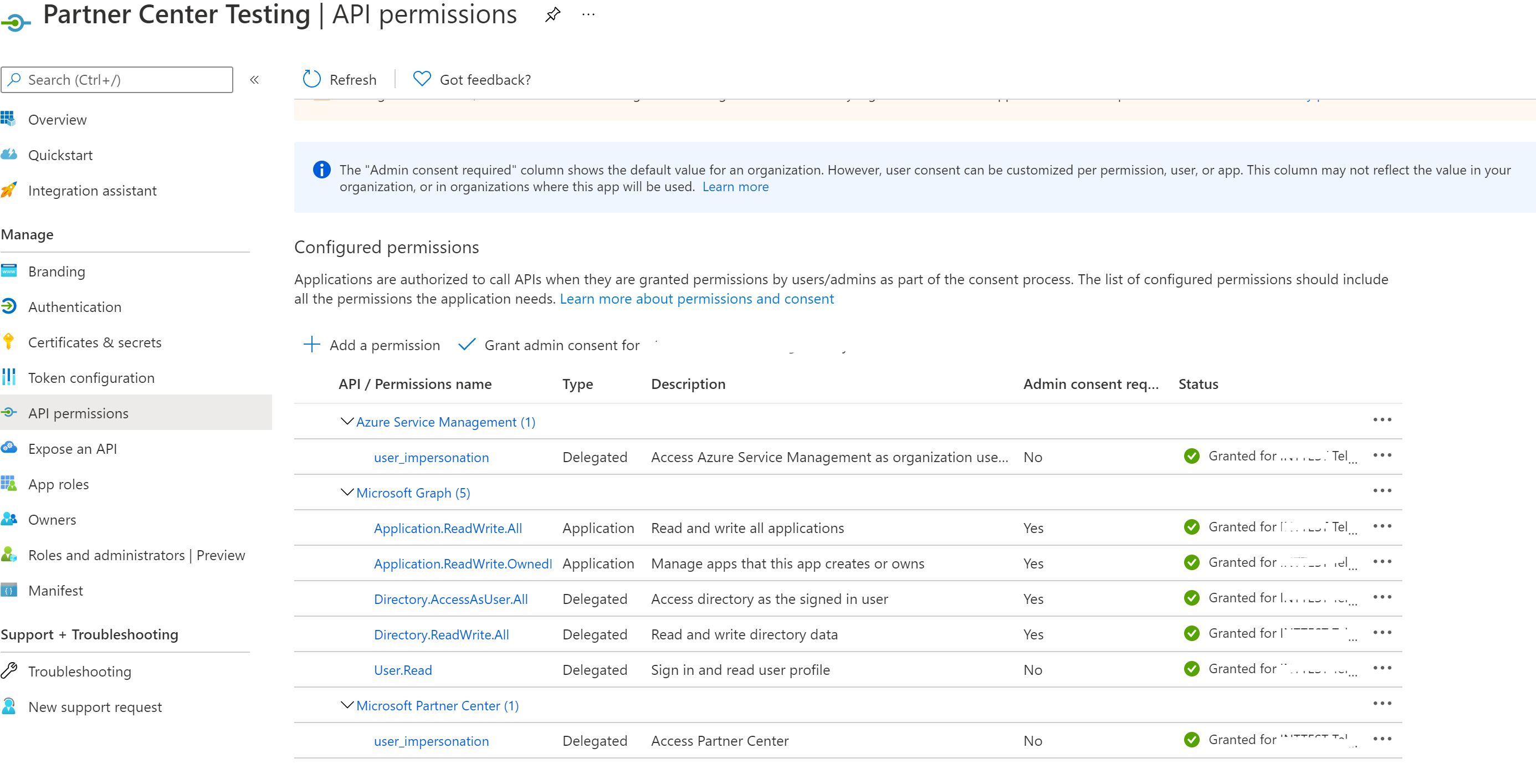
These are the API permissions of the Application